> ## Documentation Index
> Fetch the complete documentation index at: https://magica.com/docs/llms.txt
> Use this file to discover all available pages before exploring further.
# Concepts
> Models, nodes, workflow runs, credits, system workflows, and run history - the vocabulary you'll see throughout the Magica API.
A short tour of the building blocks exposed by the public REST API. If you've used a visual workflow tool before, most of this will be familiar.
***
## Workflows
A **workflow** is a saved graph of nodes connected by edges. Think of it as a function: it takes inputs from a Request Node, runs them through one or more processing nodes, and emits results from a Response Node.
Workflows you create and edit in the Magica app. Public REST can estimate
credits and start workflow runs by workflow ID or system workflow slug.
Pre-built templates Magica ships (e.g. "Nano Banana Pro", "Flux 2 Pro").
Read-only — list with `GET /v1/system-workflows`.
***
## Nodes
A **node** is a single step in a workflow. Two special scaffold nodes exist in every workflow:
Defines workflow **inputs**. Each input field has a name, type, and optional
default value. Values submitted from the UI or internal execution services
populate these fields.
Defines workflow **outputs**. Whatever gets wired into the Response Node is
what the run returns.
Between Request and Response, you add **processing nodes** — image generators, LLMs, video models, audio, utilities. Each node belongs to a category:
| Category | Examples |
| ----------- | ------------------------------------------ |
| **Image** | Flux 2 Pro, Nano Banana Pro, GPT Image 1.5 |
| **Video** | Runway, Kling, Veo |
| **Audio** | TTS, music generation, sound effects |
| **LLM** | GPT-5, Claude Sonnet, OpenRouter models |
| **Utility** | Merge videos, extract audio, transcription |
Scaffold nodes (Request, Response) **cannot be deleted**. All other nodes can.
***
## Ports & edges
Every node has typed input and output **ports**. An **edge** is a connection between an output port on one node and an input port on another.
```text theme={null}
RequestNode.prompt → flux_2_pro.prompt (text → text)
flux_2_pro.result → gpt_5.image_urls (image → image)
gpt_5.output → ResponseNode.result (text → any)
```
Edge creation is validated by the server:
* **Type compatibility** — image ports can't feed into text-only inputs.
* **No cycles** — workflows are DAGs.
* **Single-input rule** — most input ports accept exactly one upstream edge.
Port types: `text · image · video · audio · avmedia · file · number · boolean · select · any`.
***
## Run history
A **run** is a single execution of a workflow or model. Public REST exposes run creation and lookup endpoints for model runs and workflow runs.
`RUNNING` → terminal: `COMPLETED`, `FAILED`, or `CANCELED`.
Use [`GET /v1/nodes/runs/{runId}`](/api-reference/nodes/get-model-run) for
standalone model runs, and [`GET /v1/runs/{runId}`](/api-reference/runs/get)
for workflow runs.
### Run result shape
```json theme={null}
{
"runId": "cuid_abc123",
"status": "COMPLETED",
"response": { /* Response Node output */ },
"nodes": [
{ "nodeId": "...", "type": "flux_2_pro", "status": "COMPLETED", "output": { ... } },
{ "nodeId": "...", "type": "gpt_5", "status": "COMPLETED", "output": { ... } }
]
}
```
The `response` field surfaces what the Response Node received — usually the only thing you need. `nodes` gives per-step status + output, useful for debugging partial failures.
### Run history in the UI
API-visible runs are surfaced in the same dashboard your UI runs land in. Use this to debug a failing run, inspect a past result, or copy a `runId` you forgot to log.
Two places to find it:
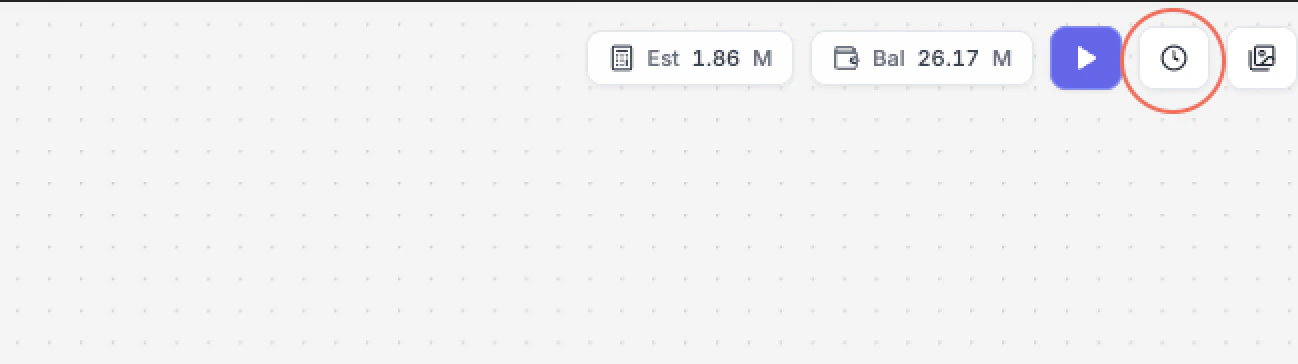
Open any workflow on the canvas and click the **clock icon** in the top toolbar to slide out the Execution History panel. Switch to the **API Runs** tab to filter to runs started via the REST API or MCP server.
 On a node detail page or workflow playground, scroll to the **Run History** section. Same **UI Runs / API Runs** toggle — clicking **API Runs** lists runs originated through the REST API.
 The **API Runs** tab is your friend during integration — it shows the exact
`runId`, status, credits, and timestamp for every supported API-visible call,
side-by-side with the UI runs your team kicked off manually.
***
## Webhooks
Webhook delivery is used by execution surfaces that support asynchronous run callbacks. Deliveries are signed (HMAC-SHA256) and retried with exponential backoff. Full details are on the [Webhooks page](/webhooks).
For public REST clients, keep webhook receivers ready to validate signatures and handle retries idempotently.
***
## Credits
Each run debits **credits** from your account. Costs depend on the model and parameters used (resolution, duration, etc.).
* `GET /v1/credits/balance` — current balance
* `GET /v1/models/catalog` — model list with cost structure
* `GET /v1/models/{modelId}/pricing` — pricing details for one model
* `POST /v1/nodes/estimate-credits` — estimate model/node-shaped payloads
* `POST /v1/workflows/estimate-credits` — estimate workflow-shaped payloads
* Canceled runs refund unused estimated credits
When working in MCP, the `get_balance` and `get_pricing` tools surface the
same information to your AI assistant before kicking off expensive jobs.
***
## How it all fits together
Use [`GET /v1/models`](/api-reference/nodes/list-models) or [`GET
/v1/models/search`](/api-reference/nodes/search) to choose a model ID.
Fetch [`GET /v1/models/{modelId}/schema`](/api-reference/nodes/model-schema)
and [`GET /v1/models/{modelId}/pricing`](/api-reference/nodes/model-pricing)
before building client forms.
Use [`POST
/v1/nodes/estimate-credits`](/api-reference/nodes/estimate-credits) or
[`POST
/v1/workflows/estimate-credits`](/api-reference/workflows/estimate-credits)
before starting expensive jobs.
Use [`POST /v1/nodes/{nodeType}/run`](/api-reference/nodes/run) for a
standalone model run, or [`POST /v1/runs`](/api-reference/runs/start) for a
workflow run.
***
## Next steps
Walk through the API end-to-end with code samples.
Drive all of the above from a Claude or Cursor conversation.
The **API Runs** tab is your friend during integration — it shows the exact
`runId`, status, credits, and timestamp for every supported API-visible call,
side-by-side with the UI runs your team kicked off manually.
***
## Webhooks
Webhook delivery is used by execution surfaces that support asynchronous run callbacks. Deliveries are signed (HMAC-SHA256) and retried with exponential backoff. Full details are on the [Webhooks page](/webhooks).
For public REST clients, keep webhook receivers ready to validate signatures and handle retries idempotently.
***
## Credits
Each run debits **credits** from your account. Costs depend on the model and parameters used (resolution, duration, etc.).
* `GET /v1/credits/balance` — current balance
* `GET /v1/models/catalog` — model list with cost structure
* `GET /v1/models/{modelId}/pricing` — pricing details for one model
* `POST /v1/nodes/estimate-credits` — estimate model/node-shaped payloads
* `POST /v1/workflows/estimate-credits` — estimate workflow-shaped payloads
* Canceled runs refund unused estimated credits
When working in MCP, the `get_balance` and `get_pricing` tools surface the
same information to your AI assistant before kicking off expensive jobs.
***
## How it all fits together
Use [`GET /v1/models`](/api-reference/nodes/list-models) or [`GET
/v1/models/search`](/api-reference/nodes/search) to choose a model ID.
Fetch [`GET /v1/models/{modelId}/schema`](/api-reference/nodes/model-schema)
and [`GET /v1/models/{modelId}/pricing`](/api-reference/nodes/model-pricing)
before building client forms.
Use [`POST
/v1/nodes/estimate-credits`](/api-reference/nodes/estimate-credits) or
[`POST
/v1/workflows/estimate-credits`](/api-reference/workflows/estimate-credits)
before starting expensive jobs.
Use [`POST /v1/nodes/{nodeType}/run`](/api-reference/nodes/run) for a
standalone model run, or [`POST /v1/runs`](/api-reference/runs/start) for a
workflow run.
***
## Next steps
Walk through the API end-to-end with code samples.
Drive all of the above from a Claude or Cursor conversation.