

Workflows
A workflow is a saved graph of nodes connected by edges. Think of it as a function: it takes inputs from a Request Node, runs them through one or more processing nodes, and emits results from a Response Node.User workflows
Workflows you create and edit in the Magica app. Public REST can estimate
credits and start workflow runs by workflow ID or system workflow slug.
System workflows
Pre-built templates Magica ships (e.g. “Nano Banana Pro”, “Flux 2 Pro”).
Read-only — list with
GET /v1/system-workflows.Nodes
A node is a single step in a workflow. Two special scaffold nodes exist in every workflow:Request Node
Defines workflow inputs. Each input field has a name, type, and optional
default value. Values submitted from the UI or internal execution services
populate these fields.
Response Node
Defines workflow outputs. Whatever gets wired into the Response Node is
what the run returns.
Scaffold nodes (Request, Response) cannot be deleted. All other nodes can.
Ports & edges
Every node has typed input and output ports. An edge is a connection between an output port on one node and an input port on another.- Type compatibility — image ports can’t feed into text-only inputs.
- No cycles — workflows are DAGs.
- Single-input rule — most input ports accept exactly one upstream edge.
text · image · video · audio · avmedia · file · number · boolean · select · any.
Run history
A run is a single execution of a workflow or model. Public REST exposes run creation and lookup endpoints for model runs and workflow runs.States
RUNNING → terminal: COMPLETED, FAILED, or CANCELED.Get the result
Use
GET /v1/nodes/runs/{runId} for
standalone model runs, and GET /v1/runs/{runId}
for workflow runs.Run result shape
response field surfaces what the Response Node received — usually the only thing you need. nodes gives per-step status + output, useful for debugging partial failures.
Run history in the UI
API-visible runs are surfaced in the same dashboard your UI runs land in. Use this to debug a failing run, inspect a past result, or copy arunId you forgot to log.
Two places to find it:
- Workflow editor
- Node / workflow playground
Open any workflow on the canvas and click the clock icon in the top toolbar to slide out the Execution History panel. Switch to the API Runs tab to filter to runs started via the REST API or MCP server.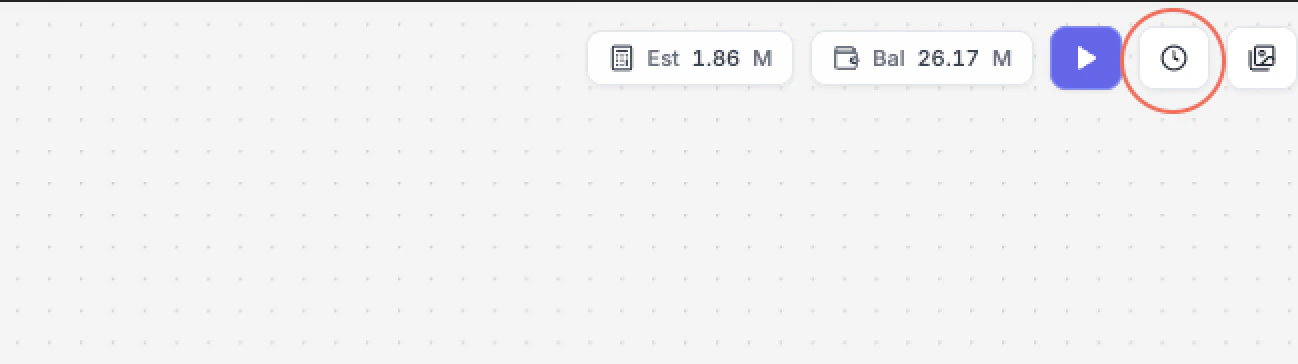


Webhooks
Webhook delivery is used by execution surfaces that support asynchronous run callbacks. Deliveries are signed (HMAC-SHA256) and retried with exponential backoff. Full details are on the Webhooks page. For public REST clients, keep webhook receivers ready to validate signatures and handle retries idempotently.Credits
Each run debits credits from your account. Costs depend on the model and parameters used (resolution, duration, etc.).GET /v1/credits/balance— current balanceGET /v1/models/catalog— model list with cost structureGET /v1/models/{modelId}/pricing— pricing details for one modelPOST /v1/nodes/estimate-credits— estimate model/node-shaped payloadsPOST /v1/workflows/estimate-credits— estimate workflow-shaped payloads- Canceled runs refund unused estimated credits
How it all fits together
1
Discover a model
Use
GET /v1/models or GET /v1/models/search to choose a model ID.2
Inspect schema and pricing
Fetch
GET /v1/models/{modelId}/schema
and GET /v1/models/{modelId}/pricing
before building client forms.3
Estimate credits
Use
POST /v1/nodes/estimate-credits or
POST /v1/workflows/estimate-credits
before starting expensive jobs.4
Start and poll runs
Use
POST /v1/nodes/{nodeType}/run for a
standalone model run, or POST /v1/runs for a
workflow run.Next steps
Quickstart
Walk through the API end-to-end with code samples.
MCP Server
Drive all of the above from a Claude or Cursor conversation.