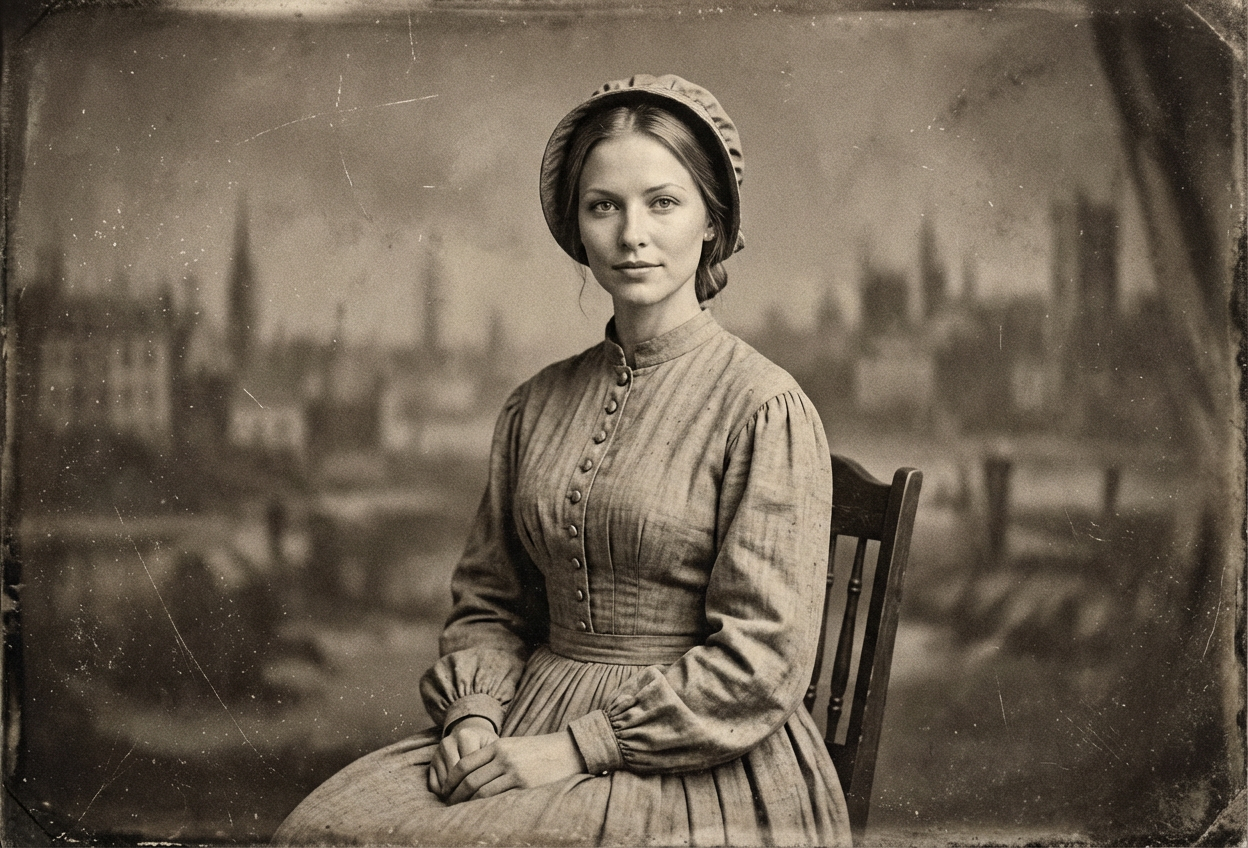
Compare the source image with each finished result.
Source image
Result
What Magica will ask for
The agent gathers these inputs and preferences in the conversation before it starts.
Upload Portrait Photo
attach a photo to apply the filter
Why Choose Our AI Civil War Filter?
Step back in time with our AI Civil War Filter that transforms modern photos into authentic 1860s Civil War era portraits. Experience the distinctive sepia tones, period clothing, and vintage photography style of this pivotal historical period!
Authentic 1860s period clothing and styling
Vintage sepia-tone photography aesthetic
Historically accurate Civil War era details
Natural film grain and aging effects
Maintains original facial features and expressions
Perfect for historical education and ancestry exploration
Instant transformation with one click
How Our AI Civil War Filter Works
Travel back to the 1860s with these simple steps:
01
Attach Your Photo
Select a clear portrait photo where your face is clearly visible. Front-facing or slightly angled shots work best for authentic Civil War portraits!
02
Apply the Filter
ask Magica to generate the result and watch as our AI transforms your photo into an authentic 1860s Civil War era portrait with period clothing and vintage photography effects.
03
Download & Share
Preview your historical transformation and download your Civil War era portrait to share or use for educational purposes.
Key Features of the AI Civil War Filter
Authentic 1860s Styling
Applies period-accurate Civil War era clothing, hairstyles, and styling that captures the essence of 1860s American portraiture.
Vintage Sepia Tone
Creates the distinctive sepia-toned aesthetic characteristic of 1860s photography, with warm amber and brown tones that evoke the past.
Period Photography Effects
Replicates the grain, texture, and imperfections of early photographic processes used during the Civil War era.
Smart Feature Preservation
Advanced AI maintains your natural facial features and expressions while applying historical transformation effects.
High-Resolution Output
Generates high-quality images perfect for printing, framing, or educational presentations.
Who Can Benefit from the Civil War Filter?
Our AI Civil War Filter is perfect for anyone interested in American history, ancestry research, or creating unique historical content.
History Educators & Students
Create engaging visual aids for Civil War history lessons and presentations that bring the 1860s to life.
Genealogy Enthusiasts
Visualize how your family might have appeared during the Civil War era to connect with your ancestry.
Historical Reenactors
Preview period-accurate looks or enhance your Civil War reenactment photos with authentic styling.
Authors & Writers
Generate visual references for Civil War era characters in historical fiction or non-fiction works.
Content Creators
Create unique historical content for social media, blogs, or educational platforms.
Museum & Heritage Sites
Create interactive experiences where visitors can see themselves in Civil War era style.
Tips for the Best Civil War Era Portrait
Tip 1
Use Clear, Well-Lit Photos
Ensure your face is clearly visible with good lighting. Natural lighting works best to mimic early photography conditions.
Tip 2
Choose Neutral or Serious Expressions
Civil War era portraits typically featured serious, stoic expressions due to long exposure times. A neutral expression will look most authentic.
Tip 3
Front-Facing or Slight Profile Works Best
Traditional 1860s portraits were often straight-on or in slight profile. These angles produce the most historically accurate results.
Tip 4
Higher Resolution for Better Detail
Use high-quality photos to capture fine details of period clothing, textures, and the vintage photography grain effect.
Tip 5
Consider Your Background
While the AI will add period styling, simple backgrounds work best for authentic Civil War portrait aesthetics.
Frequently Asked Questions About Our Civil War Filter
How authentic is the Civil War era transformation?
Our AI creates highly authentic 1860s Civil War era portraits by applying period-accurate clothing, hairstyles, sepia tones, and vintage photography effects characteristic of early photographic processes. The transformation is based on extensive historical photography from the era.
What makes the sepia tone authentic to the 1860s?
The sepia tone is calibrated to match the warm amber and brown hues typical of albumen prints and early photography from the 1860s. We also add subtle grain, vignetting, and aging effects that replicate the look of genuine Civil War era photographs.
Can it transform both men and women?
Yes! The AI applies period-appropriate clothing and styling for both men and women, including military uniforms, civilian attire, hairstyles, and accessories typical of the 1860s Civil War era.
Will my photo maintain its quality?
Yes, while we add vintage effects like grain and sepia tones to create the historical aesthetic, the underlying image maintains high resolution and your facial features remain clear and recognizable.
What types of photos work best?
Clear portrait photos with good lighting work best. Front-facing or slight profile shots produce the most authentic results, as these were common poses in 1860s photography. Neutral or serious expressions also enhance the historical accuracy.
Is this filter educational?
Absolutely! The Civil War Filter is excellent for educational purposes, helping students and history enthusiasts visualize the 1860s era and understand historical photography techniques. It's perfect for presentations, ancestry exploration, and bringing history to life.
How is my photo data handled?
We prioritize user privacy. Your photos are used only for the transformation process and are not stored long-term or used for other purposes. The generated Civil War portrait is returned in the conversation for you to save.
Can I use this for ancestry projects?
Yes! Many users enjoy creating Civil War era portraits to visualize how their ancestors might have appeared during this historical period, making it perfect for family history projects and genealogy presentations.