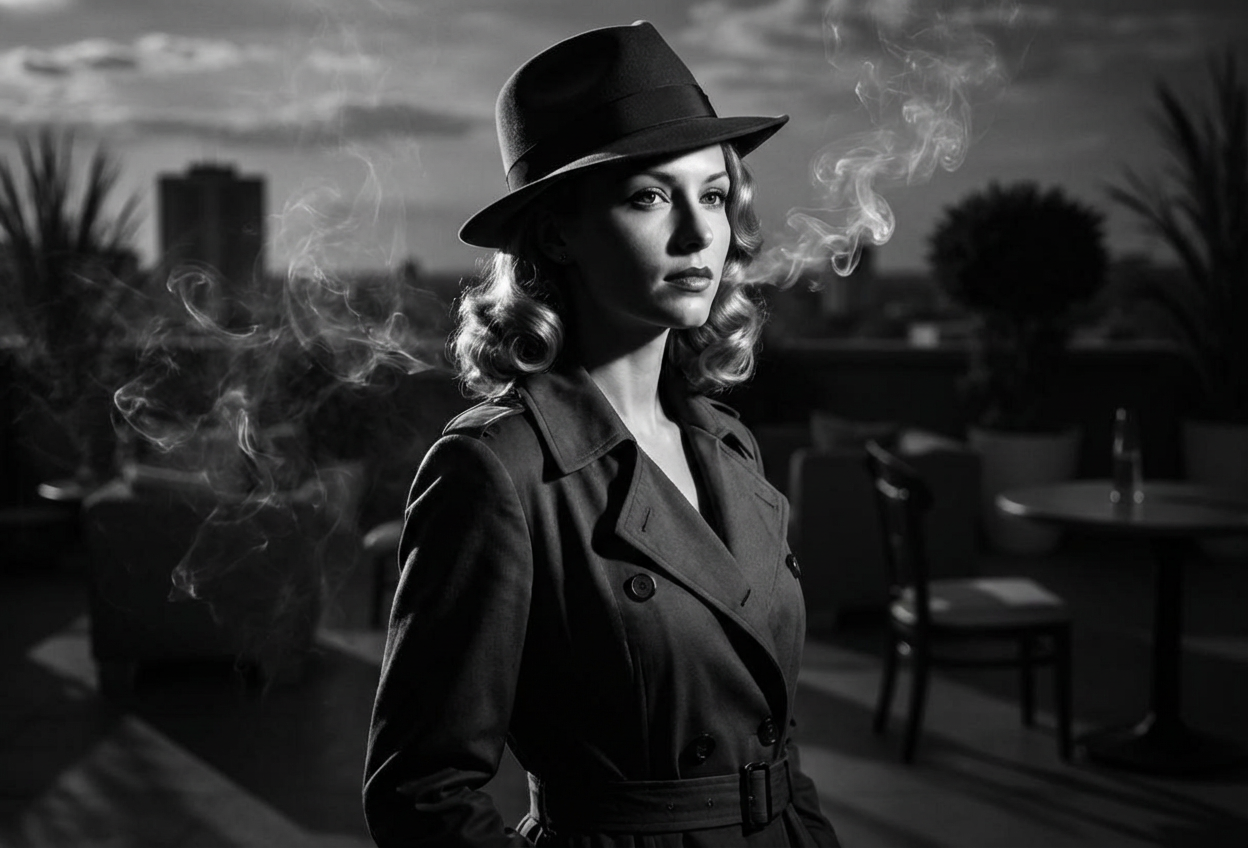
Compare the source image with each finished result.
Source image
Result
What Magica will ask for
The agent gathers these inputs and preferences in the conversation before it starts.
Upload Portrait Photo
attach a photo to apply the filter
Why Choose Our AI 1940s Noir Filter?
Transform your photos into iconic 1940s film noir scenes with our advanced AI. Experience the mystery and drama of classic detective cinema with authentic black and white cinematography!
Authentic 1940s film noir aesthetic
Dramatic black and white cinematography
High-contrast lighting and deep shadows
Vintage detective styling with fedoras and trench coats
Period-accurate hairstyles and fashion
Atmospheric cigarette smoke effects
Maintains original photo quality and features
How Our 1940s Noir Filter Works
Step into the world of classic film noir with these simple steps:
01
Attach Your Photo
Select a clear portrait photo where your face is visible. Photos with neutral expressions work best for that mysterious noir detective look!
02
Apply the Filter
ask Magica to generate the result and watch as our AI transforms you into a classic 1940s film noir character with dramatic lighting and vintage styling.
03
Download & Share
Preview your noir transformation and download your cinematic black and white portrait.
Key Features of the AI 1940s Noir Filter
Authentic Noir Cinematography
Creates genuine 1940s film noir aesthetics with characteristic black and white cinematography, dramatic lighting, and high contrast shadows.
Vintage Style Transformation
Adds period-accurate elements including fedora hats, trench coats, and 1940s hairstyles while maintaining your facial features.
Atmospheric Effects
Incorporates cigarette smoke atmosphere and moody lighting to capture the essence of classic detective films.
High-Quality Output
Generates high-resolution images perfect for social media, creative projects, or vintage-themed content.
Who Can Benefit from the 1940s Noir Filter?
Our AI 1940s Noir Filter is perfect for anyone who loves classic cinema, mysterious aesthetics, or vintage style.
Classic Cinema Enthusiasts
Create authentic film noir portraits that capture the golden age of detective movies.
Content Creators
Generate unique vintage noir content for YouTube, Instagram, or TikTok with an authentic 1940s aesthetic.
Social Media Influencers
Stand out with mysterious, dramatic profile pictures that evoke classic detective film vibes.
Actors & Performers
Create character portraits for noir-themed productions or portfolio pieces with authentic period styling.
Artists & Designers
Generate reference images for noir-themed artwork, designs, or creative projects.
Event Planners
Create themed promotional materials for 1940s mystery events, murder mysteries, or vintage parties.
Tips for the Best Noir Transformation
Tip 1
Use Photos with Good Lighting
Clear, well-lit photos provide the best base for the dramatic noir lighting transformation. Side-lit photos work especially well.
Tip 2
Try a Mysterious Expression
A neutral, serious, or slightly stern expression enhances the classic film noir detective aesthetic.
Tip 3
Portrait Orientation Works Best
Front-facing or slight profile shots capture the dramatic lighting and styling more effectively than full-body photos.
Tip 4
Higher Resolution for Better Details
Use high-quality photos to ensure the vintage details, shadows, and noir elements are crisp and cinematic.
Tip 5
Embrace the Monochrome
The black and white cinematography is central to the noir aesthetic - the high contrast creates that classic dramatic look.
Frequently Asked Questions About Our 1940s Noir Filter
How authentic is the 1940s noir transformation?
Our AI creates highly authentic 1940s film noir transformations by analyzing classic detective films from the era. It applies period-accurate styling including black and white cinematography, dramatic lighting, vintage fashion elements like fedoras and trench coats, and atmospheric effects that capture the essence of noir cinema.
Will the filter add props like hats and coats?
Yes! The filter intelligently adds period-appropriate elements such as fedora hats, trench coats, and 1940s hairstyles while maintaining your facial features and natural appearance. The result is a believable transformation into a classic noir character.
Does it work for both men and women?
Absolutely! The AI adapts the noir styling based on gender, creating historically accurate 1940s detective looks for male subjects and femme fatale aesthetics for female subjects, both with appropriate period styling.
What makes this different from just converting to black and white?
This filter goes far beyond simple black and white conversion. It adds dramatic film noir lighting with high-contrast shadows, period-accurate clothing and accessories, vintage 1940s hairstyles, atmospheric smoke effects, and the characteristic cinematic quality of classic detective films.
Can I use this for professional projects?
Yes! The high-quality output is perfect for creative projects, portfolio pieces, social media content, themed events, or any project requiring an authentic 1940s noir aesthetic.
Is my photo safe and private?
We prioritize user privacy. Your photos are used only for the transformation process and are not stored long-term or used for other purposes. The generated noir portrait is returned in the conversation for you to save.
What types of photos work best?
Clear portrait photos with good lighting work best. Front-facing or slight profile shots capture the dramatic noir aesthetic most effectively. Photos with neutral or serious expressions enhance the mysterious detective vibe.
Will the transformation look natural?
Yes! Our AI maintains your natural facial structure and features while seamlessly adding the noir elements. The result is a balanced transformation that looks authentically cinematic while still being recognizably you.