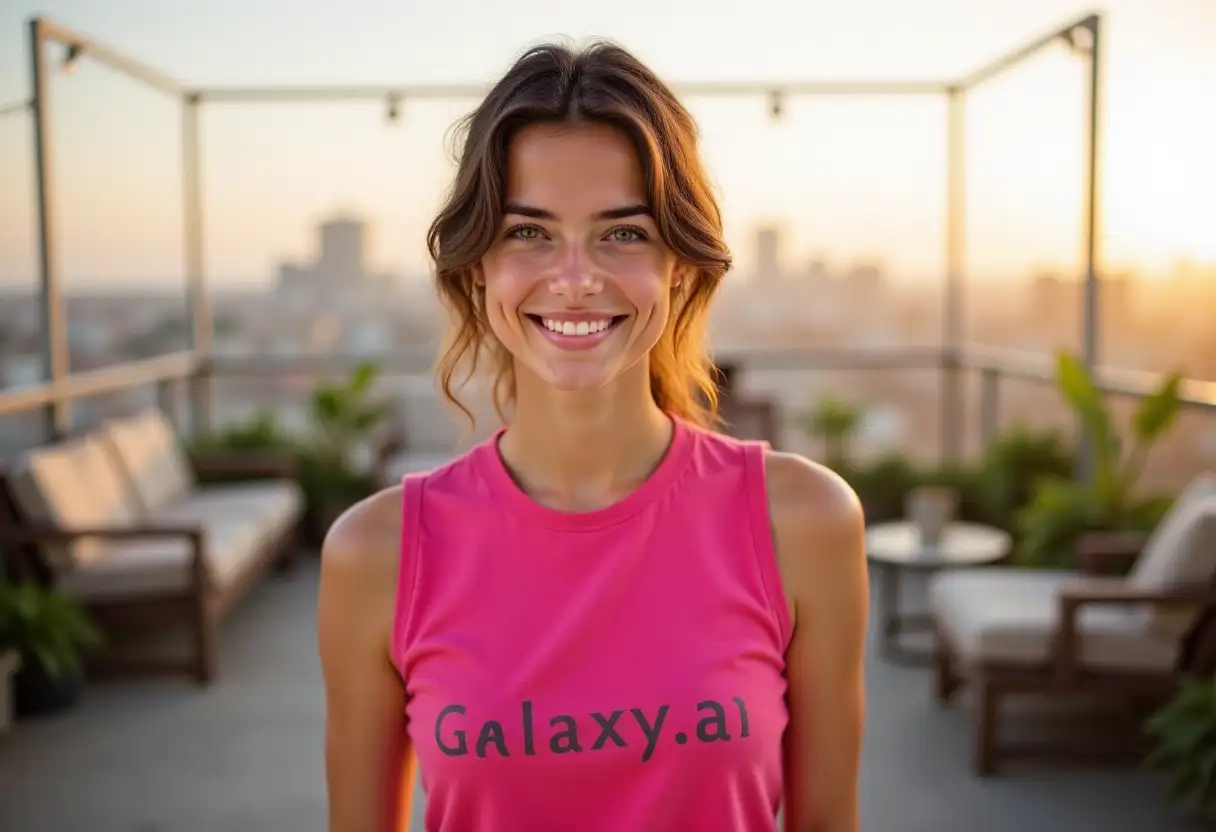
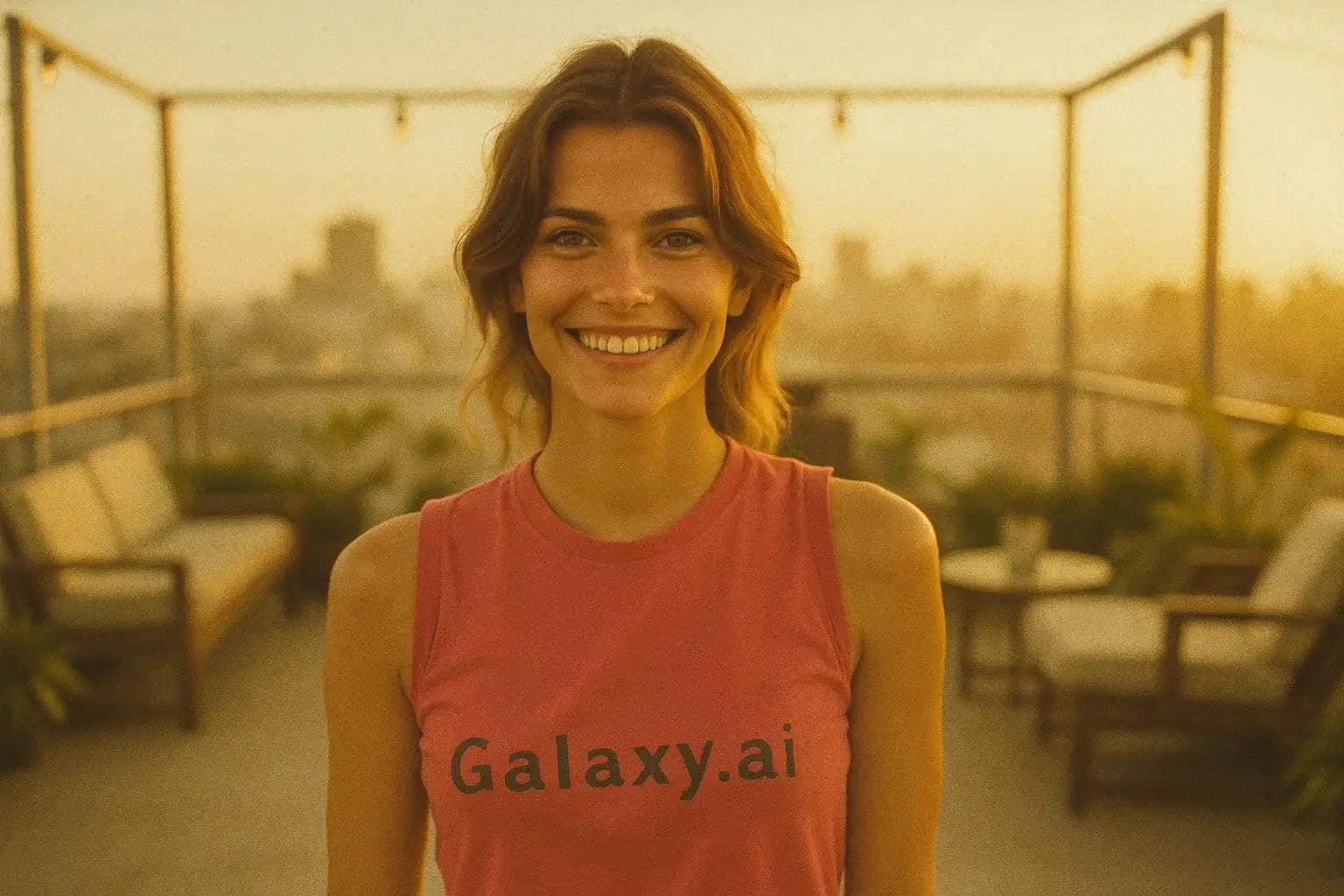
Compare the source image with each finished result.
Source image
Result
What Magica will ask for
The agent gathers these inputs and preferences in the conversation before it starts.
Attach Your Photo
attach a photo to apply the filter
Why Choose Our AI 1970s Filter?
Instantly transport your photos back to the groovy 70s! Our AI applies an authentic vintage filter, complete with warm tones, soft focus, and subtle grain, all with a single click.
Authentic 1970s vintage photo aesthetic
Realistic warm color palettes and soft focus
Subtle film grain for a genuine retro feel
Preserves the original composition and subject
Incredibly simple one-click application
Fast AI-powered processing
Perfect for nostalgic posts and creative projects
How Our 1970s Filter Works
Getting that classic 70s vibe for your photos is super easy:
01
Attach Your Photo
Select and upload any photo you want to give a retro makeover.
02
Apply the Filter
Click the 'Generate' button. Our AI instantly analyzes your photo and applies the authentic 1970s filter.
03
Download & Share
Preview the awesome vintage transformation and download your high-resolution, 70s-style image.
Key Features of the AI 1970s Filter
Characteristic Warm Tones
Automatically adjusts colors to mimic the warm, slightly faded look typical of 1970s color film photography.
Soft Focus & Subtle Grain
Applies a gentle softening effect and realistic film grain, replicating the limitations and charm of vintage cameras.
AI-Powered Authenticity
Our AI understands the nuances of 70s photography to deliver a believable and aesthetically pleasing retro look.
High-Quality Output
Get your vintage-style photo in high resolution without sacrificing the original image's details.
Who Can Benefit from the 1970s Filter?
Our AI 1970s Filter is fantastic for anyone wanting to add a touch of retro nostalgia or a specific vintage style to their images.
Social Media Users
Create eye-catching, nostalgic posts for Instagram, Pinterest, or any platform to stand out.
Graphic Designers & Artists
Quickly achieve an authentic 70s look for design projects, mood boards, or artistic creations.
Anyone Feeling Nostalgic
Relive the era or simply experiment with a cool, vintage aesthetic on your photos.
Photographers
Easily add a 70s film look to digital photos for specific themed shoots or creative edits.
Event Planners & Marketers
Generate visuals with a 70s theme for parties, promotions, or retro-inspired campaigns.
Content Creators
Add a unique visual style to blog images, video thumbnails, or other online content.
Tips for the Best 1970s Look
Tip 1
Works on Various Photo Types
Try it on portraits, landscapes, or everyday snaps. The filter adapts to different subjects.
Tip 2
Consider the Original Lighting
Photos with natural or slightly warm lighting often produce the most authentic 70s results.
Tip 3
Experiment with Different Images
Some photos capture the 70s essence better than others. Don't hesitate to try a few!
Tip 4
Combine with 70s Fashion/Subjects
Using photos that already have 70s elements (fashion, cars, decor) enhances the vintage feel.
Frequently Asked Questions About Our 1970s Filter
How accurate is the 1970s filter?
Our AI analyzes characteristics of 1970s photography (color shifts, grain, softness) to create an authentic-looking vintage effect suitable for a wide range of images.
Can I use black and white photos?
The filter is primarily designed for color photos to achieve the characteristic warm, faded color palette of the 70s. Applying it to B&W photos might yield unpredictable results but could still add some vintage texture.
Does the filter change the people or objects in the photo?
No, the filter only adjusts the visual style (colors, tone, grain, focus). It does not alter the content, composition, or subjects within your original photo.
Will the filter work on low-quality images?
It works best on reasonably clear images. Very low-resolution or blurry photos might not produce the ideal vintage effect, but you can still try!
What happens to my uploaded photos?
We prioritize your privacy. Your original photos are only processed to apply the filter and are not stored long-term. The generated 70s-style image is available for you to download.