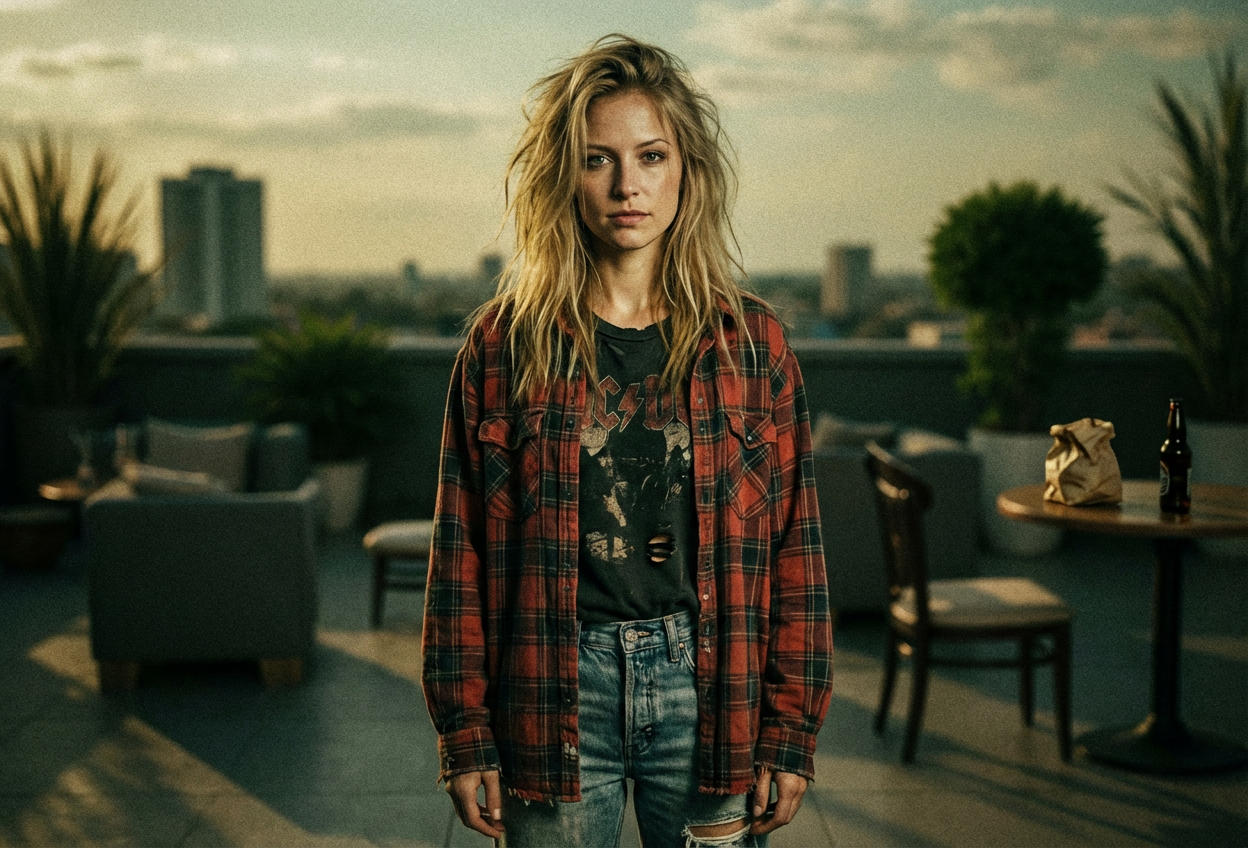
Compare the source image with each finished result.
Source image
Result
What Magica will ask for
The agent gathers these inputs and preferences in the conversation before it starts.
Upload Photo
attach a photo to apply the 1990s grunge filter
Why Choose Our AI 1990s Grunge Filter?
Transform your photos into authentic 90s grunge style with our advanced AI. Relive the iconic alternative era with moody tones, distressed textures, and vintage aesthetics!
Authentic 1990s grunge aesthetic and styling
Vintage film grain and distressed textures
Moody, desaturated color palette
Flannel and denim fashion elements
Maintains original photo quality
Perfect for nostalgic throwback content
Instant 90s alternative transformation
How Our 1990s Grunge Filter Works
Transform into a 90s alternative icon with these simple steps:
01
Attach Your Photo
Select a clear portrait photo. Photos with casual attire work best for the grunge transformation!
02
Apply the Filter
ask Magica to generate the result and watch as our AI transforms your photo with authentic 90s grunge aesthetics.
03
Download & Share
Preview your grunge transformation and download your nostalgic 90s portrait.
Key Features of the AI 1990s Grunge Filter
Authentic Grunge Aesthetic
Creates genuine 90s grunge style with moody tones, distressed textures, and alternative fashion elements characteristic of the era.
Vintage Film Grain
Adds authentic film grain texture and analog photography characteristics for that genuine 90s camera look.
Grunge Fashion Elements
Intelligently applies flannel shirts, denim, and layered 90s alternative fashion aesthetic to your photos.
Smart Color Grading
Applies period-accurate desaturated earth tones and moody color palette that defined 90s alternative photography.
High-Quality Output
Generates high-resolution images perfect for social media, content creation, and nostalgic throwback posts.
Feature Preservation
Maintains your natural facial features and expressions while applying the authentic grunge transformation.
Who Can Benefit from the 1990s Grunge Filter?
Our AI 1990s Grunge Filter is perfect for anyone who wants to capture the authentic alternative aesthetic of the 90s era.
Nostalgic Millennials
Create throwback content celebrating the grunge era you grew up with or always admired.
Content Creators
Generate unique 90s-themed content for social media, YouTube, or TikTok with authentic grunge aesthetics.
Social Media Enthusiasts
Stand out with distinctive grunge-style profile pictures and posts that capture 90s alternative vibes.
Musicians & Artists
Create authentic grunge-era promotional materials, album art, or band photos with 90s alternative style.
90s Fashion Enthusiasts
Showcase your grunge fashion style with vintage-filtered photos that authentically represent the era.
Gen Z Trend Explorers
Explore the iconic 90s grunge aesthetic that's making a comeback in modern fashion and culture.
Tips for the Best 90s Grunge Effect
Tip 1
Use Clear, Well-Composed Photos
Ensure your photo has good composition and focus for the best grunge transformation results.
Tip 2
Casual Attire Works Best
Photos with casual clothing, especially layered outfits, produce the most authentic grunge aesthetic.
Tip 3
Natural Lighting Enhances the Effect
Photos taken in natural or soft lighting work best for achieving that moody 90s grunge look.
Tip 4
Relaxed Expressions Fit the Aesthetic
Natural, contemplative, or slightly melancholic expressions align perfectly with the grunge era's authentic vibe.
Tip 5
Consider Your Background
Urban, casual, or simple backgrounds enhance the grunge filter's effectiveness and authenticity.
Frequently Asked Questions About Our 1990s Grunge Filter
How authentic is the 1990s grunge transformation?
Our AI creates highly authentic 90s grunge transformations by analyzing period-accurate fashion, color grading, and photographic techniques from the grunge era. The result captures the moody tones, distressed textures, and alternative aesthetic that defined 90s style while maintaining your natural features.
What types of photos work best with the grunge filter?
The filter works best on portrait photos with casual attire and natural poses. Photos with soft or natural lighting produce the most authentic grunge results. While it can work on various photo types, individual portraits with relaxed expressions capture the 90s alternative aesthetic most effectively.
Will the filter add grunge fashion elements to my photo?
Yes! The AI intelligently applies 90s grunge fashion characteristics including flannel patterns, denim textures, and layered alternative styling while maintaining the integrity of your original photo. The transformation includes both visual styling and the characteristic grunge era color palette.
Can I use this filter for professional content creation?
Absolutely! The high-resolution output is perfect for social media content, music promotion, fashion photography, and any creative projects requiring authentic 90s grunge aesthetics. Many content creators use it for throwback content, album covers, and nostalgic brand campaigns.
What makes this different from regular vintage filters?
Unlike generic vintage filters, our AI specifically captures the unique grunge aesthetic of the 1990s alternative scene - including accurate color grading, film grain texture, fashion elements, and the moody atmosphere that defined the era. It's trained on authentic 90s photography to deliver period-accurate results.
Is my uploaded photo stored or shared?
We prioritize user privacy. Your photos are used only for the transformation process and are not stored long-term or used for other purposes. The generated grunge-filtered image is returned in the conversation for you to save and remains private.