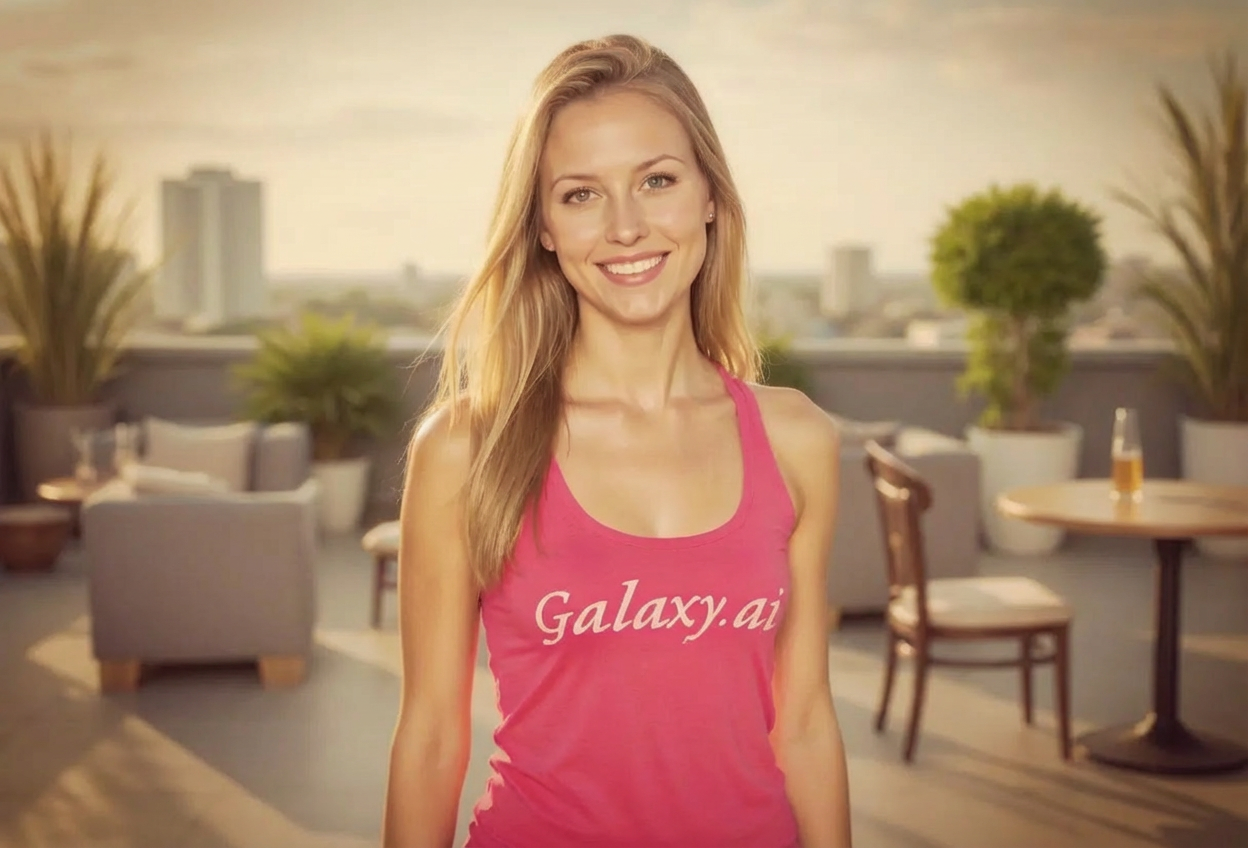
Compare the source image with each finished result.
Source image
Result
What Magica will ask for
The agent gathers these inputs and preferences in the conversation before it starts.
Attach Your Photo
attach a photo to apply the 2010s Instagram filter
Why Choose Our AI 2010s Instagram Filter?
Relive the golden era of early Instagram with authentic vintage aesthetics. Transform your modern photos with the iconic warm tones and nostalgic filters that defined social media in the 2010s!
Authentic early Instagram aesthetic
Vintage warm tones and color grading
Characteristic subtle vignette effect
Nostalgic faded look
Perfect for throwback posts
Instant 2010s social media vibe
No editing skills required
How Our 2010s Instagram Filter Works
Travel back to the early social media era with these simple steps:
01
Attach Your Photo
Select any photo you want to transform. Works great with portraits, landscapes, or everyday moments!
02
Apply the Filter
ask Magica to generate the result and watch as our AI adds authentic 2010s Instagram aesthetics with vintage warm tones and nostalgic effects.
03
Download & Share
Download your transformed photo with that perfect early Instagram vibe for your throwback posts.
Key Features of the AI 2010s Instagram Filter
Authentic Instagram Aesthetic
Recreates the iconic early Instagram look with vintage filters, warm tones, and characteristic color grading from the 2010s era.
Vintage Warm Tones
Applies the signature warm color palette that made early Instagram photos so distinctive and nostalgic.
Subtle Vignette Effect
Adds the characteristic soft vignette that was a hallmark of popular Instagram filters like Nashville and Valencia.
Nostalgic Fade
Applies the perfect amount of fade to recreate that washed-out, vintage aesthetic of early 2010s photography.
High-Quality Output
Maintains photo quality while applying authentic vintage effects, perfect for sharing on modern social media.
Who Can Benefit from the 2010s Instagram Filter?
Our AI 2010s Instagram Filter is perfect for anyone wanting to add nostalgic early social media aesthetics to their photos.
Millennials & Social Media Users
Relive the golden era of early Instagram and create throwback content that resonates with nostalgia.
Content Creators
Add vintage Instagram aesthetics to your content for authentic 2010s-themed posts and stories.
Photographers
Apply authentic early Instagram-style filters to give your photos that iconic vintage social media look.
Nostalgia Enthusiasts
Transform modern photos to look like they were taken during the early days of Instagram and iPhone photography.
Social Media Marketers
Create vintage-styled content that taps into millennial nostalgia for authentic engagement.
Digital Artists
Experiment with early Instagram aesthetics for artistic projects and vintage-inspired digital art.
Tips for the Best 2010s Instagram Effect
Tip 1
Use Everyday Moments
The early Instagram aesthetic works best on casual, everyday photos like selfies, food, and lifestyle shots that were popular in that era.
Tip 2
Embrace the Square Format
For the most authentic look, crop your photos to square format before applying the filter, just like original Instagram.
Tip 3
Try Different Photo Types
Experiment with portraits, landscapes, and object photography - early Instagram filters worked well on everything!
Tip 4
Layer Multiple Effects
The filter applies multiple vintage effects together - warm tones, vignette, and fade - for that authentic layered Instagram look.
Tip 5
Perfect for Throwbacks
Use this filter on recent photos to make them look like they were posted during Instagram's golden era.
Frequently Asked Questions About Our 2010s Instagram Filter
What makes this filter authentic to early Instagram?
Our AI recreates the signature characteristics of popular early Instagram filters from 2010-2015, including warm color grading, subtle vignettes, slight fading, and reduced contrast that defined that era's aesthetic.
Does it work on all types of photos?
Yes! The filter works on portraits, landscapes, food photography, and everyday moments. It's designed to work on any photo type, just like the original Instagram filters did.
Will my photos look dated or just nostalgic?
The filter strikes a perfect balance between nostalgic and artistic. It applies authentic 2010s Instagram aesthetics while maintaining modern photo quality, so your images have that throwback vibe without looking low-quality.
Can I use this for modern social media posts?
Absolutely! The vintage Instagram aesthetic is experiencing a major comeback. These nostalgic filters are perfect for throwback posts, retro-themed content, or adding a unique vintage touch to modern photos.
What specific Instagram filters does this recreate?
This filter captures the essence of popular early Instagram filters like Nashville, Valencia, Toaster, and X-Pro II, combining their warm tones, vignettes, and vintage characteristics into one authentic 2010s aesthetic.
Is my photo safe to upload?
We prioritize user privacy. Your photos are used only for the transformation process and are not stored long-term or used for other purposes.