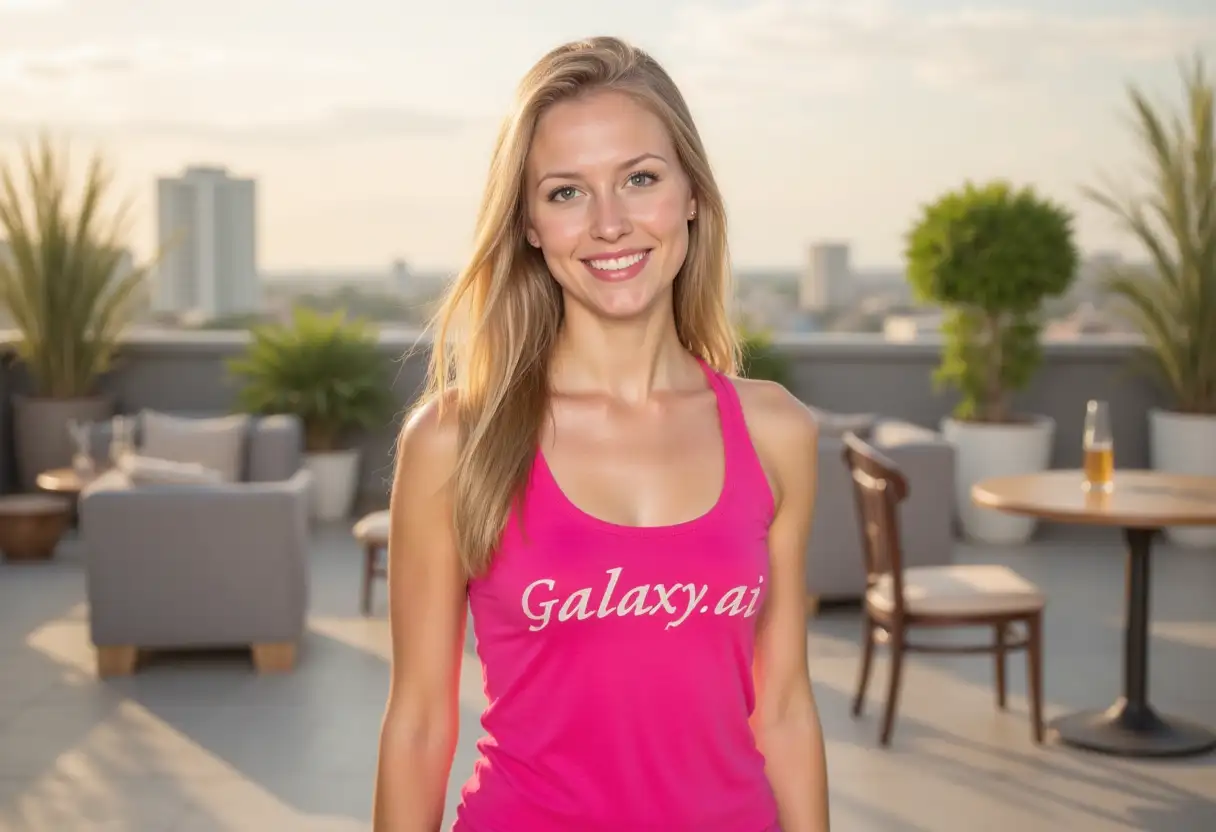
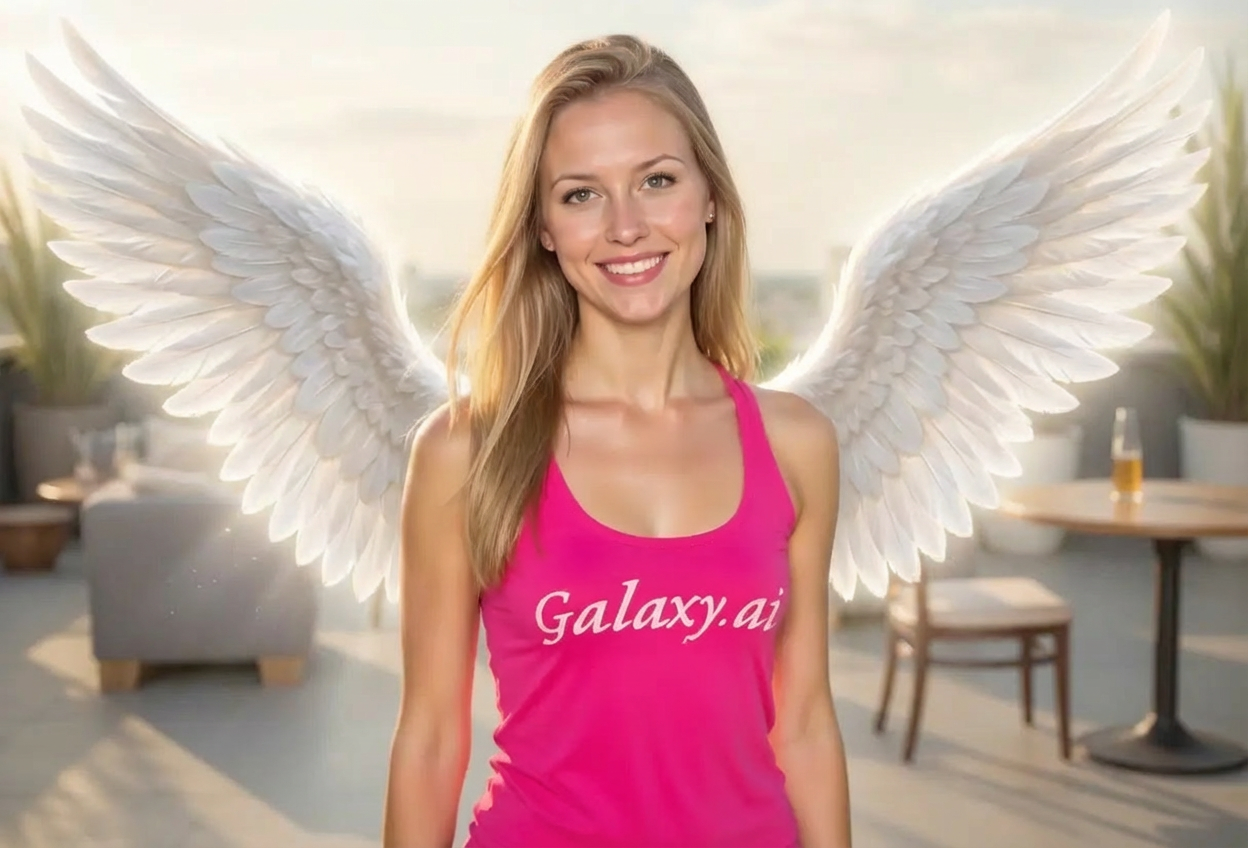
Choices: Any Tone, Warm, Cool, Neutral, Dreamy, Vibrant
Why Choose Our Add Angel Wings to Photo Tool?
Transform ordinary photos into celestial masterpieces with our AI-powered angel wings generator. Create stunning, ethereal images perfect for social media, art projects, or special occasions.
Advanced AI technology for realistic wing integration
Multiple wing styles from classic to fantasy
Customizable wing sizes and positions
Natural lighting and shadow effects
High-resolution output quality
Easy-to-use interface with instant results
Perfect blend with any photo background
Professional-grade image enhancement
No photo editing skills required
Ideal for portraits, selfies, and creative projects
How Our Add Angel Wings to Photo Tool Works
Create heavenly images in three simple steps with our intelligent AI system:
01
Attach Your Photo
attach the photo you want to transform. Works best with portraits and full-body shots.
02
Customize Wing Settings
Choose your wing style, size, positioning, and lighting effects from our extensive options.
03
Generate & Download
Let AI add beautiful angel wings to your photo with natural integration and perfect lighting. Download your celestial creation instantly.
Key Features of Add Angel Wings to Photo Tool
Multiple Wing Styles
Choose from classic white, golden, ethereal, dark angel, and many more styles to match your vision.
Instant Results
Get professional-quality results in seconds with our advanced AI processing technology.
Natural Integration
Wings blend seamlessly with your photo, including realistic shadows and lighting effects.
Customizable Options
Control wing size, position, lighting, and color tones for complete creative freedom.
High-Quality Output
Receive high-resolution images suitable for printing and professional use.
Easy Download
Download your angelic photos instantly in high-quality format for any purpose.
Who Can Benefit from Our Add Angel Wings to Photo Tool?
Perfect for anyone looking to add a celestial touch to their photos:
Photographers
Add unique creative elements to portrait sessions and offer clients something truly special.
Social Media Users
Create eye-catching profile pictures and posts that stand out in feeds and gain more engagement.
Event Planners
Design heavenly-themed invitations, memorial tributes, or celebration photos for special occasions.
Content Creators
Produce unique visual content for blogs, videos, and digital art projects with angelic themes.
Digital Artists
Enhance artwork and create fantasy-themed compositions with professionally rendered wings.
Gift Creators
Create personalized angelic portraits as meaningful gifts for loved ones and special occasions.
Tips for Better Results
Tip 1
Use Clear Photos
Upload high-quality photos with clear subjects for the best wing integration and natural results.
Tip 2
Choose Appropriate Wing Size
Match wing size to your photo composition - larger wings for dramatic effect, smaller for subtle enhancement.
Tip 3
Consider Background
Plain or simple backgrounds work best for clean wing integration, but complex backgrounds can create artistic effects.
Tip 4
Experiment with Styles
Try different wing styles to find the perfect match for your photo's mood and lighting.
Tip 5
Match Lighting Direction
Choose lighting effects that complement your photo's existing light source for realistic results.
Tip 6
Portrait Orientation Works Best
Vertical photos or portraits typically provide the best canvas for angel wing placement.
Tip 7
Adjust Position Carefully
Consider your subject's pose when selecting wing positioning for the most natural appearance.
Frequently Asked Questions About Add Angel Wings to Photo Tool
What types of photos work best for adding angel wings?
Portrait photos, selfies, and full-body shots work best. Photos with clear subjects and good lighting produce the most realistic results. The subject should ideally be facing forward or at a slight angle.
Can I adjust the size and position of the wings?
Yes! This Magica workflow offers multiple size options from small to majestic, and various positioning choices including spread open, folded, partially extended, and more. You can customize both aspects to match your creative vision.
What wing styles are available?
We offer classic white wings, golden wings, ethereal glowing, feathered detailed, dark angel, celestial radiant, fantasy ornate, soft pastel, and more. Each style creates a different mood and aesthetic.
Will the wings look natural on my photo?
Yes! Our AI technology ensures wings blend naturally with your photo, including proper shadows, lighting integration, and realistic feather details that match your image's perspective and lighting.
Can I use these images for commercial purposes?
Yes, all generated images can be used for both personal and commercial purposes. You retain full rights to your created images.
What image quality can I expect?
We provide high-resolution output suitable for printing, social media, and professional use. The wings are rendered in sharp detail with realistic textures and lighting.
How do lighting effects enhance the wings?
Lighting effects like soft glow, heavenly rays, backlit, or divine light add depth and realism to the wings, making them appear more ethereal and integrated with your photo's lighting.
Can I add wings to group photos?
While the tool works best with individual portraits, you can add wings to one person in a group photo. For best results, focus on photos where the subject is clearly visible.
Do I need any photo editing experience?
No experience needed! Simply attach your photo, choose your preferences, and let our AI do the work. The interface is designed to be intuitive for users of all skill levels.
How long does it take to add wings to a photo?
Generation typically takes just a few seconds. The AI processes your photo and adds the wings with all selected customizations almost instantly.
Can I create different versions with different wing styles?
Absolutely! You can generate multiple versions of the same photo with different wing styles, sizes, and effects to find the perfect look.
What if the wings don't look right on my photo?
Try adjusting the wing size, positioning, or style. Different photos work better with different settings. Experiment with various combinations to achieve the desired effect.