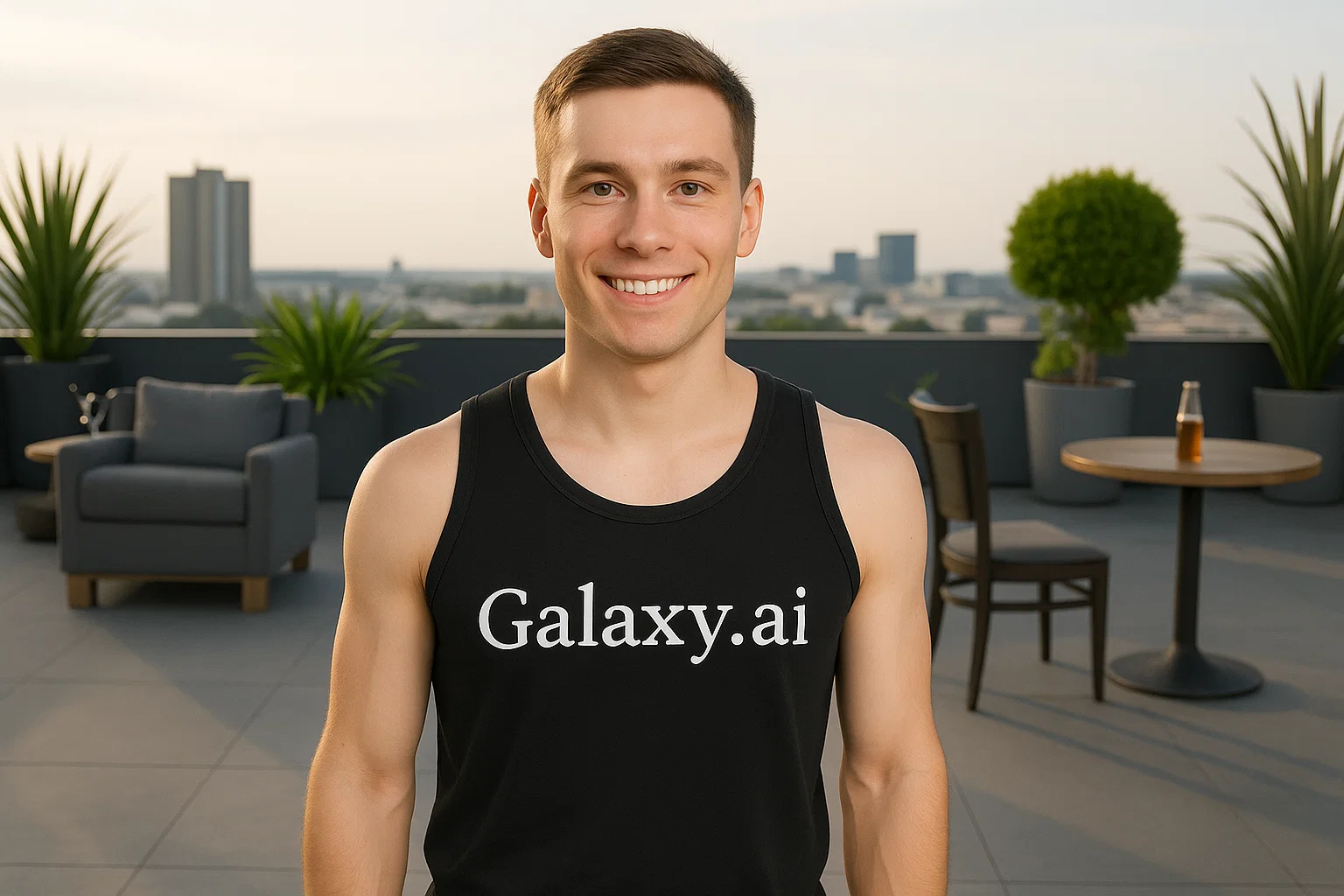
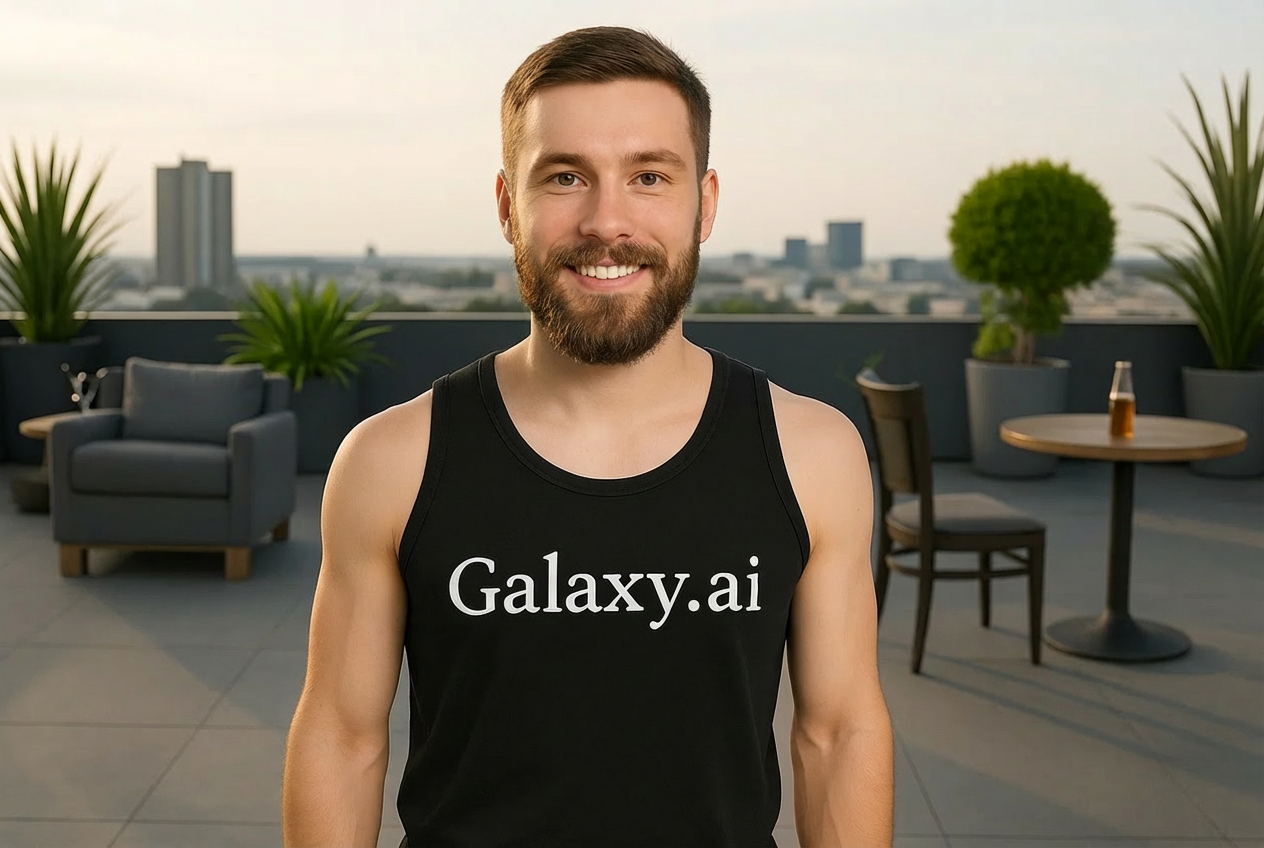
Compare the source image with each finished result.
Source image
Result
What Magica will ask for
The agent gathers these inputs and preferences in the conversation before it starts.
Description
Describe what you want to create...
Beard Style
Choices: Any Style, Full Beard, Goatee, Stubble, Van Dyke, Soul Patch, Anchor Beard, Mutton Chops, Handlebar Mustache with Beard
Beard Color
Choices: Any Color, Black, Brown, Blonde, Red/Ginger, Grey, White, Salt and Pepper
Beard Length
Choices: Any Length, Short, Medium, Long, Very Long
Beard Density
Choices: Any Density, Light/Patchy, Medium, Thick/Full
Why Choose Our Add Beard to Photo Tool?
Visualize different beard styles with realistic AI-powered transformations.
AI-powered realistic beard generation
Multiple beard styles from stubble to full beards
Natural color matching to hair and skin tone
Proper lighting and shadow integration
Customizable length and density options
Photorealistic facial hair texture
Maintains original image quality
Easy visualization before growing real beard
How Our Add Beard to Photo Tool Works
Transform your look in three simple steps:
01
Attach Your Photo
attach a clear photo of your face and describe the desired beard style.
02
Choose Beard Style
Select from various beard styles, colors, lengths, and density options.
03
Generate & Preview
Let AI add a realistic beard that matches your face perfectly and download the result.
Key Features of Add Beard to Photo Tool
Realistic Beard Styles
Choose from full beards, goatees, stubble, and many more authentic styles.
Natural Integration
Beards blend seamlessly with facial features, lighting, and skin tone.
Color Customization
Match beard color to hair or try different colors from black to grey.
Length Control
Adjust beard length from short stubble to long, flowing beards.
High Quality Output
Download photorealistic images with professional-grade facial hair.
Density Options
Control beard thickness from light stubble to thick, full coverage.
Who Can Benefit from Our Add Beard to Photo Tool?
Perfect for anyone wanting to visualize or create bearded looks.
Men Considering Growing Beards
Preview how different beard styles look before committing to growing one.
Photographers & Editors
Add beards to photos for creative projects and photo manipulations.
Costume Designers
Visualize character looks with different facial hair styles.
Social Media Creators
Create fun content showing before/after beard transformations.
Barbers & Stylists
Show clients how different beard styles would look on them.
Dating Profile Optimizers
Experiment with bearded looks for profile pictures.
Tips for Better Beard Results
Tip 1
Use Clear Face Photos
Upload high-quality photos with good lighting and a clear view of the face for best results.
Tip 2
Match Hair Color
For natural results, choose a beard color that matches or complements your hair color.
Tip 3
Consider Face Shape
Different beard styles suit different face shapes. Full beards work well for angular faces, while goatees suit rounder faces.
Tip 4
Start with Medium Length
If unsure, start with medium length beards and adjust from there for your preferred look.
Tip 5
Try Multiple Styles
Experiment with different beard styles to find what looks best on you before committing.
Tip 6
Consider Age Appropriately
Grey or salt-and-pepper beards can add maturity, while darker beards look more youthful.
Tip 7
Front-Facing Photos Work Best
Use photos where you're facing the camera directly for the most natural-looking beard additions.
Frequently Asked Questions About Add Beard to Photo
What beard styles can I add to my photo?
You can add full beards, goatees, stubble, Van Dyke beards, soul patches, anchor beards, mutton chops, and handlebar mustaches with beards. Each style can be customized for length, color, and density.
Will the beard look natural on my face?
Yes, our AI ensures the beard matches your facial contours, skin tone, and lighting conditions for a photorealistic appearance.
Can I choose the beard color?
Absolutely! Choose from black, brown, blonde, red, grey, white, or salt-and-pepper. The AI can also match your natural hair color automatically.
What photo quality do I need for best results?
Use clear, well-lit photos with your face visible and facing the camera. Higher resolution photos produce better results.
Can I add beards to women's photos?
Yes, the tool works on any face photo. It's commonly used for creative projects, costume design, or fun social media content.
How realistic do the beards look?
The AI generates photorealistic beards with proper texture, shading, and integration. Results are convincing enough for professional use.
Can I adjust beard thickness?
Yes, you can control beard density from light/patchy to thick/full coverage to match your preference.
Does this work on profile pictures?
It works best on front-facing photos. Side profiles or angled shots may produce less natural results.
Can I add both mustache and beard?
Yes, most beard styles include both mustache and beard. You can also choose styles like the Van Dyke or handlebar that emphasize both.
How long does it take to generate?
Generation typically takes 30-60 seconds depending on the complexity of the beard style and image quality.