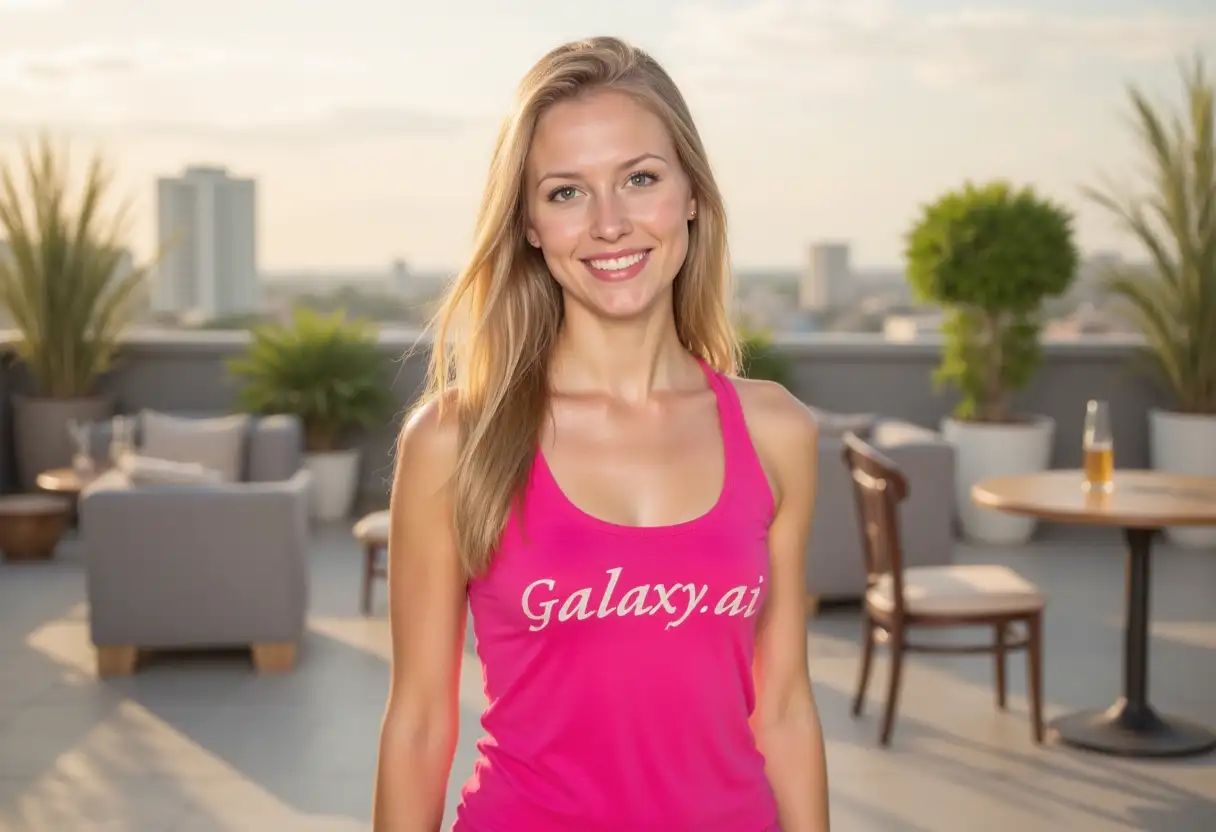
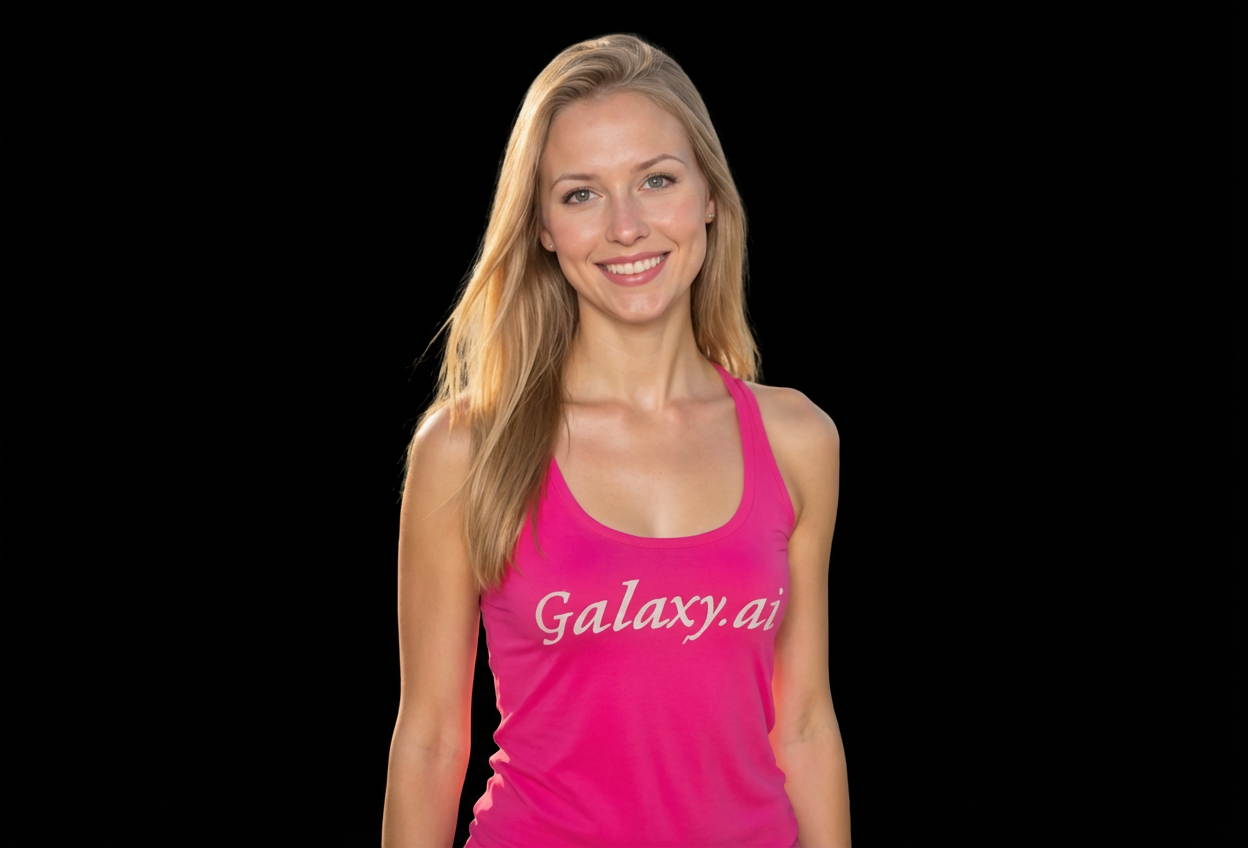
Compare the source image with each finished result.
Source image
Result
What Magica will ask for
The agent gathers these inputs and preferences in the conversation before it starts.
Description
Describe what you want to create...
Edge Treatment
Choose how edges are processed
Choices: Any Treatment, Sharp Dramatic, Soft Fade, Natural Blend, High Contrast, Studio Quality
Lighting Effect
Add dramatic lighting to the subject
Choices: Any Lighting, No Lighting Change, Dramatic Rim Light, Studio Spotlight, Edge Glow, Cinematic Lighting, Natural Highlight
Black Intensity
Adjust the black background intensity
Choices: Any Intensity, Pure Black (0), Deep Black, Slightly Off-black, Charcoal, Midnight Blue-black
Subject Enhancement
Enhance the subject against black
Choices: Any Enhancement, No Enhancement, Contrast Boost, Color Pop, Dramatic Shadows, Professional Retouching
Mood Style
Set the overall mood and atmosphere
Choices: Any Mood, Elegant Portrait, Dramatic Artistic, Moody Cinematic, High Fashion, Mysterious Dark
Why Choose Our Add Black Background to Photo Tool?
Create dramatic, professional photos with stunning black backgrounds using AI. Perfect for portraits, product photography, artistic images, and creating high-impact visuals with studio-quality results.
Advanced AI background removal and replacement
Dramatic, professional black backgrounds
Perfect for portraits and artistic photography
Customizable lighting and edge effects
Studio-quality dramatic enhancements
High contrast and color pop options
Preserves fine subject details
Instant professional results
Cinematic and moody atmosphere options
Ideal for portfolios and galleries
How Our Add Black Background to Photo Tool Works
Create dramatic black background photos in three simple steps:
01
Attach Your Photo
Upload any photo you want to transform with a black background. Works beautifully with portraits, products, and artistic subjects.
02
Customize Dramatic Effects
Choose edge treatment, lighting effects, black intensity, subject enhancements, and mood style for professional results.
03
Generate & Download
Let AI remove the background and add a dramatic black backdrop with studio lighting. Download your professional creation instantly.
Key Features of Add Black Background to Photo Tool
Dramatic Black Backgrounds
Get studio-quality black backgrounds that make subjects pop with professional dramatic effect.
Instant Professional Results
AI removes backgrounds and adds dramatic black backdrops in seconds with studio lighting effects.
Studio Lighting Effects
Add dramatic rim light, spotlights, edge glow, or cinematic lighting for professional studio results.
Customizable Edges
Choose sharp dramatic, soft fade, high contrast, or studio quality edge treatment for perfect results.
Subject Enhancement
Boost contrast, pop colors, add dramatic shadows, or apply professional retouching for stunning impact.
High-Impact Output
Download dramatic photos in high resolution perfect for portfolios, galleries, and professional use.
Who Can Benefit from Our Add Black Background to Photo Tool?
Perfect for anyone wanting dramatic, professional black background photos:
Portrait Photographers
Create stunning, dramatic portraits with professional black backgrounds without expensive studio equipment.
Product Photographers
Make products stand out with elegant black backgrounds perfect for luxury and high-end marketing.
Artists & Creatives
Create moody, cinematic, and artistic images with dramatic black backgrounds for portfolios and exhibitions.
Fashion Photographers
Achieve high-fashion editorial looks with dramatic black backgrounds and professional lighting effects.
Social Media Influencers
Create eye-catching, professional-looking posts with dramatic black backgrounds that command attention.
Musicians & Performers
Generate striking promotional photos and album artwork with moody, dramatic black backgrounds.
Tips for Better Results
Tip 1
Use Well-lit Subject Photos
Photos with good subject lighting create the most dramatic contrast against black backgrounds and show more detail.
Tip 2
Choose Dramatic Edge Treatment
Sharp dramatic edges work great for portraits, while soft fade creates ethereal effects. High contrast adds intensity.
Tip 3
Add Rim Lighting for Impact
Dramatic rim light or edge glow separates subjects from black backgrounds beautifully, creating professional studio effects.
Tip 4
Boost Contrast for Drama
Contrast boost and color pop make subjects stand out dramatically against pure black backgrounds.
Tip 5
Match Mood to Subject
Use elegant portrait for headshots, dramatic artistic for creative work, moody cinematic for storytelling, high fashion for style.
Tip 6
Experiment with Black Intensity
Pure black creates maximum drama, while charcoal or midnight blue-black adds subtle warmth and dimension.
Tip 7
Consider Professional Retouching
Professional retouching enhancement polishes the final image for portfolio-quality results.
Frequently Asked Questions About Add Black Background to Photo Tool
What types of photos work best with black backgrounds?
Portraits, fashion photography, product shots, artistic images, and subjects with good lighting work excellently. Well-lit subjects create dramatic contrast against black backgrounds for stunning results.
How do lighting effects enhance black background photos?
Lighting effects like dramatic rim light, studio spotlight, or edge glow separate subjects from the background and add professional studio quality. They create depth and dimension that mimics expensive studio setups.
What's the difference between pure black and other options?
Pure black (RGB 0,0,0) is absolute black for maximum drama. Deep black, charcoal, and midnight blue-black have slight tonal variations that can add warmth or depth while maintaining dramatic impact.
Can I create studio-quality portraits?
Yes! Combine sharp dramatic edges, studio spotlight lighting, contrast boost, and elegant portrait mood to achieve professional studio portrait results without expensive equipment.
What edge treatment should I choose?
Sharp dramatic creates bold definition, soft fade gives ethereal effects, high contrast adds intensity, and studio quality provides professional polish. Choose based on your artistic vision.
Will this work for product photography?
Absolutely! Black backgrounds are perfect for luxury products, jewelry, electronics, and high-end items. They create elegant, professional product photos that emphasize quality.
How does contrast boost work?
Contrast boost increases the difference between light and dark areas in your subject, making it pop dramatically against the black background for more impactful images.
What is color pop enhancement?
Color pop saturates and enhances the colors in your subject while keeping the background black, creating vibrant, eye-catching images with dramatic flair.
Can I create cinematic mood photos?
Yes! Select 'moody cinematic' mood style with cinematic lighting and dramatic shadows for movie-poster-quality atmospheric photos.
Is this suitable for fashion photography?
Absolutely! Choose 'high fashion' mood with dramatic rim light and professional retouching for editorial-quality fashion photos with stunning black backgrounds.
Do I need photography experience?
No! Simply attach your photo and select preferences. Our AI creates professional black background photos with studio lighting automatically.
How long does processing take?
Just a few seconds. The AI removes the background, adds dramatic black backdrop, and applies all lighting and enhancement effects almost instantly.