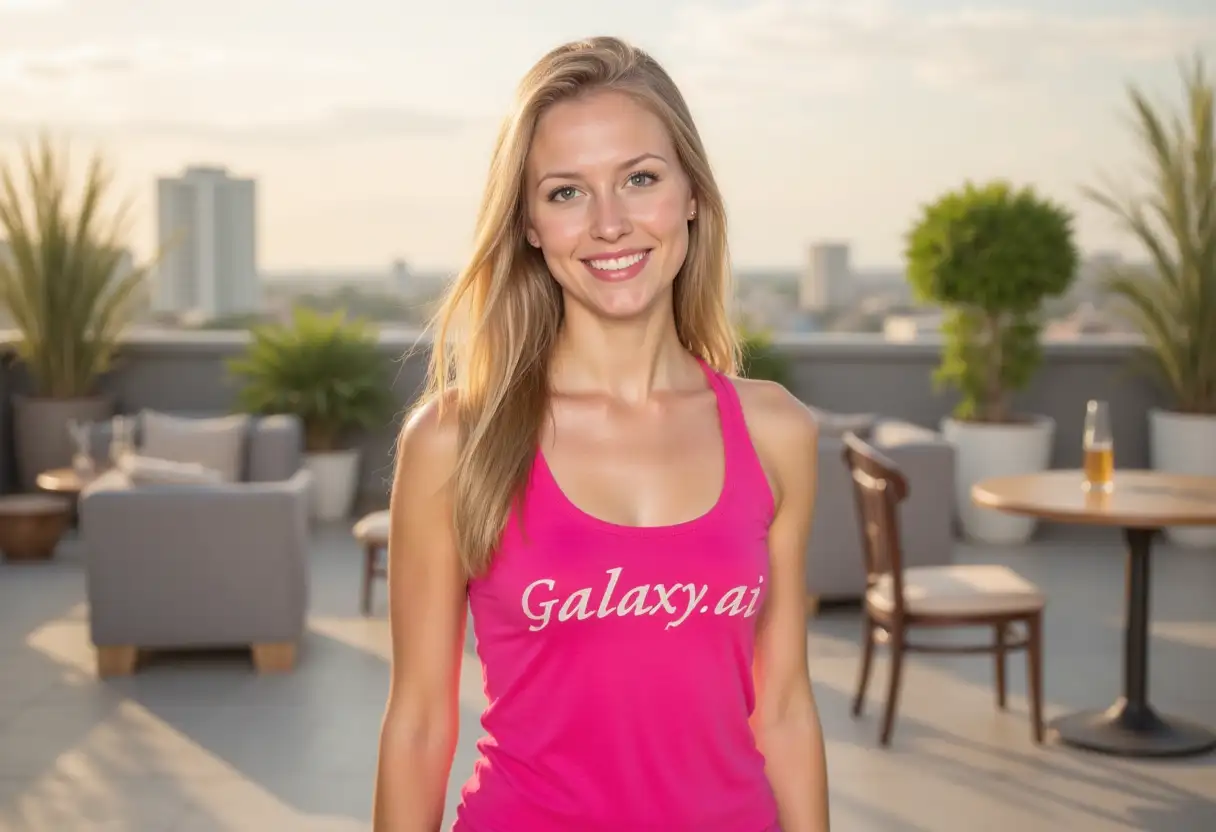
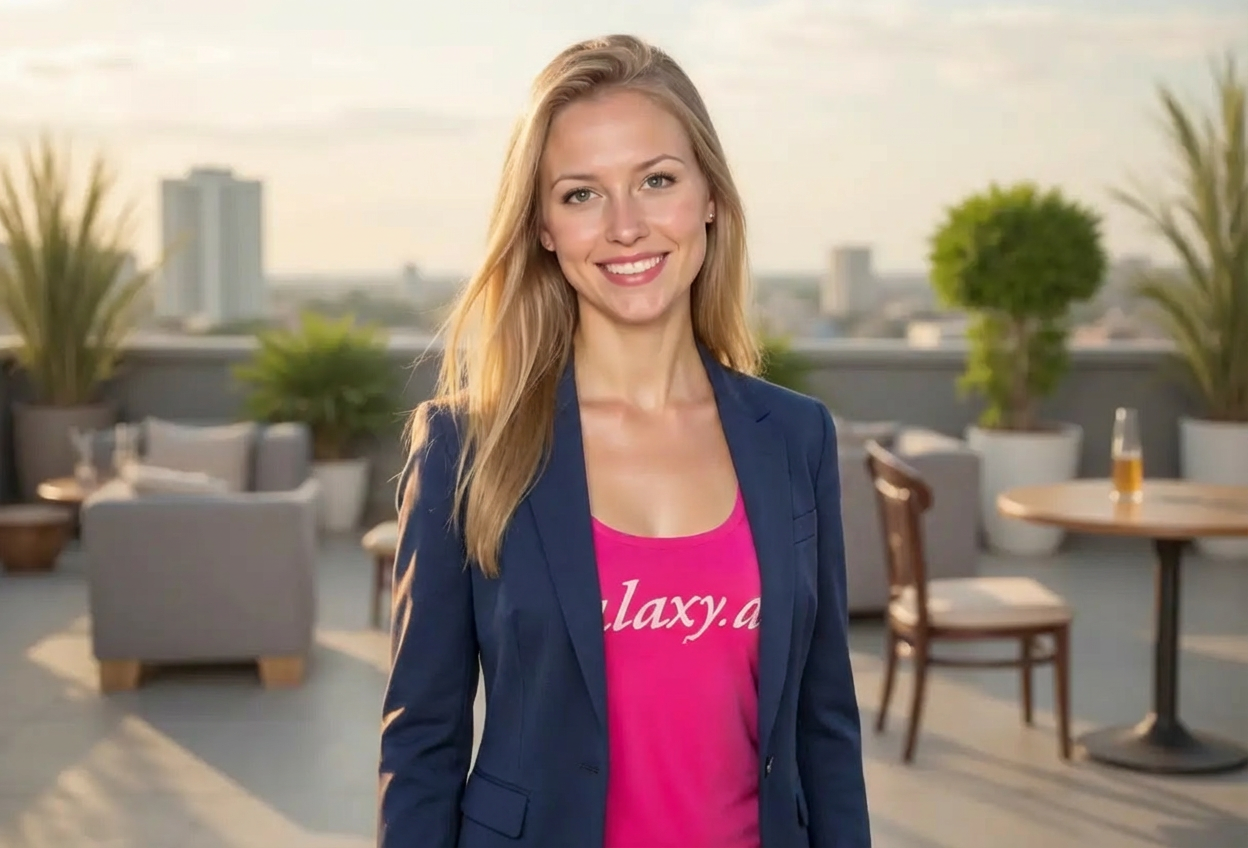
Choices: Any Color, Navy Blue, Black, Charcoal Grey, Light Grey, Tan/Beige, Brown, Burgundy
Blazer Fit
Choices: Any Fit, Slim Fit, Regular Fit, Relaxed Fit
Shirt Underneath
Choices: Any Shirt, White Dress Shirt, Blue Dress Shirt, T-Shirt (Smart Casual), No Tie, With Tie
Why Choose Our Add Blazer to Photo Tool?
Transform casual photos into professional business portraits instantly.
AI-powered realistic blazer generation
Multiple blazer styles and colors available
Professional appearance for LinkedIn and resumes
Natural fabric texture and tailoring details
Proper lighting and shadow integration
Customizable fit and formality level
Maintains original photo quality
Quick alternative to professional photoshoots
How Our Add Blazer to Photo Tool Works
Get a professional look in three simple steps:
01
Attach Your Photo
attach a clear photo showing your upper body and describe the desired professional look.
02
Choose Blazer Style
Select blazer style, color, fit, and shirt combination to match your needs.
03
Generate & Download
Let AI add a professional blazer that looks naturally tailored and download your new professional photo.
Key Features of Add Blazer to Photo Tool
Professional Styles
Choose from single-breasted, double-breasted, and various lapel styles.
Natural Fit
Blazers automatically adjust to body proportions for realistic tailoring.
Color Options
Select from classic colors like navy, black, grey, and more.
Business Ready
Perfect for LinkedIn, resumes, company websites, and professional profiles.
High Quality Output
Download professional-grade images suitable for any business context.
Smart Casual Options
Combine blazers with t-shirts for smart casual professional looks.
Who Can Benefit from Our Add Blazer to Photo Tool?
Perfect for anyone needing professional photos without a photoshoot.
Job Seekers
Create professional photos for resumes and LinkedIn profiles quickly.
Remote Workers
Update profile pictures without access to professional attire.
Entrepreneurs
Quickly create professional headshots for websites and marketing materials.
Students
Prepare professional photos for internships and career fairs.
Corporate Teams
Standardize team photos with consistent professional attire.
Freelancers
Maintain professional image across client-facing platforms.
Tips for Better Blazer Results
Tip 1
Use Upper Body Shots
Upload photos showing your chest and shoulders for best blazer placement and proportions.
Tip 2
Good Lighting Matters
Well-lit photos help the AI match fabric texture and shadows more naturally.
Tip 3
Choose Appropriate Colors
Navy and charcoal grey are most versatile for professional settings. Black for formal, tan for business casual.
Tip 4
Match Your Industry
Traditional industries prefer formal styles, while tech and creative fields can use smart casual.
Tip 5
Consider Background
Professional backgrounds work best with formal blazers. Neutral backgrounds are most versatile.
Tip 6
Posture Matters
Sit or stand with good posture in your original photo for a more professional final result.
Tip 7
Front-Facing Works Best
Photos where you're facing the camera directly produce the most natural blazer additions.
Frequently Asked Questions About Add Blazer to Photo
What blazer styles are available?
You can choose from single-breasted, double-breasted, various lapel styles (notch, peak, shawl), casual blazers, and formal suit jackets. Each can be customized for color and fit.
Will the blazer look professionally tailored?
Yes, the AI ensures the blazer fits naturally to your body proportions with proper shoulder alignment, lapel positioning, and fabric draping.
Can I choose what shirt to wear under the blazer?
Yes, you can select white or blue dress shirts, t-shirts for smart casual looks, or choose whether to include a tie.
Is this suitable for LinkedIn profile pictures?
Absolutely! This tool is perfect for creating professional LinkedIn photos, resume headshots, and company website profiles.
What colors look most professional?
Navy blue and charcoal grey are the most versatile and professional. Black is great for formal settings, while lighter colors work for business casual.
What type of photo should I upload?
attach a clear, well-lit photo showing your upper body (chest and shoulders). Front-facing photos work best.
Can I add blazers to photos with people in t-shirts?
Yes, the AI can transform casual attire into professional business wear, replacing or covering the original clothing.
How realistic do the blazers look?
The AI generates photorealistic blazers with proper fabric texture, button details, lapel structure, and natural lighting integration.
Can I use this for entire teams?
Yes, many companies use this tool to create consistent professional photos for team pages and directories.
Does this replace professional photography?
While it produces professional results quickly and affordably, traditional photography may still be preferred for executive portraits or high-profile uses.