Magica logo

Add Glasses to Photo examples

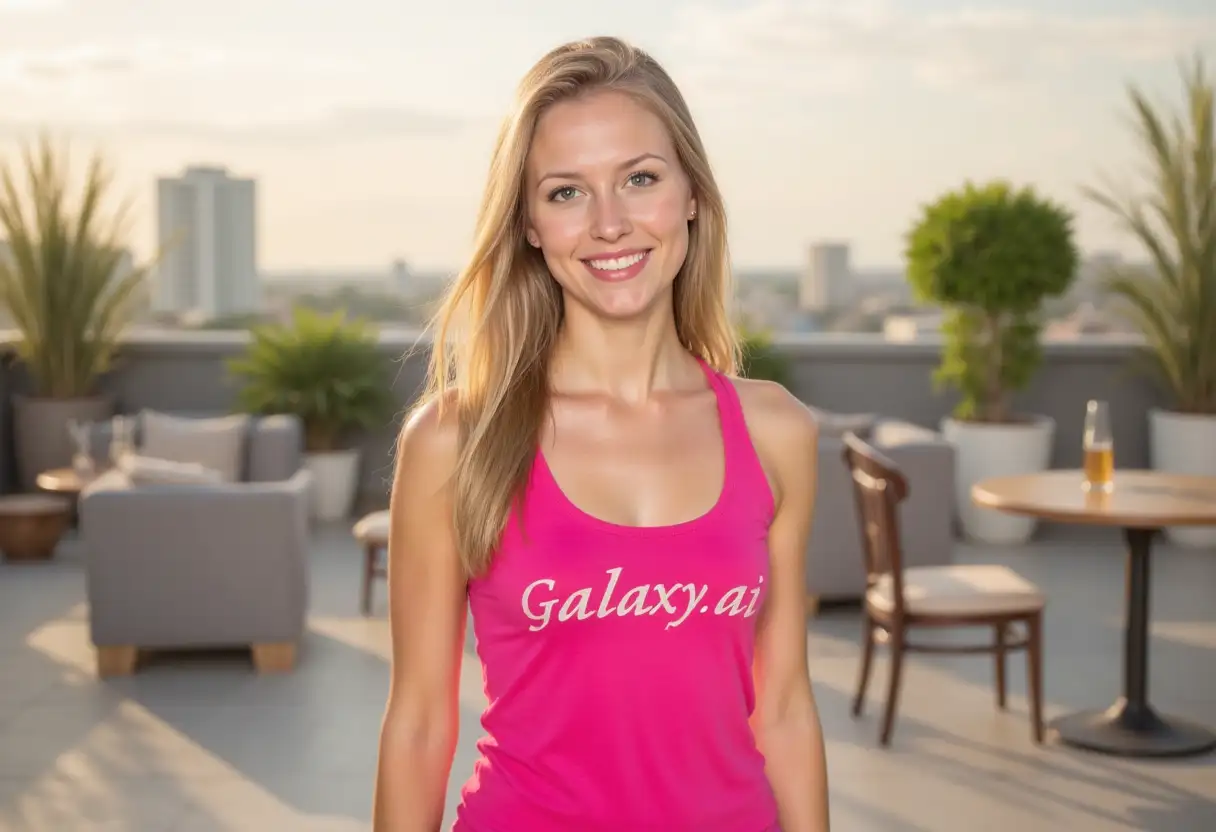
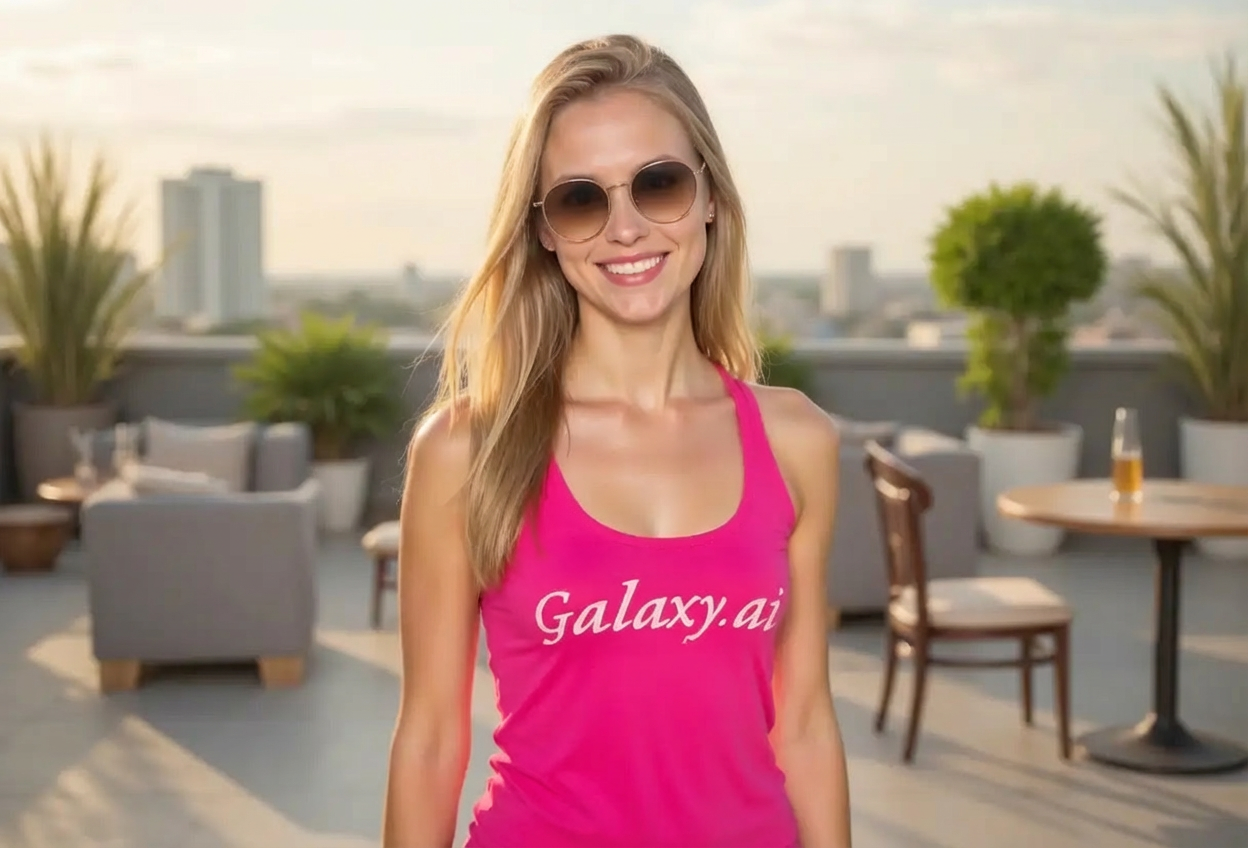
Compare the source image with each finished result.

Source image
Source and result source image
Result
Source and result result

What Magica will ask for

The agent gathers these inputs and preferences in the conversation before it starts.

Description

Describe what you want to create...

Glasses Style

Choices: Any Style, Classic Rectangular, Round Frames, Cat Eye, Aviator, Wayfarer, Oversized, Rimless, Browline

Frame Color

Choices: Any Color, Black, Tortoiseshell, Brown, Clear/Transparent, Gold Metal, Silver Metal, Colorful/Fashion

Lens Type

Choices: Any Lens, Clear Lenses, Tinted, Sunglasses (Dark), Blue Light Blocking, Photochromic/Transition

Frame Size

Choices: Any Size, Small, Medium, Large

Why Choose Our Add Glasses to Photo Tool?

Virtually try on different eyewear styles before making a purchase.

  • AI-powered realistic glasses placement
  • Multiple frame styles from classic to trendy
  • Variety of frame colors and materials
  • Clear lenses and sunglasses options
  • Proper fit matching face proportions
  • Realistic reflections and material textures
  • Easy visualization before buying
  • Perfect for virtual try-on experiences

How Our Add Glasses to Photo Tool Works

Try on glasses in three simple steps:

  1. 01

    Attach Your Photo

    attach a clear front-facing photo showing your full face.

  2. 02

    Choose Glasses Style

    Select frame style, color, lens type, and size preferences.

  3. 03

    Generate & Preview

    Let AI add realistic glasses perfectly fitted to your face and download the result.

Key Features of Add Glasses to Photo Tool

Multiple Frame Styles

Try rectangular, round, cat eye, aviator, wayfarer, and more styles.

Perfect Fit

Glasses automatically adjust to face shape, nose bridge, and ear positioning.

Color Variety

Choose black, tortoiseshell, clear, gold, silver, and colorful frames.

Lens Options

Try clear lenses, sunglasses, tinted, or blue light blocking options.

Realistic Rendering

Photorealistic glasses with proper reflections and material textures.

Size Control

Adjust frame size from small to large to match your preferences.

Who Can Benefit from Our Add Glasses to Photo Tool?

Perfect for virtually trying eyewear before purchasing.

Eyewear Shoppers

Try on different glasses styles before visiting the store or buying online.

Opticians & Retailers

Offer virtual try-on experiences to customers shopping online.

Fashion Stylists

Experiment with eyewear accessories for client looks and photoshoots.

Social Media Creators

Create content showing different eyewear styles and fashion looks.

Costume Designers

Visualize character looks with different eyewear styles.

People with Vision Changes

See how you'll look in glasses if transitioning from contacts.

Tips for Better Glasses Results

Tip 1

Use Front-Facing Photos

Upload photos where you're looking directly at the camera for best glasses placement and fit.

Tip 2

Match Style to Face Shape

Round frames suit angular faces, rectangular frames suit round faces, cat eye elongates round faces.

Tip 3

Consider Your Personal Style

Classic frames for professional settings, trendy styles for fashion-forward looks, oversized for statement pieces.

Tip 4

Try Multiple Colors

Black is versatile, tortoiseshell adds warmth, clear for minimal look, metallic for modern style.

Tip 5

Frame Size Matters

Frames should align with face width. Small for narrow faces, large for wider faces.

Tip 6

Good Lighting Helps

Well-lit photos help the AI match reflections and material textures more accurately.

Tip 7

Test Different Lens Types

Try clear for everyday, sunglasses for outdoor shots, blue light for computer work aesthetic.

Frequently Asked Questions About Add Glasses to Photo

What glasses styles are available?

Choose from classic rectangular, round, cat eye, aviator, wayfarer, oversized, rimless, and browline styles. Each can be customized for color, lens type, and size.

Will the glasses fit my face properly?

Yes, the AI analyzes your face proportions and automatically positions glasses to match your nose bridge, face width, and ear placement for realistic fit.

Can I try different frame colors?

Absolutely! Choose from black, tortoiseshell, brown, clear, gold metal, silver metal, and colorful fashion frames.

What lens options are available?

Try clear prescription lenses, tinted lenses, sunglasses (dark), blue light blocking lenses, or photochromic transition lenses.

Is this useful for buying glasses online?

Yes, this tool helps you visualize how different styles look on your face before purchasing, reducing uncertainty in online shopping.

How do I know what size to choose?

Select small for narrow faces, medium for average width, large for wider faces. The AI adjusts proportions automatically.

Can I see how sunglasses look on me?

Yes, select the sunglasses lens type to try on different sunglass styles with dark lenses.

What photo quality do I need?

Use clear, front-facing photos with good lighting and your full face visible. Higher quality photos produce more realistic results.

How realistic do the glasses look?

The AI generates photorealistic glasses with proper reflections, material textures (plastic, metal, acetate), and natural positioning on your face.

Can opticians use this for customers?

Yes, many optical retailers use virtual try-on tools to help customers visualize different frame styles before in-store visits or online purchases.
Ready to make it?

Help me use Add Glasses to Photo. First ask me to attach photo and ask me to choose glasses style. Then ask for my preferences, complete the task, and return the finished result.Attach filesConnect tools
