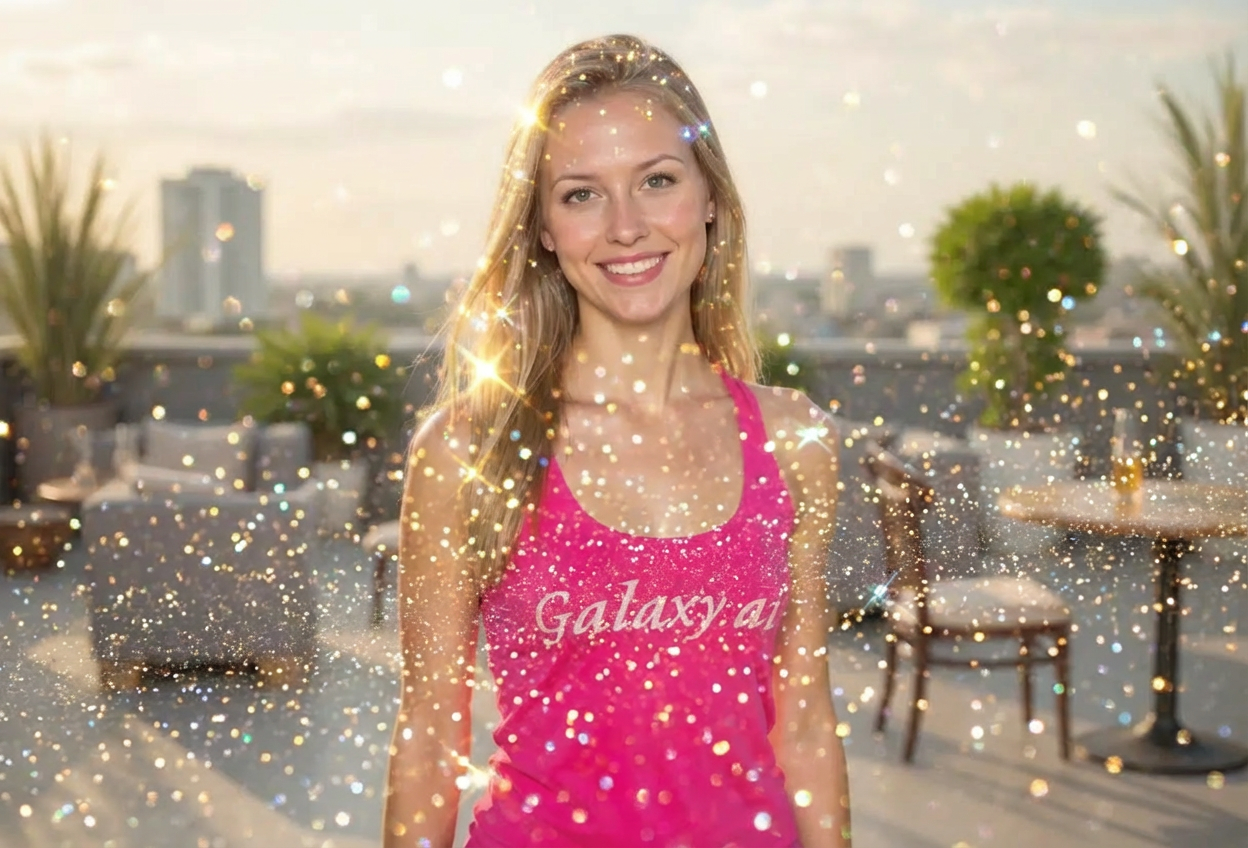
Compare the source image with each finished result.
Source image
Result
What Magica will ask for
The agent gathers these inputs and preferences in the conversation before it starts.
Description
Describe what you want to create...
Glitter Style
Choices: Any Style, Fine Sparkle, Chunky Glitter, Holographic, Confetti Style, Bokeh Sparkles, Fairy Dust, Diamond Sparkle
Glitter Color
Choices: Any Color, Gold, Silver, Rose Gold, Rainbow/Multicolor, Blue, Pink, Purple, White/Pearl
Glitter Density
Choices: Any Density, Sparse/Subtle, Medium, Dense, Heavy/Full Coverage
Glitter Placement
Choices: Any Placement, All Over, Edges/Border, Center Focus, Floating Around Subject, Accent Areas
Why Choose Our Add Glitter to Photo Tool?
Transform ordinary photos into dazzling, magical images with realistic glitter.
AI-powered realistic glitter generation
Multiple glitter styles from fine to chunky
Wide range of colors including holographic
Customizable density and placement
Natural light reflection and sparkle effects
Perfect for celebrations and special occasions
Easy festive photo enhancement
Professional-quality glitter effects
How Our Add Glitter to Photo Tool Works
Create sparkling magic in three simple steps:
01
Attach Your Photo
Upload any photo you want to make sparkly and festive.
02
Choose Glitter Settings
Select glitter style, color, density, and placement preferences.
03
Generate & Download
Let AI add realistic glitter effects and download your magical photo.
Key Features of Add Glitter to Photo Tool
Multiple Glitter Styles
Fine sparkle, chunky, holographic, confetti, bokeh, fairy dust, and diamond effects.
Color Variety
Gold, silver, rose gold, rainbow, blue, pink, purple, and pearl options.
Density Control
Adjust from sparse subtle sparkles to heavy full coverage glitter.
Smart Placement
Position glitter all over, at edges, center focus, or floating around subjects.
High Quality Output
Maintains image resolution with realistic glitter textures.
Realistic Sparkle
Individual glitter particles with proper light reflection and depth.
Who Can Benefit from Our Add Glitter to Photo Tool?
Perfect for adding magical sparkle to any celebration or creative project.
Party Planners
Create eye-catching invitations and promotional materials for events.
Social Media Influencers
Add glamorous sparkle to photos and create engaging festive content.
Greeting Card Designers
Design sparkly cards for birthdays, holidays, and special occasions.
Wedding Planners
Add elegant glitter to wedding photos and celebration materials.
Kids' Party Organizers
Create magical, sparkly photos for children's birthday parties.
Holiday Content Creators
Enhance Christmas, New Year's, and celebration photos with festive glitter.
Tips for Better Glitter Results
Tip 1
Match Glitter to Occasion
Gold for elegant events, rainbow for kids' parties, silver for winter holidays, rose gold for weddings.
Tip 2
Consider Background Color
Gold glitter pops on dark backgrounds, silver on medium tones, white/pearl on darker images.
Tip 3
Start with Medium Density
Medium density works for most photos. Adjust to sparse for subtle or heavy for dramatic effects.
Tip 4
Choose Style by Purpose
Fine sparkle for elegant looks, chunky for fun party vibes, holographic for modern aesthetic, bokeh for dreamy photos.
Tip 5
Placement Matters
All-over for celebrations, edges for borders, center focus for subject emphasis, floating for magical atmosphere.
Tip 6
Well-Lit Photos Work Best
Photos with good lighting help glitter sparkle more realistically with proper reflections.
Tip 7
Combine Colors Thoughtfully
Stick to one or two glitter colors per image. Rainbow/multicolor works for vibrant celebrations.
Frequently Asked Questions About Add Glitter to Photo
What glitter styles are available?
Choose from fine sparkle, chunky glitter, holographic, confetti style, bokeh sparkles, fairy dust, and diamond sparkle effects.
How realistic does the glitter look?
The AI generates realistic glitter with individual sparkle points, proper light reflection, depth variation, and natural distribution for authentic results.
Can I choose glitter colors?
Yes! Select gold, silver, rose gold, rainbow/multicolor, blue, pink, purple, or white/pearl glitter colors.
How much glitter can I add?
Control density from sparse (subtle accents) to heavy (full coverage). Medium density works well for most occasions.
Where can I place the glitter?
Choose all-over coverage, edges/border, center focus, floating around subject, or accent areas for strategic placement.
Is this suitable for professional invitations?
Absolutely! The high-quality glitter effects are perfect for party invitations, wedding announcements, and professional event materials.
What's the difference between glitter styles?
Fine sparkle is subtle and elegant, chunky is bold and fun, holographic has rainbow reflections, bokeh creates dreamy circles, fairy dust is delicate and magical.
Can I add glitter to portraits?
Yes, glitter works beautifully on portraits. Use sparse to medium density with strategic placement for glamorous results without overwhelming the subject.
Will glitter obscure my image?
No, the tool maintains image clarity. Adjust density if glitter becomes too prominent. Sparse to medium densities preserve subject visibility.
What occasions is this best for?
Perfect for birthdays, weddings, holidays (Christmas, New Year's), celebrations, party invitations, social media posts, and any festive occasion requiring sparkle.