Source image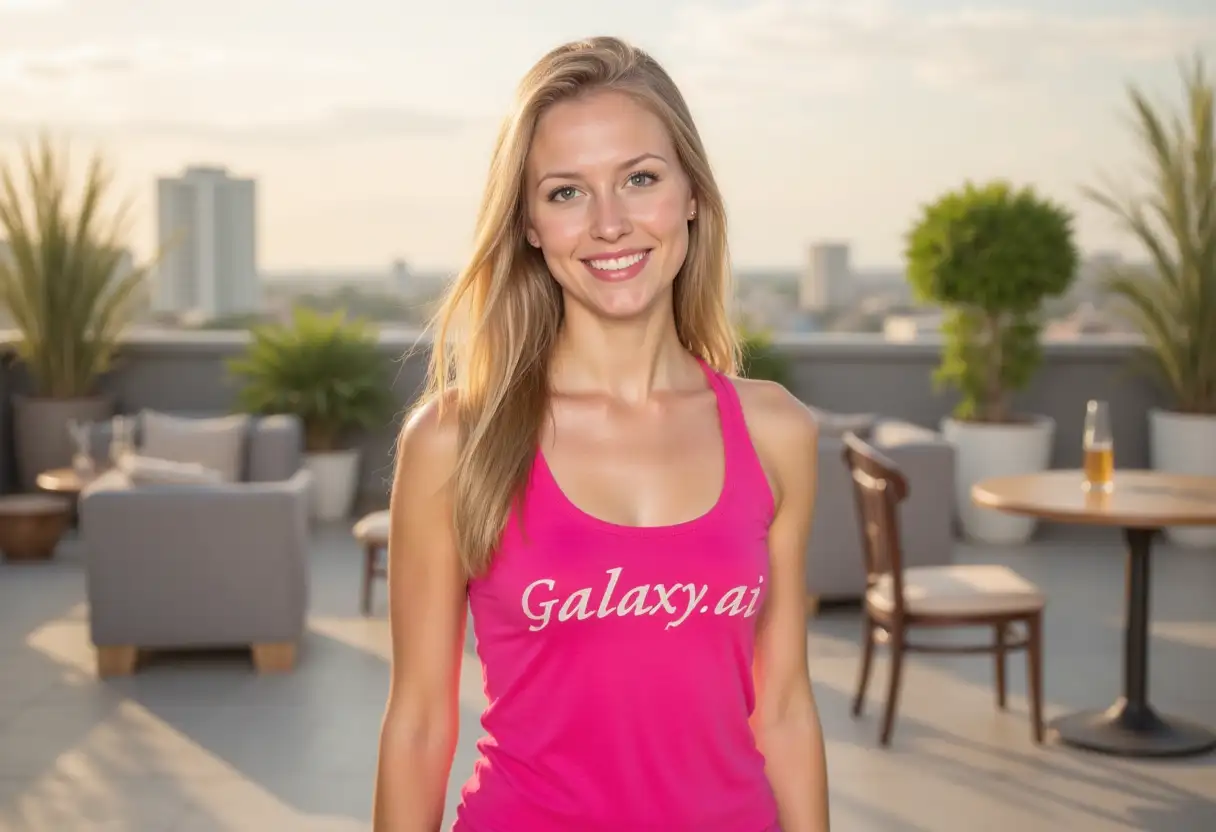
Result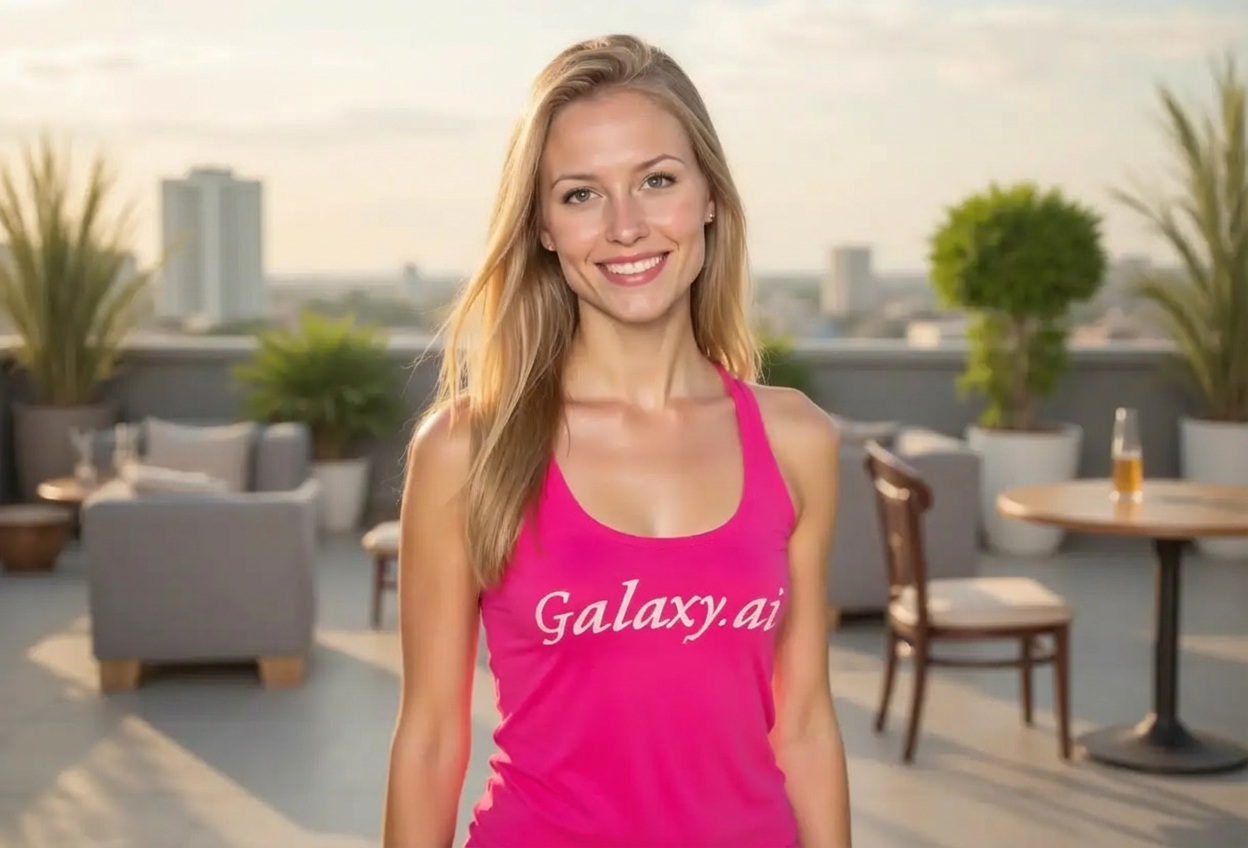

Enhance facial features with defined jawline
Compare the source image with each finished result.
The agent gathers these inputs and preferences in the conversation before it starts.
Describe what you want to create...
Choose how defined the jawline should be
Choices: Any Definition, Subtle, Moderate, Strong, Chiseled, Sharp, Angular
Choose the overall facial structure
Choices: Any Structure, Square, Oval, Angular, Sculpted, Masculine, Balanced
Enhance your facial features with natural-looking jawline definition using advanced AI technology.
Enhance your jawline in three simple steps:
Select a clear portrait photo where you want to enhance the jawline. Front or side profiles work best.
Select jawline definition intensity and facial structure preferences for your desired look.
AI naturally enhances the jawline while preserving your unique facial features.
AI subtly defines jawline while maintaining your natural appearance and facial identity.
Choose from subtle to chiseled jawline definition based on your preference.
Select different facial structures like square, angular, or sculpted for varied results.
Results suitable for professional headshots, modeling portfolios, and business profiles.
Enhance your photos to look your best for important occasions and profiles.
Get enhanced results in seconds without complex photo editing skills.
Perfect for anyone looking to enhance their portraits and profile photos.
Enhance LinkedIn photos, business headshots, and professional profile pictures.
Improve profile pictures and photos for Instagram, Facebook, and dating apps.
Perfect portfolio photos with defined jawlines for modeling and acting careers.
Showcase fitness transformation photos with enhanced facial definition.
Look your best in photos for special occasions, graduations, and memorable events.
Enhance thumbnails and profile pictures for YouTube, TikTok, and other platforms.
Best results come from clear, front-facing portraits with good lighting and visible jawline area.
Begin with subtle or moderate intensity for most natural-looking results, then increase if needed.
Photos with side lighting naturally highlight jawlines and work best with enhancement.
Select facial structure options that complement your natural face shape for harmonious results.
Use natural style for professional photos, model style for fashion, and fitness for athletic looks.
Tool enhances existing features rather than completely changing face structure for natural results.
AI analyzes facial structure and subtly defines the jawline area while maintaining your natural features and facial identity.
Yes, especially with subtle to moderate settings. The AI is designed to enhance rather than drastically alter your appearance.
Start with moderate for most natural results. Use subtle for professional photos, strong for modeling, and chiseled for dramatic effects.
Absolutely! Many professionals use subtle jawline enhancement for LinkedIn profiles, business cards, and corporate headshots.
Clear front-facing or side profile portraits with good lighting and visible jawline area produce the best enhancement results.
No, the tool specifically focuses on jawline definition while preserving all other facial features naturally.
Yes, jawline enhancement works for all genders. Choose intensity and style based on your personal aesthetic preferences.
Yes, this uses AI to subtly enhance your actual features rather than applying an overlay filter, resulting in more realistic results.
Select structures that complement your natural face shape. Square and angular work for stronger definition, while balanced and oval are more subtle.
Yes, subtle enhancements are commonly used on dating profiles. Keep it natural so photos accurately represent your appearance.


