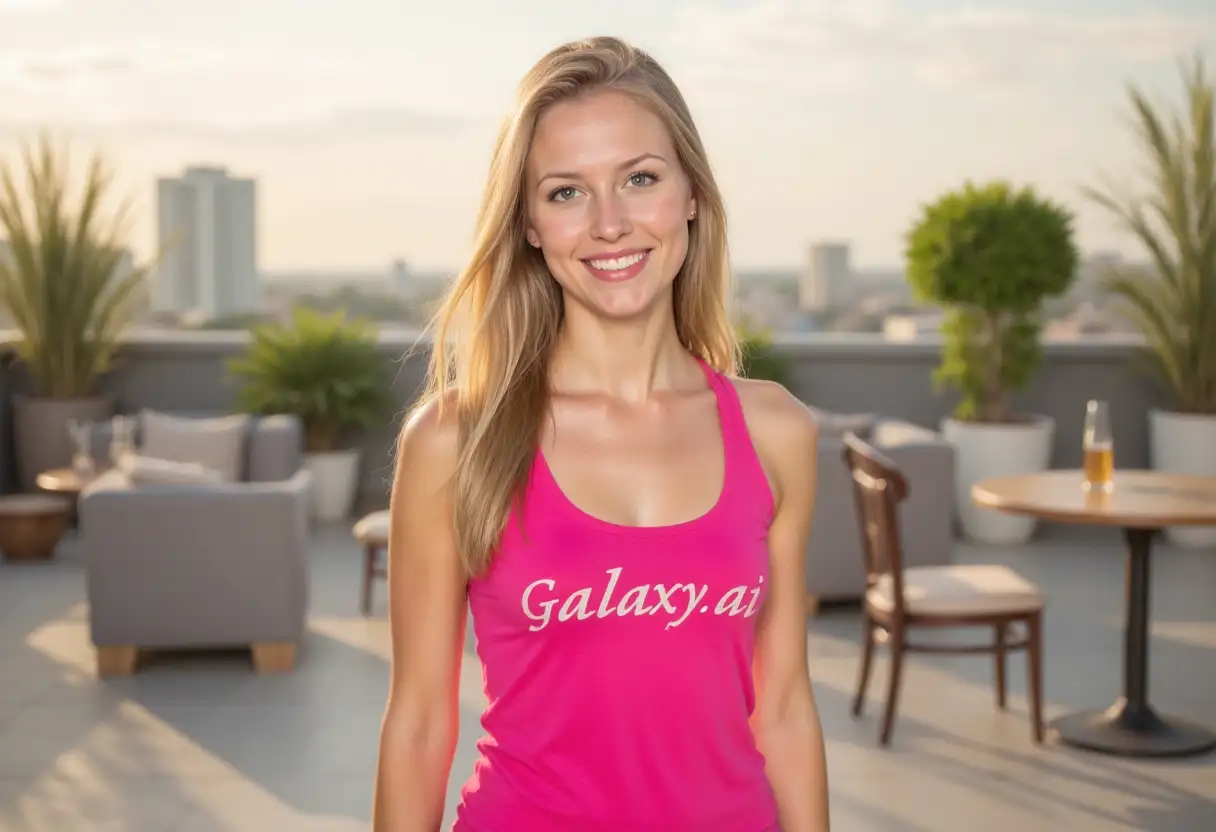
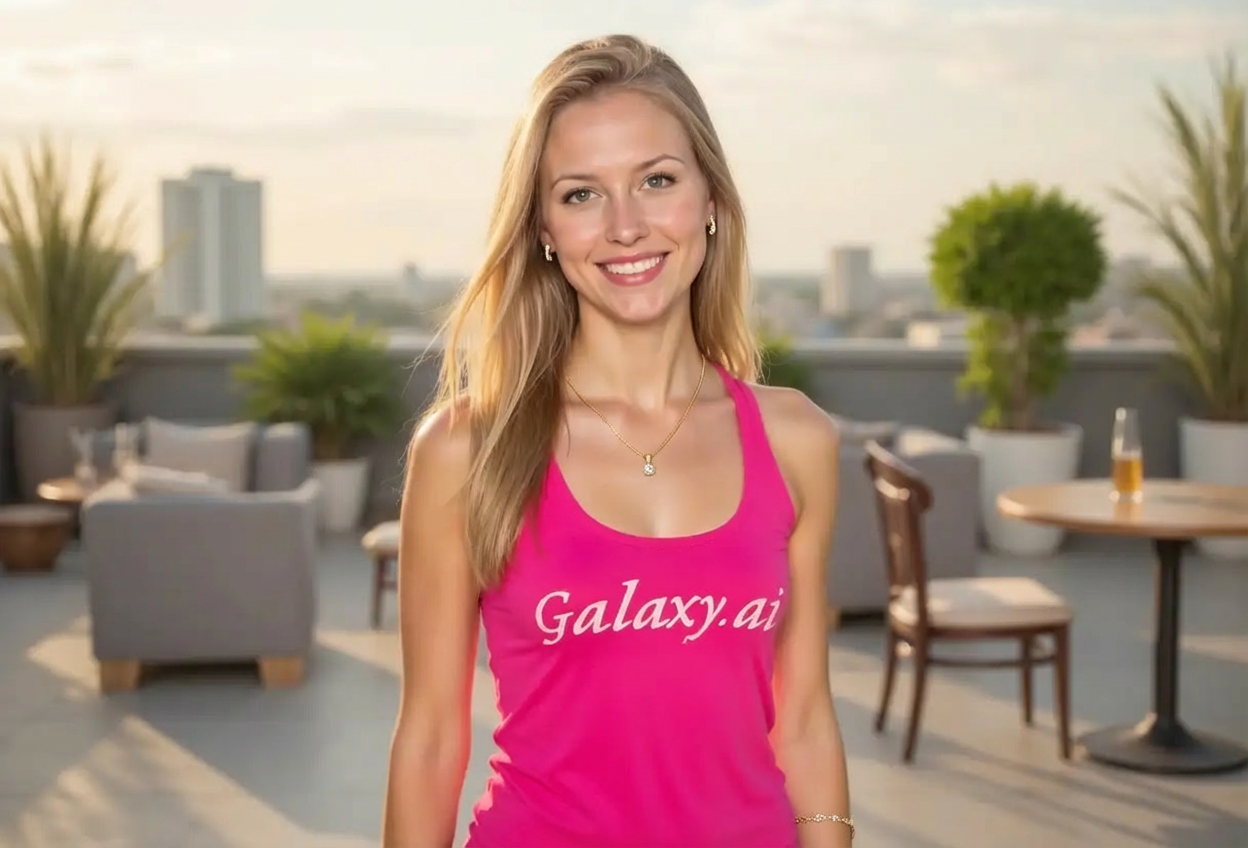
Choices: Any Material, Gold, Silver, Platinum, Rose Gold, Diamond, Pearl, Emerald, Ruby, Sapphire
Why Choose Our Add Jewelry to Photo Tool?
Transform your photos with stunning, realistic jewelry additions using advanced AI technology.
AI-powered realistic jewelry placement
Wide variety of jewelry types and styles
Natural integration with existing photos
Multiple precious material options
Professional-quality results
Quick and easy to use
Perfect for fashion and portrait photography
High-resolution output for any use
How Our Add Jewelry to Photo Tool Works
Add beautiful jewelry to any photo in three simple steps:
01
Attach Your Photo
Select and attach the photo where you want to add jewelry. Works best with portrait or fashion shots.
02
Choose Jewelry Options
Select jewelry type, material, and style. Customize the appearance to match your vision.
03
Generate Enhanced Photo
AI analyzes your photo and adds the jewelry naturally, creating a professional result.
Key Features of Add Jewelry to Photo
Multiple Jewelry Types
Add necklaces, earrings, bracelets, rings, pendants, brooches, anklets, and tiaras.
Premium Materials
Choose from gold, silver, platinum, diamonds, pearls, and precious gemstones.
Style Variety
From classic elegance to modern minimalism, find the perfect style for your photo.
Realistic Integration
AI ensures jewelry appears natural with proper lighting and perspective.
Fashion Enhancement
Perfect for fashion photography, modeling portfolios, and social media content.
Luxury Visualization
Visualize how high-end jewelry would look before making purchase decisions.
Who Can Benefit from Our Add Jewelry to Photo Tool?
This tool is perfect for anyone looking to enhance photos with jewelry.
Fashion Photographers
Enhance fashion shoots by adding jewelry digitally for concept testing or missing pieces.
Jewelry Designers
Visualize jewelry designs on models without creating physical prototypes first.
Social Media Influencers
Create stunning fashion content with virtual jewelry for brand collaborations.
Personal Users
See how different jewelry styles would look in your photos before purchasing.
E-commerce Sellers
Create product visualization images showing jewelry on models for online stores.
Marketing Teams
Develop jewelry marketing campaigns with versatile visual content quickly.
Tips for Better Results
Tip 1
Use High-Quality Photos
Start with clear, well-lit photos for the most realistic jewelry additions.
Tip 2
Choose Appropriate Jewelry Types
Match jewelry type to the photo angle and subject positioning for natural results.
Tip 3
Consider Outfit Style
Select jewelry styles that complement the clothing and overall aesthetic of the photo.
Tip 4
Experiment with Materials
Try different precious materials to see which best suits your photo's lighting and mood.
Tip 5
Match Photo Context
Choose jewelry formality that matches the photo setting (casual vs. formal).
Tip 6
Check Size Proportion
Ensure jewelry size appears proportionate to the subject for realistic results.
Frequently Asked Questions About Add Jewelry to Photo
What types of jewelry can I add to photos?
You can add various jewelry types including necklaces, earrings, bracelets, rings, pendants, brooches, anklets, and tiaras. Each type can be customized with different materials and styles.
Does the jewelry look realistic in the photos?
Yes, our AI technology ensures jewelry is added with realistic lighting, shadows, and perspective to blend naturally with your photo.
Can I choose specific jewelry materials?
Absolutely! Select from gold, silver, platinum, rose gold, diamonds, pearls, emeralds, rubies, sapphires, and more to match your desired look.
What photo types work best with this tool?
Portrait photos, fashion shots, and any images where jewelry would be naturally visible work best. Clear, well-lit photos produce the most realistic results.
Can I add multiple jewelry pieces at once?
Currently, each generation focuses on one jewelry type. You can run the tool multiple times with different jewelry to layer additions.
Is this suitable for commercial use?
Yes, perfect for fashion photography, e-commerce product visualization, marketing campaigns, and jewelry design mockups.
What styles of jewelry are available?
Choose from classic, modern, vintage, bohemian, minimalist, statement, elegant, and luxury styles to match your aesthetic.
Can I use this to preview jewelry before purchasing?
Yes, this is an excellent tool for visualizing how different jewelry styles and materials would look on you before making a purchase decision.
How long does it take to add jewelry to a photo?
The AI processing typically takes 30-60 seconds to analyze your photo and add the jewelry with realistic integration.
Can I adjust the placement of the jewelry?
The AI automatically determines optimal placement based on the photo composition. For specific placements, provide detailed descriptions in your input.