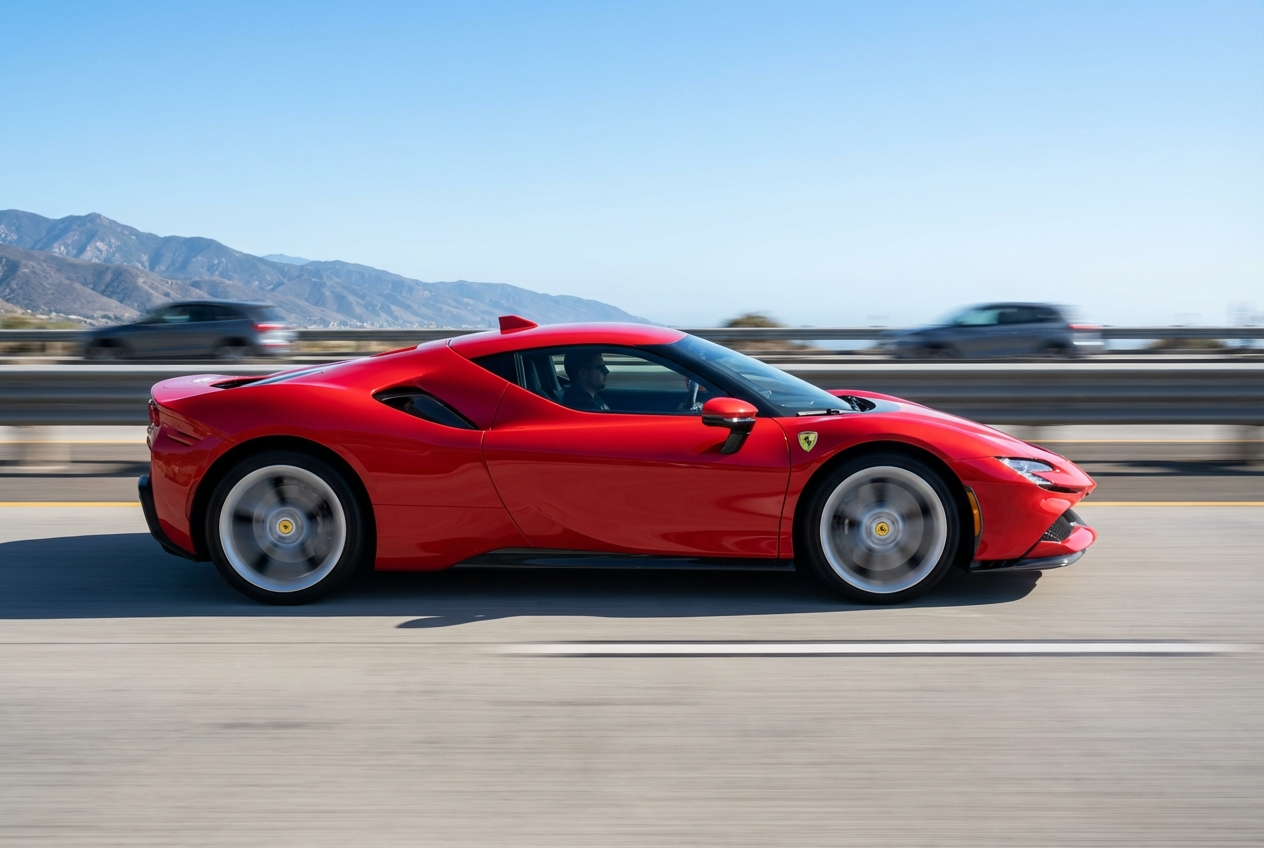
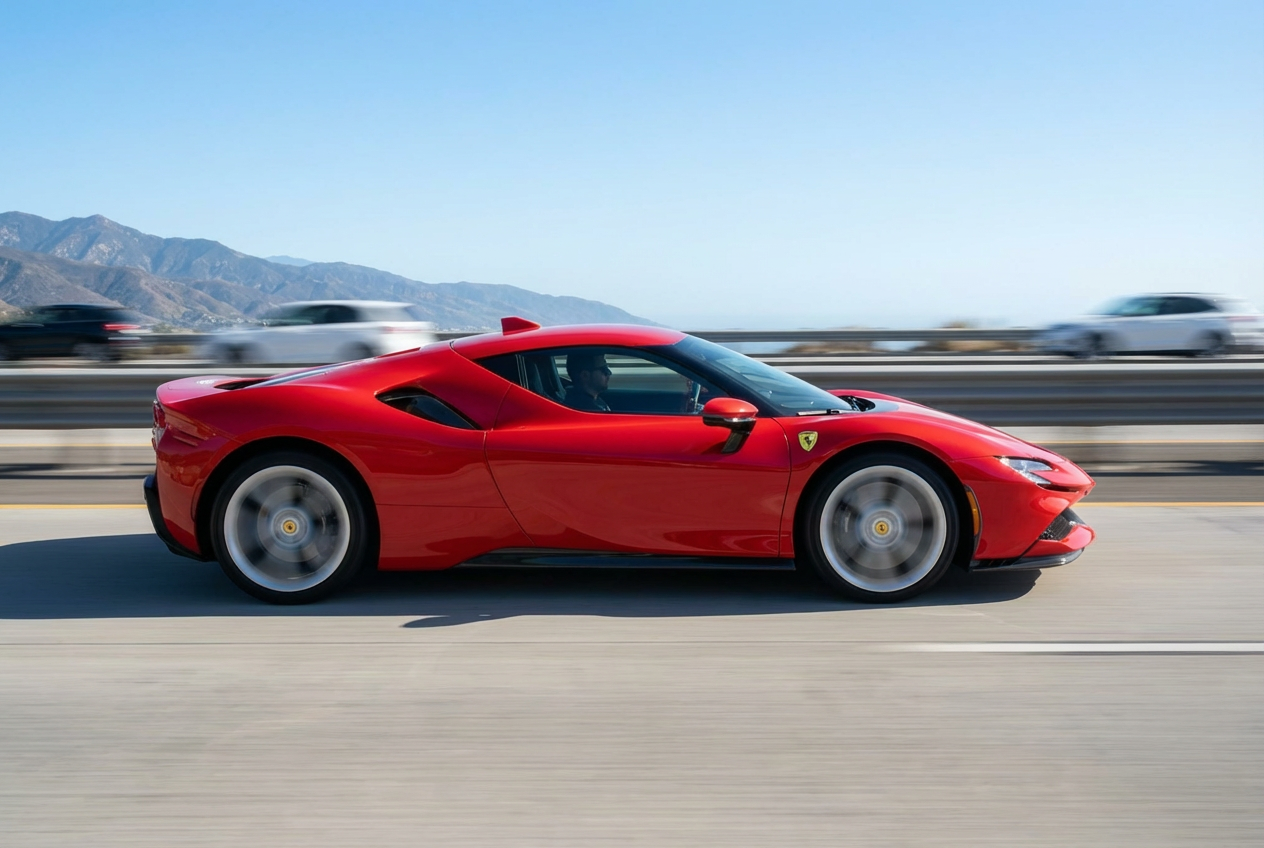
Transform static images into dynamic, action-packed visuals with professional motion blur effects.
AI-powered motion blur generation
Multiple blur types (linear, radial, zoom, spin)
Customizable blur direction and intensity
Perfect for sports and action photography
Creates sense of speed and movement
Instant professional results
No complex editing required
High-quality output
Maintains subject clarity
Works with any photo type
How Our Add Motion Blur to Photo Tool Works
Add professional motion blur effects to your photos in three simple steps:
01
Attach Your Photo
Upload any photo you want to add motion blur to. Works great with sports, vehicles, or any subject.
02
Configure Blur Settings
Choose your preferred blur type, direction, and intensity. Select from linear, radial, zoom, or spin effects.
03
Generate & Download
Get your dynamic motion-blurred image instantly. Download and use for your creative projects.
Key Features of Add Motion Blur to Photo
Multiple Blur Types
Choose from linear, radial, zoom, directional, and spin blur for different motion effects.
Dynamic Action Effect
Create compelling sense of speed, movement, and action in your photos instantly.
Directional Control
Precisely control blur direction - horizontal, vertical, diagonal, or radial from center.
Adjustable Intensity
Fine-tune blur strength from subtle hints of motion to dramatic speed effects.
Professional Quality
Achieve results that match professional panning and motion photography techniques.
Instant Processing
Get motion-blurred photos in seconds without complex software or manual editing.
Who Can Benefit from Our Add Motion Blur to Photo Tool?
This tool is perfect for anyone looking to add dynamic motion effects to their images:
Sports Photographers
Enhance action shots with motion blur that emphasizes speed and athletic movement.
Automotive Photographers
Create dramatic racing and vehicle shots with professional motion blur effects.
Content Creators
Add dynamic visual interest to thumbnails, covers, and action content.
Graphic Designers
Create eye-catching designs with motion-enhanced imagery for various projects.
Marketing Teams
Produce dynamic advertisements and promotional content that captures attention.
Creative Artists
Experiment with motion blur as an artistic element in creative photography projects.
Tips for Better Motion Blur Results
Tip 1
Choose Appropriate Blur Type
Use linear blur for straight motion (running, driving), radial for rotation, and zoom for approaching/receding subjects.
Tip 2
Match Motion Direction
Select blur direction that matches the natural movement of your subject for realistic results.
Tip 3
Start with Moderate Intensity
Begin with moderate blur and adjust - too much can make subjects unrecognizable, too little may not convey motion.
Tip 4
Consider Subject Placement
Motion blur works best when the main subject remains relatively sharp while the background shows movement.
Tip 5
Use Horizontal Blur for Vehicles
Horizontal motion blur is most effective for cars, bikes, and other vehicles moving across the frame.
Tip 6
Try Zoom Blur for Impact
Zoom blur creates dramatic emphasis on central subjects, perfect for action heroes or focal points.
Tip 7
Experiment with Spin Blur
Spin blur works wonderfully for rotating objects like wheels, fans, or dancers spinning.
Frequently Asked Questions About Add Motion Blur to Photo
What types of motion blur can I create?
You can create several motion blur types including linear (straight-line motion), radial (rotation around center), zoom (approaching/receding), directional (custom angles), and spin blur effects.
Can I control the direction of the motion blur?
Yes! You can specify blur direction including horizontal (left/right), vertical (up/down), diagonal in any direction, or let the AI determine the most natural direction.
How do I adjust the blur intensity?
You can choose from three intensity levels: subtle (gentle motion hint), moderate (balanced effect), or strong (dramatic speed effect). Start with moderate and adjust as needed.
Will motion blur work with all types of photos?
Motion blur works with any photo but is most effective with action shots, sports, vehicles, and dynamic subjects where you want to convey movement.
What's the difference between linear and radial blur?
Linear blur creates straight-line motion in one direction (like panning), while radial blur creates circular motion radiating from a center point (like spinning or rotating).
Can I use this for sports photography?
Absolutely! This tool is perfect for enhancing sports photos with motion blur that emphasizes speed and athletic action.
Do I need photography experience?
No experience required! Simply attach your photo, choose your blur preferences, and the AI creates professional motion blur effects.
When should I use zoom blur?
Zoom blur is ideal for creating dramatic emphasis on central subjects, making them appear to be rushing toward or away from the viewer.
Will the main subject stay recognizable?
Yes! The AI applies motion blur intelligently to create dynamic effects while maintaining subject recognition and visual clarity.
What image formats are supported?
The tool supports all common image formats including JPG, PNG, WebP, and more. Upload any photo format you have.
Can I add multiple motion blur effects?
Each generation applies one motion blur effect. For combined effects, you can process the same image multiple times with different settings.
How long does motion blur processing take?
Processing is very fast, typically taking just a few seconds to apply professional motion blur effects to your photo.