Source image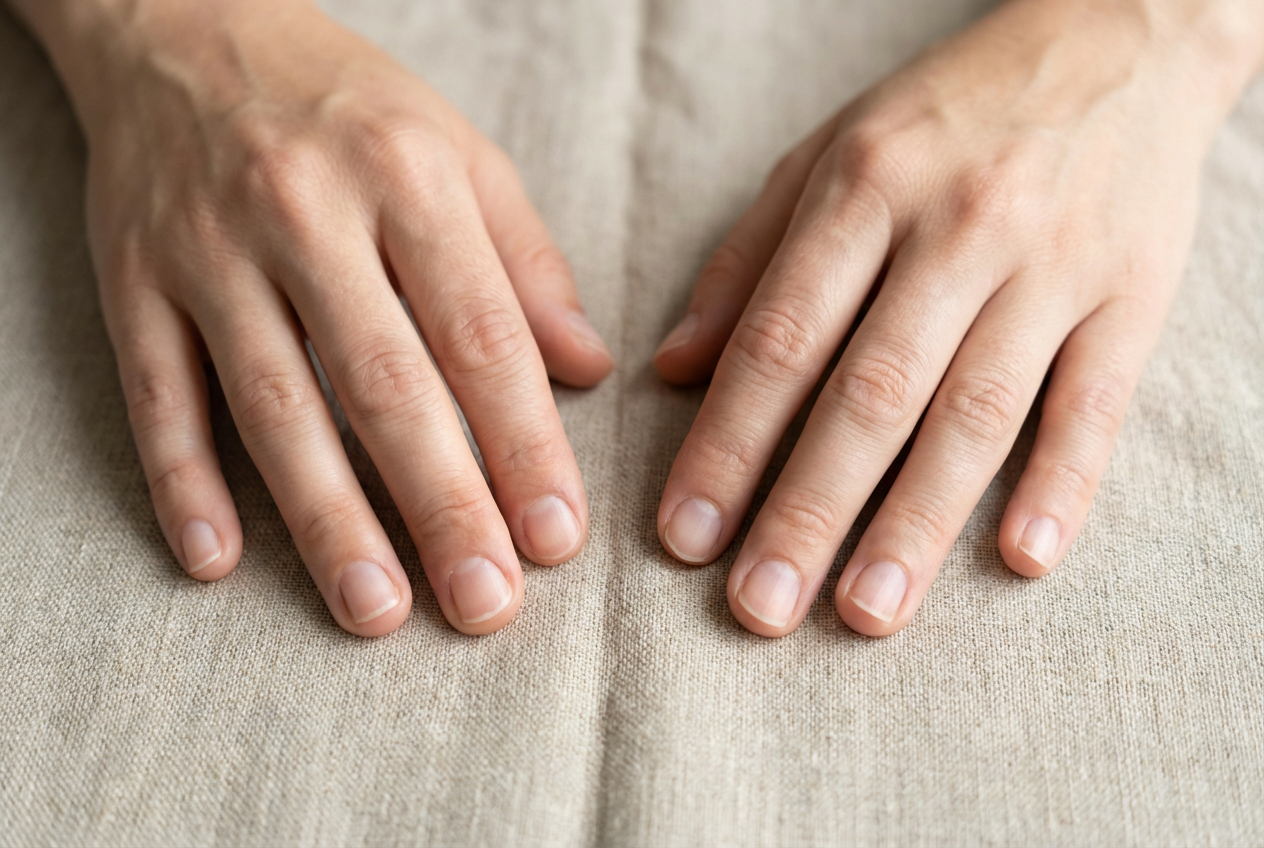
Result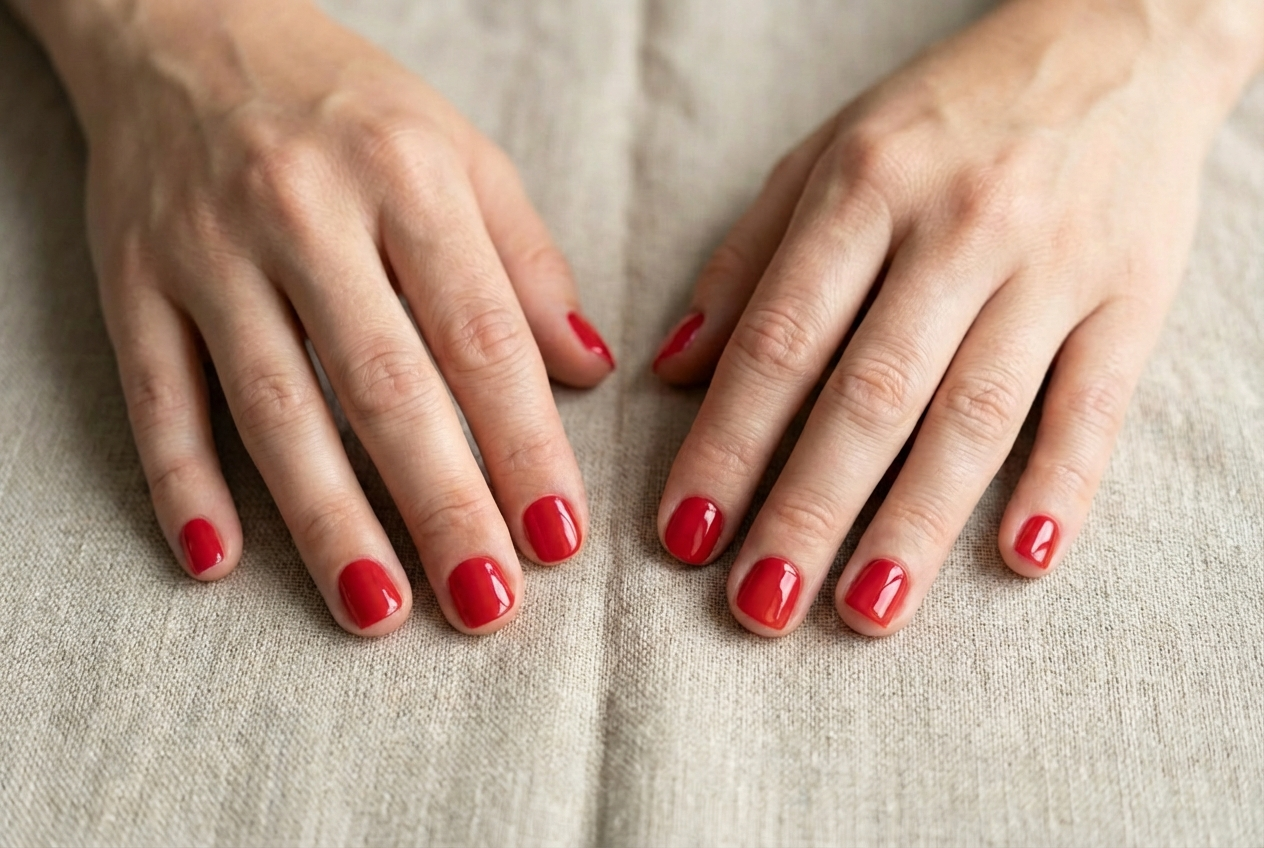

Add beautiful nail polish to photos
Compare the source image with each finished result.
The agent gathers these inputs and preferences in the conversation before it starts.
Describe what you want to create...
Choose the nail polish shade
Choices: Any Color, Red, Pink, Nude, Black, White, Blue, Purple, Green, Orange, Burgundy, Navy, Coral
Choose the nail polish finish
Choices: Any Finish, Glossy, Matte, Metallic, Shimmer, Glitter, Chrome, Pearl
Choose the nail length
Choices: Any Length, Short, Medium, Long, Extra Long
Try on nail polish colors virtually and preview your perfect manicure before application.
Add nail polish to photos in three simple steps:
Select a clear photo showing your hands or nails. Well-lit photos work best.
Select your desired color, finish (glossy/matte/glitter), and nail length preference.
AI applies nail polish to all visible nails with professional, smooth application.
Choose from red, pink, nude, black, blue, purple, and many more trendy shades.
Select glossy, matte, metallic, shimmer, glitter, chrome, or pearl finishes.
Visualize polish on short, medium, long, or extra-long nails for planning.
AI ensures smooth, even polish coverage on all nails with salon-quality results.
Preview nail polish shades before purchasing or booking salon appointments.
Get instant nail polish visualization in seconds without actual application.
Perfect for nail enthusiasts, shoppers, and beauty professionals.
Preview how nail polish shades look on your nails before purchasing.
Experiment with different colors and finishes to plan your next manicure.
Show clients different nail polish options before actual salon application.
Create nail content showing various polish colors without multiple applications.
Show nail polish products on hands for online beauty stores and catalogs.
Plan perfect wedding nail colors to match your dress and theme.
Photos with well-lit, clearly visible nails produce the most realistic polish application.
Select shades that complement your skin tone—warm tones for warm skin, cool for cool.
Use glossy for classic elegance, matte for modern chic, glitter for parties.
Visualize different lengths to plan whether to grow, trim, or use extensions.
Try trending colors like chrome, nude, or bold metallics to stay current.
Compare several shades side-by-side to find your perfect manicure color.
Choose from red, pink, nude, black, white, blue, purple, green, orange, burgundy, navy, coral, and many more shades.
Yes, select from glossy, matte, metallic, shimmer, glitter, chrome, and pearl finishes for varied looks.
Yes, AI ensures smooth, even coverage on all nails with professional salon-quality application.
Clear hand photos with visible nails and good lighting produce the most realistic polish application.
Yes, choose from short, medium, long, or extra-long nail lengths to plan your manicure.
Absolutely! Perfect for previewing nail polish shades before purchasing from beauty stores.
Yes, great for showing clients different polish options during consultations before application.
Yes, the AI adapts to different nail shapes including square, round, oval, almond, and stiletto.
AI processing typically takes 20-40 seconds to apply polish to all visible nails.
Perfect for brides! Visualize different nail colors to match your wedding dress, theme, and flowers.


