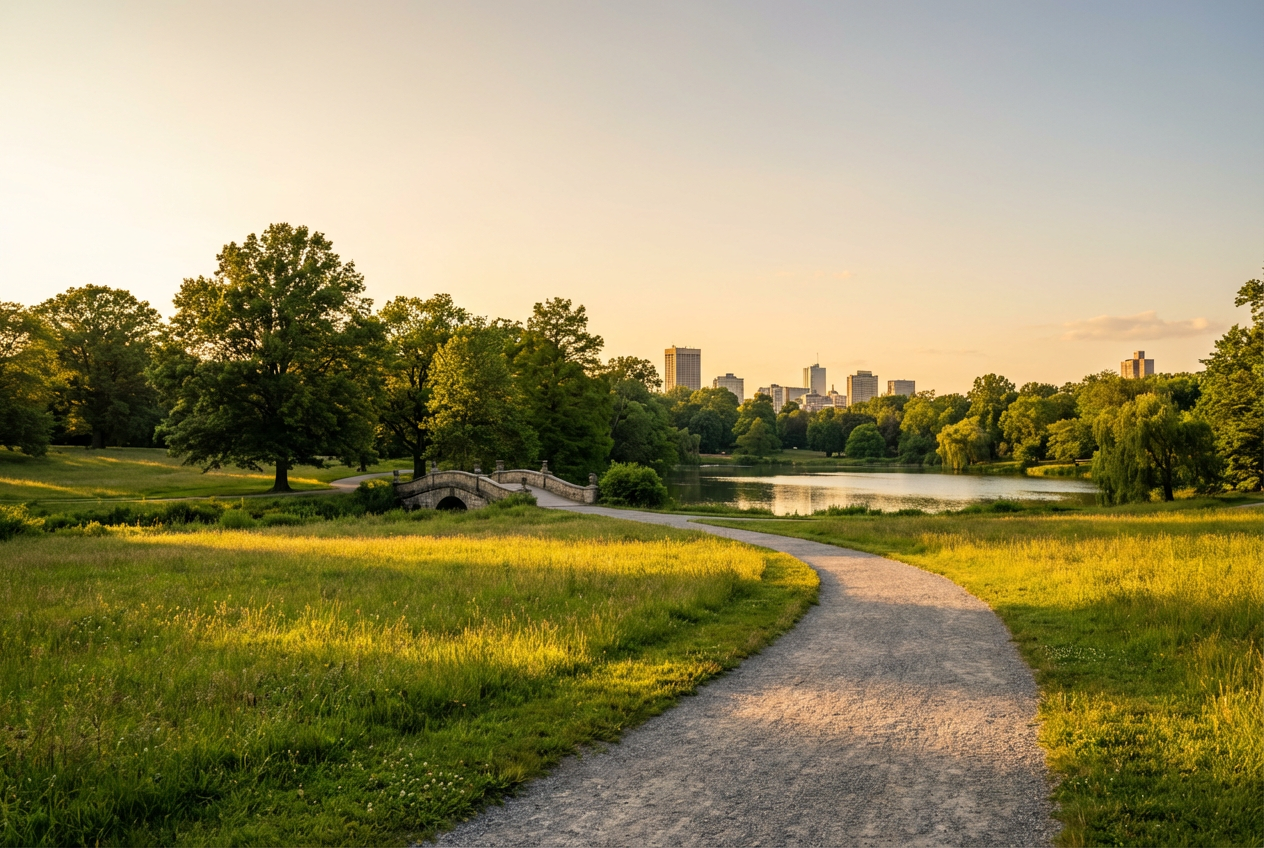
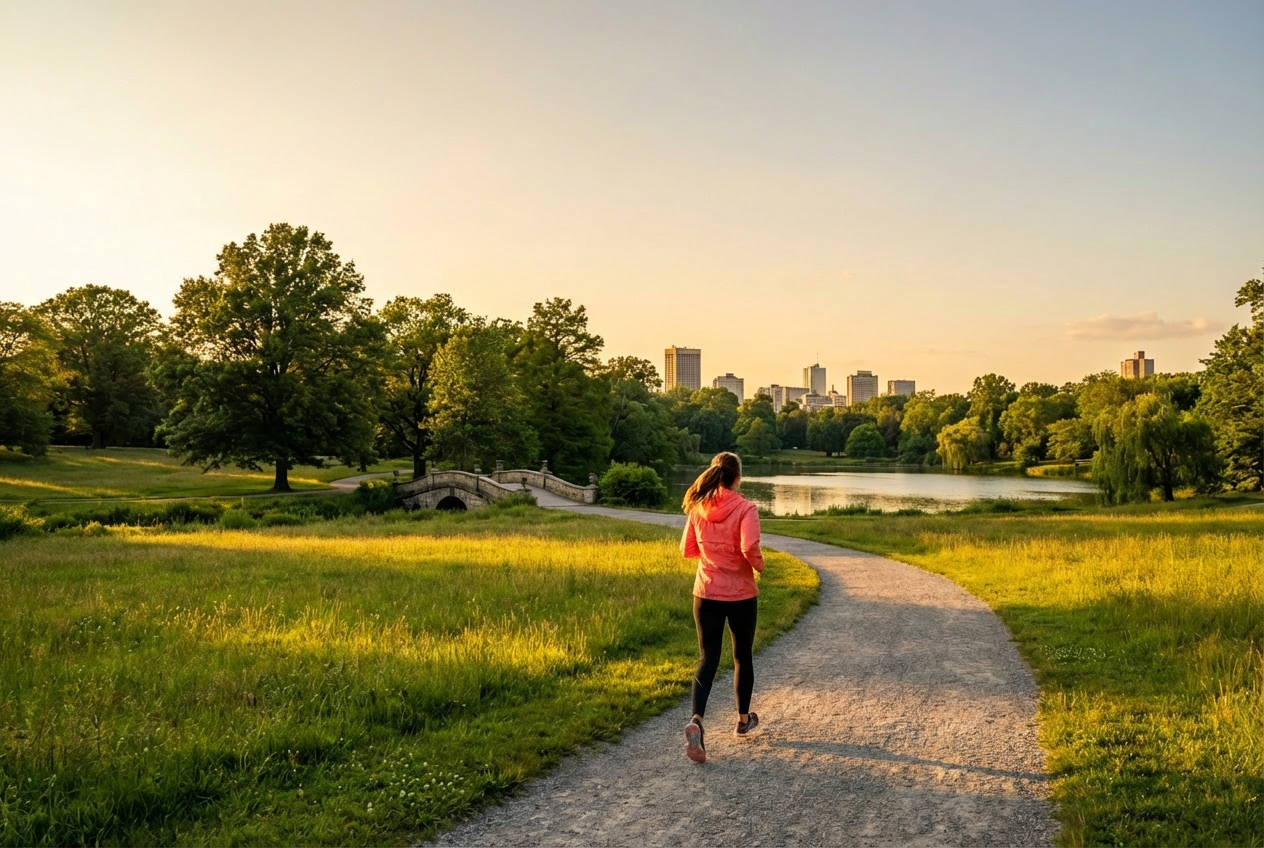
Compare the source image with each finished result.
Source image
Result
What Magica will ask for
The agent gathers these inputs and preferences in the conversation before it starts.
Person Description
Describe the person you want to add (e.g., 'young woman with blonde hair wearing a red dress')...
Person Placement
Choose where to position the person in the photo
Choices: Natural Placement (Auto), Foreground (Front of Scene), Center (Middle of Frame), Background (Behind Objects), Left Side (Left Third), Right Side (Right Third)
Lighting Match
Select lighting style to match the existing photo
Choices: Match Existing (Auto-Detect), Natural Light (Soft & Even), Studio Light (Professional Setup), Golden Hour (Warm Sunset Glow), Dramatic (High Contrast Shadows), Soft (Diffused, No Harsh Shadows)
Seamlessly add people to your existing photos with AI-powered natural integration that matches lighting, perspective, and style.
Natural person integration with existing photos
Automatic lighting and color tone matching
Perspective-aware person placement
Multiple pose and position options
Photorealistic blending technology
Professional-quality results
Fast processing time
Easy-to-use interface
How Our Add Person to Photo Tool Works
Follow these simple steps to add people to your photos naturally:
01
Attach Your Photo
attach the existing photo where you want to add a person
02
Describe the Person
Provide a detailed description of the person you want to add including appearance, clothing, and attributes
03
Customize Settings
Select placement, lighting, pose style, and integration preferences
04
Generate & Download
AI generates the photo with the person naturally integrated, ready for download
Key Features of Add Person to Photo
AI-Powered Integration
Advanced AI seamlessly blends new people into existing photos with natural lighting and perspective matching
Lighting Match Technology
Automatically matches lighting conditions, color temperature, and shadows for realistic integration
Flexible Placement
Choose exactly where to position the person - foreground, background, left, right, or center
Perspective Correction
Intelligent perspective adjustment ensures added people match the camera angle and depth of the original photo
Multiple Pose Options
Select from standing, sitting, walking, action poses, or let AI choose the most appropriate pose
High-Quality Results
Generate photorealistic results with perfect color matching and natural integration that looks authentic
Who Can Benefit from Add Person to Photo?
This Magica workflow is perfect for anyone who needs to add people to existing photos for personal, professional, or creative purposes.
Photographers
Add models or subjects to existing photo shoots without needing additional sessions or expensive reshoots.
E-commerce Businesses
Create diverse product lifestyle images by adding different models to existing product photography.
Families
Add missing family members to group photos or recreate photos with loved ones who couldn't be present.
Marketing Teams
Quickly create diverse marketing materials by adding people of different demographics to existing scenes.
Content Creators
Enhance your content by adding people to backgrounds, creating scene variations, and expanding your creative possibilities.
Real Estate Agents
Add people to property photos to show scale and create warm, inviting scenes that help buyers envision themselves in the space.
Tips for Better Results
Tip 1
Provide Detailed Descriptions
Include specific details about the person's appearance, clothing, age, ethnicity, and other distinguishing features for more accurate results.
Tip 2
Match the Photo Context
Describe the person in a way that fits the setting - formal attire for business settings, casual wear for outdoor scenes.
Tip 3
Consider Lighting Direction
Note where the light is coming from in your original photo and mention it in your description for better lighting consistency.
Tip 4
Use Reference Images
Upload reference images of similar people or poses to help guide the AI toward your desired result.
Tip 5
Start with Subtle Integration
Begin with subtle integration settings to ensure natural results, then adjust to prominent if you want the person to stand out more.
Tip 6
Check Scale and Perspective
Ensure the person's described size and position make sense with the perspective of your original photo for realistic results.
Frequently Asked Questions About Add Person to Photo
What is the Add Person to Photo tool?
The Add Person to Photo tool uses advanced AI to seamlessly integrate new people into your existing photos. It analyzes your original photo's lighting, perspective, and style, then generates realistic people that blend naturally into the scene while maintaining photorealistic quality.
Is the Add Person to Photo tool easy to use?
Absolutely! This Magica workflow features an intuitive interface designed for users of all skill levels. Simply attach your photo, describe the person you want to add, choose placement options, and let our AI handle the complex work of lighting matching, perspective correction, and seamless integration. No photo editing experience required!
How realistic do the results look?
Our AI generates highly photorealistic results by analyzing and matching the lighting conditions, color tones, shadows, and perspective of your original photo. The added person will blend naturally and appear as if they were in the original scene.
Can I add multiple people to one photo?
Currently, each generation adds one person at a time. However, you can use the tool multiple times on the same photo, adding different people in different positions to create group scenes.
What types of photos work best?
The tool works best with clear, well-lit photos that have enough space for an additional person. Photos with good resolution, natural lighting, and clear depth perspective produce the most realistic results. Indoor and outdoor scenes both work well.
How long does it take to generate results?
Most generations complete within 10-30 seconds depending on the complexity of the scene and the selected AI model. More detailed requests or high-resolution outputs may take slightly longer.
Can I control where the person appears in the photo?
Yes! You can specify the placement (foreground, center, background, left side, right side) and pose style (standing, sitting, walking, action). The AI will position the person according to your preferences while maintaining natural perspective.
What if the lighting doesn't match my photo?
Our AI automatically analyzes and matches the lighting in your original photo. You can also manually select lighting options like natural light, studio lighting, golden hour, or dramatic lighting to fine-tune the results.
Can I add famous people or specific individuals?
This Magica workflow generates new, AI-created people based on your descriptions. It does not replicate specific real individuals or celebrities. This ensures privacy protection and avoids copyright issues.
Can I use this for commercial purposes?
Yes, photos generated with this Magica workflow can be used for commercial purposes including marketing, e-commerce, advertising, and business presentations. The generated people are AI-created and don't represent real individuals, making them safe for commercial use.
What if I'm not satisfied with the result?
You can generate multiple variations by adjusting your description, changing placement options, or trying different pose styles. Each generation provides 1-4 images depending on your settings, giving you options to choose from.
Is my uploaded photo secure?
Yes, we take data security very seriously. All uploads are processed through encrypted connections and stored securely. Your photos are only used for generating your requested results and are protected according to strict privacy standards.