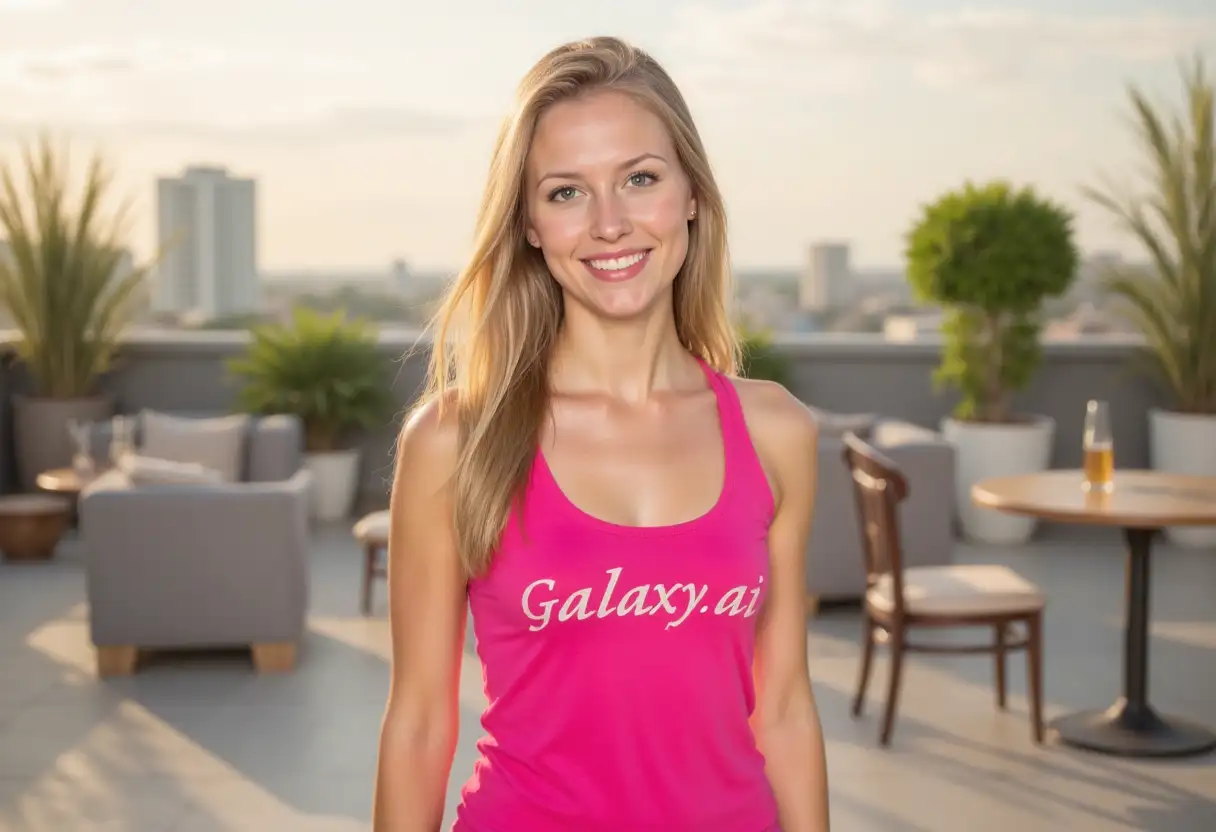
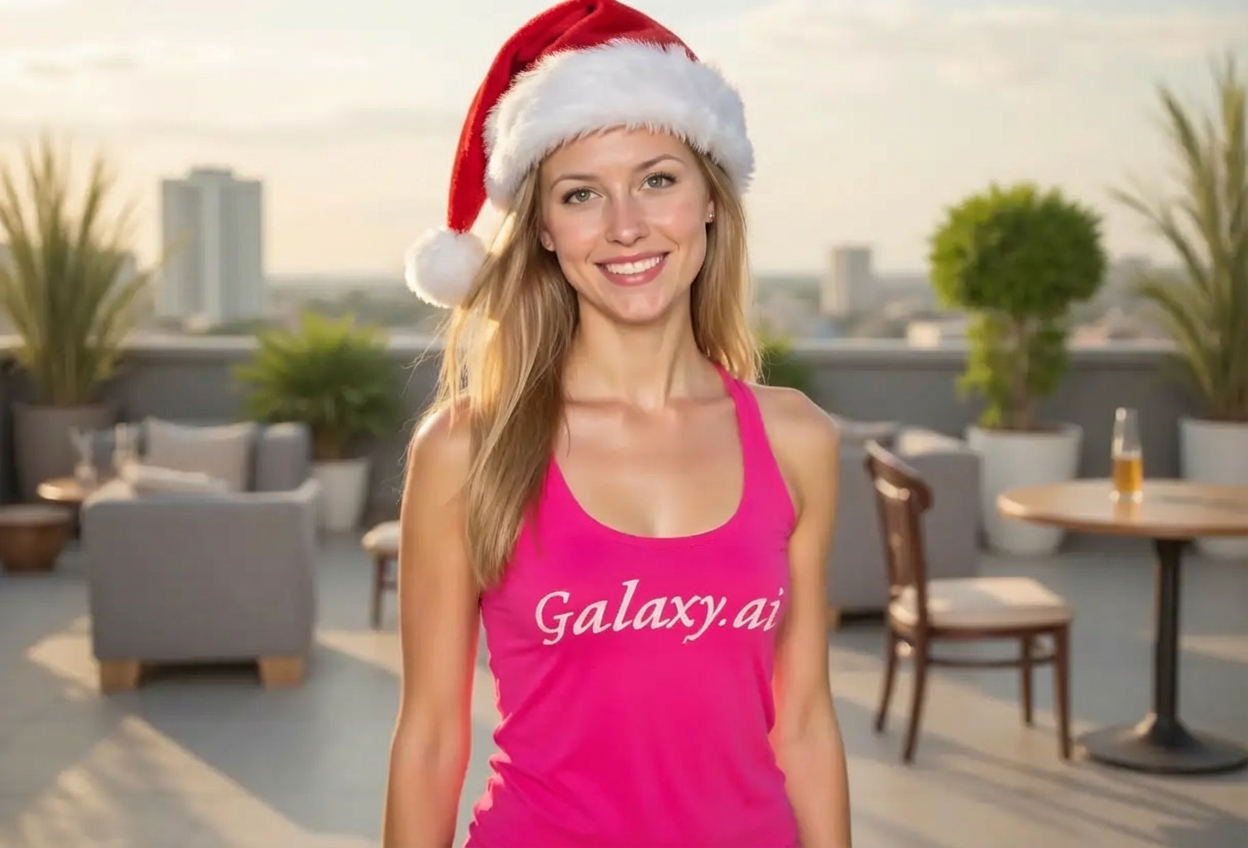
Transform your ordinary photos into festive holiday memories with our AI-powered Santa hat tool. Perfect for creating Christmas cards, social media posts, and spreading holiday cheer.
Realistic Santa hat placement with natural lighting and shadows
Multiple hat styles from classic to modern designs
Automatic perspective and angle adjustment
Works on individual portraits and group photos
Perfect fit detection for different head sizes and angles
Preserves original photo quality
Quick processing in seconds
No photo editing skills required
Customizable hat size and position
Professional results every time
How Our Add Santa Hat to Photo Tool Works
Add festive Santa hats to your photos in three simple steps:
01
Attach Your Photo
Upload any photo where you want to add a Santa hat. Works with portraits, selfies, group photos, and even pet photos.
02
Customize the Hat
Choose your preferred Santa hat style, adjust the size, and select the position. Our AI will handle the rest.
03
Download & Share
Get your festive photo with a perfectly placed Santa hat. Download and share it with friends and family or use it for holiday cards.
Key Features of Add Santa Hat to Photo Tool
AI-Powered Placement
Our advanced AI automatically detects the head position, angle, and perspective to place the Santa hat naturally.
Multiple Hat Styles
Choose from traditional, modern, plush, vintage, elegant, and fun Santa hat styles to match your photo's mood.
Realistic Lighting
The Santa hat automatically matches the lighting conditions of your original photo for a seamless, realistic look.
Instant Results
Get your festive photo with a Santa hat in just seconds. No waiting, no complicated editing.
High-Quality Output
Maintains the original photo quality while adding the Santa hat. No loss in resolution or clarity.
Customizable Options
Adjust hat size, position, and style to get exactly the look you want for your holiday photos.
Who Can Benefit from Our Add Santa Hat to Photo Tool?
Perfect for anyone looking to add festive cheer to their photos during the holiday season.
Families
Create fun holiday memories by adding Santa hats to family photos, perfect for Christmas cards and newsletters.
Social Media Enthusiasts
Make your profile pictures and posts festive for the holiday season with Santa hat additions.
Pet Owners
Add adorable Santa hats to your pet photos for cute holiday-themed content that everyone will love.
Event Organizers
Enhance event photos with Santa hats for Christmas parties, corporate events, and holiday gatherings.
Content Creators
Create festive content for your audience with holiday-themed photos featuring Santa hats.
Greeting Card Makers
Design personalized Christmas cards and holiday greetings with photos featuring festive Santa hats.
Tips for Better Results
Tip 1
Use Clear Photos
For best results, use clear, well-lit photos where the subject's head is clearly visible. Avoid blurry or poorly lit images.
Tip 2
Front-Facing Photos Work Best
Photos where the subject is facing the camera directly or at a slight angle produce the most natural-looking results.
Tip 3
Consider the Photo Context
Choose a Santa hat style that matches the overall mood and setting of your photo for a cohesive look.
Tip 4
Group Photos
For group photos, describe all subjects in the prompt to ensure everyone gets a Santa hat.
Tip 5
Experiment with Styles
Try different Santa hat styles to find the perfect look. Classic works for traditional photos, while modern styles suit contemporary settings.
Tip 6
Adjust Hat Position
If the default position doesn't look right, use the advanced options to tilt or reposition the hat for a more natural appearance.
Tip 7
Pet Photos
For pet photos, mention the pet type in your description (e.g., 'my golden retriever') for better hat placement.
Frequently Asked Questions About Add Santa Hat to Photo
Can I add Santa hats to multiple people in one photo?
Yes! Our AI can detect multiple faces in a group photo and add Santa hats to all subjects. Just describe everyone in your prompt for best results.
What photo formats are supported?
We support all common image formats including JPG, JPEG, PNG, and WEBP. Upload any standard photo file and this Magica workflow will process it.
Will the Santa hat look natural on my photo?
Yes! Our AI technology automatically adjusts the hat's angle, size, lighting, and shadows to match your original photo, creating a realistic and natural appearance.
Can I use this tool for pet photos?
Absolutely! The tool works great for pet photos. Just attach your pet's photo and describe your pet in the prompt for accurate Santa hat placement.
How do I choose the right Santa hat style?
Choose based on your photo's mood: traditional for classic holiday cards, modern for contemporary looks, plush for cozy feels, vintage for nostalgic vibes, elegant for formal settings, and fun for playful photos.
What if the hat doesn't fit perfectly?
Use the advanced options to adjust the hat size and position. You can make it smaller/larger and tilt it in different directions for a perfect fit.
Can I add Santa hats to side profile photos?
Yes, the tool works with various angles including side profiles. However, front-facing or slight-angle photos generally produce the most natural results.
Is the original photo quality preserved?
Yes! We maintain the original resolution and quality of your photo while adding the Santa hat. There's no loss in image quality.
How long does it take to process a photo?
Processing is very fast, typically taking just a few seconds. You'll have your festive photo with a Santa hat almost instantly.
Can I use the photos commercially?
You can use the edited photos for personal use. For commercial use, please ensure you have the rights to the original photo and check our terms of service.
What if my photo has multiple angles or faces turned away?
The tool works best with faces that are visible and facing toward the camera. For faces turned away or at extreme angles, results may vary.
Can I adjust the hat after it's been added?
You can regenerate the image with different settings. Use the advanced options to change the style, size, or position before generating a new version.