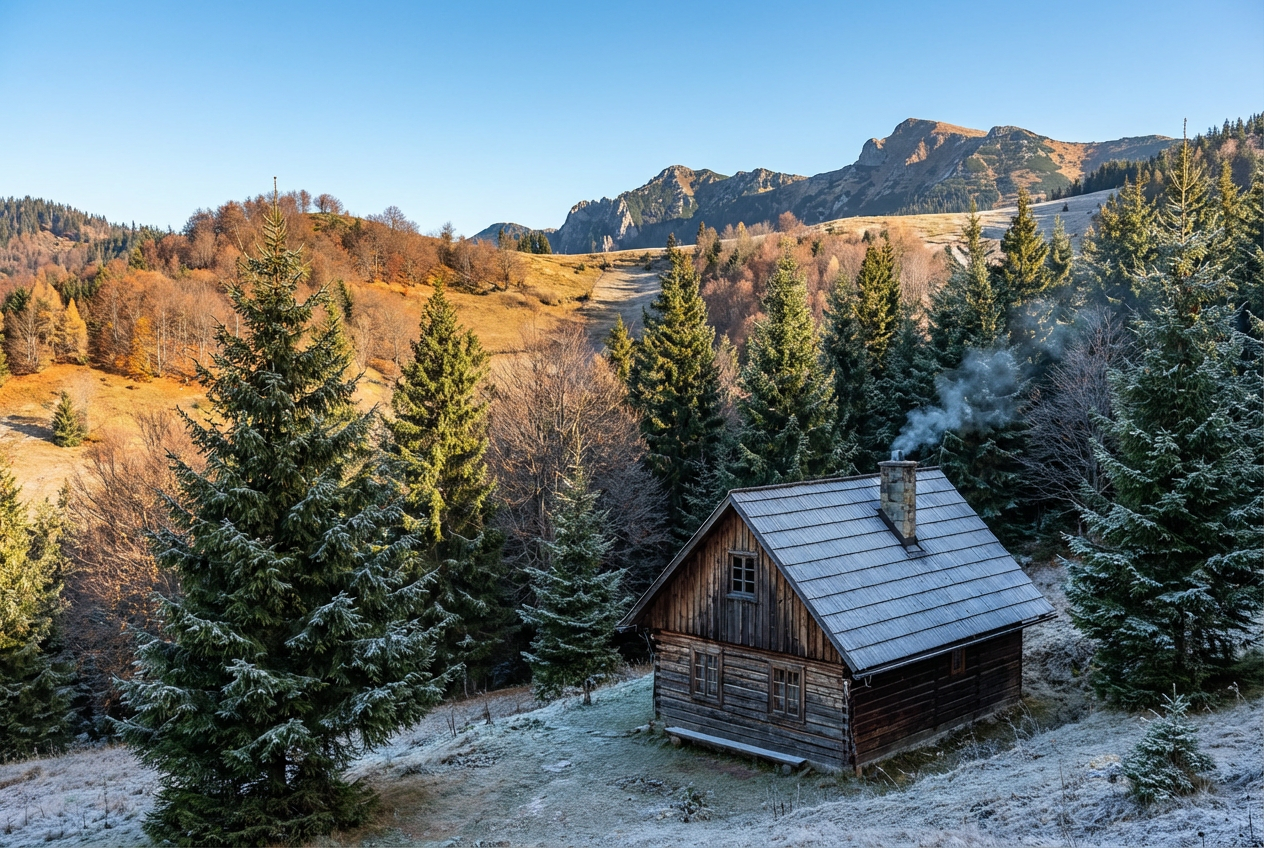
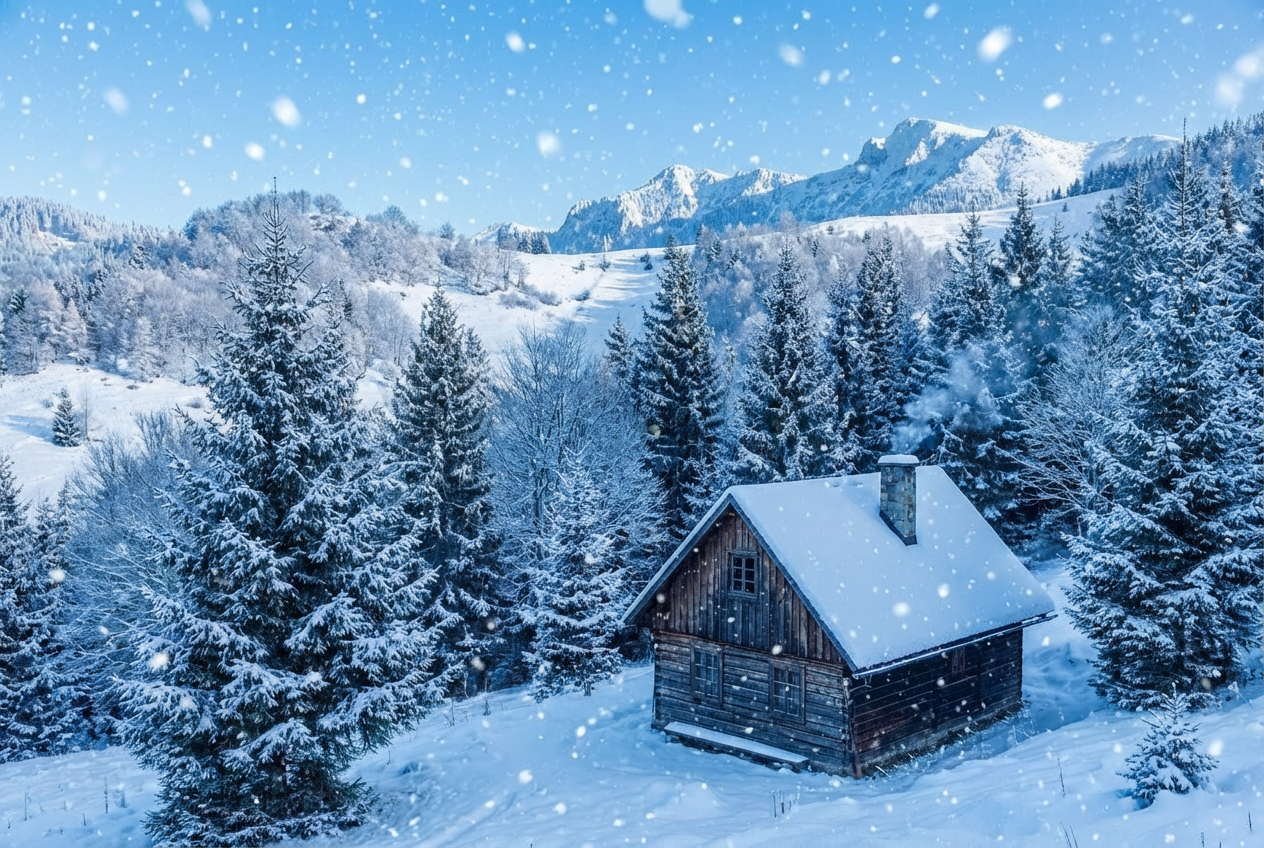
Transform photos into magical winter wonderlands with AI-powered snow effects. Perfect for holiday cards, seasonal marketing, creative projects, and adding winter magic to any image.
Advanced AI snow generation technology
Realistic falling snowflakes and accumulation
Customizable snow intensity from flurries to blizzards
Natural depth and atmospheric effects
Multiple snow styles including bokeh and sparkle
Surface accumulation on objects
Winter weather atmosphere options
Instant results with professional quality
Perfect for holiday and seasonal content
Ideal for creative and commercial projects
How Our Add Snow to Photo Tool Works
Create beautiful snowy scenes in three simple steps:
01
Attach Your Photo
Upload any photo you want to transform with snow. Works with landscapes, portraits, products, and any image type.
02
Customize Snow Effects
Choose snow intensity, type, accumulation, weather effects, and atmosphere for your perfect winter scene.
03
Generate & Download
Let AI add realistic snow with natural depth and atmosphere. Download your winter wonderland instantly.
Key Features of Add Snow to Photo Tool
Realistic Snow Effects
Generate natural-looking falling snow with proper depth, motion blur, and atmospheric perspective.
Instant Winter Transform
Add professional snow effects in seconds with AI-powered generation and natural integration.
Multiple Snow Styles
Choose from falling snowflakes, bokeh snow, realistic flakes, magical sparkle, soft powder, and crystalline styles.
Surface Accumulation
Add realistic snow buildup on surfaces, frosted edges, or keep it to falling snow for complete control.
Weather Atmosphere
Enhance with overcast skies, fog, wind effects, or sunset glow for complete winter atmosphere.
Holiday-Ready Output
Download snowy photos perfect for holiday cards, seasonal marketing, and winter-themed content.
Who Can Benefit from Our Add Snow to Photo Tool?
Perfect for anyone wanting to add winter magic to their photos:
Holiday Card Creators
Transform family photos into magical holiday cards with beautiful snow for Christmas and winter celebrations.
Photographers
Add winter atmosphere to photos taken in any season, creating magical winter scenes for clients.
Marketing Professionals
Create seasonal content and winter-themed marketing materials without waiting for actual snowfall.
Social Media Creators
Generate engaging winter content and holiday posts that capture seasonal magic and boost engagement.
Event Planners
Create winter-themed promotional materials and transform venue photos for seasonal events.
E-commerce Sellers
Create seasonal product photos with winter snow effects for holiday sales and winter collections.
Tips for Better Results
Tip 1
Match Intensity to Scene
Light flurries for subtle effect, moderate for classic winter scene, heavy snowfall for dramatic impact, blizzard for intense atmosphere.
Tip 2
Choose Appropriate Snow Type
Bokeh snow creates dreamy effects perfect for portraits, realistic flakes for natural look, magical sparkle for holiday cards.
Tip 3
Consider Ground Accumulation
Add surface accumulation for photos with visible ground or objects. Use 'no accumulation' for portrait focus.
Tip 4
Use Weather Effects Wisely
Overcast sky creates authentic winter atmosphere, sunset glow adds warmth, fog creates mystery and depth.
Tip 5
Set the Right Mood
Cozy winter for warm feelings, magical holiday for festive cheer, dramatic storm for intensity, romantic for couples.
Tip 6
Start with Outdoor Photos
Photos with sky or outdoor elements work best for realistic snow. Indoor photos can have falling snow near windows.
Tip 7
Layer Effects for Realism
Combine moderate snow, light surface dusting, overcast sky, and cozy atmosphere for most realistic winter scenes.
Frequently Asked Questions About Add Snow to Photo Tool
What types of photos work best with snow effects?
Outdoor photos, landscapes, portraits with visible background, architectural shots, and product photos work excellently. Photos with sky or outdoor elements create the most realistic snow effects, though indoor photos near windows can also look great.
What's the difference between snow types?
Falling snowflakes show individual flakes with motion, bokeh snow creates blurred light spots (dreamy effect), realistic flakes show detailed snowflakes, magical sparkle adds shimmer, soft powder is subtle, and crystalline shows sharp geometric patterns.
How does snow intensity work?
Light flurries show sparse snowfall (subtle), moderate snowfall is standard winter scene, heavy snowfall creates strong presence, blizzard is intense with reduced visibility, and gentle dusting is minimal for light touch.
Can snow be added to objects and surfaces?
Yes! Choose accumulation options to add snow on roofs, trees, ground, cars, and objects. Options range from light dusting to heavy blanket, plus frosted edges for icy effects.
Will the snow look realistic?
Yes! Our AI creates snow with proper depth, size variation based on distance, motion blur for falling flakes, and atmospheric perspective for natural-looking winter scenes.
Can I create holiday card photos?
Absolutely! Combine moderate snowfall, bokeh or magical sparkle snow, light surface accumulation, and magical holiday atmosphere for perfect holiday card images.
What weather effects can I add?
Choose from clear sky (bright winter day), overcast winter sky (authentic atmosphere), windy drift (dynamic motion), fog and snow (mysterious depth), or sunset glow (warm romantic lighting).
Yes! You can add snow to any photo regardless of season. The AI adapts to your photo, though cooler-toned or overcast photos create more realistic winter transformations.
Will snow work for product photography?
Yes! Snow effects work great for seasonal product photos. Use light flurries or bokeh snow with minimal accumulation for clean product focus with winter atmosphere.
Can I create blizzard or storm effects?
Yes! Select 'blizzard' intensity with 'windy snow drift' weather and 'dramatic storm' atmosphere for intense winter storm scenes with heavy snowfall and wind.
Do I need photo editing experience?
No! Simply select your preferences and our AI generates realistic snow effects automatically with natural depth, perspective, and atmospheric integration.