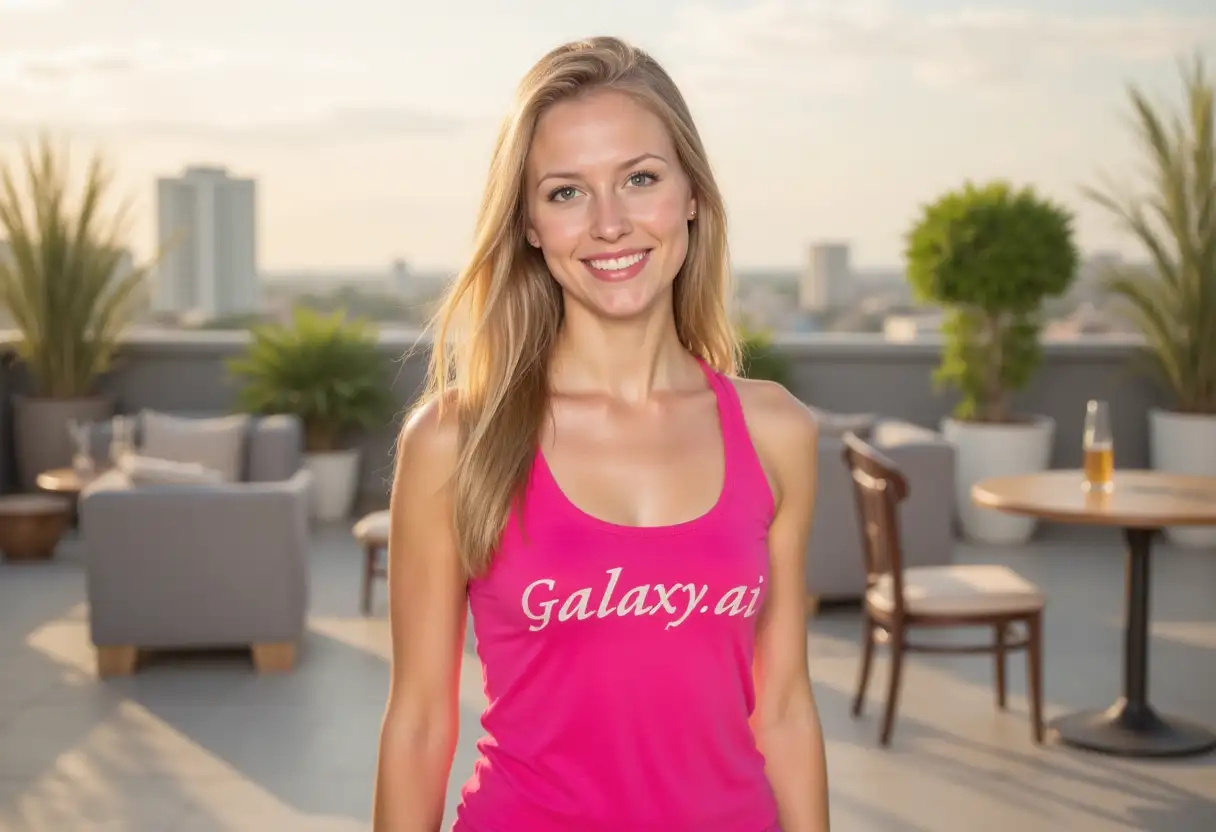
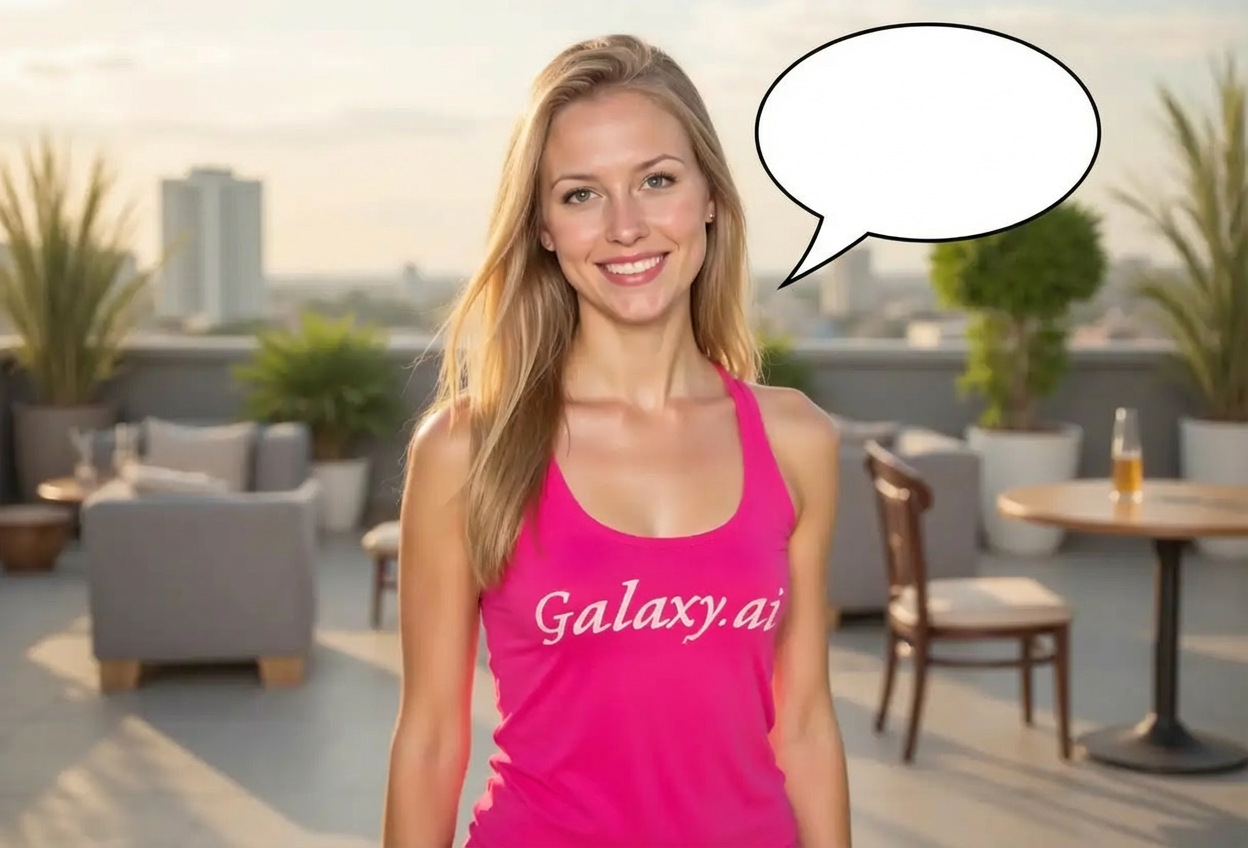
Compare the source image with each finished result.
Source image
Result
What Magica will ask for
The agent gathers these inputs and preferences in the conversation before it starts.
Bubble Text (Optional)
Enter text for the speech bubble (optional)...
Bubble Type
Choose the type of bubble
Choices: Any Type, Speech Bubble, Thought Bubble, Scream Bubble, Whisper Bubble, Shout Bubble, Cloud Bubble, Rectangular Callout
Bubble Style
Choose the visual style
Choices: Any Style, Classic Comic, Modern Minimal, Cartoon Style, Hand Drawn, Manga Style, Pop Art, 3D Bubble
Positioning
Choose where the bubble appears
Choices: Any Position, Above Subject, To the Right, To the Left, Near Mouth, Top Corner, Floating Center
Bubble Size
Choose the bubble size
Choices: Any Size, Small, Medium, Large, Extra Large
Color Scheme
Choose bubble colors
Choices: Any Color, White with Black Outline, Colorful, Pastel, Neon, Transparent, Gradient
Why Choose Our Add Speech Bubble to Photo Tool?
Transform your photos into comic-style images or engaging memes with our AI-powered speech bubble generator. Perfect for social media, storytelling, and creative fun.
Advanced AI for natural bubble placement
Multiple bubble types from speech to thought
Customizable text and styling options
Comic book and manga style choices
Perfect positioning and sizing
Instant results with professional quality
Ideal for memes and social media
No design experience needed
Works with any photo type
High-quality output for sharing
How Our Add Speech Bubble to Photo Tool Works
Create comic-style photos in three simple steps:
01
Attach Your Photo
Upload any photo you want to add a speech bubble to. Works great with portraits, pets, and group photos.
02
Customize Bubble Settings
Choose bubble type, style, position, size, colors, and optionally add text for your speech bubble.
03
Generate & Download
Let AI add a perfectly placed speech bubble to your photo. Download your comic-style creation instantly.
Key Features of Add Speech Bubble to Photo Tool
Multiple Bubble Types
Choose from speech, thought, scream, whisper, shout, cloud bubbles, and rectangular callouts for any situation.
Instant Processing
Get comic-style bubbles added in seconds with perfect placement and professional quality.
Multiple Styles
Select from classic comic, modern minimal, cartoon, hand drawn, manga, pop art, and 3D bubble styles.
Optional Text
Add custom text to your speech bubbles or leave them empty for creative flexibility.
Smart Positioning
Choose bubble placement from above subject, near mouth, corners, or floating center for perfect composition.
High-Quality Output
Download bubble-enhanced photos ready for social media, memes, or any creative project.
Who Can Benefit from Our Add Speech Bubble to Photo Tool?
Perfect for anyone wanting to add humor and storytelling to photos:
Meme Creators
Create viral-worthy memes with perfectly placed speech bubbles and engaging text.
Social Media Managers
Boost engagement with humorous, comic-style posts that stand out in feeds.
Content Creators
Add narrative elements to photos for blogs, videos, and storytelling content.
Teachers & Educators
Create engaging educational materials and fun classroom content with speech bubbles.
Comic Artists
Quickly add speech bubbles to photos for reference, storyboards, or mixed media art.
Pet Owners
Give your pets a voice! Add funny speech bubbles to pet photos for shareable content.
Tips for Better Results
Tip 1
Choose Appropriate Bubble Type
Use speech bubbles for dialogue, thought bubbles for inner thoughts, scream bubbles for excitement, and whisper bubbles for secrets.
Tip 2
Position Near the Speaker
Place bubbles near the mouth or above the subject's head for natural comic book appearance.
Tip 3
Match Style to Photo
Classic comic style suits traditional looks, manga style for anime aesthetics, modern minimal for clean designs.
Tip 4
Size According to Content
Use larger bubbles for important messages or dramatic effect, smaller ones for subtle comments.
Tip 5
Keep Text Concise
Short, punchy text works best in speech bubbles. Aim for one or two sentences maximum.
Tip 6
Use Clear Photos
Photos with uncluttered backgrounds make speech bubbles more visible and effective.
Tip 7
Experiment with Colors
Traditional white with black outline is classic, but colorful or neon bubbles create modern, eye-catching effects.
Frequently Asked Questions About Add Speech Bubble to Photo Tool
What bubble types can I add to photos?
You can add speech bubbles (standard dialogue), thought bubbles (cloud-like for thoughts), scream bubbles (jagged for shouting), whisper bubbles (small for quiet speech), shout bubbles (bold for emphasis), and rectangular callouts.
Can I add text inside the speech bubbles?
Yes! You can optionally add custom text to your speech bubbles. The text field is optional, so you can also create empty bubbles for creative flexibility.
What styles are available?
Choose from classic comic, modern minimal, cartoon style, hand drawn, manga style, pop art, and 3D bubble styles. Each creates a different aesthetic from traditional to contemporary.
Can I control where the bubble appears?
Yes! Select from positions like above subject, to the right/left, near mouth, top corner, or floating center for perfect placement.
Will bubbles work with any type of photo?
Yes! Speech bubbles work with portraits, group photos, pet pictures, selfies, and more. Photos with clear subjects and good lighting produce the best results.
What's the difference between speech and thought bubbles?
Speech bubbles have a tail pointing to the speaker and represent spoken words. Thought bubbles have cloud-like shapes with small circles and represent inner thoughts or ideas.
Can I customize bubble colors?
Yes! Choose from classic white with black outline, colorful, pastel, neon, transparent, or gradient color schemes to match your creative vision.
Are these suitable for creating memes?
Absolutely! Speech bubbles are perfect for memes. Add humorous text to photos for shareable social media content that engages audiences.
How do I make bubbles look like comic books?
Select 'classic comic' style with white bubbles and black outlines. Position near the subject's mouth and use bold, short text for authentic comic book appearance.
Can I add multiple bubbles to one photo?
While the tool focuses on single bubble generation, you can generate multiple versions and combine them, or regenerate with different positions for various effects.
Do I need design skills?
No! Simply select your preferences from dropdown menus, optionally add text, and our AI creates professional speech bubbles automatically.
What size should I choose?
Small bubbles work for brief comments, medium for standard dialogue, large for important messages, and extra large for dramatic emphasis or lots of text.