Source image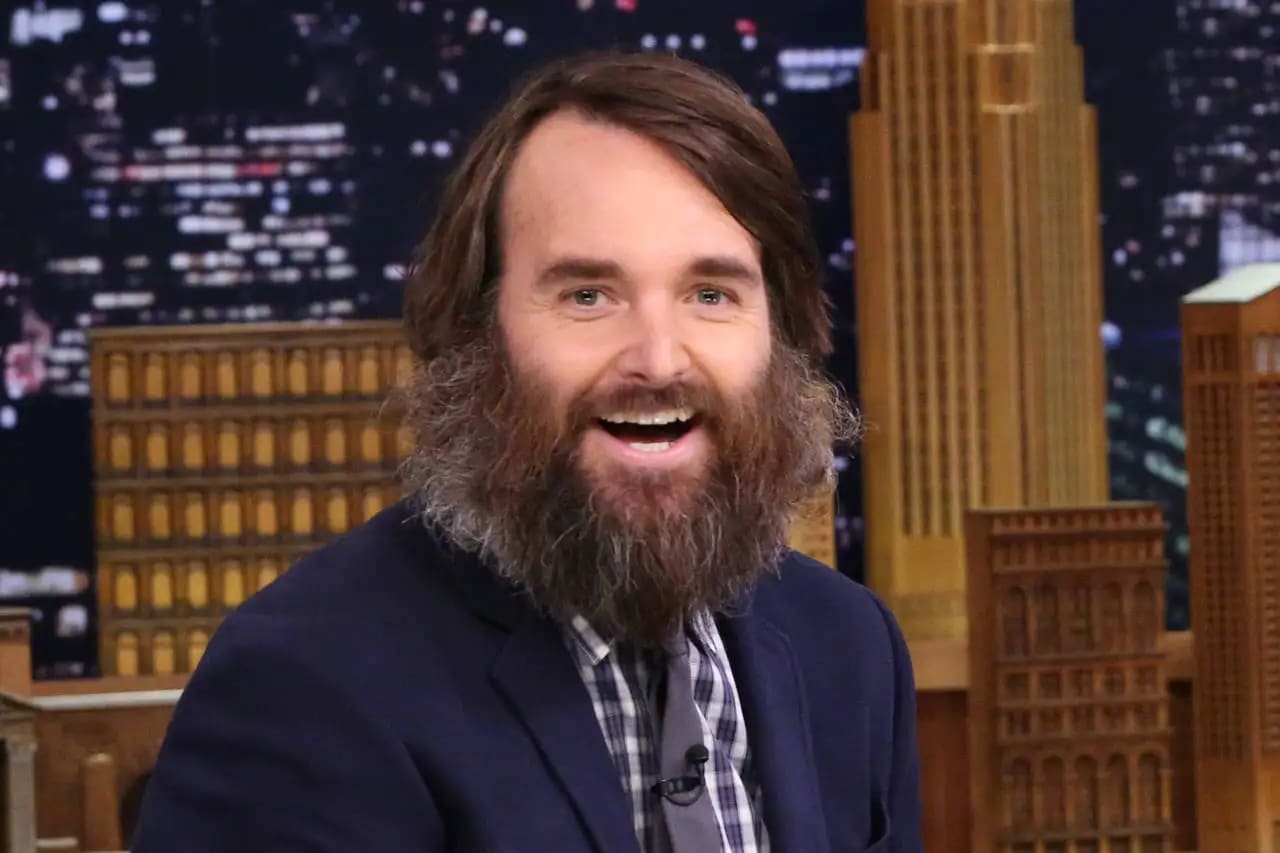
Result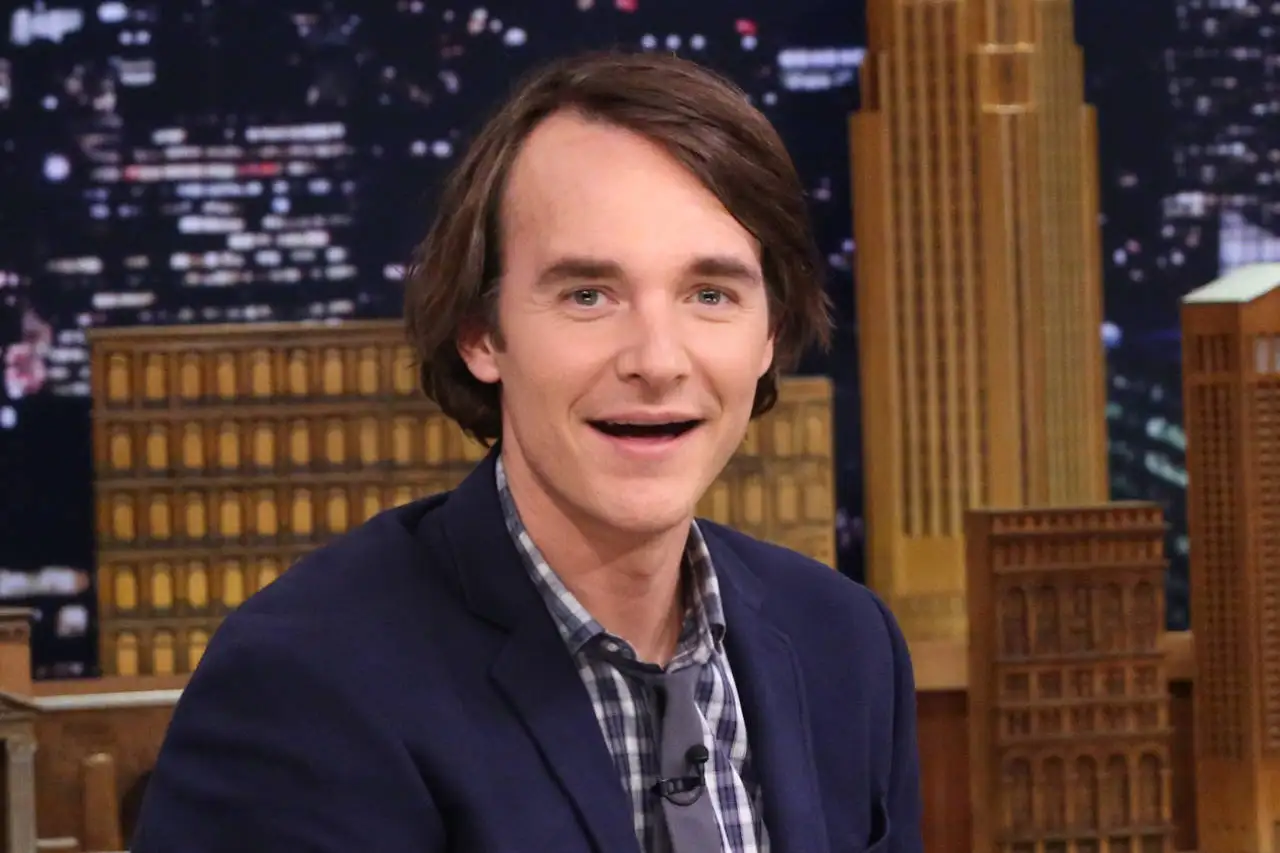

Remove beards and facial hair from photos using AI
Compare the source image with each finished result.
The agent gathers these inputs and preferences in the conversation before it starts.
attach a photo with a beard that you want to remove.
Remove beards and facial hair from photos with precision using advanced AI technology.
Remove beards from photos in three simple steps using advanced AI technology.
attach a clear photo of a person with a beard that you want to remove
Our AI detects the beard area and carefully removes it while reconstructing natural skin
Receive your photo with the beard naturally removed and realistic skin texture
AI accurately identifies beard and facial hair areas for precise removal
Removes beards while maintaining natural facial features and skin texture
Maintains original photo quality with realistic skin reconstruction
Simple one-click beard removal with professional-grade results
Create clean-shaven versions of professional headshots and portraits
See how you'd look clean-shaven without actually shaving your beard
Create before/after content and transformations for social media
Standardize employee photos or create consistent professional imagery
Well-lit photos with clearly visible facial features produce the best removal results.
Photos taken from the front or slight angles work better than profile shots.
Photos where the beard contrasts well with the skin will have more accurate removal.
Higher resolution photos provide better detail for more realistic skin reconstruction.
Our AI creates very realistic results by analyzing facial structure and reconstructing natural skin texture where the beard was removed.
Yes! Our AI can remove full beards, goatees, mustaches, and other facial hair styles while maintaining natural appearance.
No, the AI specifically targets beard and facial hair areas while preserving all other facial features, expressions, and characteristics.
Our AI is trained to handle various beard densities and styles, from light stubble to thick, full beards.
Processing typically takes 30-60 seconds depending on image complexity and beard coverage.


