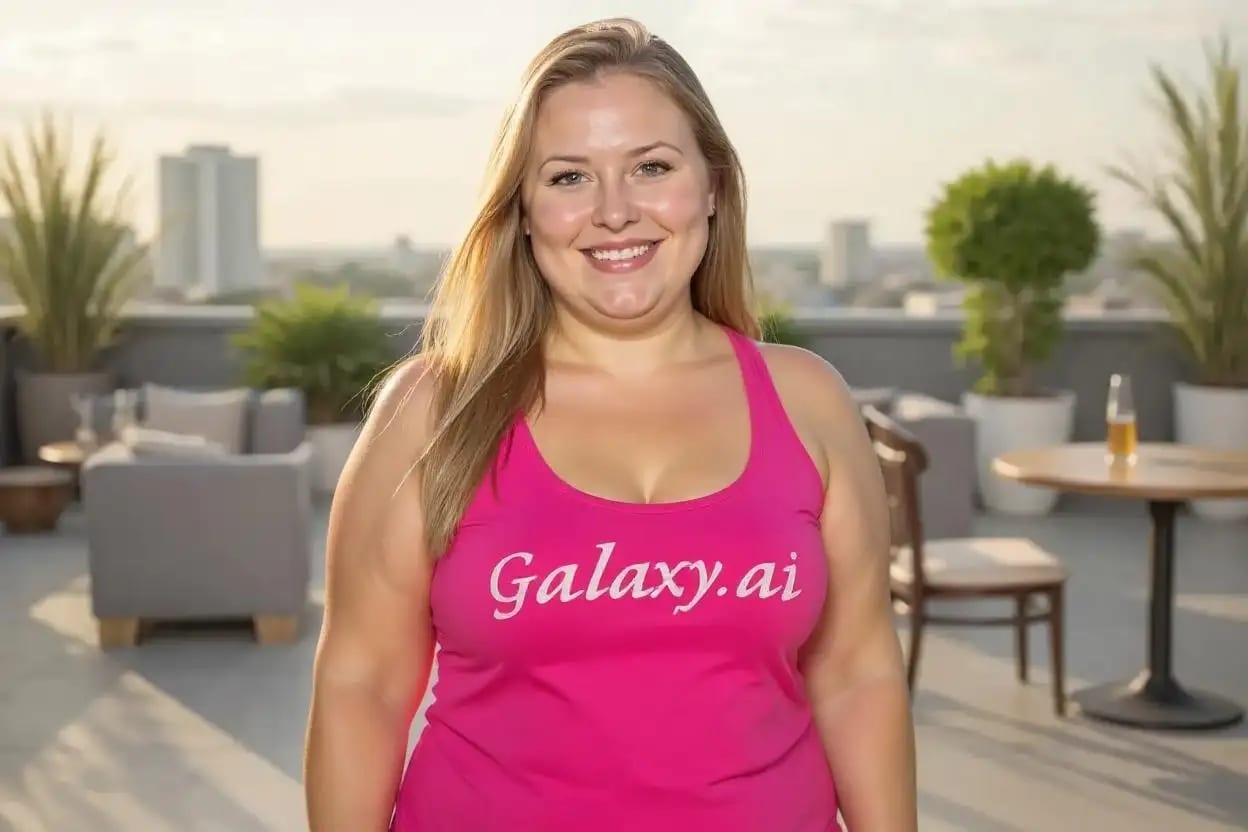
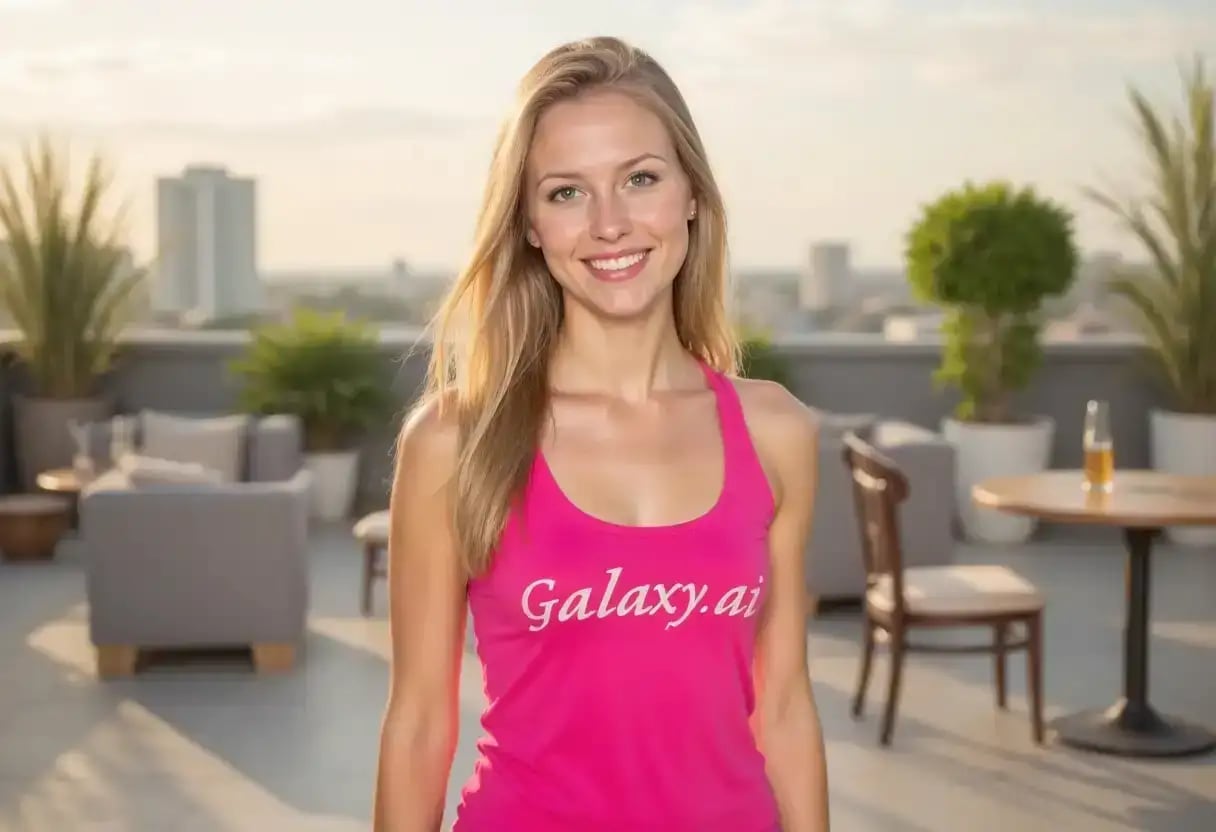
Compare the source image with each finished result.
Source image
Result
What Magica will ask for
The agent gathers these inputs and preferences in the conversation before it starts.
Body Edit Description
Why Choose Our AI Body Editor?
Experience the power of advanced AI technology that naturally edits body proportions while maintaining realistic results. Our sophisticated algorithms understand human anatomy to deliver professional-grade body editing that looks authentic and natural.
State-of-the-art AI body detection and editing
Natural and realistic body proportion adjustments
Preserves skin texture and clothing details
Multiple body editing options in one tool
Maintains background and surrounding elements
Professional fitness and fashion industry standards
No manual photo editing skills required
High-resolution output quality
Privacy-focused with secure processing
Instant results without waiting
How Our AI Body Editor Works
Transform your body proportions with our intelligent AI system that understands human anatomy and delivers natural-looking results in seconds.
01
Attach Your Photo
Select a clear full-body or partial body photo. Works best with good lighting and visible body contours.
02
Describe Your Edit
Tell us what body edits you want - slim waist, enhance muscles, improve posture, or any other natural adjustment.
03
AI Processing
Our advanced AI analyzes body structure and applies your requested edits while maintaining natural proportions.
04
Download Result
Get your professionally edited photo instantly. The result maintains high quality and realistic appearance.
Key Features of Our AI Body Editor
Natural Body Editing
Advanced AI ensures all body edits look realistic and maintain proper human proportions.
Smart Detection
Automatically detects body parts and contours for precise and accurate editing.
Privacy Protected
Your photos are processed securely and deleted immediately after editing.
Instant Results
Get professionally edited body photos in seconds, not hours.
Preserve Details
Maintains clothing textures, skin quality, and background elements perfectly.
Multiple Edits
Slim, tone, enhance muscles, improve posture - all possible with one tool.
Who Can Benefit from Our AI Body Editor?
Our AI Body Editor serves various professionals and individuals looking to enhance their photos naturally and professionally.
Photographers
Enhance client photos with natural body edits for portfolios and professional shoots.
Social Media Influencers
Create engaging content with enhanced body proportions while maintaining authenticity.
Fitness Professionals
Showcase transformation potential and create motivational before/after visuals.
Models & Actors
Perfect portfolio photos with subtle enhancements for casting calls and auditions.
Personal Users
Enhance personal photos for special occasions, dating profiles, or social media.
E-commerce Businesses
Create consistent and appealing product photos with models for online stores.
Tips for Best Results with AI Body Editor
Tip 1
Use Clear Photos
Upload high-quality photos with good lighting and visible body contours for best results.
Tip 2
Be Specific
Clearly describe what body edits you want - 'slim waist by 10%' works better than just 'slim'.
Tip 3
Keep It Natural
Request realistic edits that maintain natural body proportions for believable results.
Tip 4
Full Body Shots
For overall body edits, use photos showing as much of the body as possible.
Tip 5
Multiple Angles
Try different poses and angles to find what works best for your desired edits.
Tip 6
Subtle Changes
Start with subtle edits and gradually increase - small changes often look most natural.
Frequently Asked Questions About AI Body Editor
What is the AI Body Editor and how does it work?
Our AI Body Editor is an advanced tool that uses artificial intelligence to naturally edit body proportions in photos. It analyzes body structure, understands human anatomy, and applies your requested edits while maintaining realistic results. The AI ensures all changes look natural and proportionate.
What types of body edits can I make?
You can make various body edits including slimming waist, enhancing muscles, improving posture, toning arms or legs, adjusting shoulders, reshaping specific body parts, and more. The AI understands natural language descriptions, so you can request edits like 'make arms more muscular' or 'slim waist and tone abs'.
How long does the body editing process take?
The AI processing typically takes 10-30 seconds depending on the complexity of your requested edits. Once processing is complete, you can immediately download your edited photo. The entire process from upload to download usually takes less than a minute.
Will the edits look natural and realistic?
Yes, our AI is specifically trained to maintain natural human proportions and realistic results. It understands anatomy and ensures that all edits preserve proper body proportions, skin texture, and clothing details. The goal is to enhance your photo while keeping it believable and authentic.
What photo formats and resolutions are supported?
We support common image formats including JPG, PNG, and WebP. For best results, upload photos with at least 512x512 pixel resolution. The tool maintains high quality output and can handle photos up to 4K resolution. Higher resolution photos generally produce better results.
Is my photo and personal data secure?
Absolutely. We take privacy seriously. Your photos are processed securely using encrypted connections and are automatically deleted from our servers immediately after processing. We don't store, share, or use your photos for any purpose other than providing the editing service you requested.
Can I use the edited photos commercially?
Yes, you retain full rights to your edited photos and can use them for any purpose, including commercial use. This includes social media, marketing materials, portfolios, websites, or any other personal or professional applications.
What makes good input photos for body editing?
Good input photos have clear visibility of the body parts you want to edit, proper lighting, minimal obstructions (like loose clothing), and are taken from angles that show body contours. Full-body or three-quarter shots work best. Avoid heavily filtered or low-quality photos.
Can I edit multiple body parts in one photo?
Yes, you can request multiple edits in a single description. For example, you can ask to 'slim waist, enhance arm muscles, and improve posture' all in one request. The AI will apply all requested changes while maintaining overall body harmony and natural proportions.
Do I need any photo editing experience to use this tool?
No photo editing experience is required. Simply attach your photo and describe what changes you want in plain language. The AI handles all the complex editing work. This Magica workflow is designed to be user-friendly for everyone, from beginners to professionals.