Upload Original Photo
attach the photo where you want to change the expression

Change facial expressions in photos using AI
See how the two source images inform one polished result.
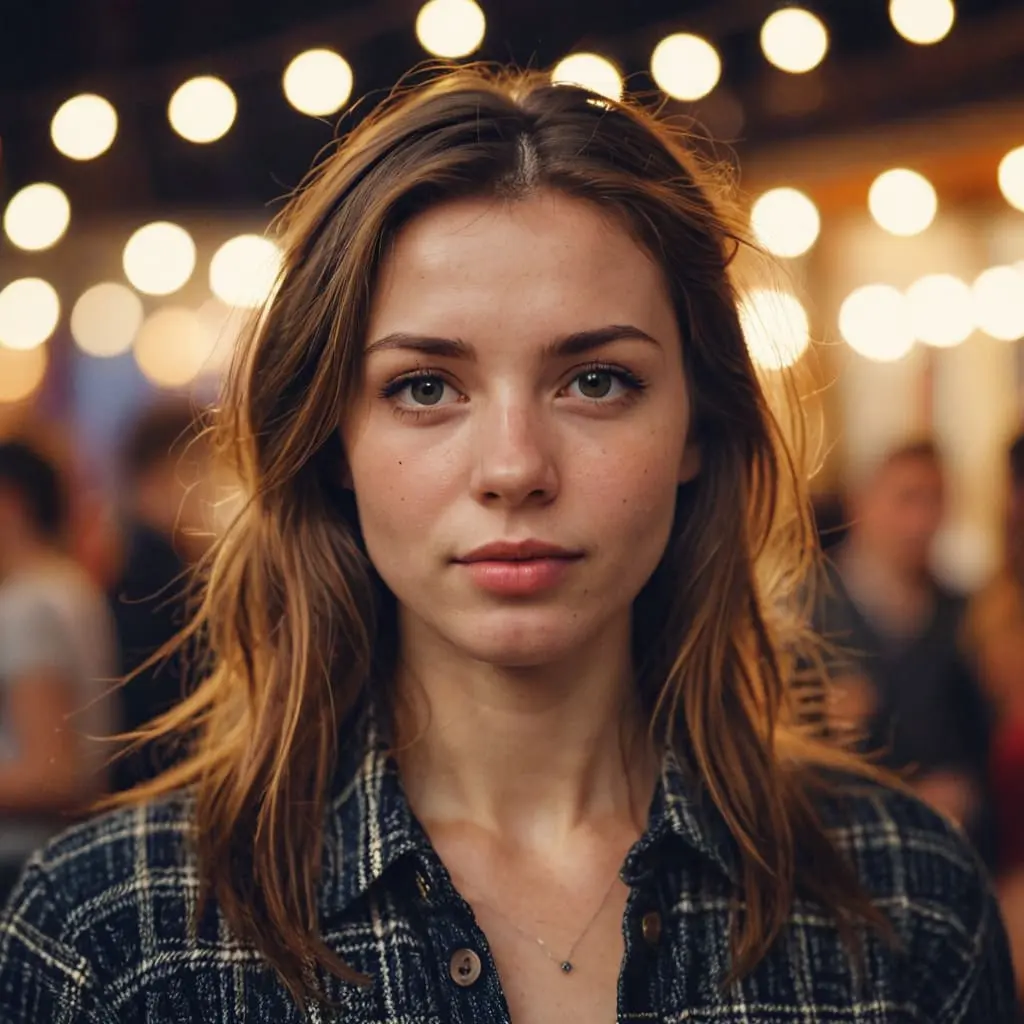
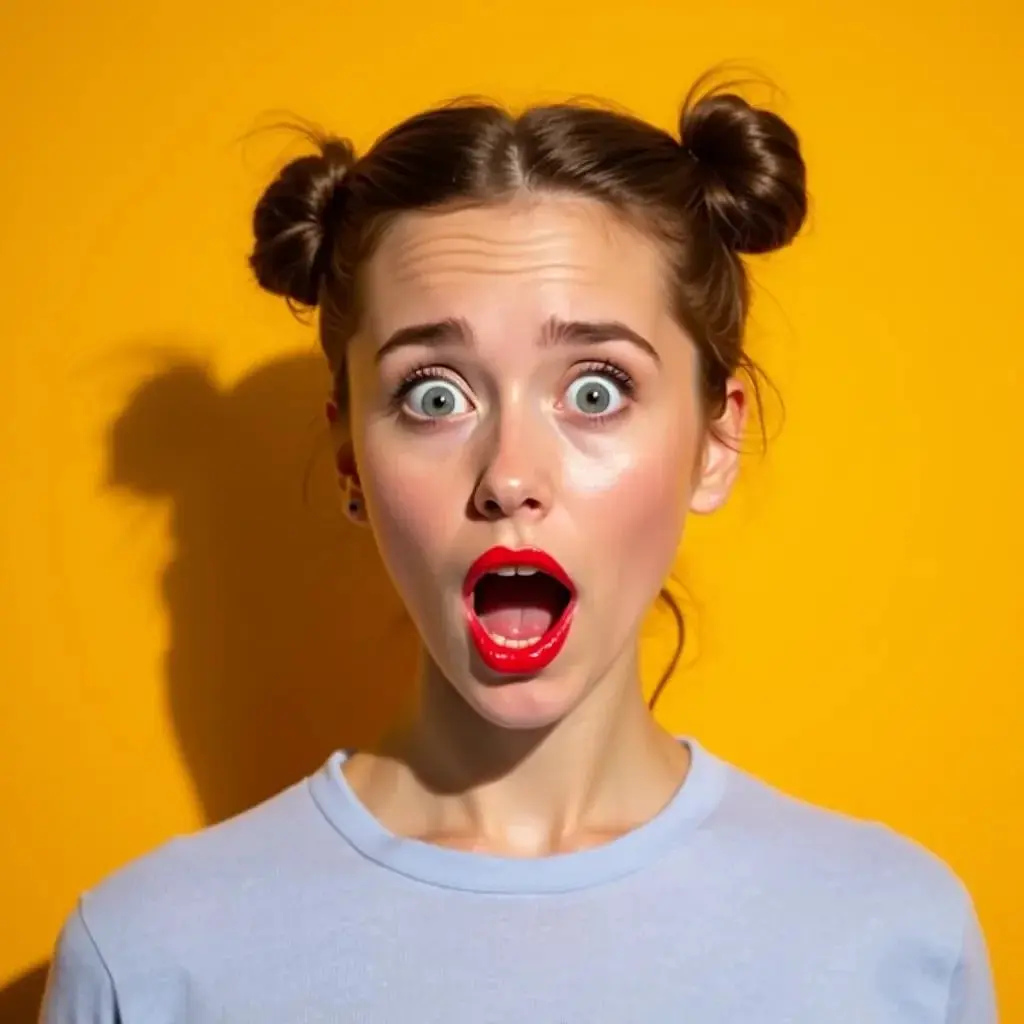
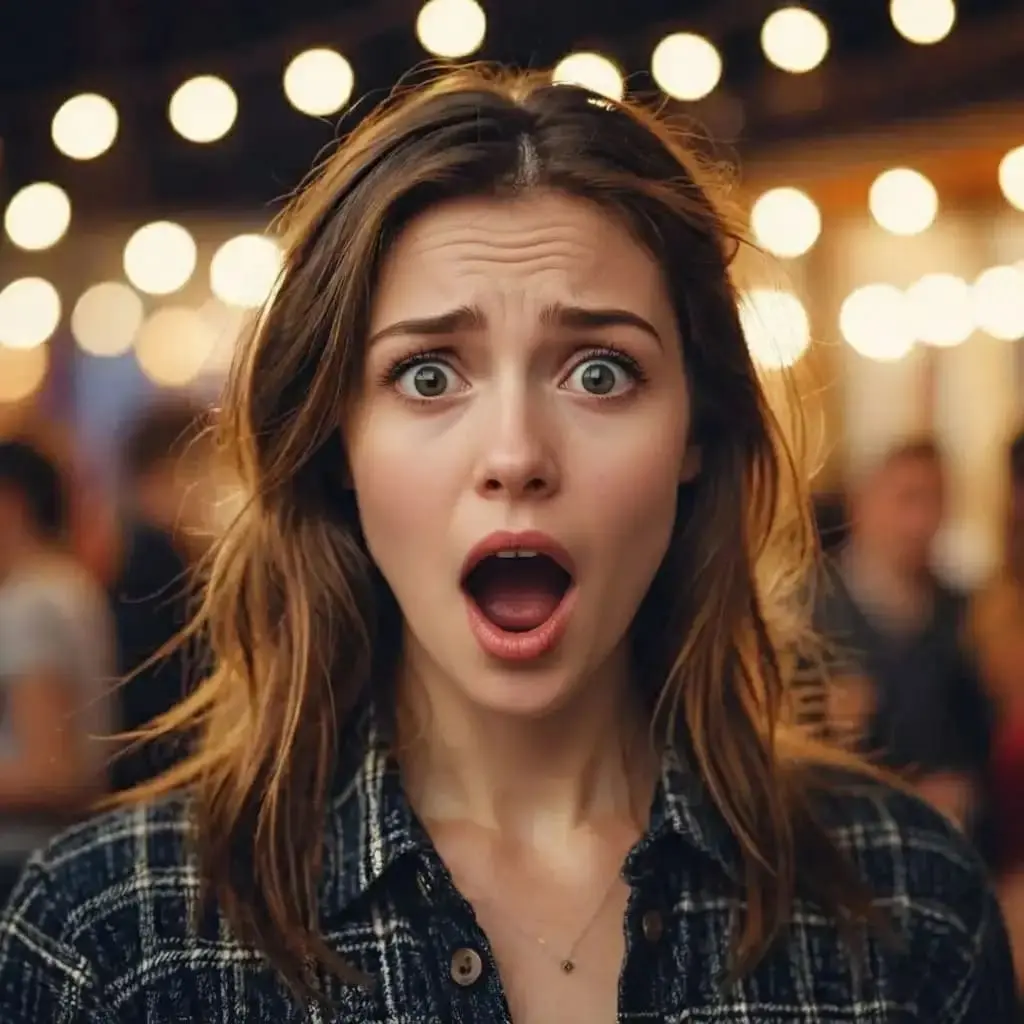
The agent gathers these inputs and preferences in the conversation before it starts.
attach the photo where you want to change the expression
attach a reference photo showing the desired expression
Transform facial expressions in photos instantly with advanced AI technology that preserves identity while creating natural, realistic results. Perfect for content creators, photographers, and anyone looking to enhance their photos.
Transform facial expressions in four simple steps using our advanced AI technology
attach the photo of the person whose expression you want to change
attach a photo showing the desired facial expression you want to apply
Our AI analyzes both photos and transfers the expression naturally while preserving identity
Get your photo with the new expression, ready to use and share
Advanced AI accurately identifies and analyzes facial expressions, including subtle muscle movements and emotional nuances
Maintains the person's unique facial features, skin tone, and identity while changing only the expression
Creates seamless transitions with realistic facial muscle movements that look completely natural
Process images in seconds with our optimized AI algorithms for quick results
High-resolution output suitable for professional photography and content creation
Automatically adjusts shadows and highlights to match the original photo's lighting conditions
Our expression changing tool is perfect for various professionals and creative enthusiasts who need to enhance or modify facial expressions in photos.
Create engaging social media content with varied expressions for better audience connection and storytelling
Fix expressions in photo shoots, ensure perfect smiles, or create artistic variations from a single session
Create thumbnails with perfect expressions or generate variations for A/B testing
Optimize campaign images by testing different expressions to maximize emotional impact and engagement
Experiment with different emotional expressions for character development and artistic projects
Perfect family photos by ensuring everyone has great expressions, or create fun variations of your selfies
An AI Expression Changer is an advanced tool that uses artificial intelligence to modify facial expressions in photos. It analyzes a reference image with the desired expression and transfers that expression to another person's face while maintaining their unique identity and features. The technology understands facial muscle movements, emotions, and subtle nuances to create natural-looking results.
For best results, use clear, well-lit photos where the face is clearly visible and unobstructed. Front-facing or slightly angled photos work best. The face should be at least 200x200 pixels, not covered by hands, hair, or accessories. Both the target and reference photos should have good resolution and similar lighting conditions for the most natural results.
Yes! You can transfer any facial expression by using an appropriate reference image. This includes smiles, laughter, serious expressions, surprise, concentration, sadness, or any other emotion. The AI analyzes the specific facial muscle positions and transfers them accurately to create the desired expression.
Absolutely! Our AI is specifically designed to change only the expression while maintaining the person's complete identity. All facial features, skin tone, bone structure, and unique characteristics remain identical to the original photo. Only expression-related elements like mouth shape, eye openness, and eyebrow position are modified.
Our AI provides highly accurate expression transfers by analyzing detailed facial muscle movements, eye shapes, mouth positions, and subtle emotional cues. The technology creates natural-looking results that seamlessly blend with the original photo's lighting and perspective. Most users find the results indistinguishable from naturally captured expressions.
The tool works best on individual faces. For group photos, it will typically change the expression of the most prominent face. If you want to change expressions for multiple people in a group photo, we recommend cropping individual faces and processing them separately, then combining the results.
The AI can handle moderate differences in face angles and will adjust the expression to match the target photo's perspective. However, for the most natural results, using photos with similar head angles and poses produces better outcomes. The technology adapts the expression to fit the three-dimensional orientation of the target face.
Yes! Our AI is trained on diverse datasets and works effectively with all ages, ethnicities, and facial types. It accurately preserves unique facial features and skin tones while transferring expressions. The technology understands how different face structures display emotions differently.
Most expression changes are completed within 10-30 seconds, depending on image size, complexity, and server load. The AI processes both images quickly while ensuring high-quality, natural-looking results.
Yes! The tool produces high-quality, professional-grade results suitable for commercial use. Many photographers use it to ensure perfect expressions in client photos, save photo shoots when not every shot has ideal expressions, or create artistic variations. Always ensure you have proper rights to the images you're processing.
No, the AI focuses exclusively on changing facial expressions. All other elements including background, clothing, hair, accessories, and body position remain completely unchanged from the original photo. Only the facial expression is modified.
The tool works with various photo qualities, but clearer, higher-resolution images produce better results. For old or lower-quality photos, the AI will do its best to transfer the expression naturally, though results may vary. We recommend using the best quality images available for optimal outcomes.
Yes, we prioritize your privacy and security. All uploaded images are processed through encrypted connections and are automatically deleted after processing. We never store personal photos without permission, and your images are not used for any other purposes beyond the expression change you requested.
This Magica workflow supports all common image formats including JPG, JPEG, PNG, and WebP. Images are processed and returned in high-quality format suitable for download and use across various platforms.


