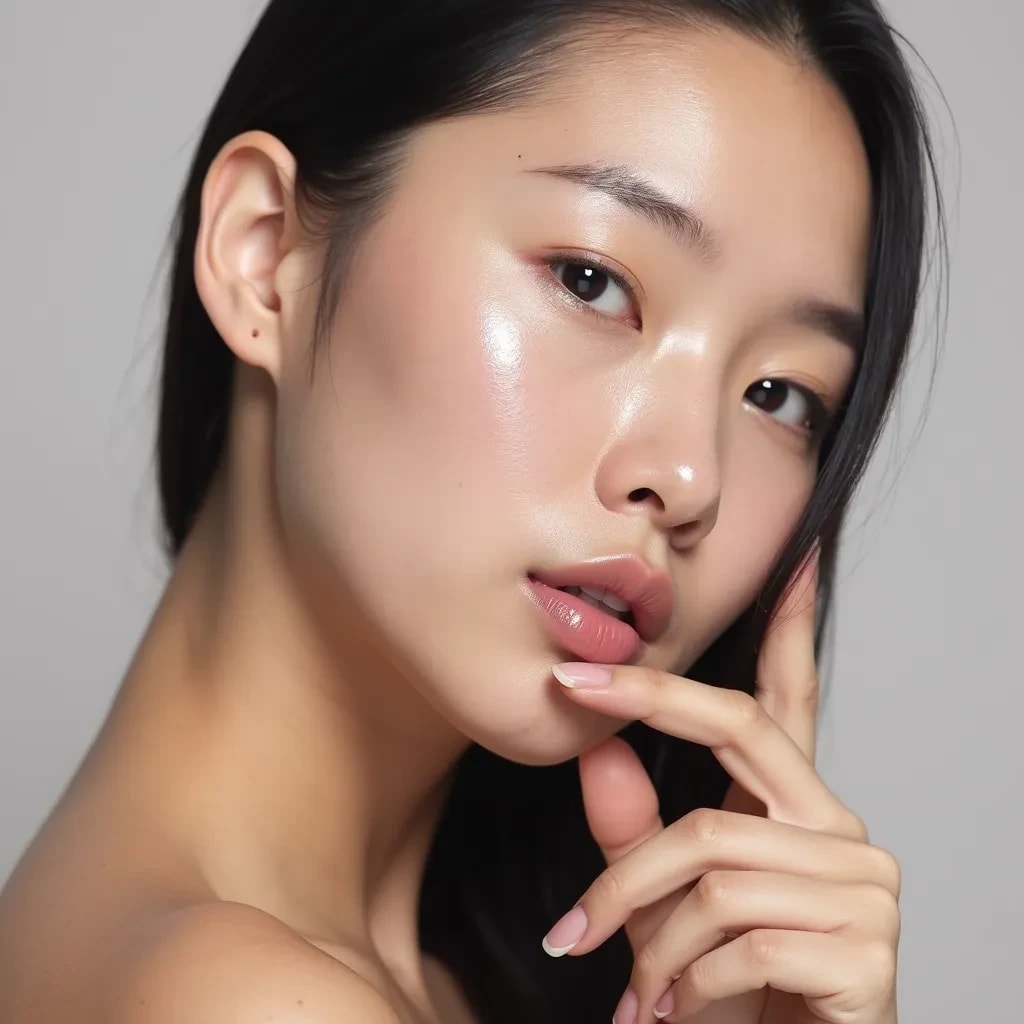
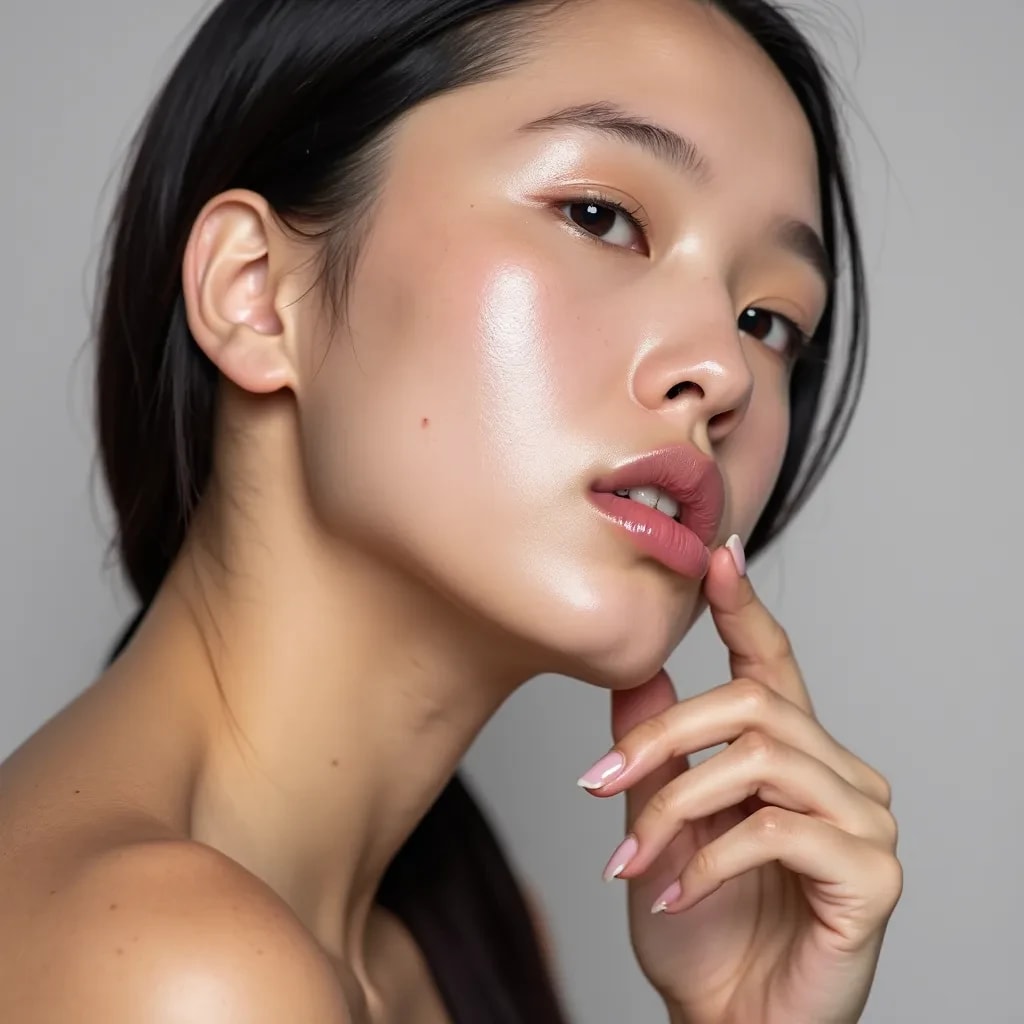
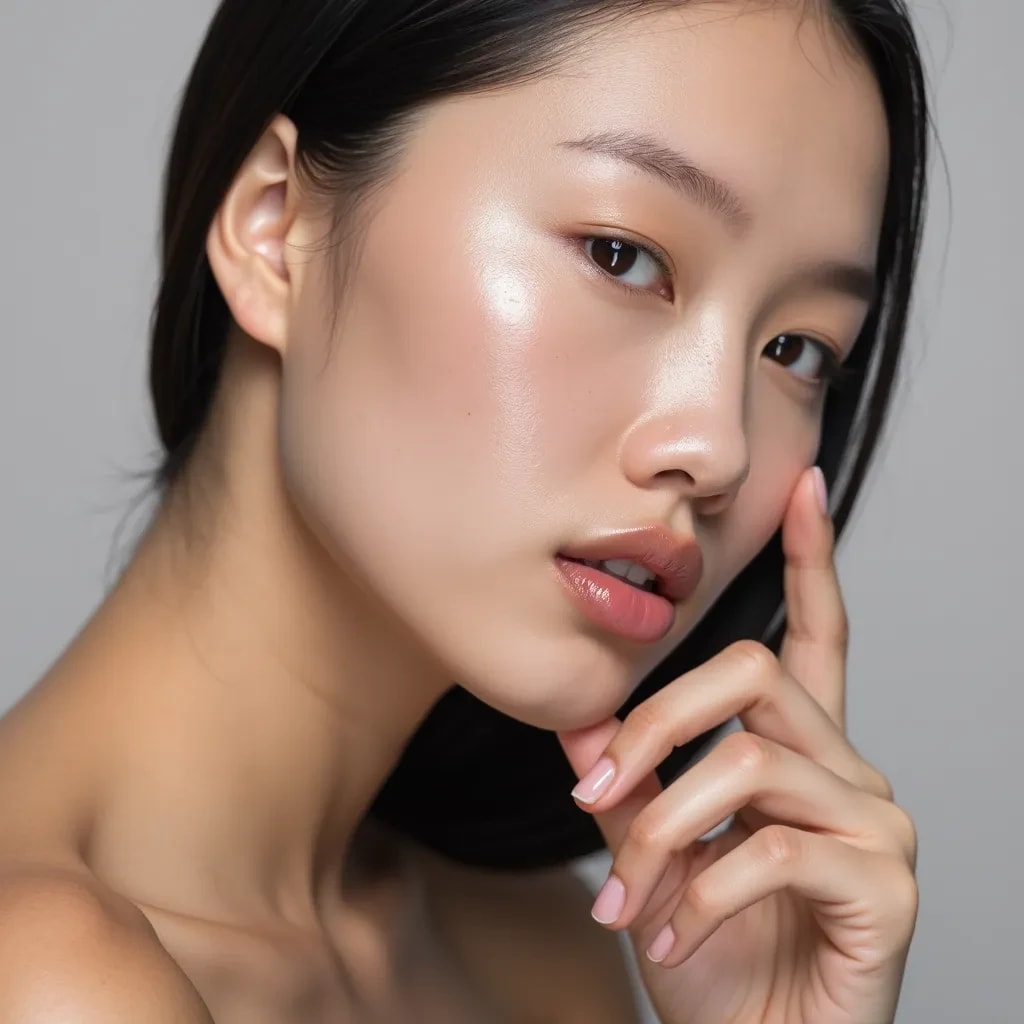
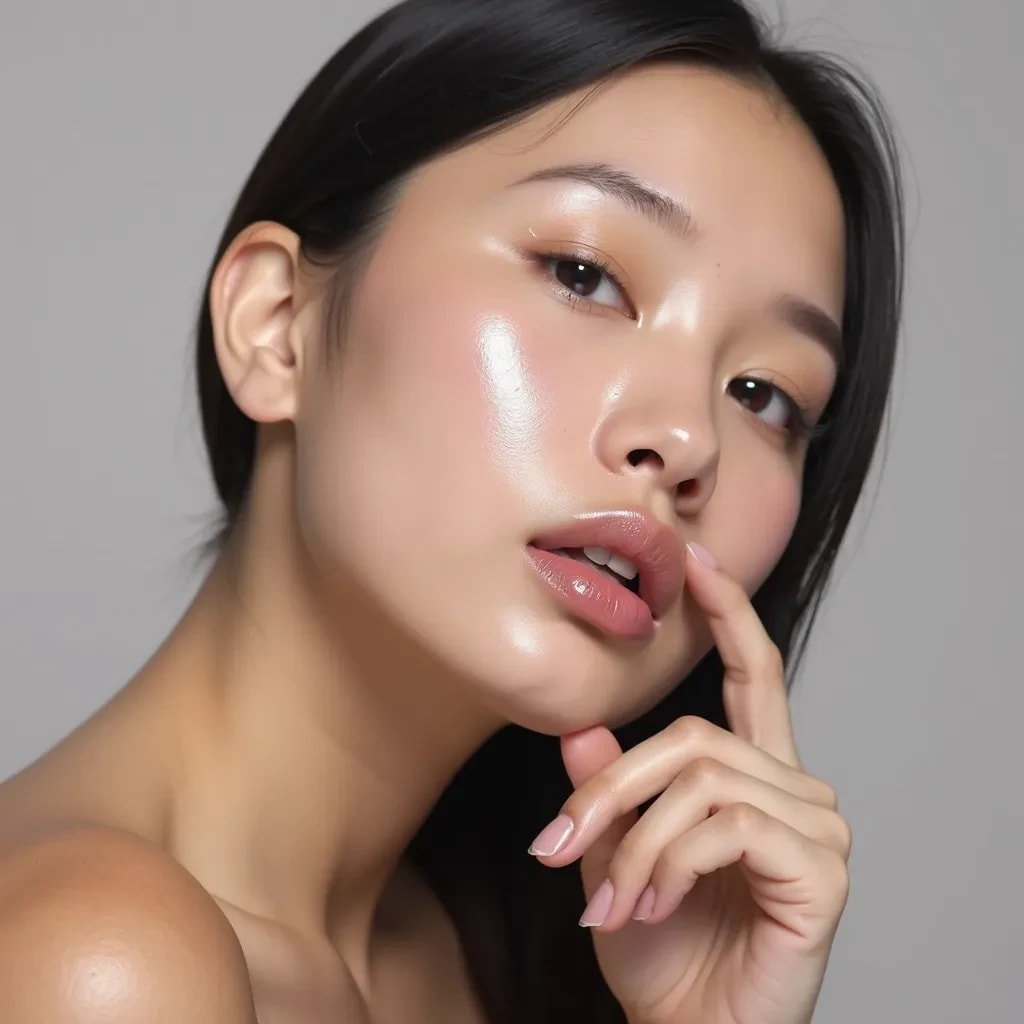
Compare the source image with each finished result.
Source image
Results
Result 1
Result 2
Result 3
Why Choose Our AI Face Enhancer?
Transform and enhance facial features with advanced AI technology that maintains natural looks while improving image quality and aesthetics.
Natural-looking enhancements
High-resolution output
Skin smoothing and refinement
Facial feature optimization
Detail preservation
Lighting improvement
Expression enhancement
Professional-grade results
How Our AI Face Enhancer Works
Simple steps to enhance your facial photos with professional results
01
Attach Your Photo
attach a clear photo of the face you want to enhance
02
AI Analysis
Our AI analyzes facial features, skin texture, and lighting
03
Enhancement Process
Advanced algorithms enhance features while maintaining natural appearance
04
Download Result
Get your enhanced photo in high resolution
Key Features of Our AI Face Enhancer
Smart Enhancement
Intelligently enhances facial features while maintaining natural appearance
Skin Perfection
Smooths and refines skin texture while preserving natural details
Feature Optimization
Enhances eyes, lips, and facial contours for optimal results
High Resolution
Delivers professional-quality enhanced images
Privacy Protected
Your photos are processed securely and never stored permanently
Fast Processing
Get enhanced results in just 10-30 seconds
Who Can Benefit from Our AI Face Enhancer?
This Magica workflow is designed for professionals and individuals who want to achieve high-quality, natural-looking facial enhancements in their photos.
Photographers
Enhance portrait photos and headshots for professional results.
Business Professionals
Create polished profile pictures for LinkedIn and professional platforms.
Social Media Influencers
Maintain consistent, high-quality appearance across all content.
Models & Actors
Perfect headshots and portfolio images for casting opportunities.
Dating Profile Users
Create attractive, natural-looking profile photos that boost confidence.
Job Seekers
Make great first impressions with enhanced professional photos.
Tips for Best Results with AI Face Enhancer
Tip 1
Use High-Quality Photos
Start with clear, well-lit photos for optimal enhancement results
Tip 2
Good Lighting
Photos with natural lighting produce the most realistic enhancements
Tip 3
Face Visibility
Ensure the face is clearly visible and not obscured by objects or shadows
Tip 4
Proper Resolution
Use photos with at least 800x800 pixels for best quality output
Frequently Asked Questions About AI Face Enhancer
What is AI Face Enhancement?
AI Face Enhancement is an advanced technology that uses artificial intelligence to improve facial features in photos while maintaining a natural appearance. It can enhance skin texture, facial contours, lighting, and overall image quality without making the results look artificial or overly processed.
How natural do the results look?
Our AI is specifically designed to produce natural-looking results. It enhances features while preserving the unique characteristics of each face, avoiding the artificial or 'plastic' look often associated with traditional photo editing. The end result maintains the person's natural appearance while optimizing their best features.
What types of photos work best?
For optimal results, we recommend using clear, well-lit photos where the face is clearly visible. The AI works best with front-facing or slightly angled portraits, though it can handle various poses. Photos should be in good resolution and not heavily edited beforehand.
What features can be enhanced?
Our AI can enhance multiple facial features including skin texture, facial contours, eyes, lips, and overall facial structure. It can improve lighting, reduce blemishes, and optimize facial features while maintaining natural proportions and characteristics.
How does the AI preserve natural features?
Our AI uses sophisticated algorithms that analyze and preserve unique facial characteristics while making enhancements. It maintains important features like skin texture patterns, natural facial asymmetries, and distinctive marks that make each face unique.
Is there a limit to photo size or quality?
While our system can handle most image sizes, we recommend using photos with a minimum resolution of 800x800 pixels for best results. The maximum file size is 10MB, and we support common formats including JPG, PNG, and WebP.
How long does the enhancement process take?
Most enhancements are completed within 10-30 seconds, depending on the photo size and complexity. Larger images or those requiring more extensive enhancement may take slightly longer to process.
Can I use the enhanced photos professionally?
Yes, our enhanced photos are suitable for professional use including business profiles, modeling portfolios, company websites, and marketing materials. The high-resolution output ensures the images look great across all platforms.
Do you store or share the uploaded photos?
We take privacy very seriously. All uploaded photos are processed securely and are not stored permanently on our servers. We do not share or use your photos for any purpose other than providing the enhancement service.
Can I enhance multiple faces in one photo?
Currently, our AI is optimized for enhancing individual portraits. For best results, we recommend using photos with a single face. If you need to enhance multiple faces, we recommend processing each portrait separately.