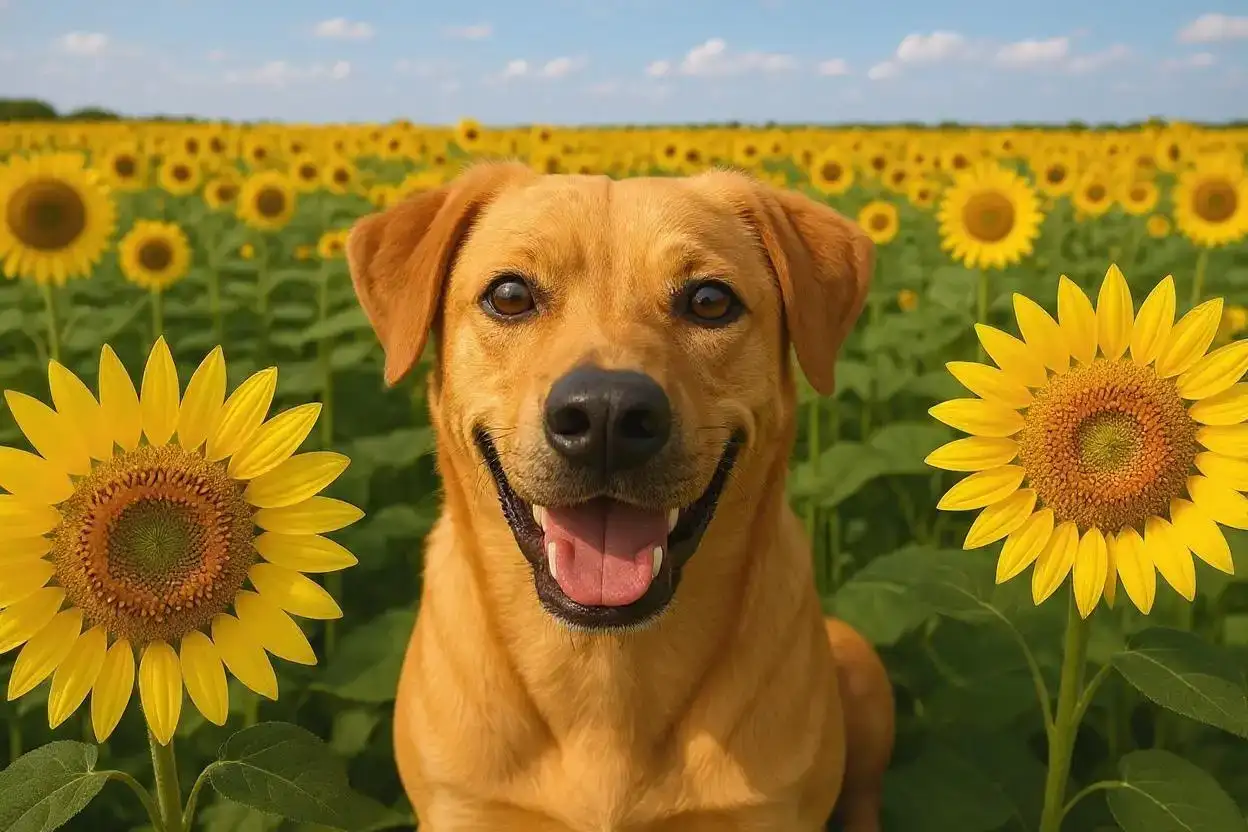
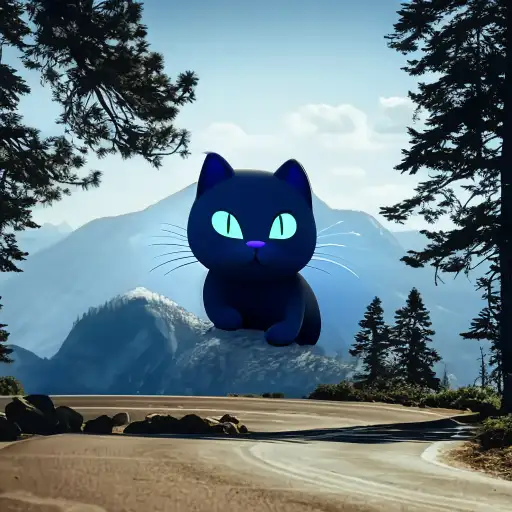
Compare the source image with each finished result.
Source image
Result
Why Choose Our AI Image Expander?
Experience the power of advanced AI technology that seamlessly expands your images beyond their original boundaries while maintaining perfect visual continuity, style, and quality with professional-grade results.
Preserves original composition, style, and lighting
Intelligent content generation for natural-looking results
High-resolution output up to 8K quality
One-click operation with no design skills required
Cloud-based processing works on any device
No watermarks or quality degradation
Lightning-fast 10-30 second processing time
How Our AI Image Expander Works
Our AI-powered image expander uses advanced algorithms to intelligently analyze and extend your images with seamless, natural-looking results.
01
Attach Your Image
Select and upload any JPG, PNG, or WebP image up to 10MB in size.
02
AI Analysis
Our AI analyzes colors, textures, patterns, and perspective to understand your image context.
03
Smart Generation
Advanced algorithms generate new pixels that blend seamlessly with existing content.
04
Download Result
Get your expanded high-resolution image ready for any use.
Key Features of Our AI Image Expander
Edge-Aware Generation
Intelligently understands scene context to generate content that blends flawlessly with existing pixels.
Ultra-Wide Panoramas
Transform standard photos into cinematic widescreen visuals perfect for banners and hero images.
Lightning-Fast Processing
GPU-accelerated servers deliver professional results in under 30 seconds.
High-Resolution Support
Supports input resolutions up to 5000×5000px with crisp, print-ready output quality.
Style Preservation
Maintains original artistic style, color grading, and atmospheric elements.
Quality Guarantee
Advanced algorithms ensure no visible seams or artifacts in expanded areas.
Who Can Benefit from Our AI Image Expander?
Our image expander is perfect for various professionals and individuals who need extra canvas space around their images.
Designers & Marketers
Add breathing room for text overlays, logos, or adapt images for different social media formats.
Web Developers
Generate full-width hero images and backgrounds that adapt to any screen size.
Photographers
Fix tight compositions, create panoramic prints, or prepare images for different aspect ratios.
Content Creators
Repurpose existing images for reels, thumbnails, stories, and banners without reshoots.
E-commerce Sellers
Create consistent product image backgrounds and adapt photos for various marketplace requirements.
Print Professionals
Extend images for bleed areas, create wrap-around designs, or adjust for print specifications.
Tips for Best Results with AI Image Expander
Tip 1
Use High-Quality Images
Higher-resolution inputs provide more context for the AI to generate believable expansions.
Tip 2
Avoid Heavy Compression
Images with minimal compression artifacts blend more smoothly during the expansion process.
Tip 3
Center Important Subjects
Keep key subjects away from edges to give the AI more freedom when expanding.
Tip 4
Consider Background Complexity
Simple or repetitive backgrounds expand more naturally than highly detailed scenes.
Tip 5
Review Edge Transitions
Check the expanded areas for seamless blending with the original image content.
Frequently Asked Questions About AI Image Expander
What is an AI Image Expander and how does it work?
An AI Image Expander is an advanced tool that uses artificial intelligence to extend the canvas of an image beyond its original boundaries. It works by analyzing the existing image content including colors, textures, patterns, and perspective, then uses generative AI to create new pixels that seamlessly blend with the original image. The result gives the illusion that the photo was captured with a wider frame or different composition.
How much can I expand my image?
Our AI Image Expander currently expands images equally on all sides, effectively increasing the total canvas area by up to 2× while preserving detail and quality. The exact expansion depends on your original image dimensions and the AI's ability to generate coherent content. Future updates will include custom sizing options for more precise control over expansion dimensions.
Will the expanded areas match my original photo quality?
Yes, our AI is specifically trained to replicate the lighting, color grading, textures, and artistic style of your original image. The advanced algorithms ensure seamless blending with no visible seams, artifacts, or quality differences between original and generated content. The result is a cohesive image that looks naturally captured.
What types of images work best with the AI Image Expander?
The AI Image Expander works best with photographs including landscapes, portraits, product shots, and architectural images. It performs excellently with natural scenes, cityscapes, and images with clear patterns or textures. While optimized for photographs, it also handles many types of digital artwork well. Images with simple or repetitive backgrounds typically yield the most seamless results.
Can it expand illustrations, logos, or graphics?
While our AI model is primarily optimized for photographs, it can work with various types of digital artwork including illustrations and some graphics. However, results may vary with images containing solid colors, sharp geometric shapes, text, or logos. For best results with graphics, we recommend using images with organic shapes and gradual color transitions.
How long does the expansion process take?
The image expansion process typically completes in 10-30 seconds, depending on your image size and server load. Our GPU-accelerated processing ensures fast results without compromising quality. Larger images or those requiring more complex generation may take slightly longer, but most expansions are ready within seconds.
What image formats and sizes are supported?
Our AI Image Expander supports popular image formats including JPEG, PNG, and WebP. We accept images up to 10MB in file size with maximum dimensions of 5000×5000 pixels. The tool maintains your original format or allows you to choose your preferred output format. High-resolution inputs generally produce better expansion results.
Is my image data kept private and secure?
Yes, we prioritize your privacy and security. Uploaded images are encrypted during transmission and processing. Files are temporarily stored only for the duration of processing and are automatically deleted from our servers within one hour. We never use your images for training, marketing, or any other purpose beyond providing you with the expanded result.
Can I use the expanded images commercially?
Yes, you can use the expanded images for commercial purposes if you own the original image or have appropriate usage rights. The AI expansion process doesn't change the ownership or licensing of the original content. Always ensure you have the necessary rights to use and modify an image before expanding it for commercial use.
What if I'm not satisfied with the expansion results?
While our AI produces excellent results in most cases, complex scenes or unusual compositions may occasionally produce imperfect expansions. If you're not satisfied, try uploading a higher resolution version of your image, or experiment with slightly cropping the image before expansion. The AI continuously improves through updates to handle more challenging scenarios better.