Attach Your Photo
attach a clear photo of yourself

Reimagine yourself with our AI-powered makeover
See how the two source images inform one polished result.
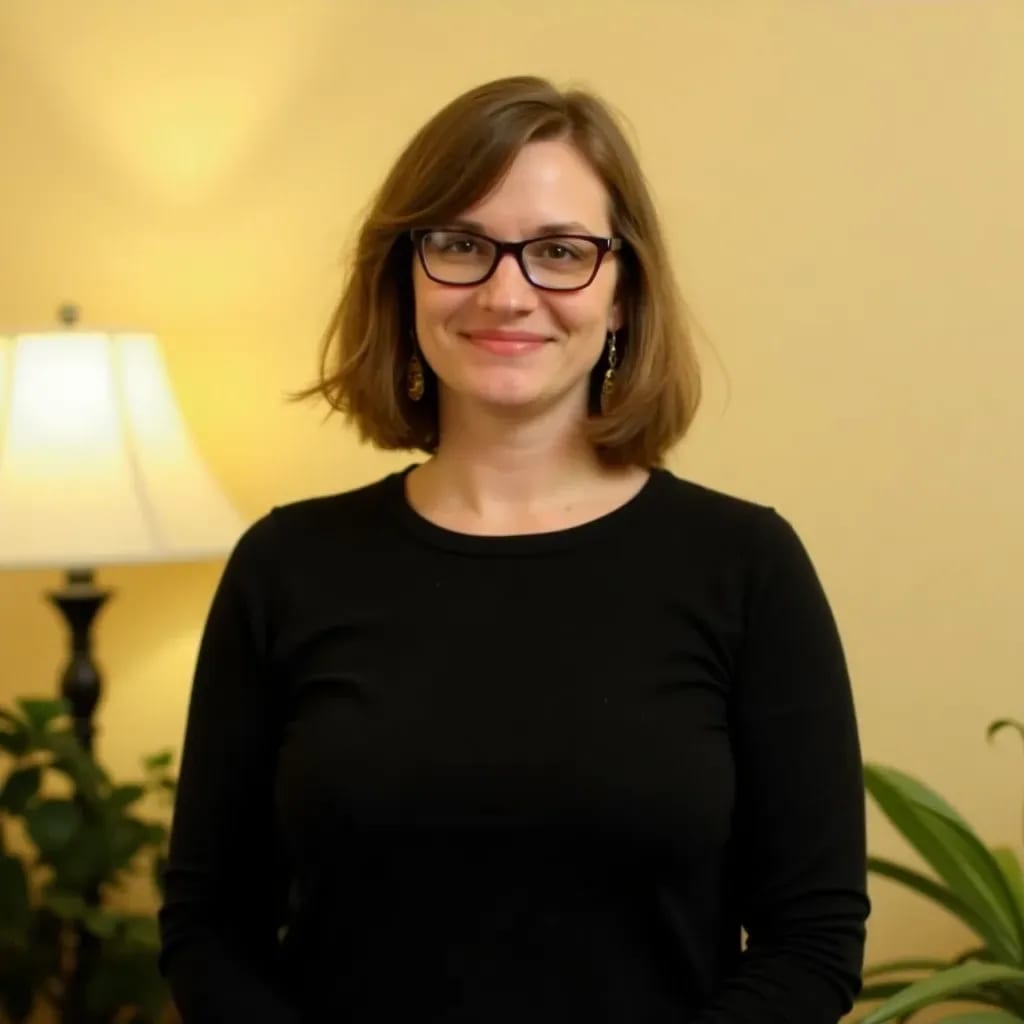
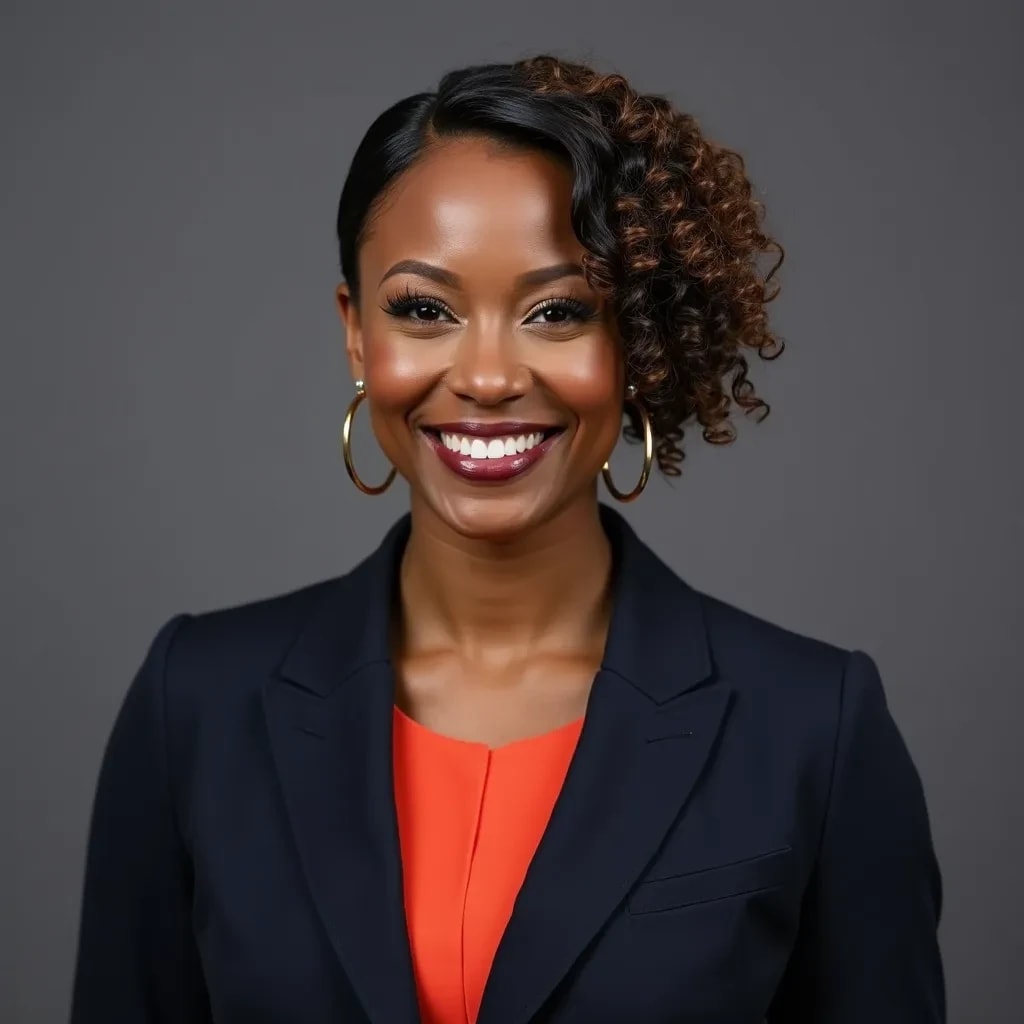
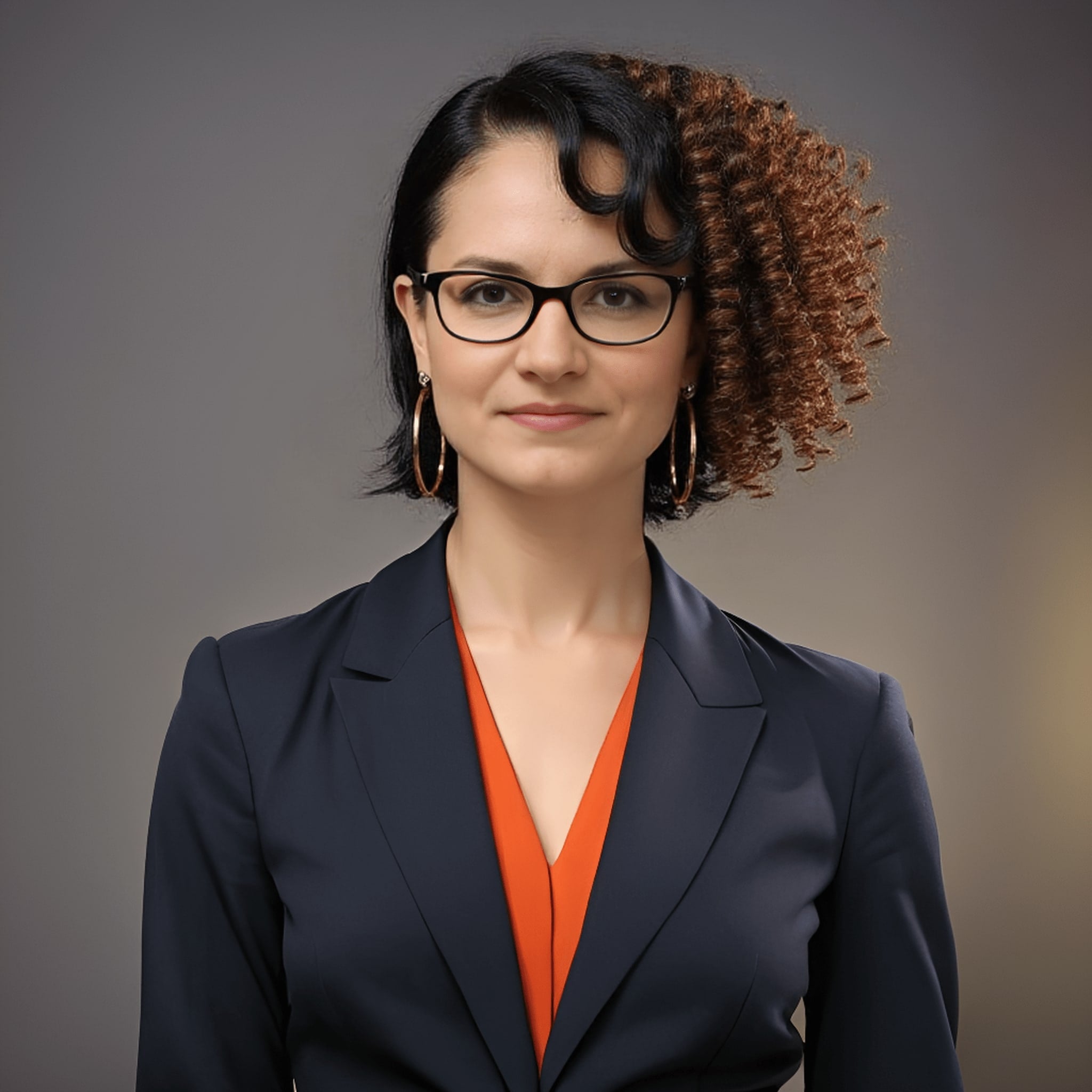
The agent gathers these inputs and preferences in the conversation before it starts.
attach a clear photo of yourself
Upload an image showing the makeover style you want to achieve
Transform your appearance with professional-quality makeovers using advanced AI technology that preserves your unique features while applying stunning makeup looks.
Transform your look in just a few simple steps
attach a clear, front-facing photo of yourself in good lighting
attach a reference image of the makeup look you want to achieve
Our AI analyzes your features and applies the makeup style naturally
Download your transformed look in high resolution
Intelligently detects and enhances facial features while applying makeup
Creates realistic makeovers that enhance your natural beauty
Supports various makeup styles from natural to glamorous
Generates high-quality images perfect for social media
This Magica workflow is perfect for anyone looking to experiment with new makeup looks or enhance their appearance professionally.
Experiment with different makeup looks before trying them in real life.
Create stunning before-and-after transformations for social media.
Show clients potential looks before actual makeup application.
Create diverse beauty content with different makeup styles.
Preview different makeup looks for special occasions.
Showcase makeup products with virtual try-on experiences.
An AI Makeover Generator is an advanced tool that uses artificial intelligence to apply virtual makeup and beauty transformations to your photos. It can create professional-looking makeovers by analyzing your facial features and applying makeup styles based on reference images, all while maintaining a natural appearance.
For optimal results, attach a clear, well-lit front-facing photo with neutral expression. Ensure your face is clearly visible without obstructions. The reference makeup look should also be clear and similar to your desired outcome. Avoid using heavily filtered or edited photos as input.
Our AI can create various makeup looks including natural day looks, glamorous evening makeup, editorial styles, and creative beauty transformations. You can experiment with different lipstick colors, eye makeup styles, contouring, and more.
Yes, our AI is trained to create natural-looking results. It preserves your facial features and skin tone while applying makeup effects that complement your face. The results look realistic and professional, not artificial or overly processed.
Most makeovers are completed within 10-30 seconds. Processing time may vary depending on the complexity of the desired look and image quality, but you'll typically receive your transformed image very quickly.
Yes, you can use any clear photo showing the makeup style you want to achieve. For best results, choose reference photos with similar lighting conditions and a clear view of the makeup details you want to replicate.
Yes, we take data security very seriously. All uploaded images are processed through encrypted connections and are automatically deleted after processing. We never store or share your personal photos without permission.
Yes, you can use the generated images for commercial purposes. However, if you're using reference images, ensure you have the necessary rights or permissions for commercial use of those reference styles.
We recommend uploading images in JPG or PNG format with a minimum resolution of 1024x1024 pixels. The face should be clearly visible and well-lit for best results. Maximum file size is 10MB per image.
Yes, you can generate multiple versions using different reference looks and save all the results. This allows you to experiment with various styles and choose the one that best suits you.


