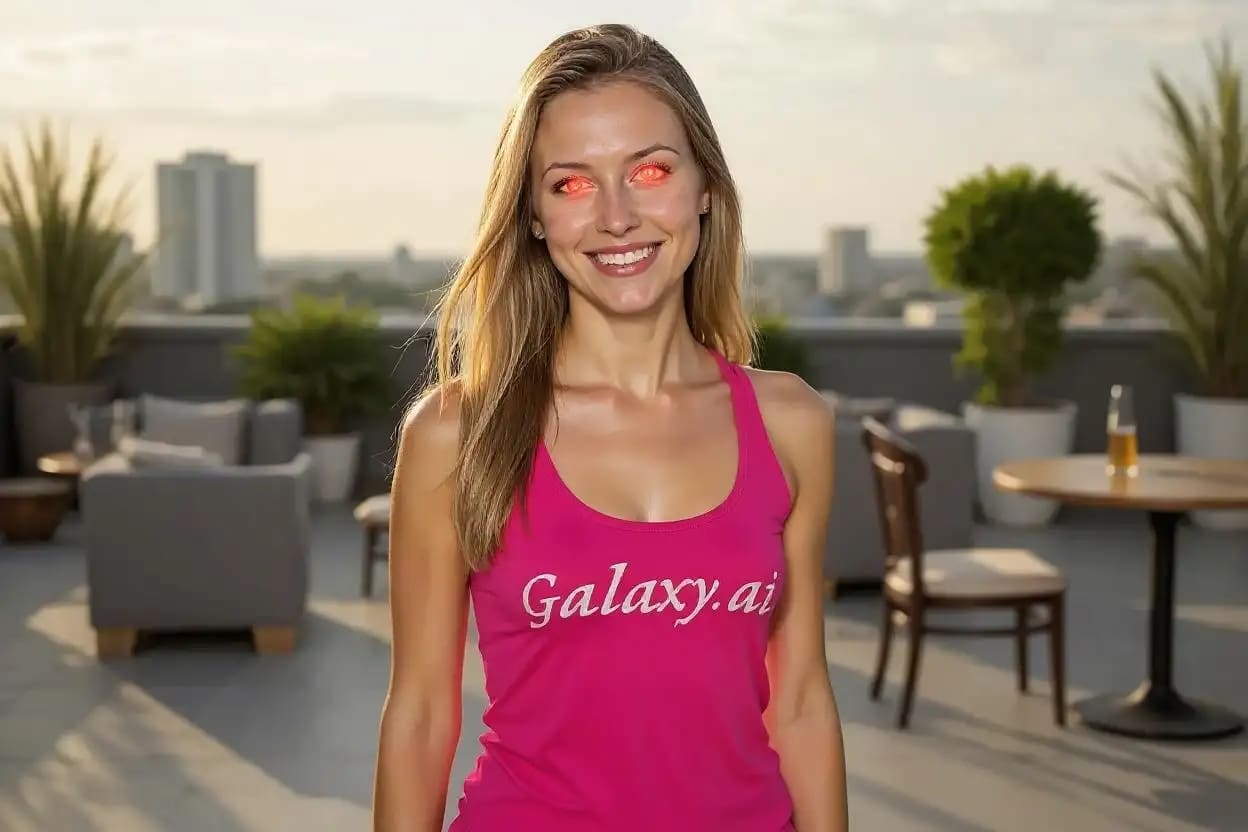
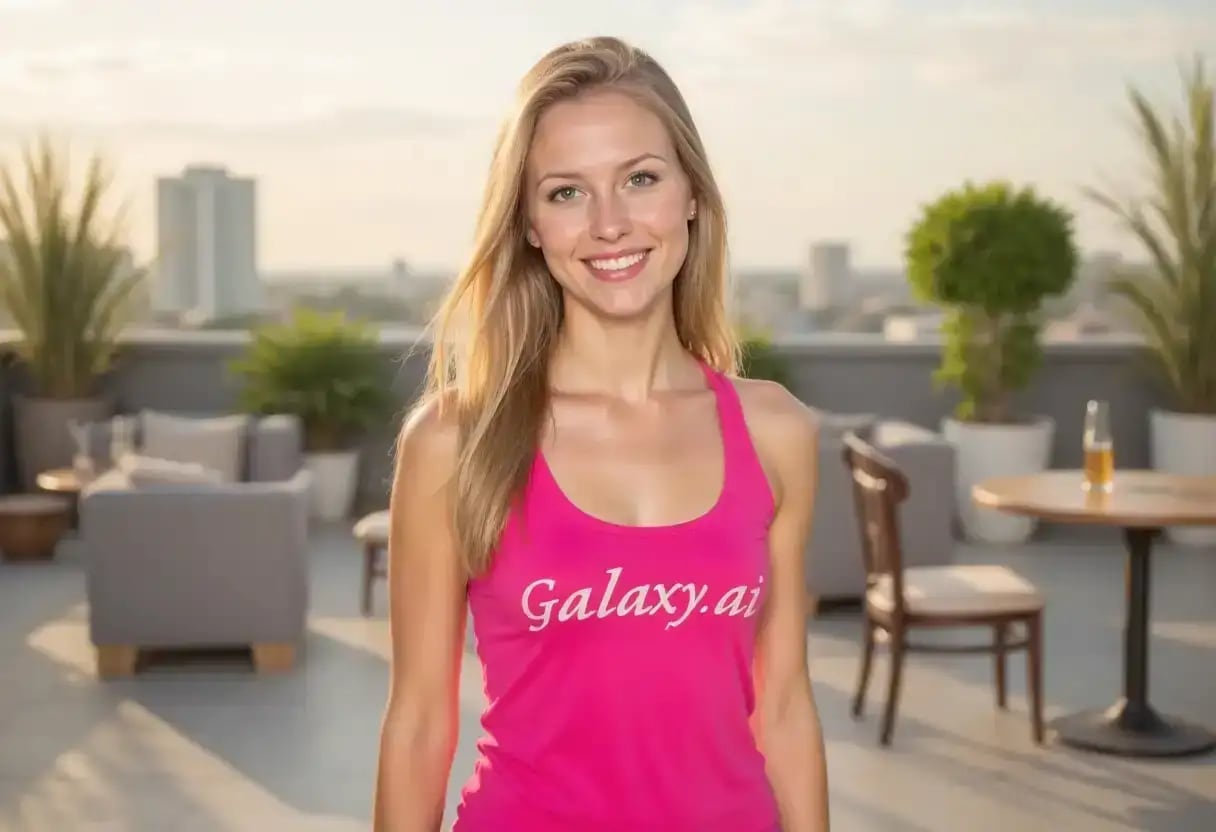
Compare the source image with each finished result.
Source image
Result
Why Choose Our AI Red Eye Remover?
Experience instant red eye correction with our advanced AI technology that preserves natural eye color and detail while eliminating the red-eye effect from flash photography.
State-of-the-art AI red eye detection and removal
Preserves natural eye color and iris details
Works with all eye colors and types
Handles multiple subjects in one photo
Maintains authentic eye sparkle and reflections
Professional-quality results in seconds
No manual editing skills required
High-resolution output quality
How Our AI Red Eye Remover Works
Remove red eyes from your photos in just a few simple steps:
01
Attach Your Photo
attach a photo with red-eye effect from flash photography
02
AI Detection
Our AI automatically detects all red eyes in the image
03
Smart Correction
Advanced algorithms remove red-eye while preserving natural eye color
04
Download Result
Get your corrected photo with natural-looking eyes instantly
Key Features of Our AI Red Eye Remover
Intelligent Eye Detection
Advanced AI accurately identifies and isolates red eyes, even in challenging lighting conditions or with partial red-eye effect
Natural Color Restoration
Restores original eye color based on surrounding iris patterns and maintains natural eye characteristics including reflections and depth
Multi-Subject Processing
Automatically detects and corrects red eyes for all people in the photo, handling group photos and family portraits effortlessly
Preservation Technology
Maintains image quality and only modifies affected red areas, leaving the rest of your photo completely untouched
Who Can Benefit from Our AI Red Eye Remover?
This Magica workflow is perfect for anyone dealing with red-eye issues in flash photography, from casual photographers to professionals.
Amateur Photographers
Fix red-eye issues in family photos, party pictures, and casual snapshots taken with flash photography.
Professional Photographers
Quickly batch-process event photos, wedding shots, and portrait sessions affected by red-eye without manual editing.
Parents & Families
Restore precious family memories by fixing red eyes in children's photos, holiday pictures, and special moments.
Event Organizers
Process event photos quickly for immediate sharing, ensuring all attendees look their best in flash photography.
Social Media Users
Perfect your photos before posting to Instagram, Facebook, or other platforms by removing distracting red eyes.
Photo Restoration Services
Enhance old digital photos or scanned images that suffer from red-eye effect due to older camera technology.
Tips for Best Results with AI Red Eye Remover
Tip 1
Upload Clear Photos
Use high-resolution images where the red eyes are clearly visible for the most accurate detection and correction.
Tip 2
Prevention Tips
While this Magica workflow fixes existing photos, consider using red-eye reduction mode on your camera for future shots.
Tip 3
Good Lighting Helps
Photos taken in well-lit conditions typically produce better correction results as the AI can better distinguish eye details.
Tip 4
Multiple Attempts
If the first result isn't perfect, try uploading the photo again as AI processing can vary slightly each time.
Frequently Asked Questions About AI Red Eye Remover
What causes red eyes in photos?
Red eyes occur when camera flash reflects off the blood vessels in the back of the eye (retina). This happens most commonly in low-light conditions when pupils are dilated, allowing more light to enter and reflect back. The red color comes from the blood vessels in the choroid layer behind the retina. Our AI tool reverses this effect by intelligently replacing the red color with natural eye tones.
How does the AI Red Eye Remover work?
Our AI uses advanced computer vision algorithms to detect facial features and specifically identify eyes affected by red-eye. It analyzes the surrounding iris color, pupil shape, and eye structure to determine the natural eye color. The tool then carefully replaces only the red pixels while preserving important details like catchlights, natural reflections, and iris patterns, resulting in realistic-looking eyes.
Can it fix photos with multiple people?
Yes! Our AI Red Eye Remover can detect and fix red eyes on multiple people in a single photo. It processes each person's eyes individually, ensuring that everyone's unique eye color is preserved. Whether you have a group photo with 2 people or 20, the tool will identify and correct all instances of red-eye automatically without any manual selection needed.
Does it work with pet red-eye (green/yellow eye)?
Currently, this Magica workflow is optimized specifically for human red-eye correction. Pet eyes often reflect green, yellow, or white due to their different eye structure (tapetum lucidum). While the tool may sometimes work on pet photos, it's primarily designed for human subjects. We recommend using specialized pet photo editing tools for best results with animal photography.
What file formats are supported?
Our AI Red Eye Remover supports all major image formats including JPEG, PNG, WebP, and HEIC. The tool maintains the original format and quality of your image during processing. For best results, we recommend using high-resolution images (at least 1080p) in JPEG or PNG format. The maximum file size supported is 10MB per image.
Will it affect the rest of my photo?
No, our AI is designed to modify only the red-eye affected areas. The rest of your photo remains completely untouched, preserving the original quality, colors, and details. The tool uses precise masking technology to isolate just the red pixels within the eye area, ensuring that skin tones, eye makeup, eyelashes, and surrounding features are not altered in any way.
How long does the processing take?
Processing typically takes 10-30 seconds per photo, depending on the image size and the number of red eyes to correct. Photos with multiple people may take slightly longer as the AI analyzes each face individually. The tool is optimized for speed while maintaining high-quality results, making it perfect for quickly fixing photos before sharing or printing.
Can I use the corrected photos commercially?
Yes, you retain full ownership and rights to all photos processed through this Magica workflow. You can use the corrected images for any purpose, including commercial use, social media, printing, or professional portfolios. There are no watermarks, licensing restrictions, or usage limitations on your processed photos.
What if only one eye has red-eye effect?
Our AI is smart enough to detect and correct asymmetric red-eye situations where only one eye appears red. This often happens when the subject is at an angle to the camera flash. The tool will identify which eye needs correction and process it while leaving the unaffected eye untouched, ensuring natural-looking results.
Is my photo data secure and private?
Absolutely. We take privacy seriously and implement industry-standard security measures. All photos are encrypted during upload and processing. Your images are automatically deleted from our servers immediately after processing is complete. We never store, share, or use your photos for any purpose other than the red-eye removal you requested. Our service is fully compliant with GDPR, CCPA, and other privacy regulations.