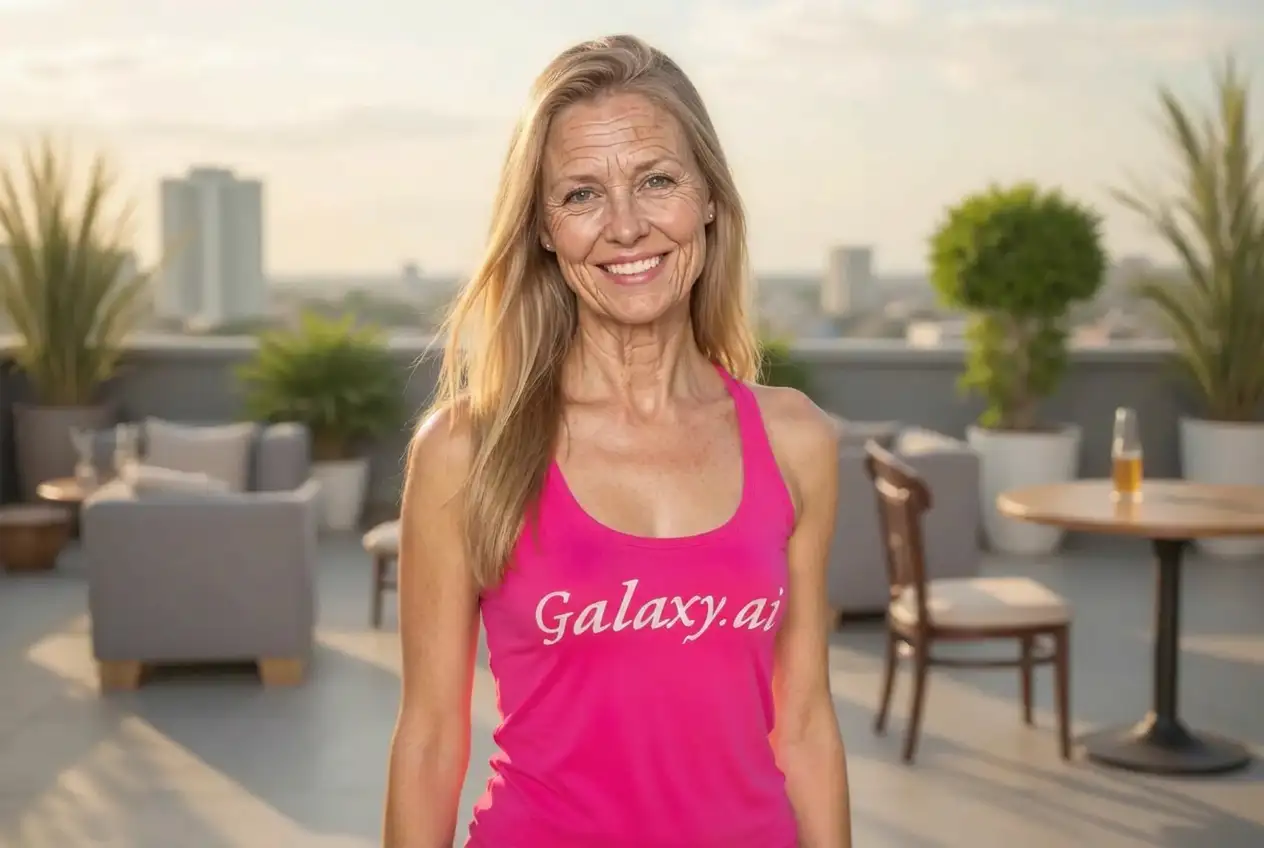
Compare the source image with each finished result.
Source image
Result
Why Choose Our AI Remove Wrinkles Tool?
Experience the power of advanced AI technology that smooths out wrinkles and fine lines while preserving natural facial features and skin texture with professional-grade results.
State-of-the-art AI wrinkle detection and removal technology
Preserves natural skin texture and facial characteristics
Targets fine lines, crow's feet, and deep wrinkles effectively
Maintains authentic skin tone and complexion
Works on all skin types and ages
Professional-quality results in seconds
No manual retouching skills required
High-resolution output quality
Batch processing available for multiple photos
Privacy-focused: images processed securely
How Our AI Remove Wrinkles Tool Works
Transform your photos with younger-looking skin in just a few simple steps using our advanced AI technology.
01
Attach Your Photo
Select and attach the photo you want to enhance. This Magica workflow supports all major image formats.
02
AI Analysis
Our AI automatically detects wrinkles, fine lines, and aging signs across the face.
03
Smart Enhancement
Advanced algorithms smooth out wrinkles while preserving natural skin texture and facial features.
04
Download Result
Get your enhanced photo with natural-looking, younger skin ready to share or print.
Key Features of Our AI Remove Wrinkles Tool
Advanced AI Technology
Utilizes cutting-edge machine learning to identify and smooth wrinkles naturally.
Natural Results
Maintains skin authenticity while reducing signs of aging for believable results.
Instant Processing
Get professional-quality results in seconds without waiting or manual editing.
Intelligent Detection
Accurately identifies different types of wrinkles and treats each appropriately.
Professional Quality
Delivers studio-quality retouching that rivals expensive photo editing services.
Time-Saving
Achieve hours of manual retouching work in just a few seconds.
Who Can Benefit from Our AI Remove Wrinkles Tool?
Our wrinkle removal tool is perfect for anyone looking to enhance their photos with younger-looking skin.
Professional Photographers
Quickly enhance portrait photos for clients who want a more youthful appearance.
Social Media Users
Perfect your selfies and profile pictures with natural-looking skin smoothing.
Business Professionals
Update headshots and LinkedIn photos with a refreshed, professional look.
Dating App Users
Enhance profile photos while maintaining authentic appearance.
Content Creators
Maintain consistent, polished appearance across all content and platforms.
Family Photo Enthusiasts
Enhance family portraits and special occasion photos for lasting memories.
Tips for Best Results with AI Remove Wrinkles
Tip 1
Use High-Quality Photos
Upload clear, well-lit photos for the most natural wrinkle removal results.
Tip 2
Good Lighting Matters
Photos with even lighting produce better results than those with harsh shadows.
Tip 3
Front-Facing Angles Work Best
Direct front-facing photos allow the AI to detect and smooth wrinkles more accurately.
Tip 4
Higher Resolution = Better Results
Use the highest resolution available for more detailed and precise enhancements.
Tip 5
Review Natural Areas
Check that eyes, lips, and hair remain untouched for the most authentic look.
Tip 6
Subtle Enhancement
The tool aims for natural results - extreme aging signs may require multiple passes.
Frequently Asked Questions About AI Remove Wrinkles
How does the AI wrinkle remover work?
Our AI wrinkle remover uses advanced machine learning algorithms trained on thousands of facial images. It automatically detects wrinkles, fine lines, and aging signs, then applies intelligent smoothing techniques that preserve natural skin texture while reducing the appearance of wrinkles. The result is younger-looking skin that still appears authentic and natural.
Will my skin look fake or overly smoothed?
No, our AI is specifically designed to maintain natural skin texture and characteristics. Unlike basic smoothing filters, our technology understands facial anatomy and applies targeted enhancements only where needed. The goal is to reduce wrinkles while keeping your skin looking realistic and maintaining your unique features.
What types of wrinkles can it remove?
This Magica workflow effectively addresses various types of wrinkles including crow's feet around the eyes, forehead lines, smile lines, marionette lines, and general fine lines. It works on both superficial fine lines and deeper wrinkles, though results may vary based on the severity and photo quality.
How long does the wrinkle removal process take?
The AI processing typically takes 10-30 seconds, depending on image size and complexity. This is significantly faster than manual retouching, which could take hours to achieve similar results. Once processing is complete, you can immediately download your enhanced photo.
Is my photo data kept private and secure?
Yes, we take privacy seriously. Your photos are processed securely and are not stored on our servers after processing. We don't share, sell, or use your images for any purpose other than providing the wrinkle removal service. All uploads are encrypted and automatically deleted after processing.
Can I use the enhanced photos commercially?
Yes, you retain full rights to your enhanced photos. You can use them for personal, professional, or commercial purposes including social media, business profiles, marketing materials, or any other application. The enhancement doesn't affect your ownership rights.
What image formats are supported?
This Magica workflow supports all major image formats including JPEG, PNG, WebP, and HEIC. We recommend using high-resolution images (at least 1024x1024 pixels) for best results. The output will be in high-quality JPEG or PNG format, maintaining the original resolution.
Does it work on all skin types and ages?
Yes, our AI has been trained on diverse datasets including all skin types, tones, and ages. It adapts its enhancement techniques based on individual skin characteristics to ensure natural results regardless of ethnicity, age, or skin type.
Can I remove wrinkles from group photos?
Yes, our AI can detect and enhance multiple faces in a single photo. Each face is processed individually to ensure optimal results for every person in the image. This makes it perfect for family photos, group shots, or any image with multiple people.
What if I'm not satisfied with the results?
While our AI produces excellent results in most cases, photo quality and lighting can affect outcomes. If you're not satisfied, try uploading a different photo with better lighting or resolution. For consistent issues, our support team is available to help optimize your results.