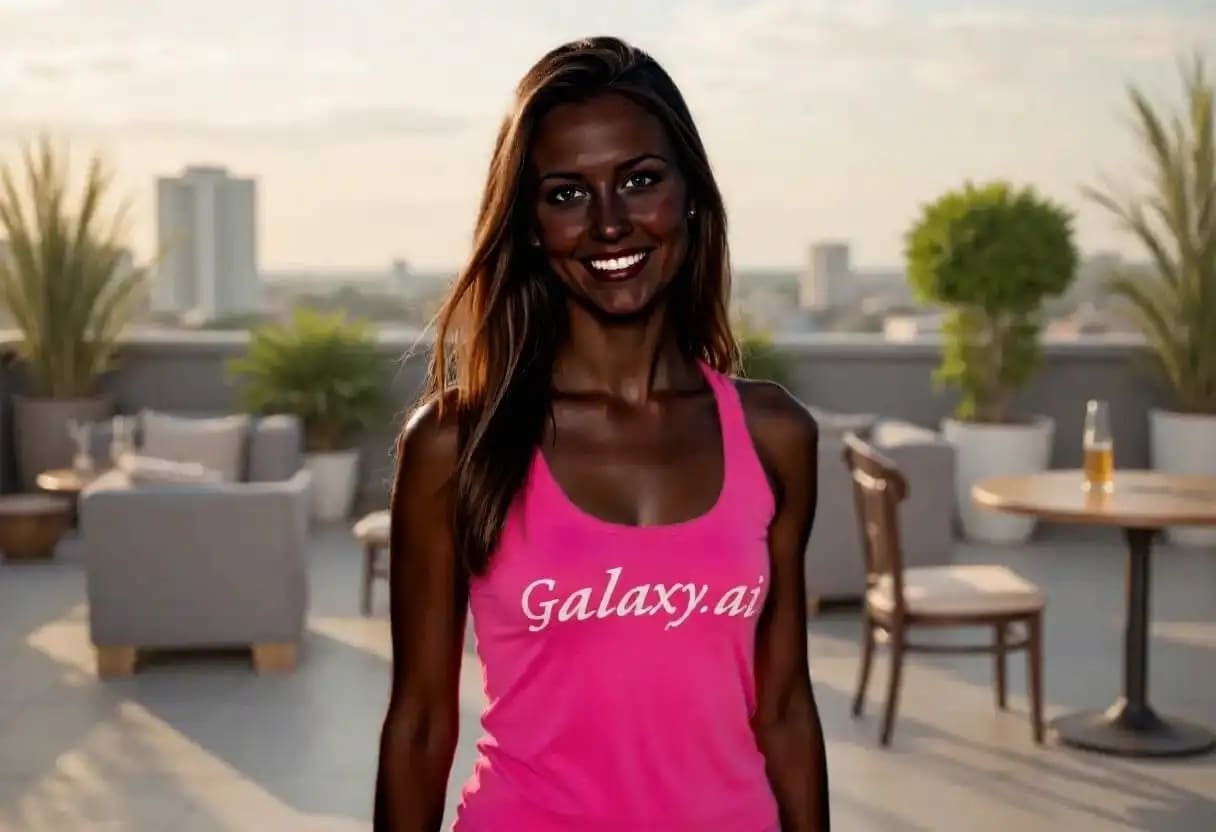
Compare the source image with each finished result.
Source image
Result
What Magica will ask for
The agent gathers these inputs and preferences in the conversation before it starts.
Skin Tone Description
Why Choose Our AI Skin Color Changer?
Transform skin tones in photos with our advanced AI technology that delivers natural, realistic results while preserving all facial features and maintaining authentic skin texture.
AI-powered natural skin tone transformation
Preserves facial features and expressions
Maintains authentic skin texture and details
Even application across all visible skin
Professional-quality results instantly
No manual editing skills required
Supports diverse skin tone options
High-resolution output quality
How Our Skin Color Changer Works
Transform skin tones with professional results in just a few simple steps:
01
Attach Your Photo
Upload any portrait or full-body photo with visible skin areas
02
Choose Skin Tone
Select from a variety of natural skin tone options
03
AI Processing
Our AI applies the skin tone change naturally and evenly
04
Download Result
Get your transformed photo in high resolution instantly
Key Features of Our AI Skin Color Changer
Intelligent Skin Detection
Advanced AI accurately identifies and isolates all skin areas, ensuring even application while preserving clothing, hair, and backgrounds
Natural Color Matching
Sophisticated algorithms ensure skin tone changes look completely natural with proper undertones, highlights, and shadows
Feature Preservation
Maintains all facial features, expressions, skin texture, freckles, and other unique characteristics during transformation
Instant Processing
Get professional-quality skin tone transformations in seconds with our optimized AI processing
Who Can Benefit from Our AI Skin Color Changer?
This Magica workflow serves diverse creative and professional needs, from digital artists to content creators exploring different aesthetics.
Film & Theater Professionals
Visualize casting options and character transformations for productions, helping directors and casting agents explore different looks.
Digital Artists & Designers
Create diverse character designs and explore different aesthetics for digital art, illustrations, and creative projects.
Fashion Photographers
Experiment with different skin tones for fashion shoots, editorial work, and creative photography projects.
Game Developers
Create diverse character options and customization features for video games and virtual reality experiences.
Makeup Artists
Visualize how makeup products and techniques will look on different skin tones for portfolio and client presentations.
Content Creators
Explore creative transformations for artistic projects, social media content, and visual storytelling.
Tips for Best Results with AI Skin Color Changer
Tip 1
Use High-Quality Photos
Upload clear, well-lit photos with visible skin areas for the most realistic transformations.
Tip 2
Good Lighting Matters
Photos with even, natural lighting produce the best results as the AI can better preserve shadows and highlights.
Tip 3
Multiple Skin Areas
For full-body transformations, ensure all skin areas (face, arms, legs) are clearly visible in the photo.
Tip 4
Choose Appropriate Tones
Select skin tones that match your creative vision while considering natural lighting and shadows in the original photo.
Frequently Asked Questions About Our AI Skin Color Changer
What is an AI Skin Color Changer?
An AI Skin Color Changer is an advanced photo editing tool that uses artificial intelligence to transform skin tones in photographs. The technology uses sophisticated machine learning algorithms to detect all visible skin areas and apply natural-looking color transformations while preserving facial features, skin texture, and other important details. It's designed for creative and professional applications where skin tone visualization is needed.
How natural do the skin tone changes look?
Our AI produces extremely natural-looking results by understanding how light interacts with different skin tones. The technology preserves natural shadows, highlights, and undertones while applying the transformation evenly across all skin areas. The AI maintains skin texture, pores, freckles, and other natural characteristics, ensuring the result looks authentic rather than artificially colored or painted on.
Does it work on all types of photos?
Yes, our AI works with various photo types including portraits, full-body shots, group photos, and images with multiple people. The tool can handle different lighting conditions, angles, and photo qualities. It works best with clear photos where skin areas are visible, but can also process images with partial visibility. The AI adapts to indoor, outdoor, studio, and natural lighting conditions.
Will it change non-skin areas like hair or clothing?
No, our AI is specifically trained to identify and modify only skin areas. It preserves hair color, eye color, clothing, backgrounds, and all non-skin elements in the photo. The advanced detection algorithms ensure precise boundaries between skin and other elements, preventing color bleeding or unwanted changes to surrounding areas.
How many skin tone options are available?
We offer a comprehensive range of skin tone options from very fair to very deep tones, including various undertones (warm, cool, neutral). The selection includes porcelain, fair, beige, honey, bronze, caramel, chocolate, and ebony tones, among others. Each option is carefully calibrated to produce realistic results that account for natural skin tone variations and undertones.
Can I use this for professional projects?
Yes, this Magica workflow is suitable for various professional applications including digital art, character design, fashion photography, film pre-production, game development, and creative projects. The high-quality output and natural results make it appropriate for professional portfolios, client presentations, and commercial projects. However, users should always consider ethical implications and obtain necessary permissions when transforming photos of real people.
How long does the transformation take?
Most transformations are completed within 10-30 seconds, depending on image size and complexity. The AI processes the image in real-time, analyzing skin areas and applying the transformation efficiently. Larger images or photos with multiple people may take slightly longer, up to 45 seconds. The processing happens on powerful cloud servers, ensuring consistent speed regardless of your device.
What image formats and sizes are supported?
We support all major image formats including JPEG, PNG, WebP, and HEIC. The tool can process images up to 10MB in size with resolutions up to 5000x5000 pixels. For optimal results, we recommend using images with at least 1080p resolution. The output maintains the same format and resolution as your input image.
Is my photo data secure?
Absolutely. We prioritize your privacy and security. All photos are encrypted during upload and processing using bank-level SSL encryption. Images are processed on secure servers and automatically deleted immediately after processing. We never store, share, or use your photos for any purpose beyond the requested transformation. We comply with GDPR, CCPA, and other privacy regulations.
Can I adjust the intensity of the skin tone change?
Currently, our AI automatically optimizes the transformation to ensure the most natural-looking results. The system considers the original skin tone, lighting conditions, and selected target tone to apply the perfect intensity. This automated approach prevents unrealistic results that might occur with manual intensity controls, ensuring professional-quality output every time.