Text to Video: Cityscape Animation
A stylish woman walks down a Tokyo street filled with warm glowing neon and animated city signage. She wears a black leather jacket, a long red dress, and black boots, and carries a black purse.
Transform your creative vision into stunning videos using cutting-edge AI technology. Our platform offers unprecedented versatility with text-to-video, image-to-video, and video-to-video generation capabilities.
Compare each source or prompt with its generated video.
A stylish woman walks down a Tokyo street filled with warm glowing neon and animated city signage. She wears a black leather jacket, a long red dress, and black boots, and carries a black purse.
A cute dinosaur playing a pink guitar
A teddy bear in sunglasses playing electric guitar and dancing

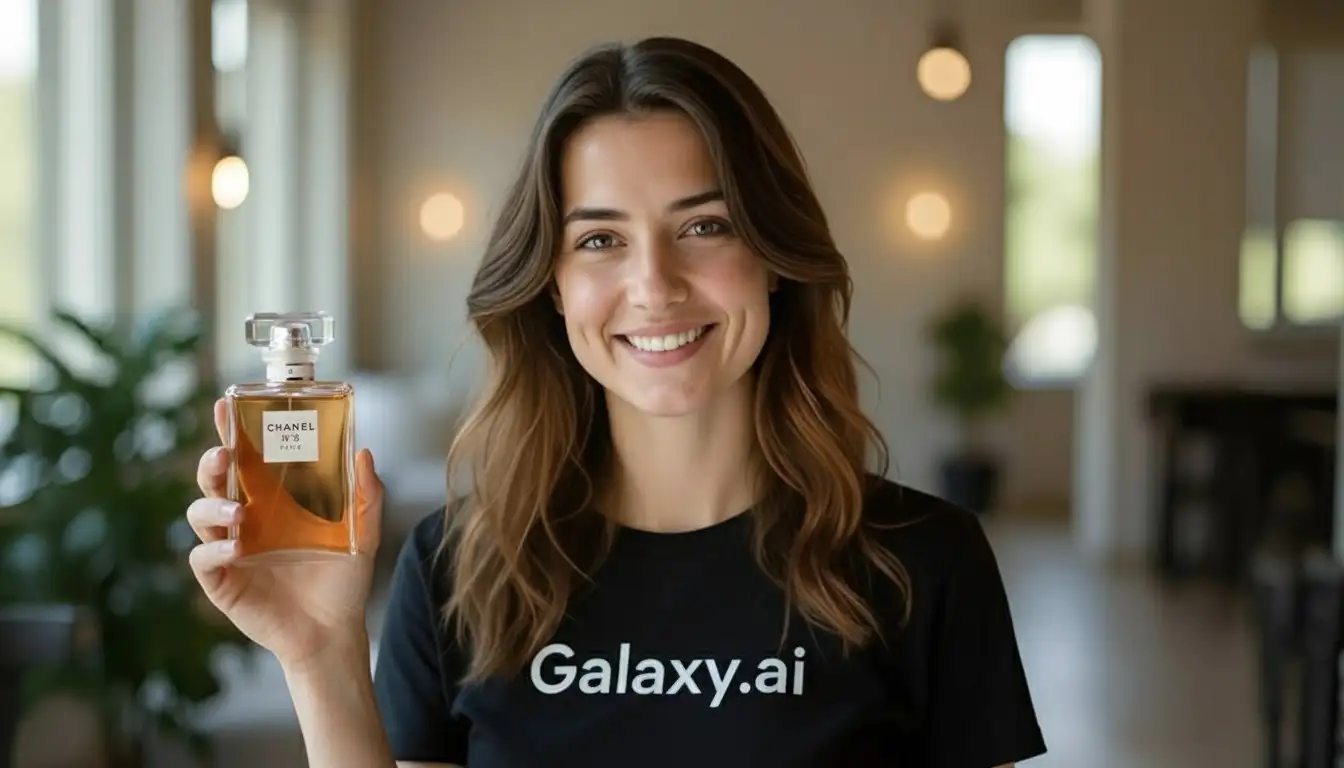
Girl speaks in genz american accent with perfect lip sync with appropriate tone and hand gestures just like an influencer, she says: "This scent is absolutely irresistible. The fragrance stays with me all day and feels so refreshing."

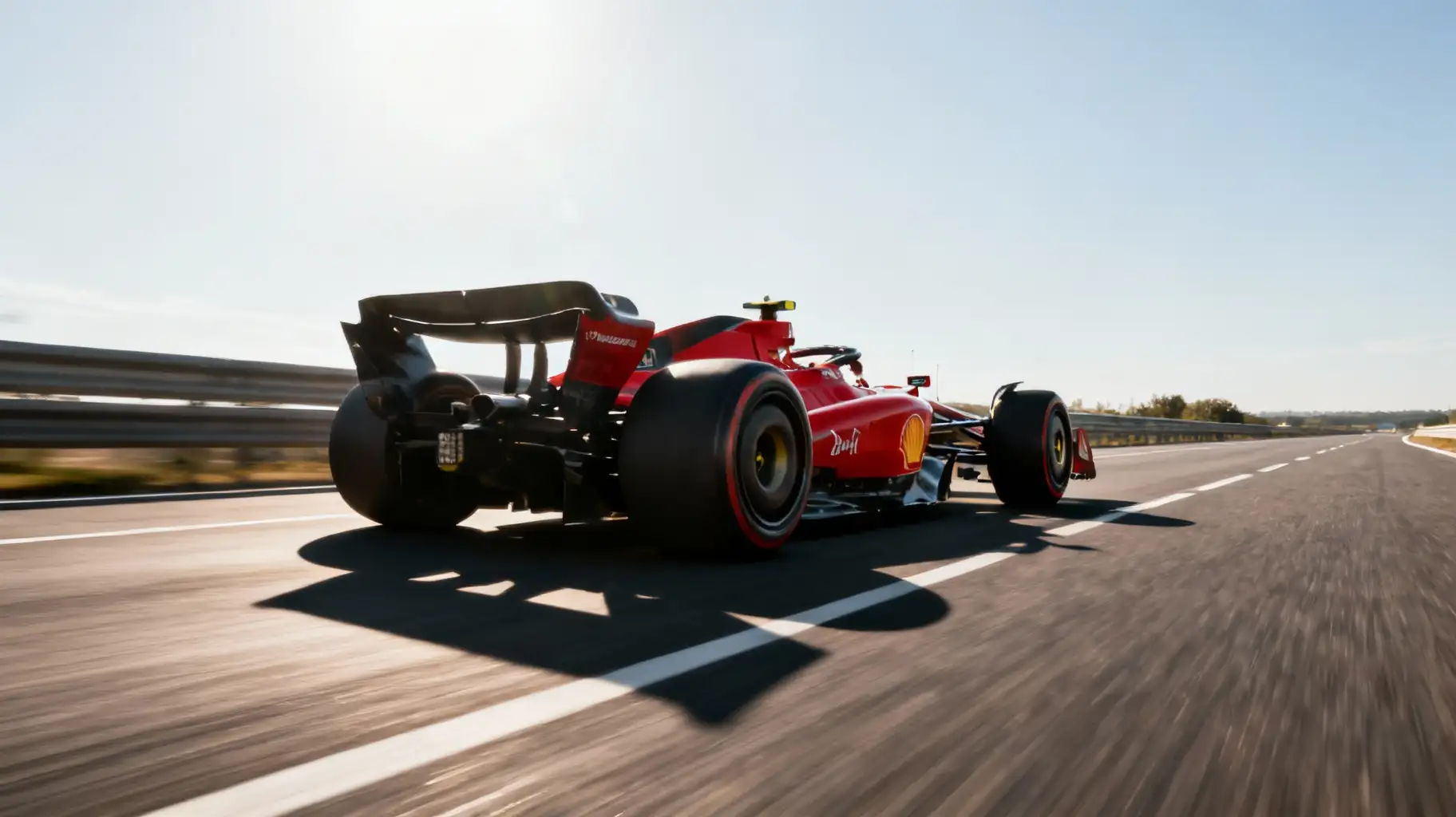
Tracking Shot, F1 Car drive on the Highway super fast
Transform your creative vision into stunning videos using cutting-edge AI technology. Our platform offers unprecedented versatility with text-to-video, image-to-video, and video-to-video generation capabilities.
Creating professional AI-generated videos is intuitive with our streamlined workflow. Follow these simple steps to bring your ideas to motion:
Select between Text → Video for creating from descriptions, Image → Video for animating images, or Video → Video for transforming existing footage with character replacement or motion transfer.
Enter a detailed text prompt, upload an image with animation instructions, or attach a video with a character image for transformation. Be specific about motion, style, and desired effects.
Select your preferred AI model, duration, aspect ratio, and advanced options like camera movement, style preferences, or transformation intensity.
ask Magica to generate the result Video' and track real-time progress. Once complete, preview your video and download in high quality. Generate multiple variations to explore different creative directions.
Create videos from text descriptions, animate static images, or transform existing videos with character replacement and motion transfer capabilities.
Choose from 50+ cutting-edge models including Kling 2.5, Luma Ray 2, Google Veo 3, Runway Gen 4, and specialized models like Wan-2.2 for video transformations.
Generate videos in multiple aspect ratios (16:9, 9:16, 1:1) and durations (5-12 seconds), perfect for social media, presentations, and creative projects.
Revolutionary character replacement and motion replication features using Wan-2.2 models for seamless video transformations.
Prompt optimization, negative prompts, camera controls, style selection, and audio generation (where supported) for professional results.
Full ownership and commercial usage rights for every video you create, empowering unlimited creative and business applications.
Our versatile AI video generator empowers creators across industries to produce professional video content effortlessly.
Generate unique video content for TikTok, Instagram Reels, YouTube Shorts, and other platforms. Create engaging narratives and visual effects without expensive equipment.
Produce compelling video ads, product demonstrations, and promotional content quickly. Transform static product images into dynamic showcases.
Generate b-roll footage, create visual effects, prototype scenes, and explore creative concepts. Use video-to-video for unique character transformations.
Bring illustrations to life, create animated sequences, and experiment with motion styles. Perfect for concept visualization and artistic exploration.
Create engaging educational content, animated explanations, and dynamic presentations that capture attention and improve learning outcomes.
Produce professional product videos, brand stories, and social media content without hiring expensive production teams or agencies.
Include specific details about motion ('slow zoom in', 'tracking shot'), lighting ('golden hour', 'neon glow'), and camera angles ('aerial view', 'close-up'). For character videos, describe expressions and gestures.
Kling excels at realistic motion, Luma offers creative flexibility, Veo provides high quality, Runway delivers professional results. For video transformations, use Wan-2.2 models for character work.
For image-to-video, use high-resolution images with clear subjects. For video-to-video, ensure your reference video has good lighting and stable footage for best transformation results.
Use negative prompts to exclude unwanted elements, adjust camera settings for dynamic shots, and experiment with transformation intensity (shift) for video-to-video generations.
Choose 9:16 for TikTok/Reels, 16:9 for YouTube/presentations, and 1:1 for Instagram posts. Match duration to platform limits and engagement patterns.
Generate multiple variations with slight prompt changes. Analyze what works and refine your approach. Use the history feature to track successful prompts and settings.
We offer three powerful modes: Text-to-Video (create videos from descriptions), Image-to-Video (animate static images), and Video-to-Video (transform existing videos with character replacement or motion transfer using Wan-2.2 models).
Access 50+ models including Kling (2.5 Turbo, v2.1, v1.6), Luma (Dream Machine, Ray 2), Google Veo (2, 3), Runway (Gen 3A, Gen 4), Minimax, Hailuo, ByteDance Seedance, Wan Pro, Pika, Pixverse, Vidu, and specialized Wan-2.2 models for video transformations. Each model offers unique strengths for different creative needs.
Video duration ranges from 5 to 12 seconds depending on the model. Most models support 5 or 10-second outputs, with some like Seedance offering up to 12 seconds. Video-to-video transformations match the input video duration.
Our Video-to-Video mode uses advanced Wan-2.2 models to either replace characters in videos while preserving scene context (Wan-2.2 Replace) or transfer motion and expressions from reference videos (Wan-2.2 Animate). Perfect for creative transformations and character animations.
You can filter by models that support automatic audio generation. For other models, you can enable the 'Add audio to video' option to include sound effects.
You receive full ownership and commercial rights for all videos generated using this Magica workflow. Use them freely for personal projects, marketing, social media, products, and more without attribution requirements.
Write detailed prompts with specific motion descriptions, use high-quality input images/videos, experiment with different models, leverage negative prompts to exclude unwanted elements, and iterate based on results. For video-to-video, ensure good lighting and stable footage in your source material.