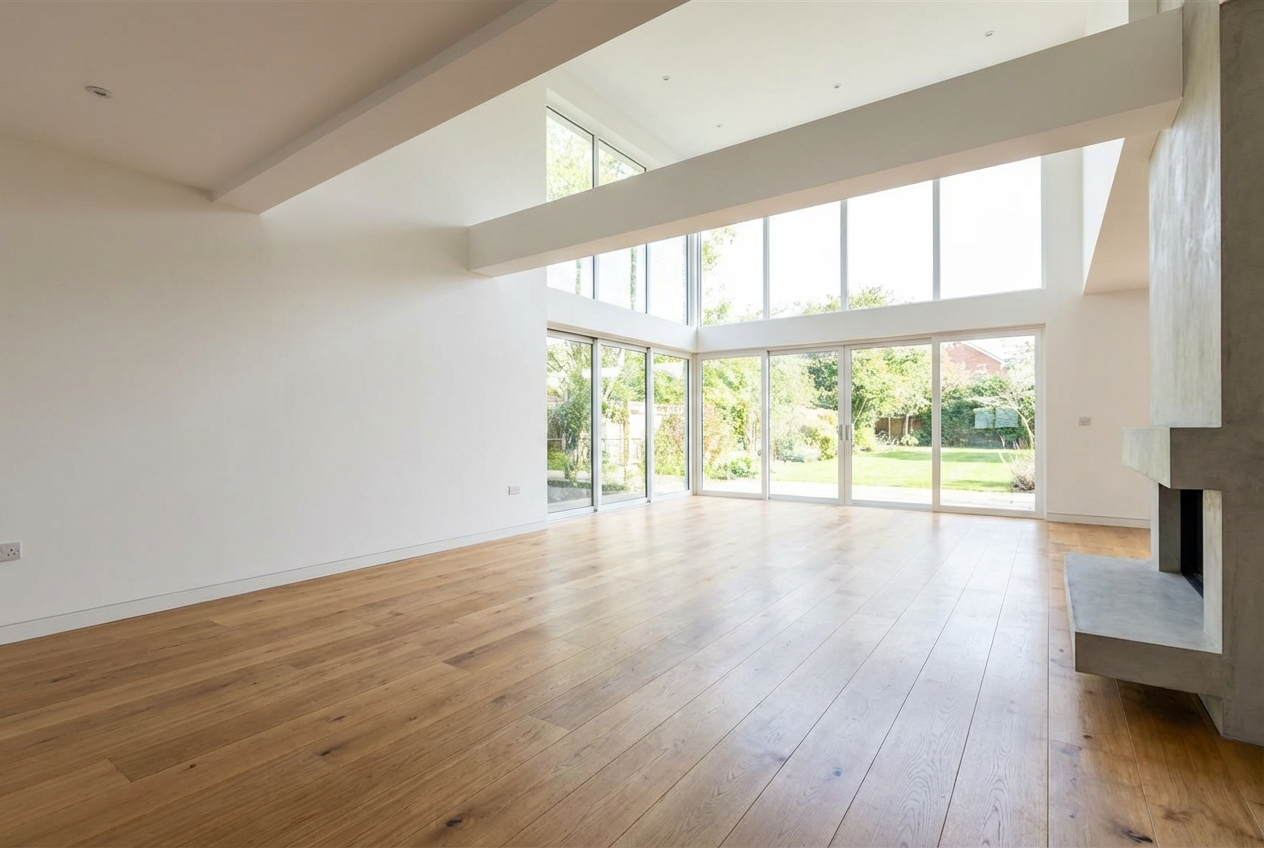
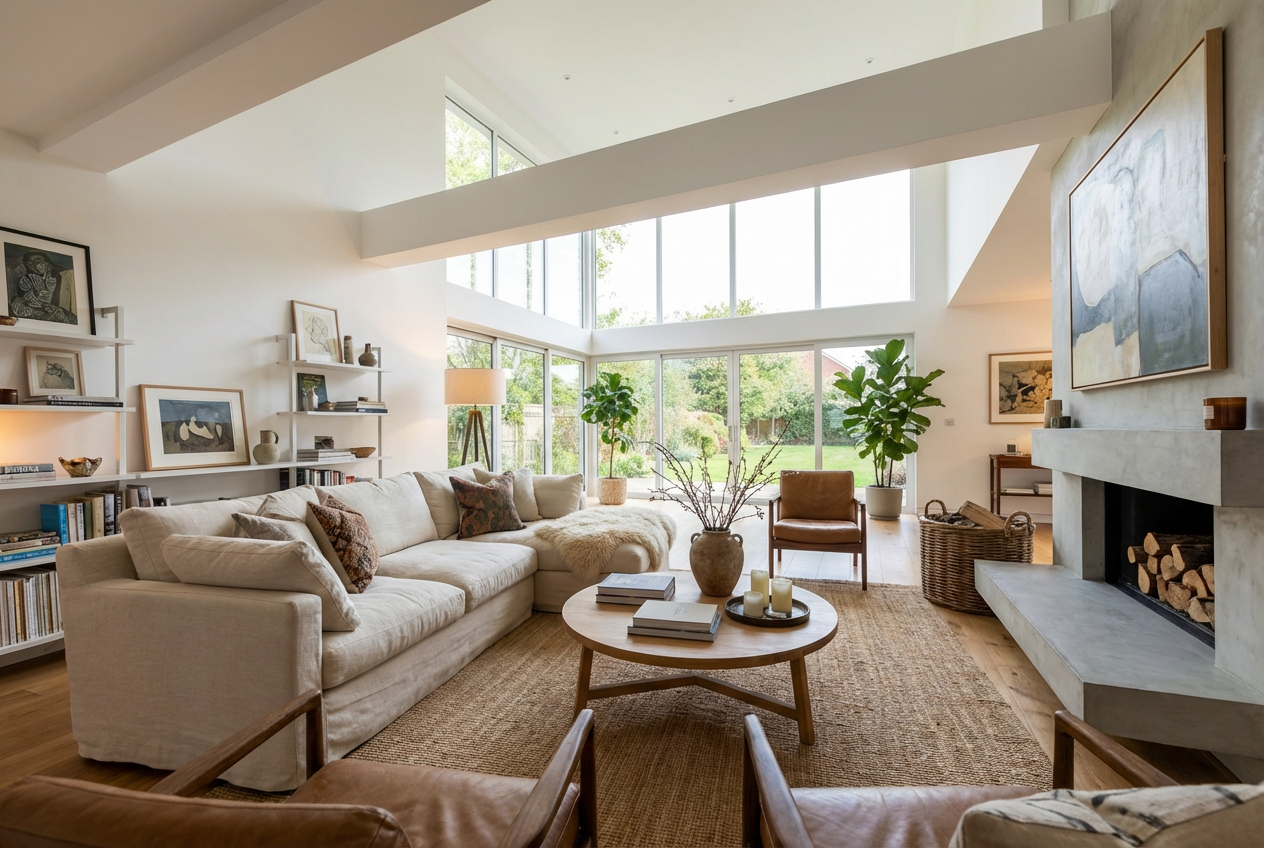
Transform empty properties into stunning, furnished spaces instantly with AI-powered virtual staging that helps properties sell faster.
Instant room transformation with professional furniture
Multiple design styles from modern to traditional
Cost-effective alternative to physical staging
Perfect for real estate listings and marketing
High-quality, photorealistic results
Customizable furniture density and arrangements
Add plants, artwork, and decorative elements
Professional lighting and color coordination
How Our AI Virtual Staging Generator Works
Create professional virtual staging in three simple steps
01
Select Room Type
Choose the type of room you want to stage and select your preferred furniture style
02
Customize Details
Adjust color schemes, furniture density, lighting, and add decorative elements
03
Generate & Download
AI creates photorealistic staging instantly - perfect for your property listings
Key Features of AI Virtual Staging Generator
Multiple Room Types
Stage living rooms, bedrooms, kitchens, offices, and more with appropriate furniture
Diverse Design Styles
Choose from modern, contemporary, traditional, farmhouse, and luxury styles
Professional Lighting
Automatic lighting adjustments for bright, warm, or dramatic ambiance
Color Coordination
Smart color scheme selection that complements your space perfectly
Customizable Density
Control furniture amount from minimal to fully furnished spaces
Real Estate Ready
Professional-quality images perfect for MLS listings and marketing materials
Who Can Benefit from AI Virtual Staging?
Perfect for real estate professionals and property owners
Real Estate Agents
Create compelling listings that sell properties faster with professional staging
Property Developers
Showcase potential in new developments before furniture is moved in
Photographers
Offer virtual staging services to real estate clients as an additional service
Property Managers
Market rental properties effectively with virtually staged photos
Homeowners
Visualize renovation ideas and increase sale appeal before listing
Interior Designers
Present design concepts to clients before purchasing furniture
Tips for the Best Virtual Staging Results
Tip 1
Use High-Quality Photos
Start with well-lit, high-resolution images of empty rooms for best staging results
Tip 2
Match Your Target Market
Choose furniture styles that appeal to your likely buyers or renters
Tip 3
Keep It Realistic
Select appropriate furniture density that matches the room size and purpose
Tip 4
Consider the Architecture
Choose styles that complement the property's existing architectural features
Tip 5
Add Warmth with Accessories
Enable plants and artwork options to make spaces feel more inviting and lived-in
Frequently Asked Questions
What is virtual staging?
Virtual staging is the process of digitally furnishing empty rooms using AI technology. It creates photorealistic images of how a space could look with furniture and decor, helping buyers visualize the property's potential.
How is AI virtual staging different from traditional staging?
AI virtual staging is significantly more affordable, faster, and more flexible than traditional physical staging. It eliminates the need to rent, move, and arrange real furniture while providing unlimited design possibilities.
Can I use virtually staged images for real estate listings?
Yes, but most MLS services require you to disclose that images have been virtually staged. Always check your local real estate regulations and include appropriate disclaimers.
Which room types work best for virtual staging?
Virtual staging works excellently for living rooms, bedrooms, dining rooms, home offices, and kitchens. Any room that benefits from showing its potential with furniture can be effectively staged.
What furniture styles are available?
We offer modern, contemporary, minimalist, Scandinavian, industrial, bohemian, traditional, farmhouse, mid-century modern, and luxury furniture styles to match different property types and target markets.
How long does virtual staging take?
AI virtual staging is nearly instantaneous, taking just seconds to transform an empty room into a beautifully furnished space.
Can I adjust the amount of furniture in the room?
Yes! You can control furniture density from minimal (just essential pieces) to fully furnished (complete with accessories and decorative elements).
Does virtual staging increase property sales?
Studies show that staged properties sell faster and often for higher prices. Virtual staging helps buyers emotionally connect with properties and visualize themselves living there.
Can I add plants and artwork?
Absolutely! You can enable options to add indoor plants, greenery, and wall art to make spaces feel more inviting and personalized.
What image quality should I start with?
For best results, use high-resolution photos taken with good natural lighting and a wide-angle lens. Professional real estate photography works excellently as a base.