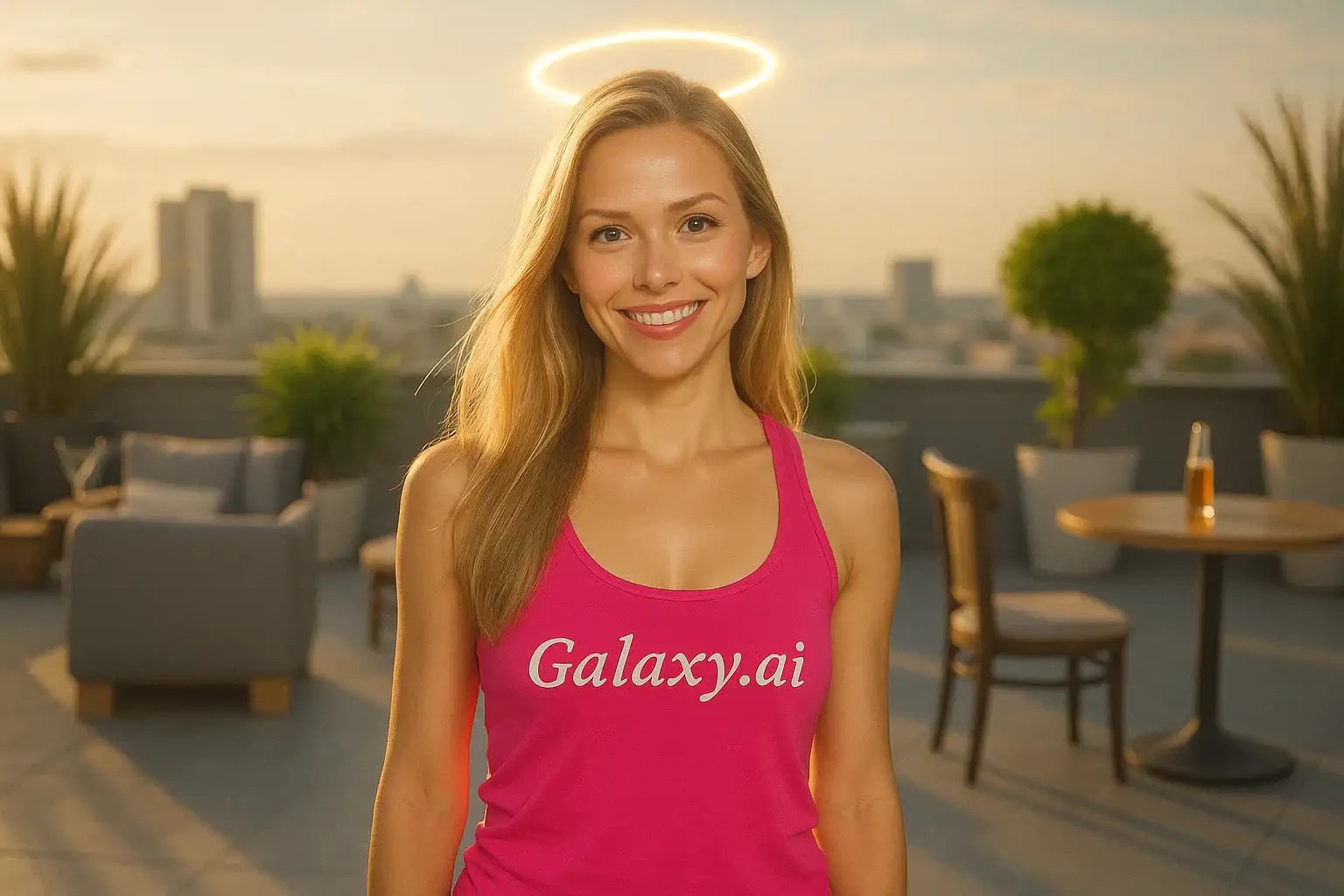
Compare the source image with each finished result.
Source image
Result
What Magica will ask for
The agent gathers these inputs and preferences in the conversation before it starts.
Upload Photos
attach a photo to apply the filter
Why Choose Our AI Angel Halo Filter?
Transform your photos with a divine touch using our advanced AI angel halo filter. Add a beautiful, ethereal glow to create heavenly portraits instantly!
Stunning, realistic angel halo effects
Perfect golden glow and ethereal lighting
Maintains original photo quality
One-click divine transformation
Ultra-fast AI processing
No photo editing skills needed
Ideal for spiritual and artistic photos
How Our Angel Halo Filter Works
Adding a heavenly halo to your photos is beautifully simple:
01
Attach Your Photo
Select a clear photo where the person's head is visible. Portrait or profile shots work great!
02
Apply the Filter
ask Magica to generate the result and watch as our AI adds a beautiful, glowing halo above the head.
03
Download & Share
Preview your divine transformation and download your angelic portrait.
Key Features of the AI Angel Halo Filter
Divine Halo Effect
Creates a perfectly positioned, golden halo that emits a soft, heavenly glow above the subject's head.
Smart Positioning
Our AI accurately detects head position and places the halo naturally, adjusting for angles and poses.
Ethereal Lighting
Adds subtle light effects that blend seamlessly with the original photo's lighting conditions.
Quality Preservation
Maintains the original photo's resolution while adding the celestial effect.
Who Can Benefit from the Angel Halo Filter?
Our AI Angel Halo Filter is perfect for anyone looking to add a divine touch to their photos.
Social Media Creators
Create ethereal, angelic content for Instagram, TikTok, or other platforms.
Digital Artists
Add celestial elements to portraits or artistic projects quickly.
Cosplay Enthusiasts
Perfect for angel, deity, or celestial being costume photos.
Photographers
Add ethereal effects to portrait sessions or special occasion photos.
Event Photographers
Enhance photos for religious ceremonies, baptisms, or spiritual events.
Everyone
Anyone wanting to add a touch of divine beauty to their pictures.
Tips for Perfect Angel Halo Photos
Tip 1
Choose Clear Photos
Use well-lit photos where the subject's head and upper body are clearly visible.
Tip 2
Consider the Background
Photos with simpler backgrounds allow the halo effect to stand out more beautifully.
Tip 3
Quality Matters
Higher resolution photos will result in more detailed and realistic halo effects.
Tip 4
Head Position
Straight-on or slightly angled poses work best for natural halo placement.
Frequently Asked Questions About Our Angel Halo Filter
How realistic does the angel halo look?
Our AI creates highly realistic halos with natural-looking light effects that blend seamlessly with the original photo's lighting and atmosphere.
Can I use the filter on group photos?
Yes, the AI will attempt to add halos to all visible people in the photo. However, results are typically best with individual portraits.
Will the halo look good with any hair color or style?
Yes! Our AI adjusts the halo's glow and positioning to complement any hair color, style, or head covering while maintaining a natural look.
Does the filter affect the original image quality?
No, we maintain the original photo's resolution while adding the halo effect. You'll receive a high-quality image with the divine enhancement.
Is my photo data safe?
Absolutely. We prioritize user privacy and security. Your photos are used only for applying the filter and are not stored long-term or used for other purposes.