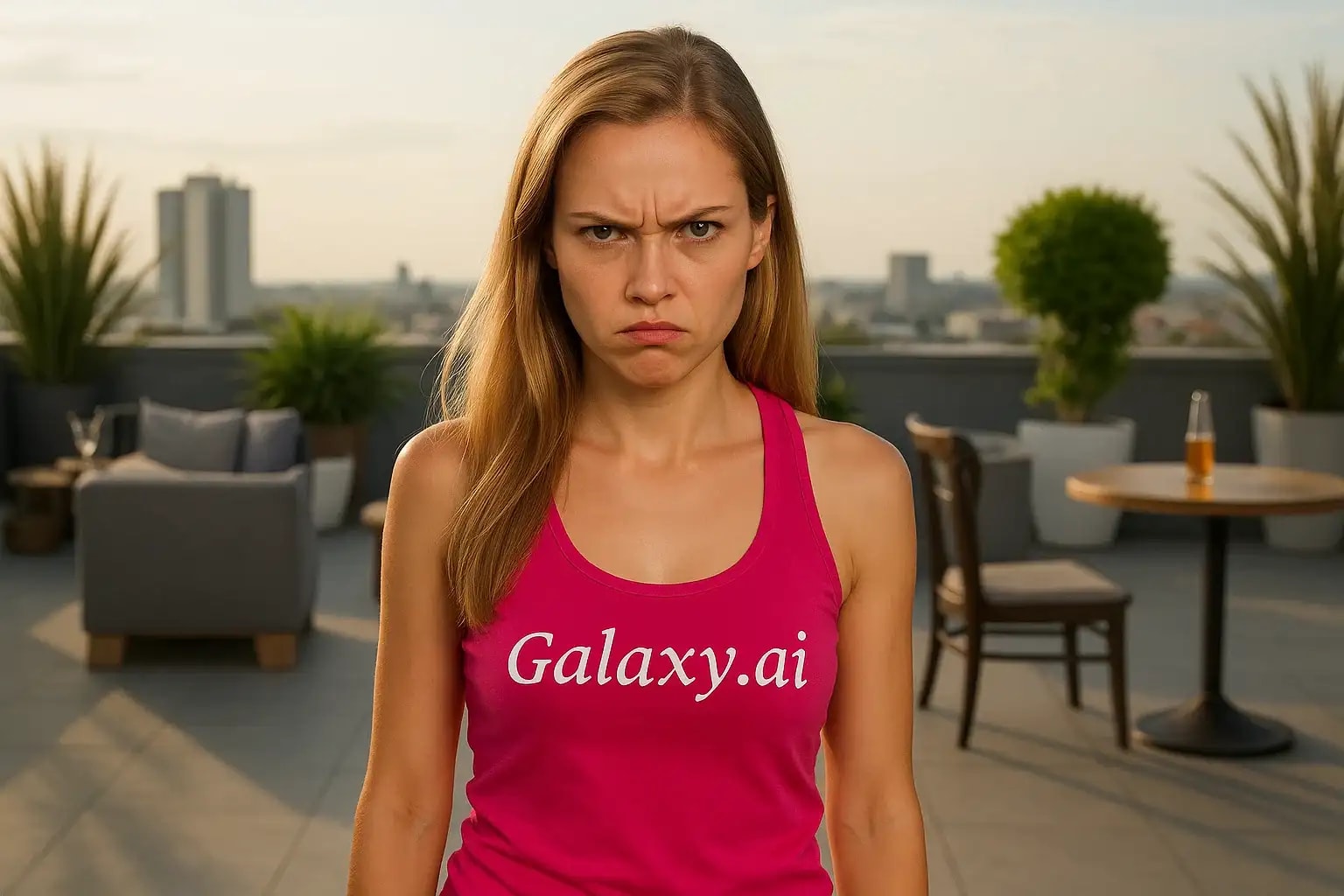
Compare the source image with each finished result.
Source image
Result
What Magica will ask for
The agent gathers these inputs and preferences in the conversation before it starts.
Upload Face Photo
attach a photo to apply the filter
Why Choose Our AI Angry Filter?
Transform facial expressions into realistic angry looks instantly with our advanced AI. Perfect for creative projects, acting references, or exploring different emotional states!
Realistic angry expression transformation
Preserves facial features and natural look
Maintains original photo quality
Simple one-click operation
Fast AI-powered processing
No photo editing skills needed
Great for acting portfolios and creative projects
How Our Angry Filter Works
Creating a realistic angry expression in your photos is incredibly simple:
01
Attach Your Photo
Select and attach a clear photo of a face. Front-facing portraits work best!
02
Apply the Filter
ask Magica to generate the result and watch as our AI transforms the expression into a realistic angry look.
03
Download & Share
Preview the transformed expression and download your high-quality image.
Key Features of the AI Angry Filter
Natural Expression Transformation
Creates believable angry expressions while maintaining the subject's unique facial features.
Smart Facial Recognition
Advanced AI accurately detects and transforms facial features for a realistic angry look.
Detail Preservation
Maintains skin texture, lighting, and other important details while changing the expression.
High-Quality Output
Delivers high-resolution images with professional-grade expression transformation.
Who Can Benefit from the Angry Filter?
Our AI Angry Filter serves various creative and professional needs across different fields.
Actors & Performers
Create reference images for character development or add variety to acting portfolios.
Content Creators
Generate engaging content for social media, thumbnails, or creative projects.
Artists & Illustrators
Use as reference material for drawings, paintings, or digital art featuring angry expressions.
Photographers
Experiment with emotional expressions in portrait photography or client work.
Cosplayers
Perfect angry expressions for character-accurate photos and portfolio shots.
Social Media Users
Create unique, expressive content for social media posts and stories.
Tips for the Best Angry Expression Results
Tip 1
Use Clear, Well-Lit Photos
Ensure the face is clearly visible and well-lit for optimal expression transformation.
Tip 2
Choose Front-Facing Photos
Direct front or slightly angled face shots work best for realistic expression changes.
Tip 3
Start with Neutral Expressions
Photos with neutral expressions typically yield the most natural-looking results.
Tip 4
Avoid Extreme Angles
Skip photos with extreme head tilts or turns for better transformation quality.
Frequently Asked Questions About Our Angry Filter
How realistic is the angry expression transformation?
Our AI is trained to create highly realistic angry expressions while maintaining natural facial features and characteristics. The result looks authentic rather than exaggerated or cartoonish.
Can I use photos with multiple people?
While the AI can detect multiple faces, we recommend using single-person photos for the most consistent and reliable results.
Will the filter work with side profile photos?
The filter works best with front-facing or slightly angled faces. Side profiles may not produce optimal results as the AI needs to see most facial features clearly.
Does the transformation affect image quality?
No, our filter maintains the original image quality while only modifying the facial expression. You'll receive a high-resolution output with the same quality as your input.
Is my photo data safe?
Yes, we take privacy seriously. Your photos are processed securely, not stored long-term, and never used for other purposes. They're automatically deleted after processing.