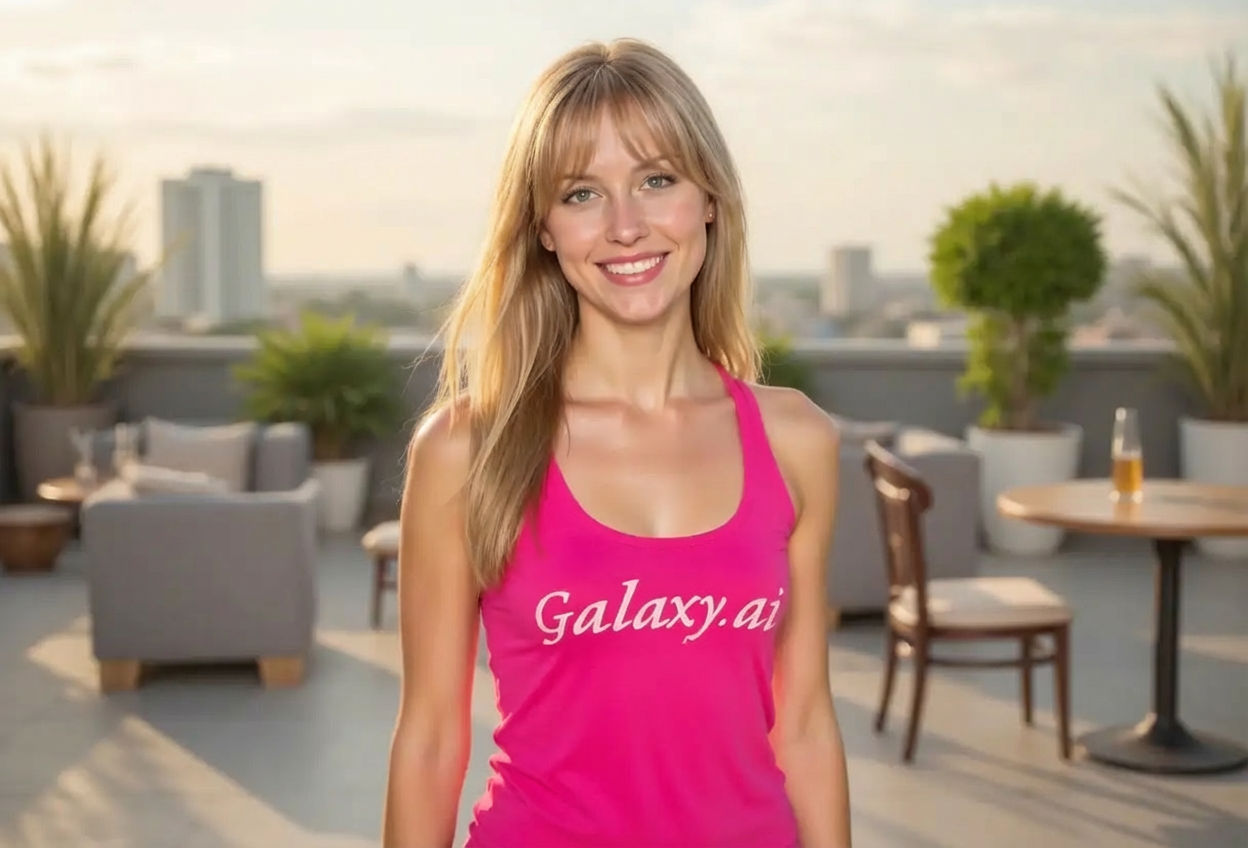
Compare the source image with each finished result.
Source image
Result
What Magica will ask for
The agent gathers these inputs and preferences in the conversation before it starts.
Upload Photos
attach a photo to apply the filter
Why Choose Our AI Bangs Filter?
Preview how you'd look with bangs before making the commitment! Our advanced AI creates realistic bangs that complement your face shape and existing hairstyle.
Natural-looking bangs that match your hair color and texture
Complements your unique face shape
Try before you cut - no commitment required
Maintains original photo quality
Instant preview powered by AI
No editing skills required
Perfect for hairstyle planning and consultation
How Our AI Bangs Filter Works
Preview your new look with bangs in three simple steps:
01
Attach Your Photo
Select a clear photo where your face and hair are clearly visible. Front-facing shots with your hair styled work best!
02
Apply the Filter
ask Magica to generate the result and watch as our AI adds natural-looking bangs that complement your features.
03
Download & Share
Preview your transformation and download your photo with bangs to share with friends or show your stylist.
Key Features of the AI Bangs Filter
Natural Hair Matching
AI automatically matches your hair color, texture, and style to create realistic bangs that look like they're truly yours.
Face Shape Analysis
Advanced AI analyzes your face shape to create bangs that are most flattering for your unique features.
Seamless Integration
Bangs blend naturally with your existing hairstyle, creating a cohesive and professional look.
Instant Results
Get your bangs preview in seconds, no waiting for salon appointments or commitment required.
Who Can Benefit from the AI Bangs Filter?
Our AI Bangs Filter is perfect for anyone curious about changing their hairstyle or wanting to preview bangs before cutting.
Hair Transformation Seekers
Preview how bangs will look on you before making the big cut, eliminating the fear of regret.
Salon Clients
Show your hairstylist exactly what you want by bringing a preview photo to your appointment.
Social Media Enthusiasts
Create fun before-and-after content or update your profile picture with a fresh new look.
Fashion & Beauty Influencers
Test different hairstyles for photoshoots, videos, and content creation without permanent changes.
Content Creators
Generate hairstyle transformation content for beauty tutorials and style guides.
Indecisive Shoppers
Can't decide if bangs are right for you? Preview multiple times before committing to the cut.
Tips for the Best Bangs Preview
Tip 1
Use a Clear, Front-Facing Photo
Ensure your face and forehead are clearly visible with good lighting for the most accurate bangs preview.
Tip 2
Show Your Current Hairstyle
Photos where your hair is styled and visible help the AI create bangs that blend naturally with your existing look.
Tip 3
Higher Resolution Works Best
Use high-quality photos to ensure the bangs appear detailed and realistic in the transformation.
Tip 4
Try Different Expressions
Preview how your bangs will look with different facial expressions - smiling, neutral, or serious poses all work great.
Tip 5
Hair Down for Best Results
Photos with your hair down (rather than pulled back) give the AI more information to create perfectly matching bangs.
Frequently Asked Questions About Our AI Bangs Filter
How realistic will the bangs look?
Our AI creates highly realistic bangs by analyzing your face shape, hair color, and texture. The bangs are designed to complement your features and blend naturally with your existing hairstyle, giving you an accurate preview of how they'd actually look.
Can I preview different bang styles?
Currently, the filter creates natural, face-flattering bangs based on your features. The AI automatically selects a bang style that complements your face shape and existing hairstyle for the most flattering result.
Will it work with my hair color and type?
Yes! The AI automatically detects and matches your hair color, whether it's blonde, brunette, black, red, or dyed colors. It also adapts to different hair textures including straight, wavy, and curly hair.
Can I show this to my hairstylist?
Absolutely! Many users download their bangs preview to show hairstylists exactly what they're looking for. It's a great communication tool for your salon appointment.
What if I don't like how the bangs look?
That's exactly why this tool exists! If you don't like the preview, you've saved yourself from a haircut you might regret. You can try the filter with different photos or simply decide that bangs aren't for you right now - all without cutting a single strand.
Does it work on all face shapes?
Yes! The AI analyzes your unique face shape - whether round, oval, square, heart-shaped, or long - and creates bangs that are most flattering for your specific features.
Is my photo kept private?
We prioritize user privacy. Your photos are used only for the bangs transformation process and are not stored long-term or used for other purposes. The generated preview is returned in the conversation for you to save.
Can I use this filter multiple times?
Yes! Feel free to try the filter with different photos, angles, or lighting conditions to get a comprehensive view of how bangs would look on you from various perspectives.