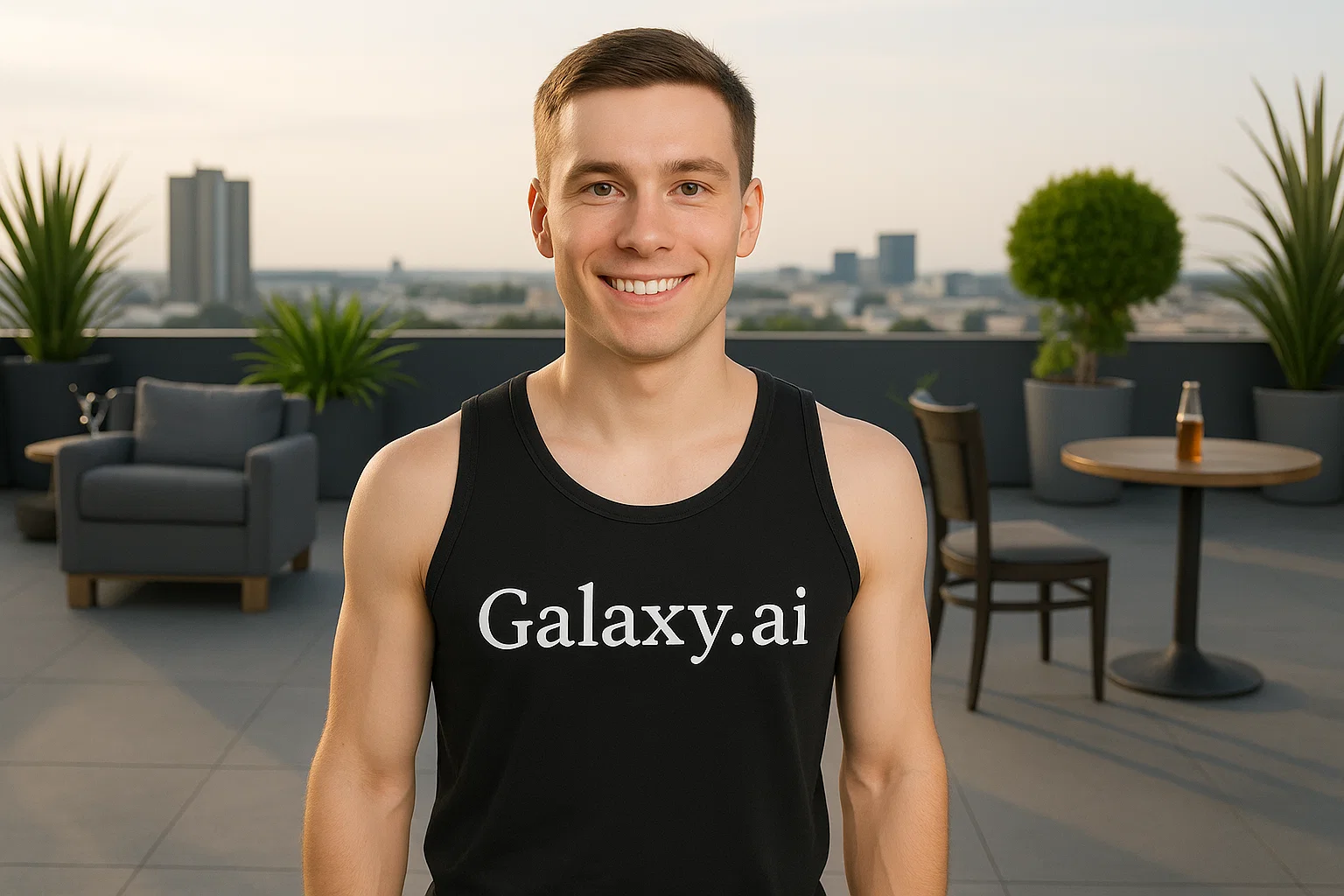
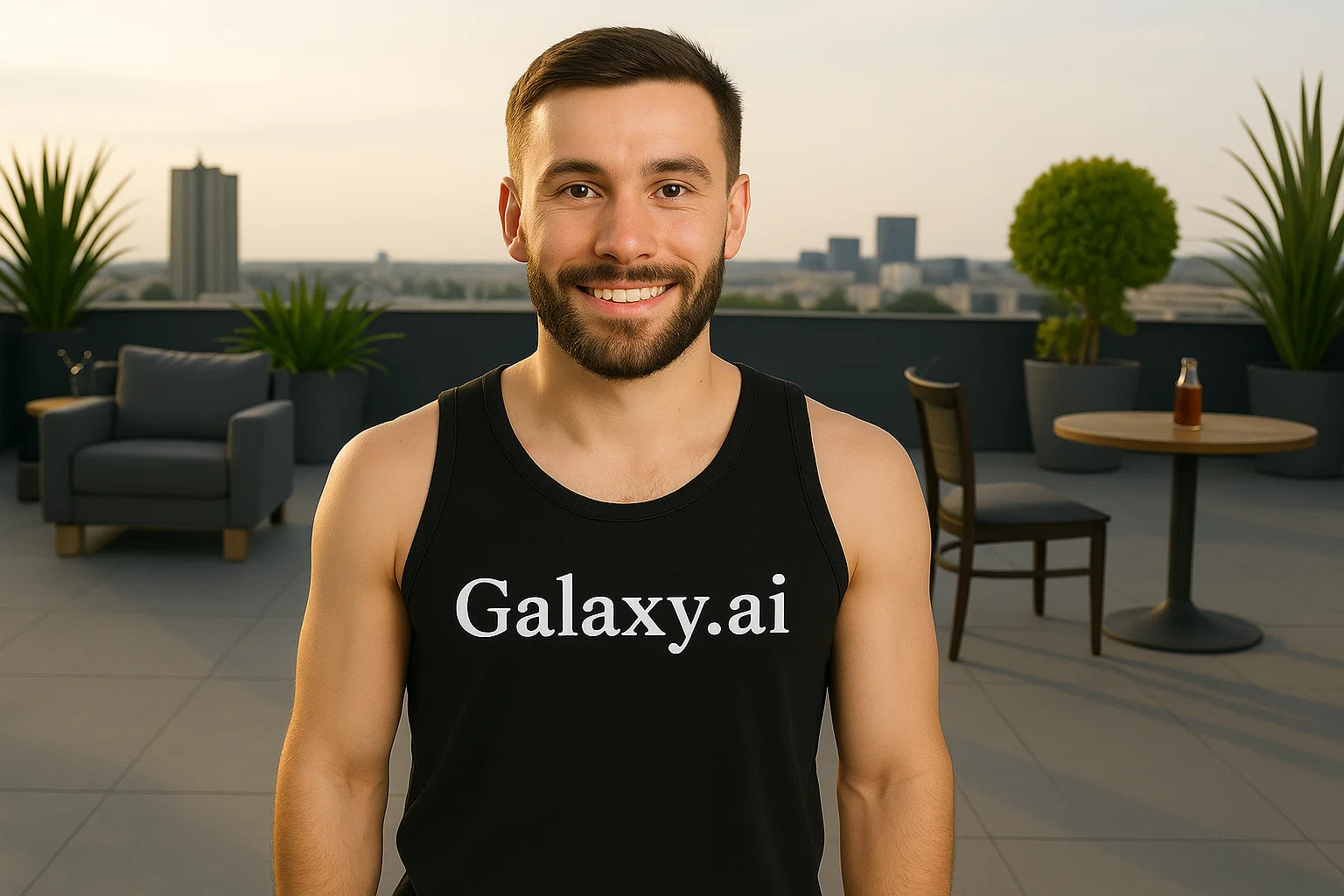
Compare the source image with each finished result.
Source image
Result
What Magica will ask for
The agent gathers these inputs and preferences in the conversation before it starts.
Upload Face Photo
attach a photo to apply the filter
Why Choose Our AI Beard Filter?
Instantly add a realistic beard to your photos with our advanced AI. See how you'd look with different facial hair styles effortlessly!
Hyper-realistic beard generation
Natural blending with facial features
Maintains original photo quality
Simple one-click operation
Lightning-fast processing powered by AI
No complex editing skills required
Perfect for style experimentation
How Our Beard Filter Works
Adding a realistic beard to your photos is incredibly simple:
01
Attach Your Photo
Select and attach a clear photo of your face. Front-facing portraits work best!
02
Apply the Filter
Click the 'Generate' button. Our AI instantly adds a natural-looking beard to your face.
03
Download & Share
Preview your new bearded look and download the high-resolution image.
Key Features of the AI Beard Filter
Natural Beard Texture
Creates realistic beard textures that match your facial features and skin tone.
Intelligent Face Detection
Our advanced AI accurately identifies facial features to place the beard naturally.
Seamless Blending
Perfectly blends the generated beard with your existing facial features.
High-Quality Results
Outputs high-resolution images that maintain the original photo's quality.
Who Can Benefit from the Beard Filter?
Our AI Beard Filter is perfect for anyone curious about how they'd look with facial hair or needing beard visualizations.
Style Explorers
Visualize how you'd look with a beard before committing to growing one.
Content Creators
Quickly create before/after transformations or character variations.
Entertainment
Have fun seeing how friends and family would look with different beard styles.
Photographers
Create quick beard visualizations for clients or creative projects.
Costume & Cosplay
Visualize character looks that require beards for costume planning.
Digital Artists
Generate reference images for character designs with beards.
Tips for Best Beard Filter Results
Tip 1
Use Clear, Well-Lit Photos
Ensure your face is clearly visible and well-lit for optimal beard placement.
Tip 2
Front-Facing Photos Work Best
Use photos where you're looking directly at the camera for the most natural results.
Tip 3
Higher Resolution is Better
Using higher-quality input photos allows the AI to create more detailed beard textures.
Tip 4
Clean Face Photos
Start with photos showing a clean-shaven or minimal facial hair for best results.
Frequently Asked Questions About Our Beard Filter
How realistic is the beard filter?
Our AI is designed to create natural-looking beards that blend seamlessly with your facial features, skin tone, and the photo's lighting. The results aim to be as realistic as possible.
Can I use photos with multiple people?
The AI will attempt to add beards to all detected faces in the photo. However, for best results, we recommend using single-person portraits.
Will it work if I already have some facial hair?
The filter works best on clean-shaven faces. Existing facial hair might affect the results or create less natural-looking blending.
Does the filter reduce photo quality?
No, the tool maintains the original resolution and quality of your photo while adding the beard effect.
What happens to my uploaded photos?
We prioritize user privacy. Your photos are used only for the filtering process and are not stored long-term or used for other purposes.