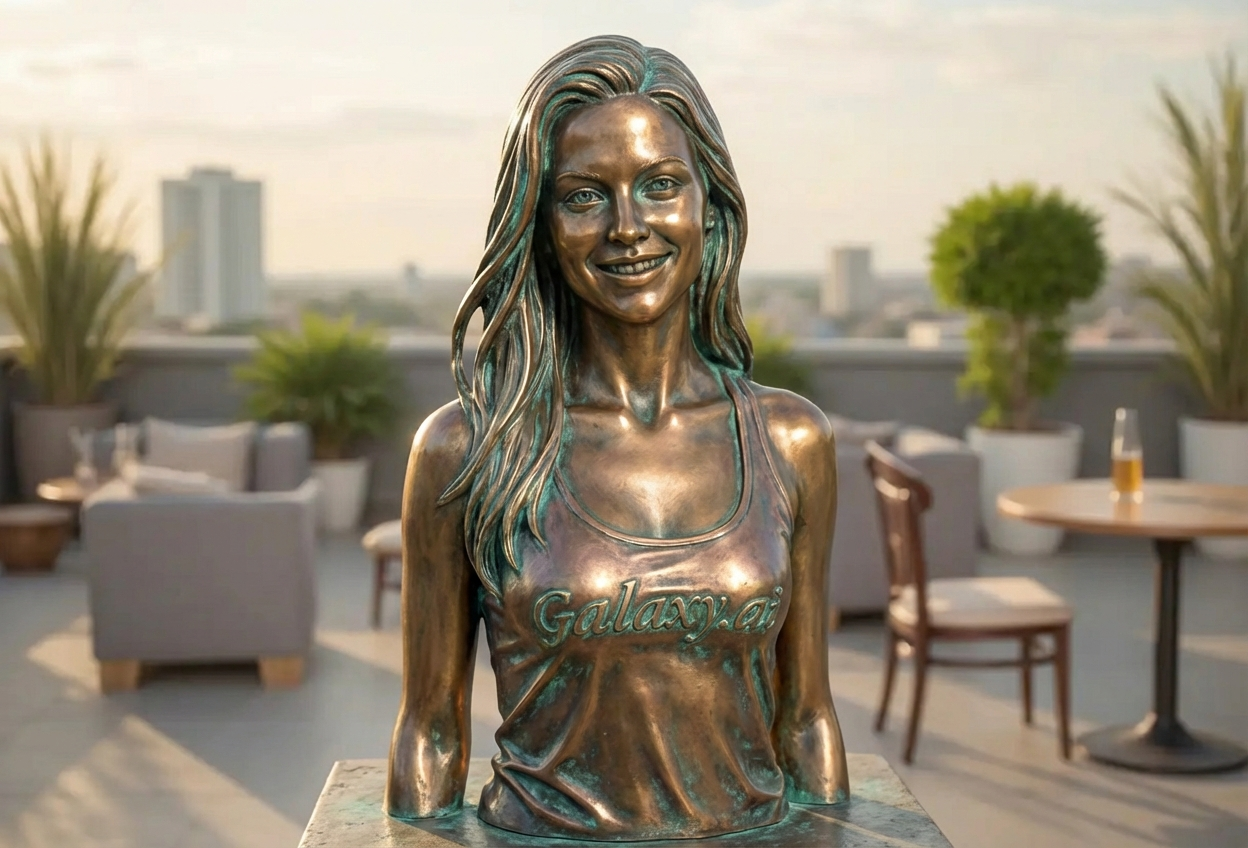
Compare the source image with each finished result.
Source image
Result
What Magica will ask for
The agent gathers these inputs and preferences in the conversation before it starts.
Attach Your Photo
attach a photo to apply the bronze statue filter
Why Choose Our AI Bronze Statue Filter?
Transform your photos into timeless bronze sculptures with our advanced AI. Experience the elegance and permanence of classical metallic art with just one click!
Authentic bronze metallic finish with realistic sheen
Natural patina and verdigris effects
Classical sculpture aesthetics and styling
Maintains facial features and expression
High-quality weathered metal textures
Instant artistic transformation
Perfect for creating timeless, museum-quality portraits
How Our Bronze Statue Filter Works
Transform into a timeless bronze sculpture with these simple steps:
01
Attach Your Photo
Select a clear photo where the subject is clearly visible. Portrait and full-body shots work great!
02
Apply the Filter
ask Magica to generate the result and watch as our AI transforms your photo into a stunning bronze statue with metallic patina.
03
Download & Share
Preview your bronze sculpture transformation and download your artistic masterpiece.
Key Features of the AI Bronze Statue Filter
Authentic Bronze Finish
Creates realistic bronze metallic surfaces with natural patina, verdigris effects, and weathered texture that looks genuinely sculpted.
Classical Sculpture Styling
Applies museum-quality statue aesthetics with proper metallic sheen, depth, and dimensional qualities of bronze artwork.
Smart Detail Preservation
Maintains important facial features and pose while transforming surface into convincing bronze metal with natural oxidation.
High-Resolution Output
Generates high-quality bronze statue images perfect for printing, framing, or digital galleries.
Timeless Artistic Quality
Creates impressive, museum-worthy transformations with classical appeal and artistic permanence.
Who Can Benefit from the Bronze Statue Filter?
Our AI Bronze Statue Filter is perfect for anyone wanting to create unique, artistic transformations with classical sculpture aesthetics.
Social Media Enthusiasts
Create striking bronze statue profile pictures and posts that command attention with artistic elegance.
Content Creators
Generate unique metallic statue content for Instagram, TikTok, YouTube thumbnails, and creative projects.
Artists & Designers
Create reference images for sculpture work, concept art, or explore classical metallic aesthetics digitally.
Photographers
Add artistic bronze sculpture effects to portrait photography for gallery exhibitions or portfolio diversity.
Event Planners
Create themed promotional materials with classical bronze statue imagery for galas, museums, or upscale events.
History & Art Enthusiasts
Visualize yourself as a classical bronze sculpture for educational projects, historical recreation, or artistic expression.
Tips for the Best Bronze Statue Effect
Tip 1
Use Clear, Well-Composed Photos
Select photos with good lighting and clear subject visibility to achieve the most impressive bronze sculpture transformation.
Tip 2
Portrait and Full-Body Shots Work Best
Both portrait and full-body photographs translate beautifully into bronze statue form. Experiment with different poses for varied results.
Tip 3
Consider Classical Poses
Photos with dignified, thoughtful, or powerful poses create the most authentic classical sculpture aesthetic.
Tip 4
Higher Resolution for Better Detail
Use high-quality images to ensure the bronze texture, patina effects, and metallic details are crisp and realistic.
Tip 5
Neutral or Dramatic Backgrounds
While the filter focuses on the subject, backgrounds can enhance the overall statue effect. Neutral tones or dramatic settings work particularly well.
Frequently Asked Questions About Our Bronze Statue Filter
How realistic is the bronze statue transformation?
Our AI creates highly realistic bronze statue effects with authentic metallic sheen, natural patina, and verdigris weathering. The result looks like a genuine bronze sculpture photographed in a museum or gallery setting.
What types of photos work best with this filter?
The filter works best on clear photos with visible subjects - both portraits and full-body shots produce excellent results. Photos with good lighting and distinct subjects create the most impressive bronze sculpture transformations.
Will the bronze effect look natural?
Yes! Our AI applies bronze metallic textures, patina effects, and classical sculpture styling that look authentically sculpted. The transformation maintains facial features while convincingly rendering the subject as bronze metal.
Can I use this for professional projects?
Absolutely! The high-resolution bronze statue transformations are perfect for professional use including art portfolios, marketing materials, social media content, gallery exhibitions, and creative projects.
Does it work on group photos?
While the filter can work on group photos, it performs best on individual subjects or photos with 2-3 people. Individual portraits allow for the most detailed bronze sculpture effects.
What happens to my uploaded photos?
We prioritize user privacy. Your photos are used only for the bronze statue transformation process and are not stored long-term or used for other purposes. Your generated bronze sculpture image is returned in the conversation for you to save.
How long does the transformation take?
The AI bronze statue transformation typically completes in seconds to a minute, depending on server load. You'll see your bronze sculpture result almost instantly!
Can I adjust the bronze effect intensity?
The filter applies an optimized bronze statue transformation designed to create the most realistic classical sculpture effect. The AI automatically balances metallic sheen, patina, and detail preservation for best results.