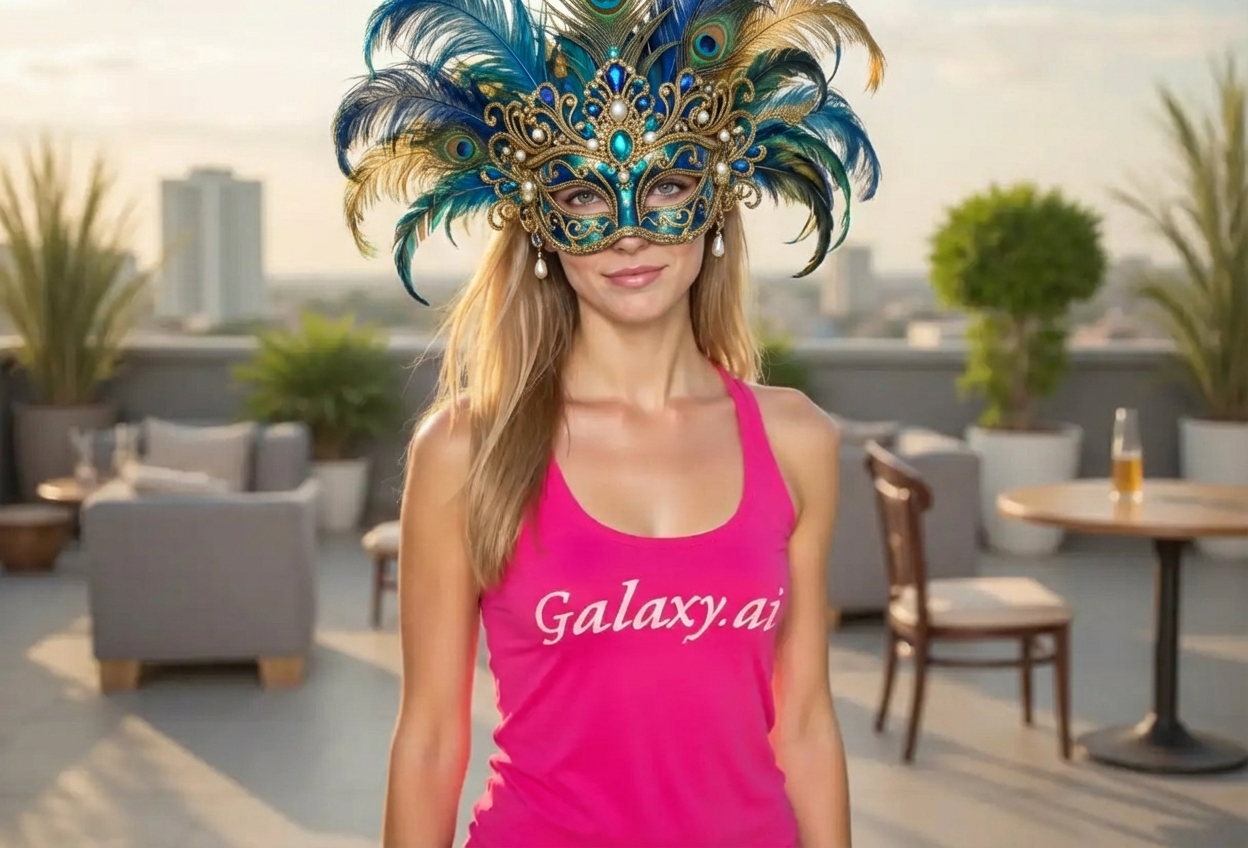
Compare the source image with each finished result.
Source image
Result
What Magica will ask for
The agent gathers these inputs and preferences in the conversation before it starts.
Upload Photos
attach a photo to apply the filter
Why Choose Our AI Carnival Mask Filter?
Transform your photos into mysterious masquerade portraits with our advanced AI. Experience the elegance and intrigue of Venetian carnival style with just one click!
Authentic Venetian masquerade mask designs
Ornate feather decorations and jeweled embellishments
Elegant and mysterious party-ready looks
Maintains original photo quality and lighting
Instant transformation powered by AI
No editing skills required
Perfect for special occasions and events
How Our Carnival Mask Filter Works
Transform into a mysterious masquerade beauty with these simple steps:
01
Attach Your Photo
Select a clear portrait photo where your face is clearly visible. Front-facing shots work best!
02
Apply the Filter
ask Magica to generate the result and watch as our AI adds an ornate carnival mask with feathers and jewels.
03
Download & Share
Preview your masquerade transformation and download your elegant portrait.
Key Features of the AI Carnival Mask Filter
Ornate Venetian Masks
Adds elaborate masquerade masks inspired by authentic Venetian carnival designs with intricate details.
Decorative Feathers
Includes elegant feather decorations that add dramatic flair and sophistication to your look.
Jeweled Embellishments
Features sparkling jewels and gems that create a luxurious, party-ready appearance.
Smart Feature Detection
Advanced AI accurately positions the mask on your face while maintaining natural proportions and expression.
Mysterious Elegance
Creates an air of mystery and sophistication perfect for masquerade balls and special events.
High-Resolution Output
Generates high-quality images perfect for social media, invitations, and profile pictures.
Who Can Benefit from the Carnival Mask Filter?
Our AI Carnival Mask Filter is perfect for anyone wanting to create elegant, mysterious looks for special occasions.
Event Planners
Create themed promotional materials for masquerade balls, carnival events, and elegant parties.
Social Media Enthusiasts
Create unique, eye-catching profile pictures and posts with elegant masquerade styling.
Content Creators
Generate mysterious, elegant content for Instagram, TikTok, and other social platforms.
Artists & Designers
Create reference images for masquerade-themed artwork, costumes, and designs.
Party-Goers
Preview masquerade looks for upcoming events or create fun party invitations.
Fashion Enthusiasts
Experiment with elegant carnival looks and create fashion-forward portrait styles.
Tips for the Best Carnival Mask Effect
Tip 1
Use Clear, Well-Lit Photos
Ensure your face is clearly visible and well-lit for the best mask placement and transformation results.
Tip 2
Front-Facing Portraits Work Best
Photos where you're looking directly at the camera provide the most accurate mask positioning and appearance.
Tip 3
Higher Resolution is Better
Use high-quality photos to ensure the mask details, feathers, and jewels are crisp and beautifully rendered.
Tip 4
Elegant Expressions Enhance the Look
A slight smile or mysterious expression helps create that authentic masquerade ball atmosphere.
Tip 5
Experiment with Different Angles
While front-facing works best, slight angle variations can create unique and dramatic masquerade effects.
Frequently Asked Questions About Our Carnival Mask Filter
How realistic is the carnival mask effect?
Our AI creates highly realistic carnival masks with authentic Venetian designs, ornate feathers, and jeweled details while maintaining your natural facial features and expression. The result is an elegant, party-ready look that appears seamlessly integrated.
What types of photos work best?
The filter works best on clear, front-facing portrait photos with good lighting. While it can work on various photo types, we recommend individual portraits where the face is clearly visible for the most elegant masquerade transformations.
Can I use this for event invitations?
Absolutely! The carnival mask filter is perfect for creating eye-catching invitations for masquerade balls, carnival events, elegant parties, and other special occasions. The high-resolution output ensures your invitations look professional.
Will the mask look natural on my face?
Yes, our AI is trained to accurately position and blend the masquerade mask with your facial features. The result maintains natural proportions while adding the ornate mask, feathers, and jewels in an elegant, realistic way.
Does the filter work for different face shapes?
Yes! The AI adapts the carnival mask design to work with different face shapes and features, ensuring the mask looks proportional and elegant on everyone.
What makes this different from other mask filters?
Our carnival mask filter uses advanced AI to create authentic Venetian masquerade designs with intricate details, ornate feathers, and sparkling jewels. It's specifically designed to create elegant, party-ready looks with professional quality results.
Is my photo safe to upload?
We prioritize user privacy. Your photos are used only for the transformation process and are not stored long-term or used for other purposes. The generated carnival mask portrait is returned in the conversation for you to save.
Can I use the images commercially?
For commercial use rights and licensing information, please refer to our terms of service or contact our support team for specific use cases.