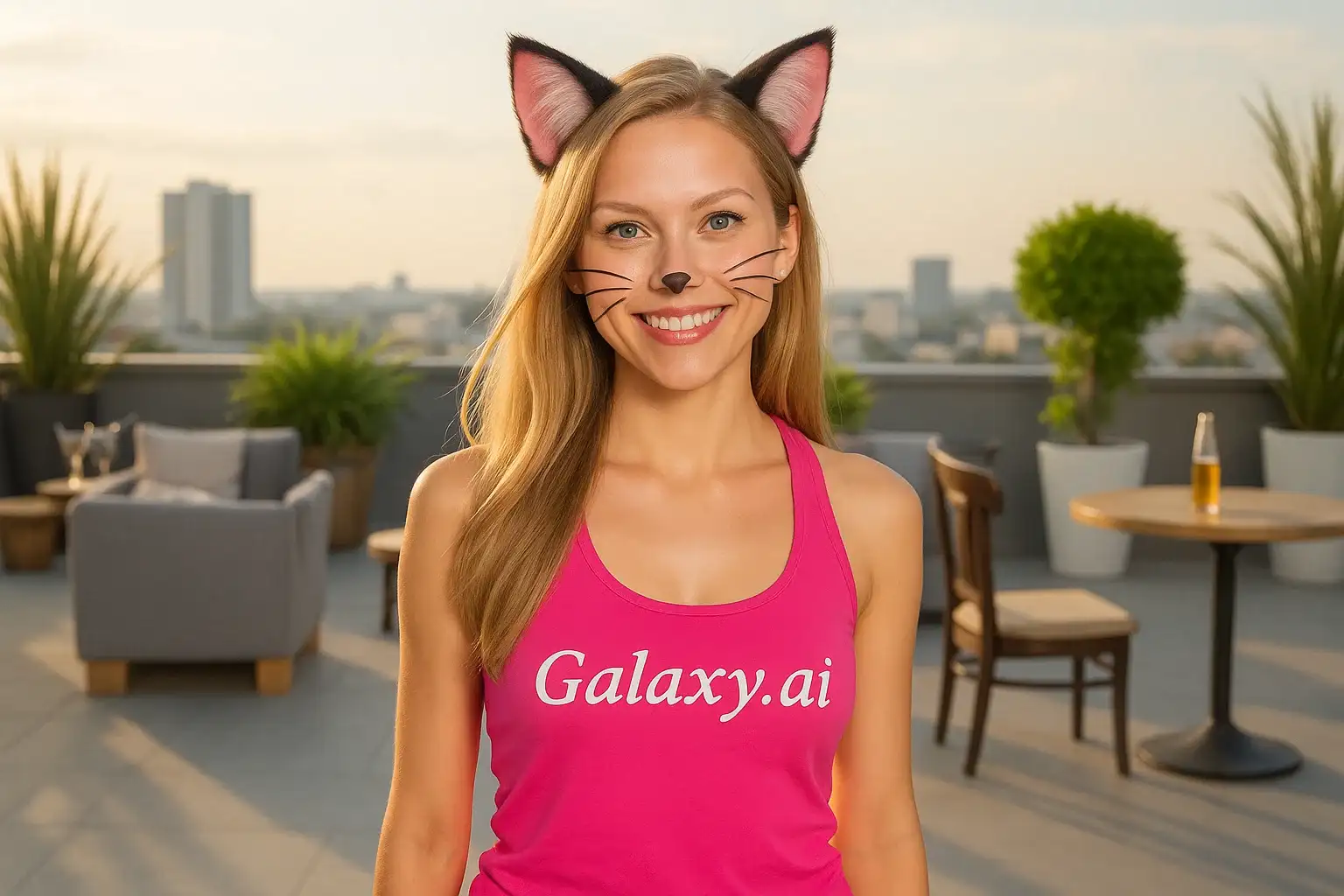
Compare the source image with each finished result.
Source image
Result
What Magica will ask for
The agent gathers these inputs and preferences in the conversation before it starts.
Attach Your Photo
attach a photo to add cat ears
Why Choose Our AI Cat Ears Filter?
Transform your photos with adorable cat ears using our advanced AI. Add a playful, feline touch to your pictures with just one click!
Realistic and adorable cat ears
Natural-looking blend with your photo
Maintains original photo quality
Instant transformation powered by AI
No editing skills required
Perfect for social media and cosplay
Proportionally sized to fit your head perfectly
How Our AI Cat Ears Filter Works
Add cute cat ears to your photos in three simple steps:
01
Attach Your Photo
Select a clear photo where your face is visible. Front-facing portraits with your full head visible work best!
02
Apply the Filter
ask Magica to generate the result and watch as our AI adds adorable cat ears to your photo.
03
Download & Share
Preview your transformation and download your new cat-eared photo to share on social media.
Key Features of the AI Cat Ears Filter
Realistic Cat Ears
Adds fluffy, natural-looking cat ears that perfectly match your head size and position.
Smart Head Detection
Advanced AI accurately detects your head position and size to place cat ears naturally.
Seamless Blending
Cat ears blend naturally with your hair and lighting for a realistic look.
High-Quality Output
Generates high-resolution images perfect for social media and profile pictures.
Instant Results
Get your cat-eared transformation in seconds with our fast AI processing.
Who Can Benefit from the Cat Ears Filter?
Our AI Cat Ears Filter is perfect for anyone who wants to add a playful, cute feline touch to their photos.
Social Media Enthusiasts
Create unique, eye-catching profile pictures and posts that stand out with adorable cat ears.
Cosplayers & Anime Fans
Perfect for creating neko (cat girl/boy) characters or anime-inspired looks for conventions.
Content Creators
Generate engaging, playful content for YouTube, TikTok, Instagram, and other platforms.
Pet Lovers
Show your love for cats with adorable feline-inspired photos to share with friends.
Furry Community
Create fun fursona-inspired photos with realistic cat ear transformations.
Photographers
Add whimsical touches to portrait photography for creative projects and themed shoots.
Tips for the Best Cat Ears Effect
Tip 1
Use Clear, Well-Lit Photos
Ensure your photo has good lighting and your head is clearly visible for the best cat ear placement.
Tip 2
Show Your Full Head
Photos where the top of your head is visible work best for accurate cat ear positioning.
Tip 3
Face the Camera Directly
Front-facing or slightly angled portraits produce the most natural-looking cat ears.
Tip 4
Use High-Quality Images
Better quality input photos result in more detailed and realistic cat ears that blend seamlessly.
Tip 5
Keep Hair Visible
Photos where your hair is visible help the AI blend the cat ears more naturally with your hairstyle.
Frequently Asked Questions About Our Cat Ears Filter
How realistic do the cat ears look?
Our AI creates highly realistic cat ears that blend naturally with your photo. The ears are fluffy, proportionally sized, and positioned to look like they're naturally part of your appearance. The result is a cute, believable transformation.
What types of photos work best?
The filter works best on clear, front-facing portraits where your full head is visible and well-lit. While it can work on various angles, we recommend photos where the top of your head is clearly visible for the most accurate cat ear placement.
Can I use this for cosplay or conventions?
Absolutely! The cat ears filter is perfect for creating neko character looks, anime-inspired photos, or any feline-themed cosplay. The realistic cat ears add an authentic touch to your cosplay photos.
Will the cat ears match my hair color?
The AI creates cat ears that blend naturally with your photo, taking into account your hair color and lighting. The ears are designed to look like a natural addition to your appearance.
Is my photo safe to upload?
We prioritize user privacy. Your photos are used only for the transformation process and are not stored long-term or used for other purposes. The generated image with cat ears is returned in the conversation for you to save.
Can I use this on group photos?
While the filter is optimized for individual portraits, it can work on group photos. However, for the best results with accurate cat ear placement on each person, we recommend using individual photos.
What if I'm wearing a hat or have accessories on my head?
For best results, we recommend photos without hats or head accessories, as these can interfere with cat ear placement. Clear visibility of your head helps the AI position the ears accurately.
How long does it take to generate the image?
The transformation typically takes just a few seconds to complete. Our AI processes your image quickly to add the cat ears while maintaining high quality.