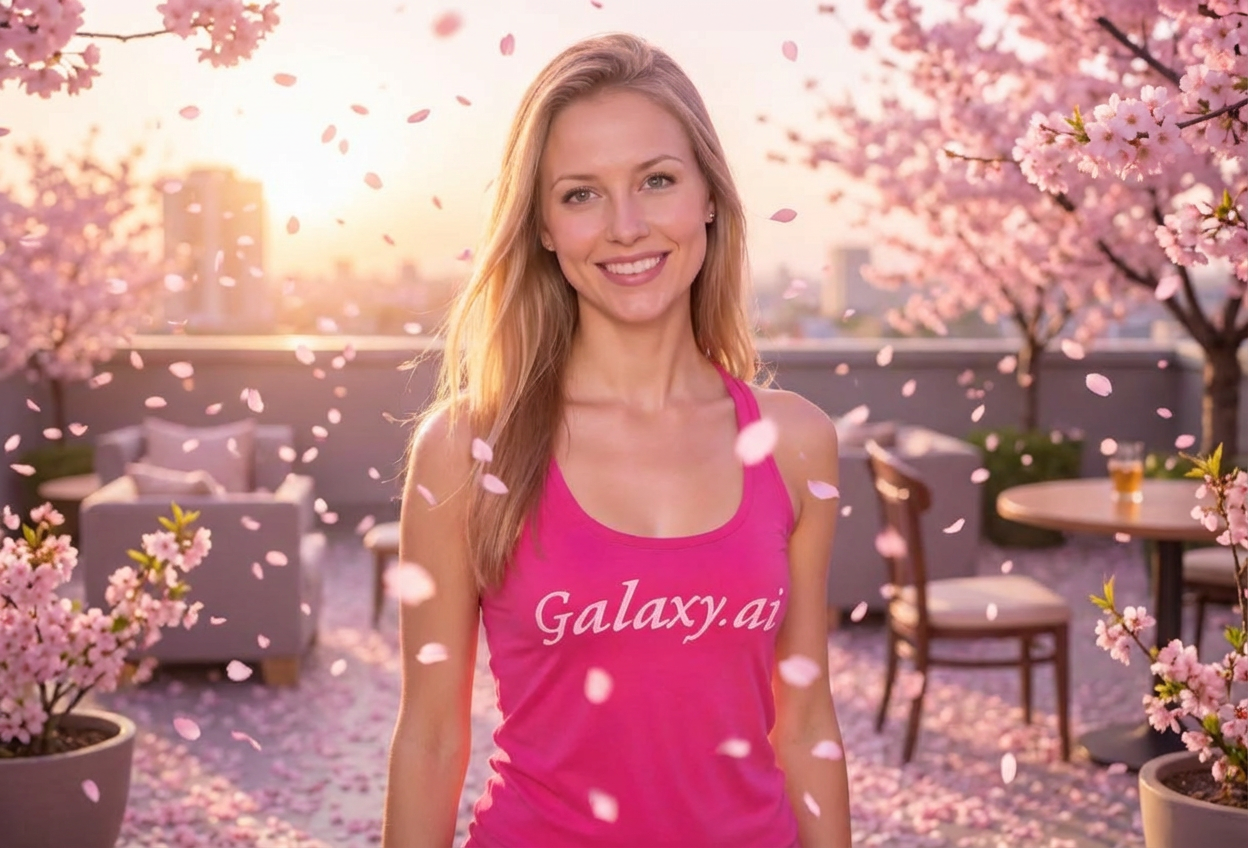
Compare the source image with each finished result.
Source image
Result
What Magica will ask for
The agent gathers these inputs and preferences in the conversation before it starts.
Attach Your Photo
attach a photo to apply the cherry blossom filter
Why Choose Our AI Cherry Blossom Filter?
Transform your photos into stunning springtime portraits with delicate cherry blossoms and romantic atmosphere. Experience the beauty of sakura season with just one click!
Authentic falling cherry blossom petals
Soft spring lighting and romantic ambiance
Delicate pink floral atmosphere
Maintains original photo quality
Instant transformation powered by AI
No editing skills required
Perfect for social media and special occasions
How Our Cherry Blossom Filter Works
Transform your photos with beautiful cherry blossoms in three simple steps:
01
Attach Your Photo
Select a clear portrait photo where your face or subject is clearly visible. Outdoor and well-lit photos work best!
02
Apply the Filter
ask Magica to generate the result and watch as our AI surrounds your photo with delicate pink cherry blossoms and soft spring lighting.
03
Download & Share
Preview your springtime transformation and download your romantic cherry blossom photo.
Key Features of the AI Cherry Blossom Filter
Authentic Cherry Blossom Petals
Creates realistic falling sakura petals with delicate pink hues and natural placement around your subject.
Soft Spring Lighting
Adds gentle, romantic lighting that captures the ethereal beauty of springtime and cherry blossom season.
Romantic Atmosphere
Enhances your photos with a dreamy, elegant ambiance perfect for special moments and memories.
High-Quality Output
Preserves original image quality while seamlessly blending cherry blossoms into your photo.
Who Can Benefit from the Cherry Blossom Filter?
Our AI Cherry Blossom Filter is perfect for anyone wanting to add romantic springtime beauty and delicate floral atmosphere to their photos.
Social Media Enthusiasts
Create stunning cherry blossom-themed profile pictures and posts that capture springtime beauty.
Wedding & Engagement Photos
Add romantic cherry blossom petals to wedding, engagement, or anniversary photos for extra elegance.
Content Creators
Generate beautiful spring-themed content for Instagram, TikTok, and other social media platforms.
Couples & Romantics
Transform couple photos into romantic springtime memories with delicate sakura atmosphere.
Event Organizers
Create cherry blossom-themed promotional materials for spring events, festivals, and celebrations.
Artists & Designers
Generate springtime reference images or add sakura aesthetics to artistic projects.
Tips for the Best Cherry Blossom Effect
Tip 1
Use Well-Lit Photos
Photos with good natural lighting work best for capturing the soft, romantic spring atmosphere of cherry blossoms.
Tip 2
Outdoor Photos Work Great
Outdoor portraits and photos with natural backgrounds blend beautifully with falling cherry blossom petals.
Tip 3
Clear Subject Focus
Photos where your main subject is clearly visible ensure the cherry blossoms frame them perfectly.
Tip 4
Try Different Poses
Gentle, natural poses work wonderfully with the delicate, romantic cherry blossom aesthetic.
Tip 5
Perfect for Spring Season
Ideal for March-April photos to celebrate cherry blossom season, or any time you want springtime beauty.
Frequently Asked Questions About Our Cherry Blossom Filter
How realistic are the cherry blossoms?
Our AI creates highly realistic cherry blossom petals with authentic pink hues and natural falling patterns. The sakura petals blend seamlessly with your photo's lighting and atmosphere for a believable springtime effect.
Does it work on all types of photos?
The filter works best on portrait photos and outdoor shots with clear subjects. While it can enhance various photo types, portraits with good lighting and natural backgrounds produce the most stunning cherry blossom effects.
Can I use this for wedding photos?
Absolutely! The cherry blossom filter is perfect for weddings, engagements, anniversaries, and other romantic occasions. It adds a delicate, elegant touch that enhances special moments.
Will the cherry blossoms overpower my photo?
No, our AI carefully balances the cherry blossoms to complement your photo, not overpower it. The petals are placed naturally to frame and enhance your subject while maintaining focus on what matters most.
What season is this filter best for?
While designed to capture springtime cherry blossom season (March-April), this filter is beautiful year-round. Use it whenever you want to add romantic, delicate floral atmosphere to your photos.
Is my photo safe and private?
Yes, we prioritize user privacy. Your photos are used only for the transformation process and are not stored long-term or used for other purposes. Your cherry blossom photo is returned in the conversation for you to save.
Can I adjust the intensity of the cherry blossoms?
The filter automatically applies an optimal amount of cherry blossom petals based on your photo. Our AI analyzes your image to create the most balanced and beautiful springtime effect.
Does this work for Asian-style photos?
Yes! Cherry blossoms (sakura) are especially popular in Japanese, Korean, and other Asian cultures. This filter is perfect for creating authentic Asian springtime aesthetics and is highly popular in Asian markets.