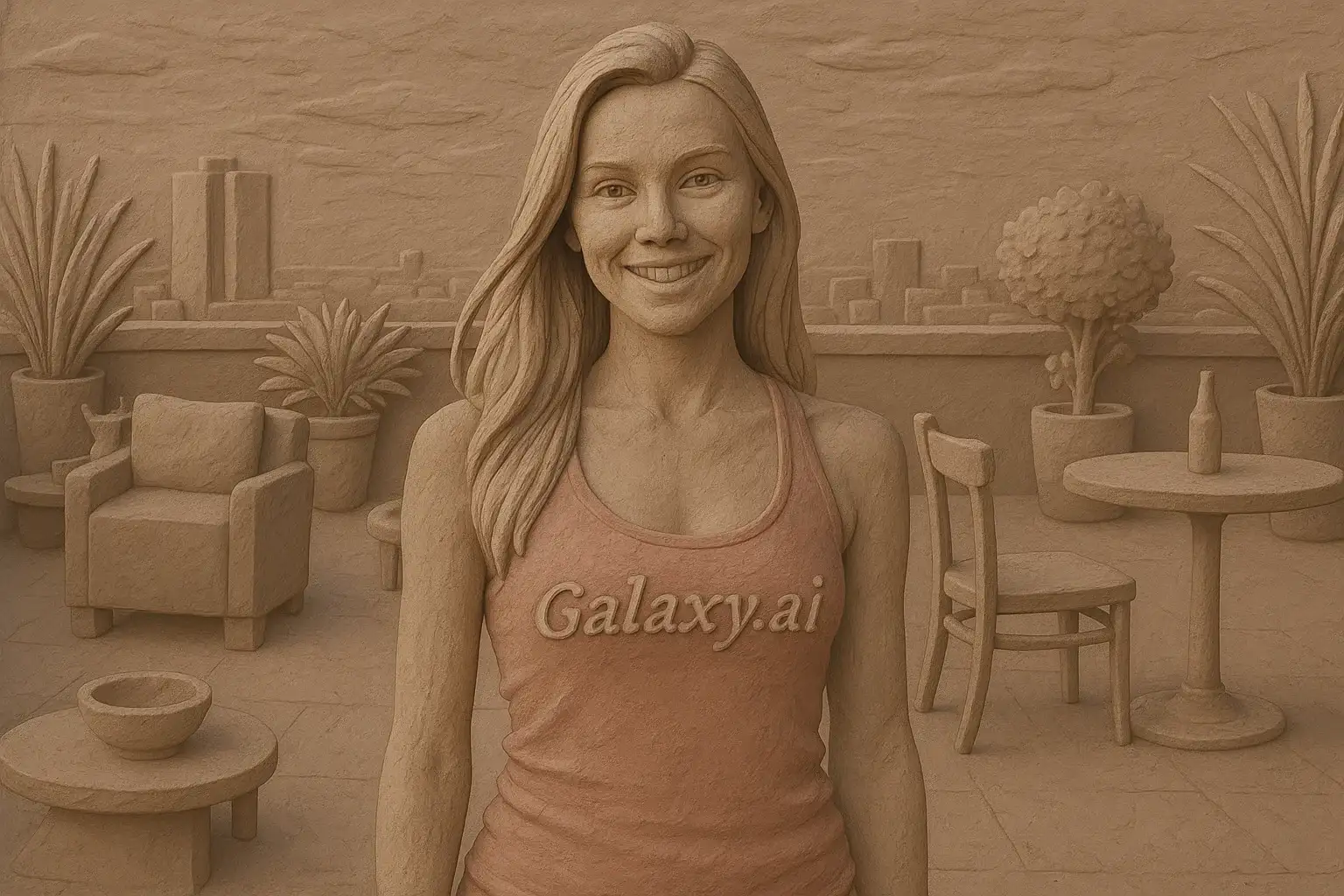
Compare the source image with each finished result.
Source image
Result
What Magica will ask for
The agent gathers these inputs and preferences in the conversation before it starts.
Upload Photos
attach a photo to apply the filter
Why Choose Our AI Clay Filter?
Transform your photos into unique clay art with our advanced AI. Experience the charm and texture of handcrafted clay sculptures with just one click!
Authentic clay sculpture appearance
Smooth matte textures and realistic lighting
Maintains original photo composition
High-quality artistic transformation
Instant results powered by AI
No artistic skills required
Perfect for creative projects and social media
How Our AI Clay Filter Works
Transform your photos into clay art in three simple steps:
01
Attach Your Photo
Select a clear photo with good lighting. Portraits, objects, or scenes all work beautifully!
02
Apply the Filter
ask Magica to generate the result and watch as our AI transforms your photo into stunning clay artwork with realistic textures.
03
Download & Share
Preview your clay art transformation and download your unique creation to share.
Key Features of the AI Clay Filter
Authentic Clay Texture
Creates genuine clay sculpture aesthetics with smooth, matte surfaces and handcrafted appearance.
Smart Detail Recognition
Our AI accurately preserves important features while applying clay modeling effects and artistic styling.
Three-Dimensional Effect
Generates realistic 3D clay sculpture appearance with proper depth, shadows, and material properties.
High-Resolution Output
Produces high-quality images perfect for prints, social media, and creative projects.
Instant Processing
Transform your photos in seconds with our powerful AI processing technology.
Who Can Benefit from the Clay Filter?
Our AI Clay Filter is perfect for anyone who wants to create unique, artistic clay-style imagery from their photos.
Social Media Enthusiasts
Create eye-catching profile pictures and posts with unique clay art style that stands out.
Content Creators
Generate distinctive clay-style content for YouTube thumbnails, Instagram posts, and TikTok videos.
Artists & Designers
Create clay art references, explore stylistic concepts, or generate unique artwork for projects.
Photographers
Transform your photography portfolio with artistic clay rendering for creative presentations.
Marketing Professionals
Create unique branded content and advertising materials with distinctive clay art aesthetics.
Gift Makers
Transform photos into clay-style art for personalized gifts, cards, and memorable keepsakes.
Tips for the Best Clay Art Effect
Tip 1
Use Clear, Well-Lit Photos
Photos with good lighting and clarity will produce the most detailed and attractive clay art transformations.
Tip 2
Choose Simple Compositions
Photos with clear subjects and uncluttered backgrounds work best for clay sculpture rendering.
Tip 3
High-Quality Images Yield Better Results
Higher resolution input photos result in more detailed clay textures and smoother surfaces.
Tip 4
Portraits Work Beautifully
Face photos create stunning clay sculpture portraits with expressive features and artistic charm.
Tip 5
Experiment with Different Subjects
Try transforming pets, objects, or landscapes - the clay filter adapts beautifully to various subjects.
Frequently Asked Questions About Our Clay Filter
How realistic is the clay art transformation?
Our AI creates highly realistic clay sculpture effects by analyzing your photo and applying authentic clay material properties, including matte textures, soft lighting, and three-dimensional modeling characteristics. The result looks like a professionally crafted clay sculpture.
What types of photos work best with the clay filter?
The filter works excellently on portraits, pets, objects, and scenes. Photos with clear subjects and good lighting produce the best results. While it can handle various image types, we recommend well-lit photos with distinct subjects for optimal clay art effects.
Can I use the clay filter for commercial projects?
Yes! You can use your transformed clay art images for personal and commercial projects, including social media content, marketing materials, and creative designs.
Will my original photo's features be preserved?
Yes, our AI maintains the key features and composition of your original photo while applying the clay art style. Important details like facial features, expressions, and subject characteristics are preserved in the clay sculpture transformation.
How long does the transformation take?
The clay filter transformation is typically completed within seconds, depending on image size and server load. Our AI processing is optimized for quick results without compromising quality.
Is my photo safe and private?
We prioritize user privacy. Your photos are used only for the transformation process and are not stored long-term or used for other purposes. The generated clay art is returned in the conversation for you to save.
Can I adjust the clay effect intensity?
The filter applies an optimized clay transformation designed to produce the best artistic results. For different variations, you can try uploading the same photo multiple times or use different models for subtle variations.
What makes this different from other art filters?
Our AI Clay Filter specifically recreates the unique characteristics of clay sculptures - matte surfaces, smooth textures, three-dimensional depth, and handcrafted appearance. Unlike generic art filters, it's trained to produce authentic clay material aesthetics with realistic lighting and sculptural properties.