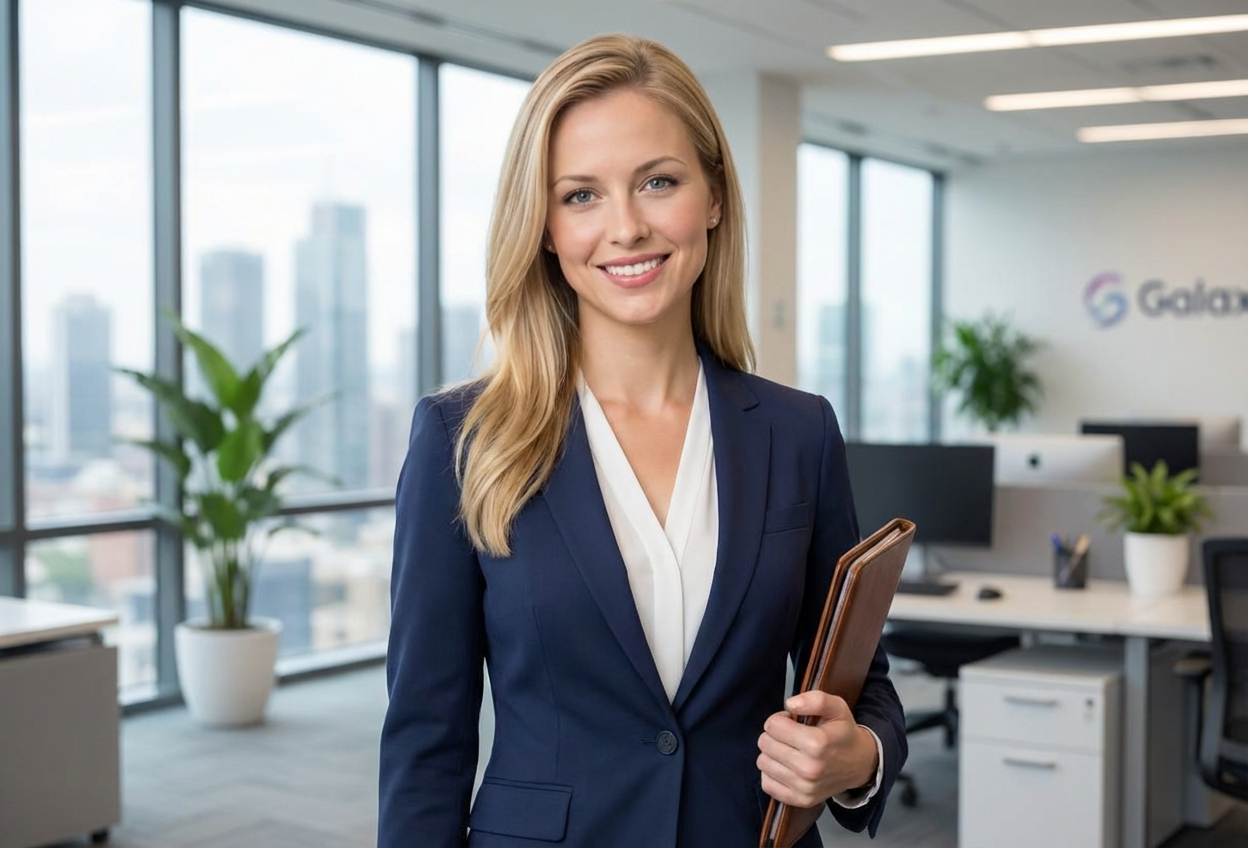
Compare the source image with each finished result.
Source image
Result
What Magica will ask for
The agent gathers these inputs and preferences in the conversation before it starts.
Attach Your Photo
attach a photo to apply the corporate professional filter
Why Choose Our AI Corporate Professional Filter?
Transform your photos into polished corporate portraits with our advanced AI. Project confidence, professionalism, and credibility with just one click!
Professional business attire transformation
Refined grooming and polished appearance
Sophisticated office background settings
Maintains authentic facial features
Perfect for LinkedIn and professional profiles
Instant executive-level transformation
No professional photoshoot required
High-quality results suitable for resumes and corporate materials
How Our Corporate Professional Filter Works
Transform into a polished business professional with these simple steps:
01
Attach Your Photo
Select a clear portrait photo where your face is clearly visible. Front-facing headshots work best for professional transformations!
02
Apply the Filter
ask Magica to generate the result and watch as our AI transforms you into a polished corporate professional with refined styling.
03
Download & Share
Preview your professional transformation and download your executive portrait for LinkedIn, resumes, or business cards.
Key Features of the AI Corporate Professional Filter
Professional Business Attire
Automatically applies polished business attire including suits, professional shirts, and executive styling.
Smart Feature Enhancement
Advanced AI refines your appearance with professional grooming while maintaining your natural features and authentic look.
Office Background Settings
Creates sophisticated office backgrounds that enhance your professional credibility and corporate presence.
High-Resolution Output
Generates high-quality professional portraits perfect for LinkedIn profiles, resumes, and corporate materials.
Instant Transformation
Get professional-quality corporate portraits in seconds without expensive photoshoots or professional styling.
Authentic Appearance
Maintains your natural facial features and expression while enhancing professional presentation and credibility.
Who Can Benefit from the Corporate Professional Filter?
Our AI Corporate Professional Filter is perfect for anyone wanting to elevate their professional image and create compelling business portraits.
Job Seekers
Create professional headshots for resumes, LinkedIn profiles, and job applications that make a strong first impression.
Business Professionals
Maintain a polished corporate image across all professional platforms and business communications.
Entrepreneurs & Startup Founders
Establish credibility and professional presence for investor pitches, company websites, and business profiles.
Recent Graduates
Create professional portraits for entering the job market without expensive professional photography sessions.
Remote Workers
Generate professional headshots for virtual meetings, email signatures, and remote team directories.
Corporate Teams
Create consistent, professional team photos for company websites, directories, and marketing materials.
Tips for the Best Professional Transformation
Tip 1
Use Clear, Well-Lit Photos
Ensure your face is clearly visible with good lighting for the most professional transformation results.
Tip 2
Front-Facing Headshots Work Best
Photos where you're looking directly at the camera with a neutral or confident expression create the most credible corporate portraits.
Tip 3
Choose High-Resolution Images
Use high-quality photos to ensure crisp, professional-looking results suitable for print and digital use.
Tip 4
Maintain a Professional Expression
A confident, approachable expression with a subtle smile works best for corporate professional portraits.
Tip 5
Ensure Clean Background
While the AI adds professional backgrounds, starting with a simple, uncluttered background yields the best results.
Frequently Asked Questions About Our Corporate Professional Filter
How realistic is the professional transformation?
Our AI creates highly realistic corporate professional transformations by adding authentic business attire, refined grooming, and professional backgrounds while maintaining your natural facial features. The result is a credible, polished portrait suitable for all professional contexts.
Can I use this for LinkedIn and job applications?
Absolutely! The Corporate Professional Filter is specifically designed to create high-quality professional portraits perfect for LinkedIn profiles, resumes, job applications, email signatures, and other professional platforms.
Will it work on casual photos?
Yes! The filter can transform casual photos into professional corporate portraits. However, starting with a clear, front-facing portrait photo will yield the best results with the most realistic professional appearance.
Does it maintain my natural appearance?
Yes, our AI is trained to enhance your professional presentation while maintaining your authentic facial features and natural look. The transformation adds professional styling without making you look unrecognizable.
What quality can I expect for the output?
The filter generates high-resolution professional portraits suitable for both digital use (LinkedIn, websites, email signatures) and print materials (business cards, resumes, corporate brochures).
Is my photo secure and private?
We prioritize user privacy. Your photos are used only for the transformation process and are not stored long-term or used for other purposes. The generated professional portrait is returned in the conversation for you to save.
How does this compare to professional photography?
While professional photography provides customized sessions, our AI filter offers instant, high-quality professional portraits at a fraction of the cost. It's perfect for quick professional updates, consistent team photos, or when professional photography isn't accessible.
Can I customize the background or attire style?
The filter applies our optimized professional styling designed for maximum credibility and corporate appeal. The AI automatically selects appropriate business attire and office backgrounds that work well for most professional contexts.