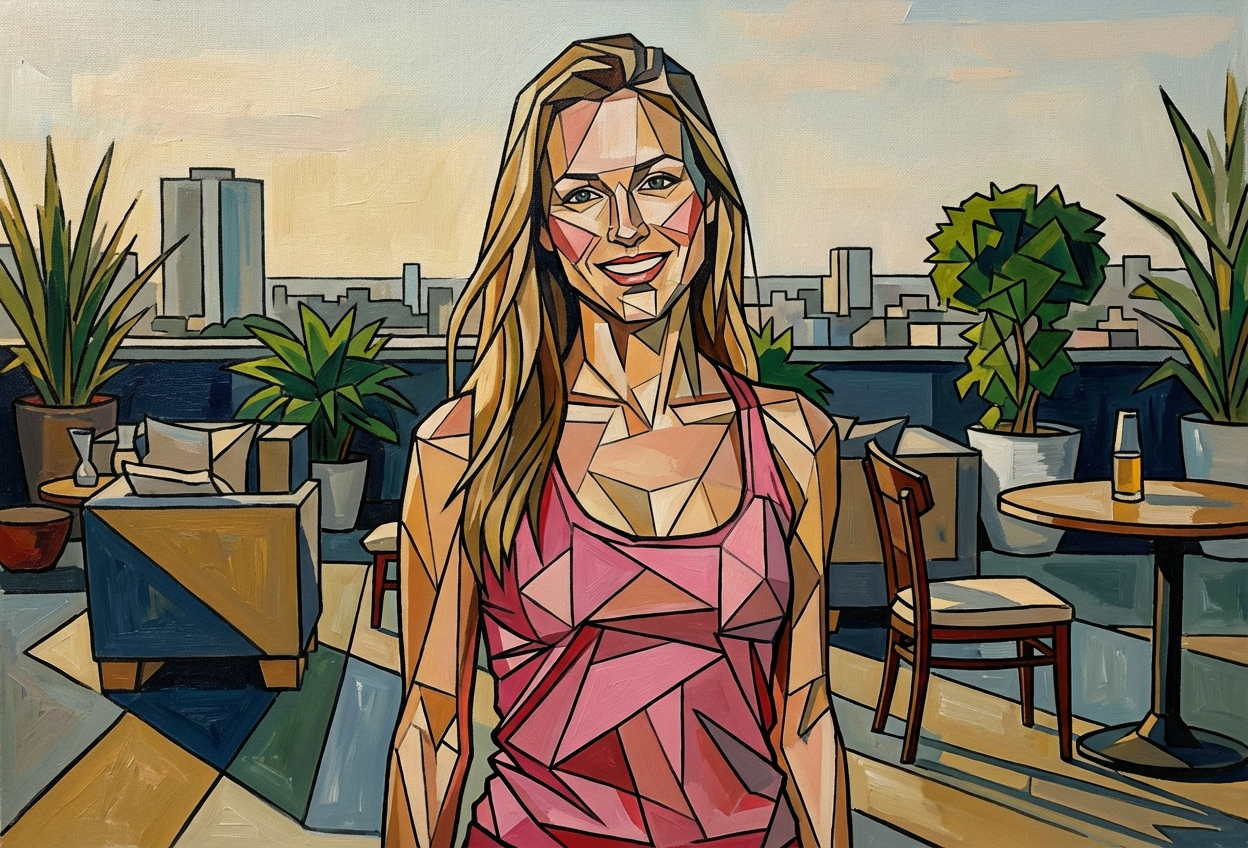
Compare the source image with each finished result.
Source image
Result
What Magica will ask for
The agent gathers these inputs and preferences in the conversation before it starts.
Attach Your Photo
attach a photo to apply the cubist filter
Why Choose Our AI Cubist Filter?
Transform your photos into avant-garde cubist masterpieces inspired by Picasso and Braque. Experience the revolutionary art movement that changed modern art forever with just one click!
Authentic cubist geometric fragmentation
Multiple perspectives shown simultaneously
Picasso-style angular abstraction
Bold outlines and intersecting planes
Maintains recognizable facial features
Instant avant-garde transformation
No art skills required
Perfect for creative projects and gallery-worthy art
How Our AI Cubist Filter Works
Transform your photos into revolutionary cubist art with these simple steps:
01
Attach Your Photo
Select a clear portrait photo where facial features are visible. Front-facing or profile shots work beautifully!
02
Apply the Cubist Filter
ask Magica to generate the result and watch as our AI deconstructs your photo into geometric cubist art with fragmented perspectives.
03
Download & Share
Preview your cubist masterpiece and download your avant-garde artwork ready to display or share.
Key Features of the AI Cubist Filter
Geometric Fragmentation
Deconstructs images into angular, intersecting planes characteristic of authentic cubist art.
Multiple Perspectives
Shows subjects from different viewpoints simultaneously, capturing the essence of cubist philosophy.
Picasso-Style Aesthetic
Applies authentic cubist color schemes and compositional techniques used by the masters.
Smart Feature Recognition
AI identifies key facial features and transforms them into abstract geometric forms while maintaining recognition.
Bold Outlines & Angular Forms
Creates striking geometric shapes with defined edges that characterize the cubist movement.
Gallery-Quality Output
Generates high-resolution cubist art perfect for prints, exhibitions, or digital galleries.
Who Can Benefit from the AI Cubist Filter?
Our AI Cubist Filter is perfect for anyone seeking to explore avant-garde artistic expression and create intellectually striking cubist artwork.
Artists & Art Students
Study and create cubist compositions, explore geometric abstraction, and understand modernist techniques.
Social Media Creators
Generate unique, eye-catching profile pictures and posts with avant-garde artistic flair.
Photographers
Transform portrait photography into abstract cubist art for exhibitions and creative portfolios.
Graphic Designers
Create striking cubist visuals for album covers, posters, and editorial designs.
Art Enthusiasts
Experience and understand cubist art by transforming your own photos into modernist masterpieces.
Content Creators
Produce bold, intellectually engaging visual content that stands out from conventional imagery.
Tips for the Best Cubist Transformation
Tip 1
Use Clear, Well-Composed Photos
Start with photos that have distinct facial features and good contrast for more dramatic geometric fragmentation.
Tip 2
Portrait Photos Work Best
Front-facing portraits or three-quarter profiles provide the best subjects for cubist deconstruction and multiple perspectives.
Tip 3
Embrace the Abstraction
Cubist art is intentionally abstract and fragmented - the transformation will show angular, geometric forms rather than realistic features.
Tip 4
Consider Lighting and Contrast
Photos with strong lighting create more defined planes and geometric shapes in the final cubist artwork.
Tip 5
Experiment with Different Angles
Try various photo angles - the cubist filter will create unique fragmented perspectives from each viewpoint.
Frequently Asked Questions About Our AI Cubist Filter
What is cubist art?
Cubism is a revolutionary art movement pioneered by Pablo Picasso and Georges Braque that depicts subjects from multiple viewpoints simultaneously, breaking them into geometric, fragmented forms. Our AI recreates this iconic style, transforming photos into angular, abstract compositions with intersecting planes.
Will my photo still be recognizable?
Yes! While cubist art is abstract and fragmented, our AI maintains enough recognizable features that viewers can identify the subject. The transformation creates geometric abstraction while preserving the essence of the original image - just like authentic cubist paintings.
What types of photos work best?
Portrait photos with clear facial features work best. Front-facing shots, three-quarter profiles, and photos with good contrast produce the most striking cubist transformations. The filter can work on various subjects, but portraits showcase the cubist style most effectively.
How accurate is the cubist style?
Our AI is trained on authentic cubist masterpieces and accurately recreates the geometric fragmentation, multiple perspectives, angular forms, and bold outlines characteristic of the movement. The results capture the essence of Picasso and Braque's revolutionary approach to depicting reality.
Can I use cubist art commercially?
Yes! The cubist artwork generated from your uploaded photos belongs to you and can be used for commercial purposes, exhibitions, prints, or any creative project. The style itself is a historical art movement and is not under copyright.
Does it work on any photo style?
The filter works on various photo types, but achieves the most authentic cubist effect with portraits and subjects with distinct forms. Photos with clear shapes, faces, or recognizable objects provide the best material for geometric deconstruction and fragmented perspectives.
Is my photo safe to upload?
Absolutely. We prioritize user privacy. Your photos are used only for the cubist transformation process and are not stored long-term or used for any other purposes. Your generated artwork is returned in the conversation for you to save.