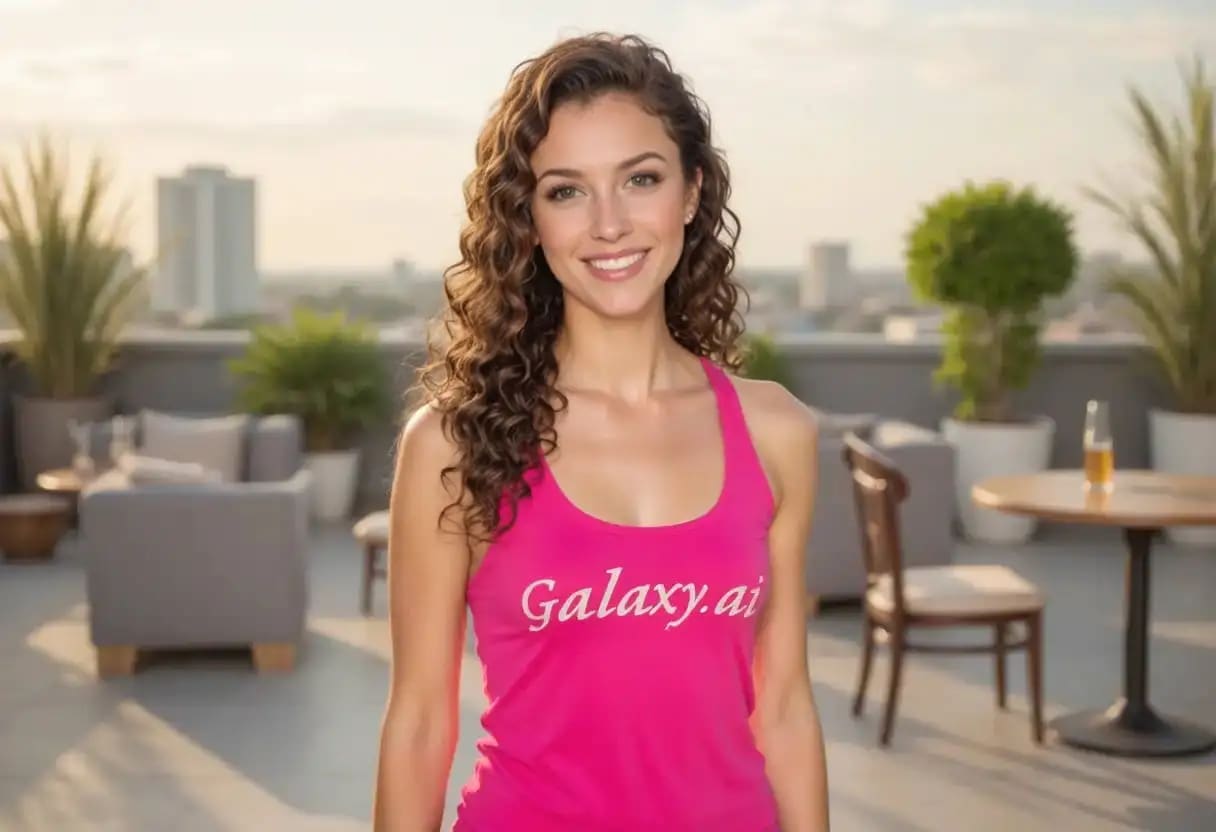
Compare the source image with each finished result.
Source image
Result
What Magica will ask for
The agent gathers these inputs and preferences in the conversation before it starts.
Upload Photos
attach a photo to apply the filter
Why Choose Our AI Curly Hair Filter?
Transform your straight or wavy hair into beautiful, bouncy curls instantly with our advanced AI. See how you'd look with natural-looking curly hair in seconds!
Realistic curly hair transformation
Preserves natural hair color and shine
Maintains facial features and proportions
One-click easy operation
Fast AI-powered processing
No hairstyling expertise needed
Perfect for virtual makeovers and style experiments
How Our Curly Hair Filter Works
Getting beautiful, natural-looking curly hair in your photos is simple:
01
Attach Your Photo
Select and attach a clear photo where your hair is visible. Front-facing portraits work best!
02
Apply the Filter
ask Magica to generate the result and watch as our AI transforms your hair into beautiful, bouncy curls.
03
Download & Share
Preview your new curly hairstyle and download the high-resolution image.
Key Features of the AI Curly Hair Filter
Natural Curl Pattern
Creates realistic, natural-looking curls that complement your face shape and original hair length.
Smart Hair Detection
Advanced AI accurately identifies and transforms your hair while preserving facial features.
Color Preservation
Maintains your natural hair color and highlights while adding beautiful curl texture.
High-Quality Output
Generates high-resolution images with detailed curls and natural-looking volume.
Who Can Benefit from the Curly Hair Filter?
Our AI Curly Hair Filter is perfect for anyone curious about how they'd look with curly hair or wanting to experiment with new styles.
Style Explorers
Try out curly hair before committing to a perm or styling routine.
Content Creators
Create diverse looks for your social media content and portfolios.
Hair Transformation Curious
Visualize how you'd look with curly hair before making any permanent changes.
Photographers
Offer clients preview options for different hairstyles in portraits.
Cosplay Enthusiasts
Quickly visualize character looks with curly hair for costume planning.
Digital Artists
Generate reference images for artwork featuring curly hairstyles.
Tips for Best Curly Hair Results
Tip 1
Use Clear, Well-Lit Photos
Ensure your hair is clearly visible and well-lit for optimal AI detection and transformation.
Tip 2
Front-Facing Photos Work Best
Choose photos where your hair is visible from the front for the most natural-looking results.
Tip 3
High Resolution is Key
Use high-quality photos to ensure the AI can create detailed, realistic curls.
Tip 4
Hair Should Be Visible
Avoid photos where hair is tied up, covered, or heavily styled for best results.
Frequently Asked Questions About Our Curly Hair Filter
How realistic do the curls look?
Our AI creates natural-looking curls that blend seamlessly with your original hair color and face shape. The curls are designed to look bouncy and realistic, with appropriate volume and texture.
Does it work on all hair lengths?
Yes, the filter works on various hair lengths, though results may vary. It's most effective on shoulder-length or longer hair where the curl pattern can be fully visible.
Can I use it on group photos?
The AI will attempt to transform hair in group photos, but results are most predictable and consistent with single-person portraits.
Will it affect my photo quality?
No, this Magica workflow maintains the original resolution and quality of your photo while adding the curly hair effect.
Is my photo data safe?
Yes, we prioritize user privacy. Your photos are only used for the transformation process and are not stored long-term or used for other purposes.