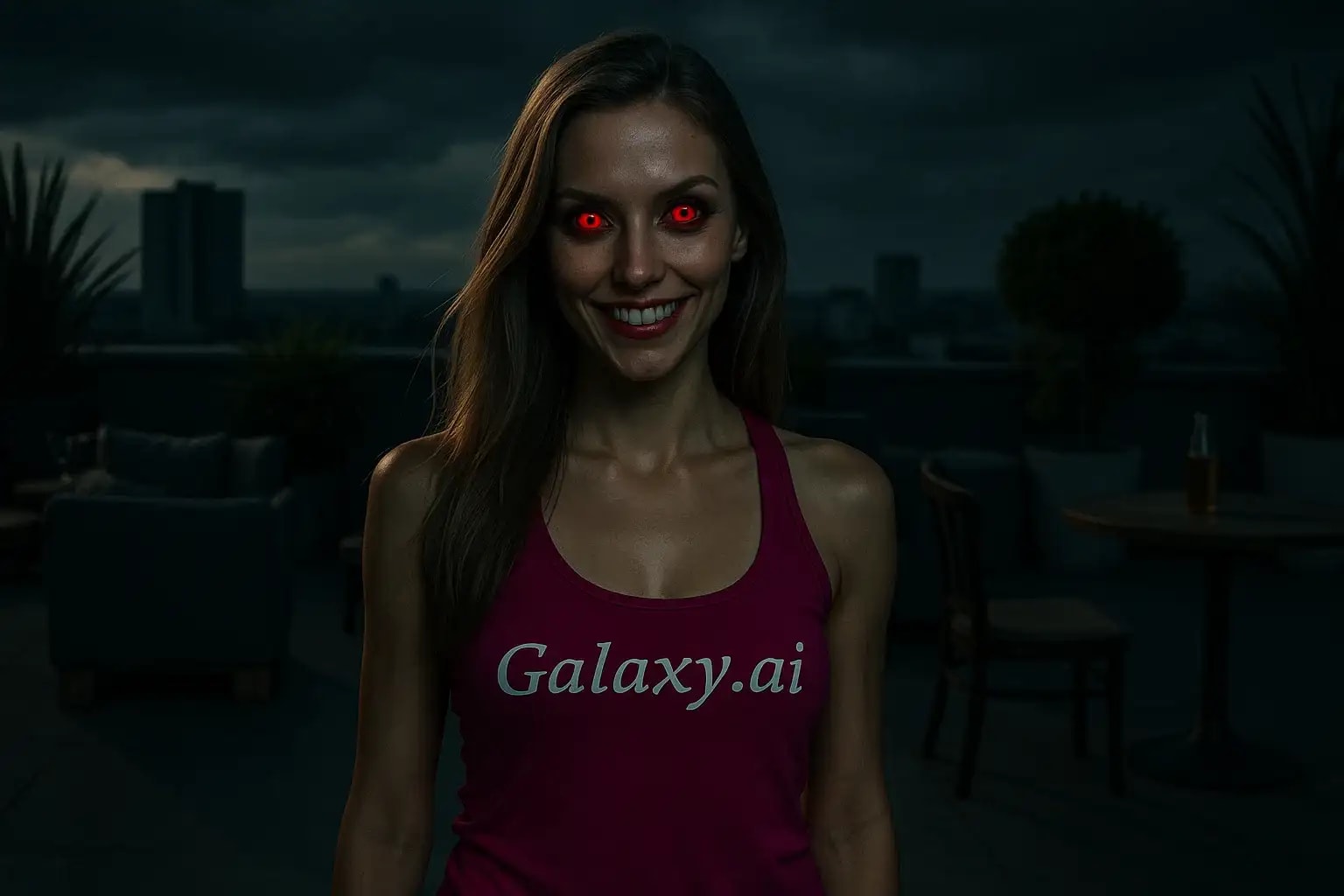
Compare the source image with each finished result.
Source image
Result
What Magica will ask for
The agent gathers these inputs and preferences in the conversation before it starts.
Upload Face Photo
attach a photo to apply the filter
Why Choose Our AI Demon Eye Filter?
Transform ordinary photos into extraordinary supernatural portraits with our advanced AI demon eye effect. Create striking, realistic demonic eyes with just one click!
Hyper-realistic demonic eye transformation
Glowing red iris effect with dark sclera
Maintains natural eye shape and reflections
Preserves original photo quality
Instant supernatural transformation
Perfect for Halloween and cosplay
Easy one-click operation
How Our Demon Eye Filter Works
Creating supernatural demon eyes in your photos is incredibly simple:
01
Attach Your Photo
Select a clear photo where the eyes are visible. Front-facing portraits work best!
02
Apply the Filter
ask Magica to generate the result and watch as our AI transforms normal eyes into striking demon eyes.
03
Download & Share
Preview your supernatural transformation and download your demonic portrait.
Key Features of the AI Demon Eye Filter
Striking Demonic Effect
Creates intense, glowing red irises and darkened sclera for a truly supernatural appearance.
Smart Eye Detection
Advanced AI precisely identifies and transforms eyes while preserving natural shape and structure.
Realistic Integration
Seamlessly blends the demon effect with original lighting and shadows for believable results.
Quality Preservation
Maintains high image quality while applying the supernatural transformation.
Who Can Benefit from the Demon Eye Filter?
Our AI Demon Eye Filter is perfect for anyone looking to create supernatural or horror-themed content.
Cosplayers & Costume Artists
Perfect for demon, vampire, or supernatural character transformations.
Horror Content Creators
Create striking promotional images for horror projects or supernatural content.
Digital Artists
Quickly create reference images or transform portraits for artwork.
Halloween Enthusiasts
Create spooky social media posts or Halloween party invitations.
Social Media Users
Stand out with unique, supernatural-themed profile pictures or posts.
Special Effects Artists
Generate quick previews of demon eye effects for makeup or VFX work.
Tips for the Best Demon Eye Effect
Tip 1
Use Well-Lit Photos
Choose photos with good lighting to ensure the demon effect blends naturally.
Tip 2
Direct Eye Contact
Photos where the subject looks directly at the camera create the most impactful results.
Tip 3
High Resolution Images
Better quality input photos result in more detailed and realistic demon eye effects.
Tip 4
Clear Eye Visibility
Avoid photos where eyes are partially closed or obscured by hair or shadows.
Frequently Asked Questions About Our Demon Eye Filter
How realistic is the demon eye effect?
Our AI creates highly realistic demon eyes by carefully transforming the iris and sclera while maintaining natural eye structure, reflections, and lighting integration.
Can I use the filter on group photos?
Yes, the AI will detect and transform all visible eyes in the photo. However, single-subject portraits typically yield the most dramatic and controlled results.
Will the effect work with colored contact lenses?
The filter works best on natural eyes. Photos with colored contacts may produce unpredictable results as they already alter the eye's appearance.
Does the filter maintain image quality?
Yes, this Magica workflow preserves the original photo's resolution and quality while applying the demon eye effect.
Is my photo data safe?
We prioritize user privacy. Your photos are only used for the filtering process and are not stored long-term or used for other purposes.