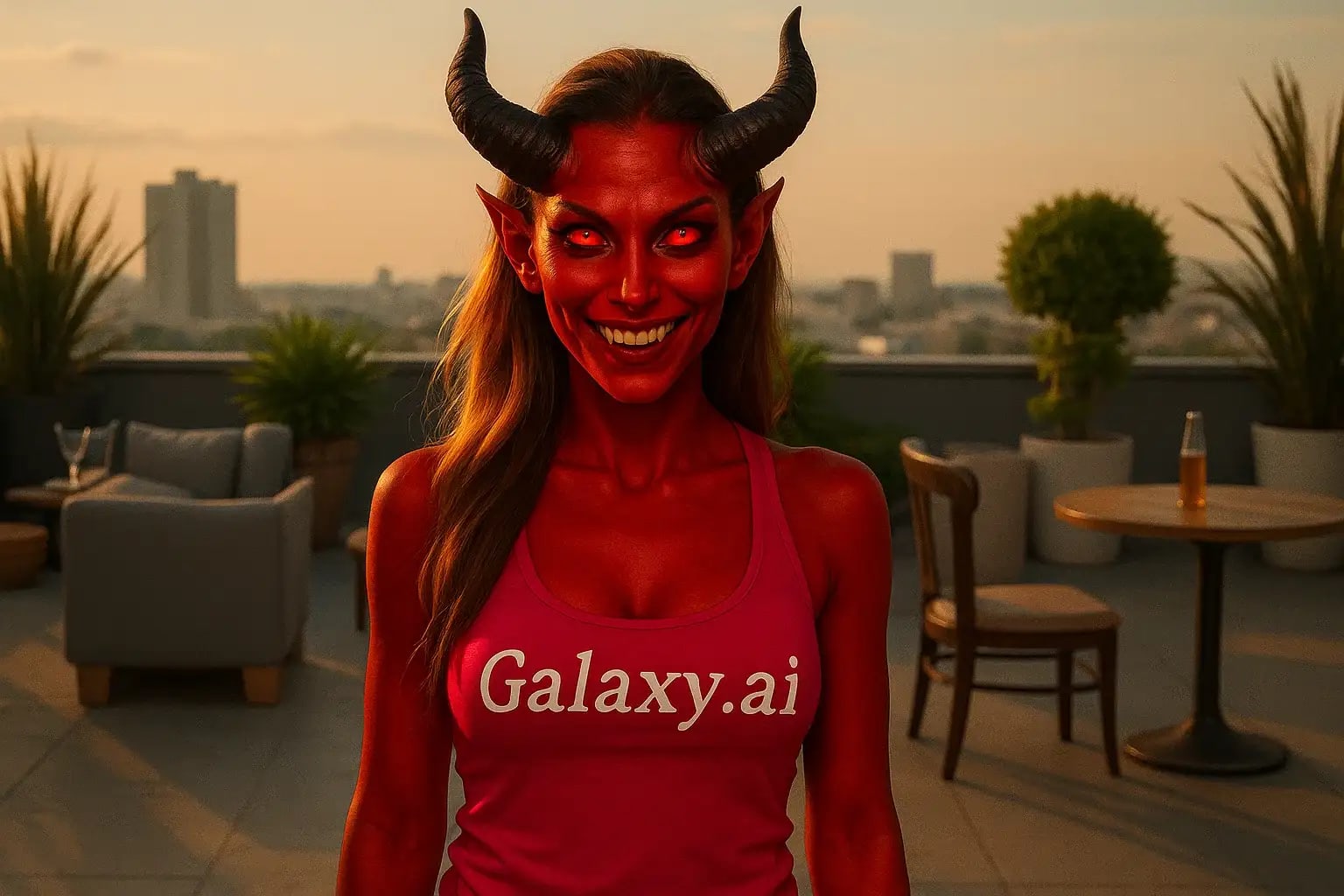
Compare the source image with each finished result.
Source image
Result
What Magica will ask for
The agent gathers these inputs and preferences in the conversation before it starts.
Upload Face Photo
attach a photo to apply the filter
Why Choose Our AI Demon Filter?
Transform your photos into stunning demonic masterpieces with our advanced AI. Create haunting, cinematic transformations with just one click!
Photorealistic demonic transformations
Glowing red eyes and supernatural features
Maintains original photo quality
Seamless integration of horns and dark aura
Ultra-fast processing with AI
Perfect for Halloween and creative projects
No photo editing skills required
How Our Demon Filter Works
Creating a haunting demonic transformation is incredibly simple:
01
Attach Your Photo
Select a clear portrait photo where the face is clearly visible.
02
Apply the Filter
ask Magica to generate the result and watch as our AI transforms the image with demonic features.
03
Download & Share
Preview your demonic transformation and download the high-resolution image.
Key Features of the AI Demon Filter
Glowing Red Eyes
Creates haunting, realistic glowing red eyes that maintain natural depth and reflection.
Supernatural Aura
Adds a subtle, dark supernatural aura that enhances the demonic transformation.
Demonic Features
Seamlessly integrates horns and darkened features while maintaining facial recognition.
Cinematic Quality
Produces movie-quality effects that look professional and believable.
Who Can Benefit from the Demon Filter?
Our AI Demon Filter is perfect for anyone looking to create haunting, supernatural transformations.
Costume Artists
Perfect for Halloween makeup previews or supernatural costume designs.
Content Creators
Create engaging supernatural content for social media and video platforms.
Photographers
Add supernatural elements to portrait photography for unique artistic effects.
Digital Artists
Generate reference images for demon-themed artwork or character designs.
Party Planners
Create themed invitations or decorations for Halloween and costume parties.
Horror Enthusiasts
Transform photos for horror-themed projects or supernatural storytelling.
Tips for the Best Demonic Transformations
Tip 1
Use High-Quality Photos
Clear, well-lit portraits provide the best base for demonic transformations.
Tip 2
Direct Face Shots Work Best
Photos with the subject looking directly at the camera create the most impactful demon eyes.
Tip 3
Consider the Background
Darker or moody backgrounds can enhance the supernatural effect.
Tip 4
Eyes Should Be Clear
Ensure eyes are clearly visible and unobstructed for the best glowing effect.
Frequently Asked Questions About Our Demon Filter
How realistic are the demonic effects?
Our AI creates highly realistic supernatural transformations that maintain photographic quality while adding believable demonic features like glowing eyes and subtle horns.
Can I use the filter on group photos?
Yes, the AI will attempt to transform all visible faces in the photo. However, single portraits typically yield the most dramatic and controlled results.
Will the transformation be too scary?
The filter creates a balanced, cinematic effect that's haunting yet tasteful. It's designed to be dramatic without being grotesque.
Does it work on all skin tones?
Yes, our AI is trained to work effectively on all skin tones while maintaining natural features and adding supernatural elements.
Can I control the intensity of the effect?
Currently, the filter applies a carefully balanced effect that's designed to look realistic and cinematic. Each transformation is optimized for the best possible result.