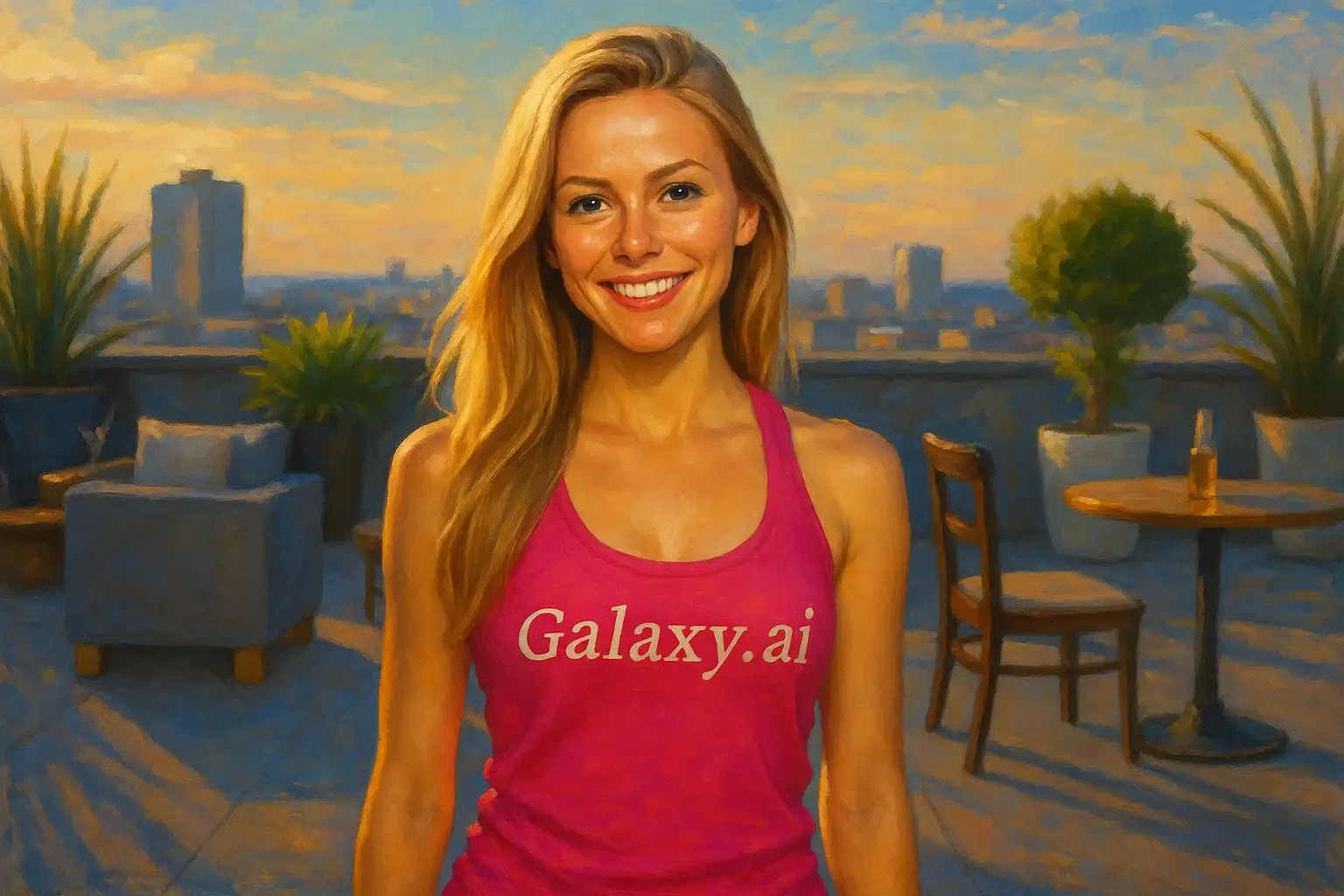
Compare the source image with each finished result.
Source image
Result
What Magica will ask for
The agent gathers these inputs and preferences in the conversation before it starts.
Upload Photos
attach a photo to apply the filter
Why Choose Our AI Digital Art Filter?
Transform your photos into stunning digital artwork with our advanced AI. Experience professional-quality digital art creation with just one click!
Professional digital art transformation
Vibrant colors and enhanced details
Artistic brushwork and painterly effects
Maintains original photo composition
Instant results powered by AI
No artistic skills required
Perfect for creative projects and portfolios
How Our AI Digital Art Filter Works
Create stunning digital artwork from your photos in three simple steps:
01
Attach Your Photo
Select a clear photo with good composition. Any subject works - portraits, landscapes, or objects!
02
Apply the Filter
ask Magica to generate the result and watch as our AI transforms your photo into beautiful digital art.
03
Download & Share
Preview your digital artwork and download your masterpiece to share or print.
Key Features of the AI Digital Art Filter
Vibrant Color Enhancement
Enriches colors with artistic vibrancy while maintaining natural balance and harmony.
Artistic Brushwork
Applies professional digital painting techniques with visible brushstrokes and texture.
Detail Enhancement
Brings out intricate details while adding artistic interpretation and depth.
High-Resolution Output
Generates high-quality digital art perfect for prints, portfolios, and social media.
Instant Transformation
Get professional digital art results in seconds without manual editing.
Smart Composition
Preserves the original composition while enhancing artistic appeal and visual impact.
Who Can Benefit from the Digital Art Filter?
Our AI Digital Art Filter is perfect for anyone wanting to transform their photos into stunning artwork or create unique visual content.
Social Media Enthusiasts
Create eye-catching digital art for profile pictures and posts that stand out.
Photographers
Transform your photos into digital art pieces to expand your portfolio and offerings.
Artists & Designers
Generate digital art inspiration or create unique artwork for creative projects.
Marketing Professionals
Create stunning visual content for campaigns, presentations, and brand materials.
Content Creators
Generate unique digital art content for YouTube thumbnails, blogs, and social platforms.
Creative Hobbyists
Explore digital art creation and transform personal photos into artistic masterpieces.
Tips for the Best Digital Art Results
Tip 1
Use High-Quality Photos
Start with high-resolution, well-composed photos for the most detailed and impressive digital art.
Tip 2
Choose Photos with Good Lighting
Well-lit photos with clear details transform better into digital art with rich colors and depth.
Tip 3
Consider Composition
Photos with interesting composition and subject matter create more visually striking digital art.
Tip 4
Experiment with Different Subjects
Try portraits, landscapes, architecture, or objects - each creates unique digital art styles.
Tip 5
Use Color-Rich Images
Photos with vibrant colors or interesting color palettes enhance the digital art transformation.
Frequently Asked Questions About Our Digital Art Filter
How realistic is the digital art transformation?
Our AI creates authentic digital art by applying professional painting techniques while maintaining your photo's key elements. The result is a beautiful balance between photographic realism and artistic interpretation.
What types of photos work best?
The filter works beautifully on all types of photos - portraits, landscapes, architecture, and objects. High-quality images with good lighting and interesting composition produce the most stunning results.
Can I use the digital art commercially?
Yes! The digital art created from your own photos can be used for personal and commercial projects, including prints, portfolios, marketing materials, and social media content.
Will the digital art look hand-painted?
Yes, our AI applies authentic digital painting techniques including brushwork, texture, and artistic color enhancement to create artwork that resembles professional hand-painted digital illustrations.
How long does the transformation take?
The transformation is nearly instant! Simply attach your photo, ask Magica to generate the result, and your digital art will be ready in seconds.
Is my photo safe to upload?
We prioritize user privacy. Your photos are used only for the transformation process and are not stored long-term or used for other purposes. The generated digital art is returned in the conversation for you to save.
What resolution is the output?
The filter generates high-resolution digital art suitable for printing, professional portfolios, and high-quality social media posts.
Can I edit the digital art after generation?
Absolutely! The generated digital art can be downloaded and further edited in your favorite image editing software for additional customization.