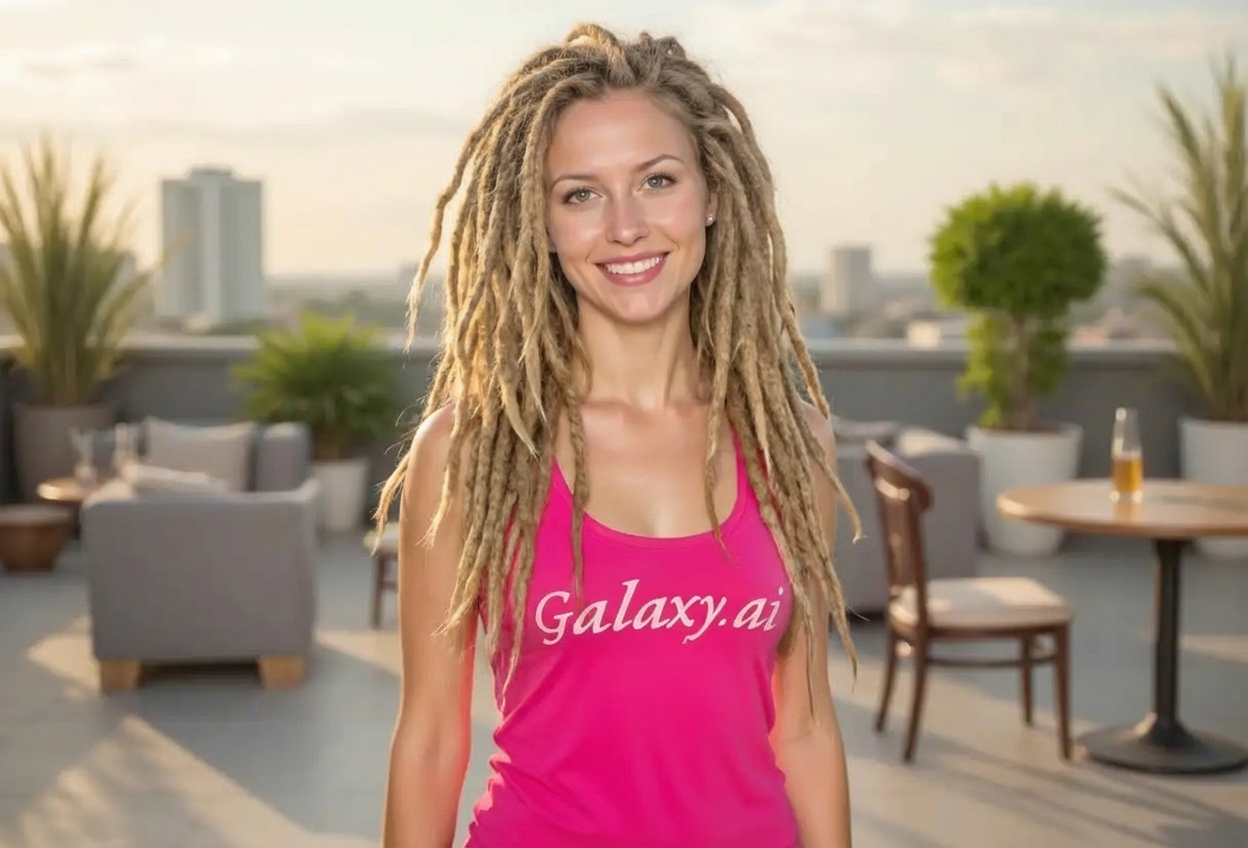
Compare the source image with each finished result.
Source image
Result
What Magica will ask for
The agent gathers these inputs and preferences in the conversation before it starts.
Upload Photo
attach a photo to apply the filter
Why Choose Our AI Dreadlocks Filter?
Transform your hair into authentic dreadlocks with our advanced AI. Experience a stunning new hairstyle with natural texture and volume in just one click!
Authentic dreadlock texture and styling
Natural volume and realistic hair flow
Maintains your facial features and identity
High-quality AI processing
Instant transformation results
No editing skills required
Perfect for exploring new hairstyles
How Our Dreadlocks Filter Works
Transform your hair into stunning dreadlocks with these simple steps:
01
Attach Your Photo
Select a clear photo where your hair and face are clearly visible. Front-facing or side-angle shots work best!
02
Apply the Filter
ask Magica to generate the result and watch as our AI transforms your hair into beautiful dreadlocks with natural texture.
03
Download & Share
Preview your new dreadlock hairstyle and download your transformed photo.
Key Features of the AI Dreadlocks Filter
Authentic Dreadlock Transformation
Creates genuine dreadlocks with characteristic texture, natural sections, and realistic styling.
Smart Hair Recognition
Our AI accurately identifies hair regions and transforms them while maintaining face and features intact.
Natural Volume & Texture
Generates dreadlocks with authentic volume, depth, and realistic texture that looks natural.
High-Resolution Output
Delivers high-quality images perfect for social media, profile pictures, or exploring new looks.
Instant Results
Transform your hairstyle in seconds with our fast AI processing - no waiting required.
Who Can Benefit from the Dreadlocks Filter?
Our AI Dreadlocks Filter is perfect for anyone wanting to explore this distinctive hairstyle or visualize their look with dreadlocks.
Social Media Enthusiasts
Create unique profile pictures and posts with a bold dreadlock hairstyle that stands out.
Hairstyle Explorers
Visualize yourself with dreadlocks before committing to the actual hairstyle transformation.
Content Creators
Generate diverse hairstyle content for fashion, beauty, or lifestyle social media channels.
Fashion & Style Bloggers
Create hairstyle inspiration content and showcase different look transformations.
Cosplayers & Character Creators
Preview character looks or create costume references with dreadlock hairstyles.
Cultural Enthusiasts
Explore and appreciate the cultural significance of dreadlocks through visual representation.
Tips for the Best Dreadlock Transformation
Tip 1
Use Clear, Well-Lit Photos
Ensure your photo has good lighting and your hair is clearly visible for the best transformation.
Tip 2
Choose Photos with Visible Hair
Photos where your full hairstyle is visible work best for dreadlock conversion. Avoid hats or covered hair.
Tip 3
Use High-Quality Images
Better quality input photos result in more detailed and realistic dreadlock textures.
Tip 4
Front or Side Angles Work Best
Face-forward or 3/4 angle portraits showcase the dreadlock transformation most effectively.
Tip 5
Natural Backgrounds Help
Photos with simple, uncluttered backgrounds allow the AI to focus on hair transformation details.
Frequently Asked Questions About Our Dreadlocks Filter
How realistic are the dreadlocks?
Our AI creates highly realistic dreadlocks by analyzing natural texture patterns and styling. The result includes authentic sectioning, volume, and the characteristic rope-like texture of real dreadlocks.
What types of photos work best?
The filter works best on clear photos with visible hair and good lighting. Front-facing or 3/4 angle portraits with unobstructed hair views provide the best results. While it can work on various angles, we recommend clear hair visibility for optimal transformation.
Will the dreadlocks look natural with my hair color?
Yes! Our AI preserves your natural hair color while adding the dreadlock texture. The transformation maintains your hair's original shade, creating realistic dreadlocks that match your current coloring.
Can I use this to preview dreadlocks before getting them?
Absolutely! Many users use this filter to visualize how they'd look with dreadlocks before committing to the hairstyle. It's a great way to explore this distinctive look risk-free.
Is my photo safe to upload?
We prioritize user privacy. Your photos are used only for the transformation process and are not stored long-term or used for other purposes.
Does it work on all hair lengths?
The filter works on various hair lengths, though results are most dramatic on photos with medium to long hair. Short hair can still be transformed, but the dreadlock length will be proportional to the visible hair.
Will my facial features remain the same?
Yes! The AI specifically targets only the hair region for transformation. Your facial features, skin tone, and overall appearance remain unchanged - only your hairstyle is transformed into dreadlocks.