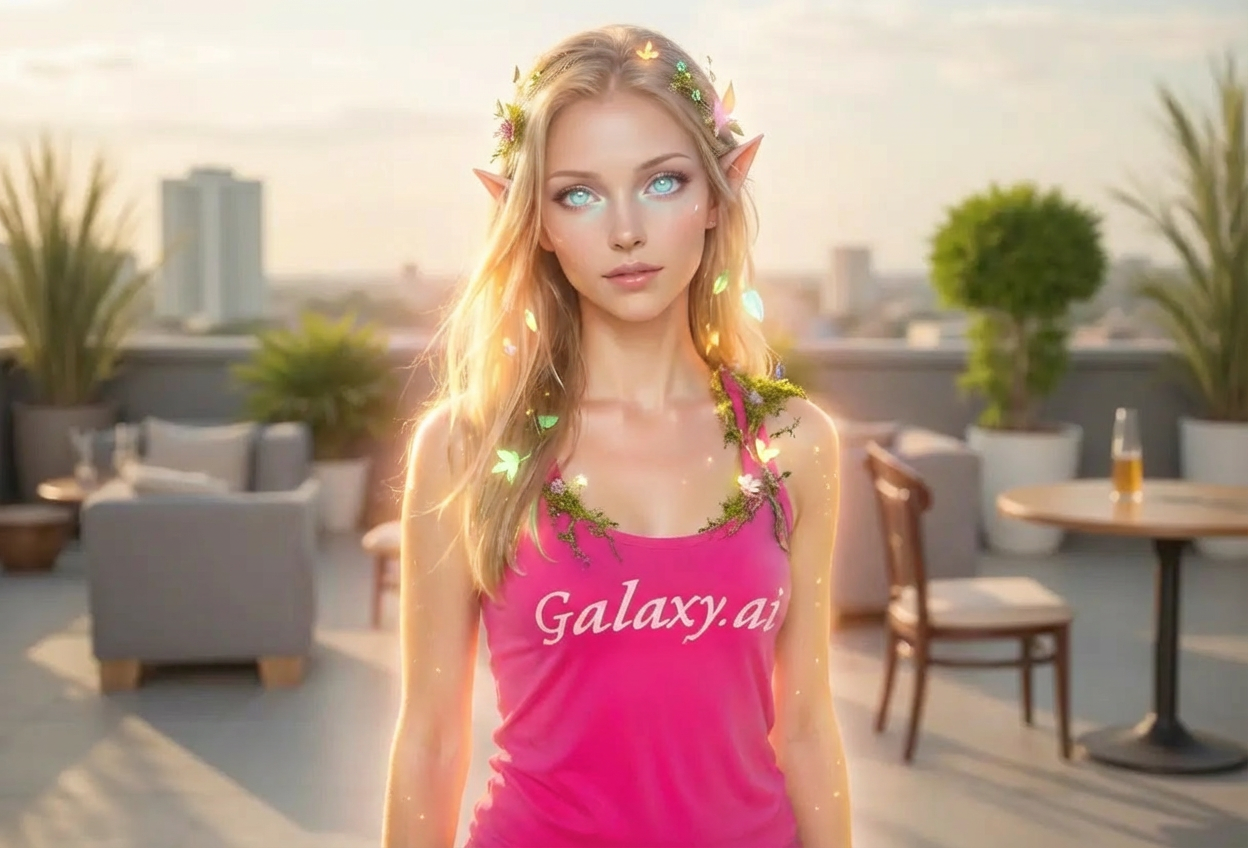
Compare the source image with each finished result.
Source image
Result
What Magica will ask for
The agent gathers these inputs and preferences in the conversation before it starts.
Upload Photos
attach a photo to apply the filter
Why Choose Our AI Elven Filter?
Transform your photos into enchanting elven portraits with our advanced AI. Experience the magic and elegance of Middle-earth's elves with just one click!
Authentic elven features with pointed ears
Luminous, ethereal eyes that glow
Delicate facial features and otherworldly beauty
Soft magical glow and nature-inspired details
Maintains original photo quality
Instant fantasy transformation
No editing skills required
Perfect for cosplay and fantasy roleplay
How Our Elven Filter Works
Transform into an elegant elven character with these simple steps:
01
Attach Your Photo
Select a clear portrait photo where your face is clearly visible. Well-lit, front-facing photos work best!
02
Apply the Filter
ask Magica to generate the result and watch as our AI transforms you into a mystical elven being with pointed ears and luminous eyes.
03
Download & Share
Preview your elven transformation and download your enchanted portrait for social media or cosplay.
Key Features of the AI Elven Filter
Magical Elven Features
Adds authentic pointed ears, luminous eyes, and ethereal glow that captures the essence of fantasy elves.
Smart Feature Enhancement
Advanced AI delicately enhances facial features while maintaining your natural appearance and expressions.
Otherworldly Beauty
Creates an elegant, timeless elven appearance with refined features and natural grace.
High-Quality Output
Generates high-resolution images perfect for cosplay references, profile pictures, and fantasy art.
Nature-Inspired Details
Adds subtle natural elements and soft magical glow that evoke elven connection to nature.
Instant Transformation
Get your elven portrait in seconds without any manual editing or complex software.
Who Can Benefit from the Elven Filter?
Our AI Elven Filter is perfect for fantasy enthusiasts and anyone wanting to explore their magical side.
Fantasy & LOTR Fans
See yourself as an elegant elf from Middle-earth or your favorite fantasy world.
Cosplayers & LARPers
Preview your elven costume looks or create reference images for your fantasy character.
Content Creators
Generate unique fantasy content for social media, YouTube, or streaming platforms.
RPG & D&D Players
Visualize your elven character for tabletop games or online roleplay communities.
Artists & Illustrators
Create reference images for fantasy character designs or elven-inspired artwork.
Social Media Users
Stand out with magical elven profile pictures and unique fantasy-themed posts.
Tips for the Best Elven Transformation
Tip 1
Use Clear, Well-Lit Photos
Ensure your face is clearly visible with good lighting to capture the delicate elven features and magical glow.
Tip 2
Front-Facing Portraits Work Best
Photos where you're looking directly at the camera allow the AI to accurately add pointed ears and luminous eyes.
Tip 3
Choose Serene or Noble Expressions
A calm, graceful, or thoughtful expression enhances the otherworldly elven aesthetic.
Tip 4
Higher Resolution for Better Details
Use high-quality photos to ensure the pointed ears, eye luminescence, and magical details are crisp and beautiful.
Tip 5
Outdoor or Natural Settings Enhance the Effect
Photos with natural backgrounds complement the elven connection to nature, though not required.
Frequently Asked Questions About Our Elven Filter
How realistic are the elven features?
Our AI creates believable elven transformations by adding pointed ears, luminous eyes, and ethereal beauty while maintaining your natural facial structure. The result is a magical yet natural-looking elven appearance.
Does it work on all types of photos?
The filter works best on clear, front-facing portrait photos with good lighting. While it can work on various photo types, we recommend individual portraits for the most accurate elven transformation.
Can it transform both male and female subjects?
Yes! The AI adapts the elven features appropriately, creating elegant elven appearances for any subject while maintaining their unique characteristics.
What specific elven features does it add?
The filter adds pointed elven ears, luminous ethereal eyes, refined facial features, a soft magical glow, and nature-inspired subtle details that capture the essence of fantasy elves from works like Lord of the Rings.
Will the transformation look natural?
Yes, our AI carefully blends elven features with your natural appearance, creating a balanced transformation that looks both magical and believable rather than overly artificial.
Is my photo safe and private?
We prioritize user privacy. Your photos are used only for the transformation process and are not stored long-term or used for other purposes. Your elven portrait is returned in the conversation for you to save.
Can I use this for cosplay references?
Absolutely! Many cosplayers use our Elven Filter to visualize their character makeup, create reference images, or plan their elven costume details.
How long does the transformation take?
The transformation is nearly instant, typically taking just a few seconds to generate your elven portrait once you attach your photo and ask Magica to generate the result.