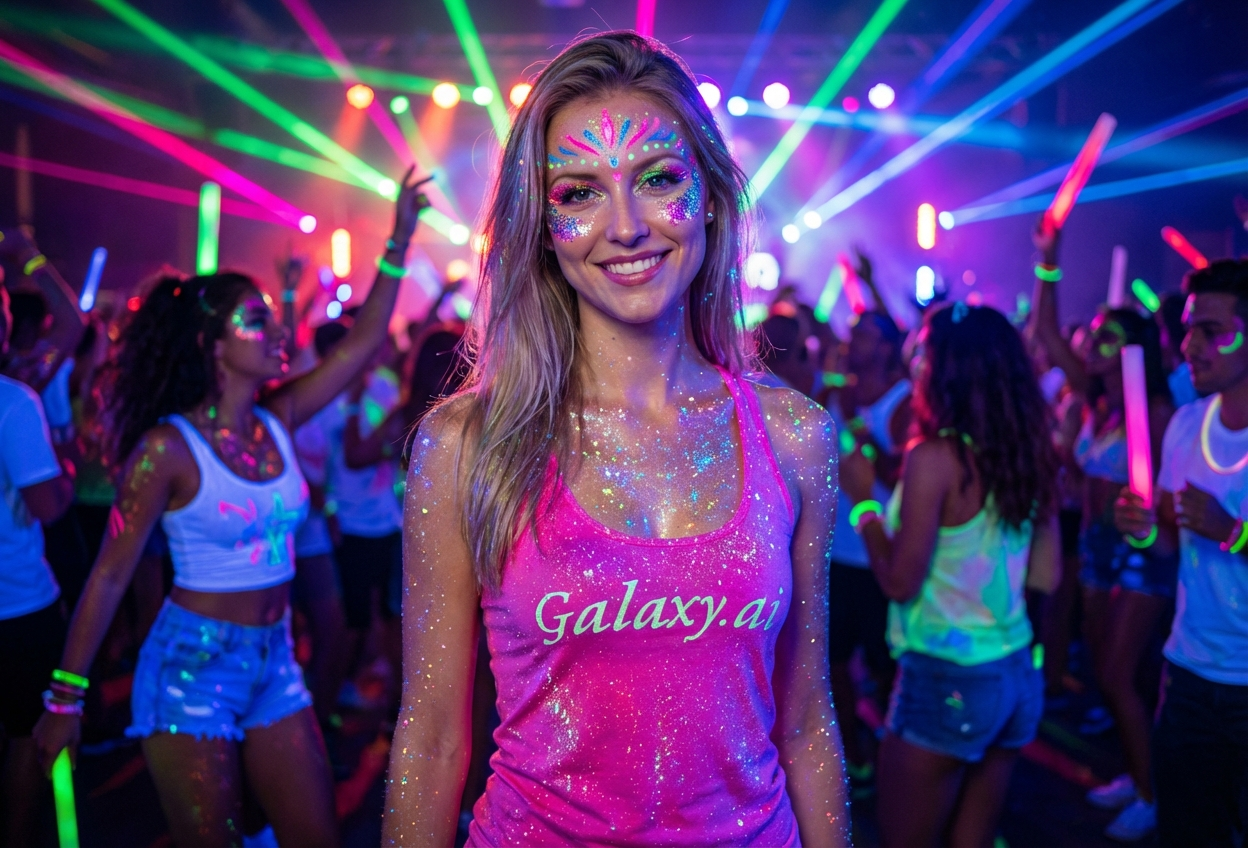
Compare the source image with each finished result.
Source image
Result
What Magica will ask for
The agent gathers these inputs and preferences in the conversation before it starts.
Upload Photo
attach a photo to apply the festival rave filter
Why Choose Our AI Festival Rave Filter?
Transform your photos into vibrant festival masterpieces with our advanced AI. Experience the electric energy of music festivals and raves with just one click!
Vibrant neon and UV reactive colors
Realistic glitter and festival makeup
Dynamic lighting and glow effects
Maintains facial features and authenticity
Perfect for EDM and music festival content
Instant party-ready transformation
No makeup or editing skills required
How Our Festival Rave Filter Works
Get festival-ready in three simple steps:
01
Attach Your Photo
Select a clear photo where your face is visible. Well-lit portraits work best for maximum festival effect!
02
Apply the Filter
ask Magica to generate the result and watch as our AI adds glitter makeup, neon paint, and vibrant rave aesthetics to your photo.
03
Download & Share
Preview your festival transformation and download your rave-ready photo to share on social media.
Key Features of the AI Festival Rave Filter
Vibrant Festival Makeup
Adds authentic rave makeup including glitter, neon face paint, and UV reactive colors that capture the festival spirit.
Dynamic Glow Effects
Creates realistic lighting effects and neon glows that mimic festival environments and UV blacklight conditions.
Energetic Atmosphere
Captures the electric energy and party vibes of music festivals with colorful, eye-catching enhancements.
High-Quality Output
Generates high-resolution images perfect for social media posts, profile pictures, and festival memories.
Who Can Benefit from the Festival Rave Filter?
Our AI Festival Rave Filter is perfect for anyone who loves music festivals, raves, and vibrant party aesthetics.
Festival Goers
Create stunning festival content and preview your rave looks before the big event.
EDM Fans
Show your love for electronic dance music with vibrant, festival-inspired profile pictures.
Content Creators
Generate eye-catching festival content for Instagram, TikTok, and other social platforms.
Party Enthusiasts
Add rave aesthetics to party photos and create memorable content for special occasions.
DJs & Performers
Create promotional materials with authentic festival vibes for events and social media.
Music Lovers
Express your passion for music culture with vibrant, festival-themed portraits.
Tips for the Best Festival Rave Effect
Tip 1
Use Well-Lit Photos
Clear, well-lit photos allow the AI to add more vibrant colors and glitter effects for maximum festival impact.
Tip 2
Front-Facing Portraits Work Best
Direct front-facing photos provide the best canvas for neon face paint and festival makeup application.
Tip 3
Higher Resolution for Better Detail
High-quality photos ensure the glitter, neon effects, and intricate festival details are crisp and stunning.
Tip 4
Try Different Expressions
Energetic, happy expressions enhance the festival vibe, though the filter works with any expression.
Tip 5
Consider Your Background
While the filter focuses on your face, a simple background helps the vibrant festival colors stand out more.
Frequently Asked Questions About Our Festival Rave Filter
How realistic are the festival effects?
Our AI creates highly realistic festival makeup and neon effects that authentically capture the rave aesthetic. The glitter, face paint, and UV reactive colors are designed to look like professional festival makeup.
Can I use this for actual festival makeup inspiration?
Absolutely! The filter is perfect for previewing festival looks and getting inspiration for your actual rave makeup. Many users use it to plan their festival outfits and makeup designs.
Does it work on group photos?
The filter works best on individual portraits where the face is clearly visible. For group photos, we recommend applying the filter to individual photos for the best results.
Will it work with photos of me already wearing makeup?
Yes! The AI will enhance your existing look with festival-specific elements like glitter, neon paint, and glow effects. It works on both natural and made-up photos.
What types of festivals is this filter good for?
The filter is perfect for EDM festivals, raves, Tomorrowland, Ultra, Electric Daisy Carnival, Coachella, and any music festival or party with a vibrant, colorful aesthetic.
Can I adjust the intensity of the effects?
The filter applies a balanced mix of festival elements designed to look authentic and vibrant. Each generation creates a unique festival look while maintaining natural facial features.
Is my photo safe and private?
We prioritize user privacy. Your photos are used only for the transformation process and are not stored long-term or used for other purposes. Your festival-ready image is returned in the conversation for you to save.